Clockwork PicoCalc · Volume 1
PicoCalc Volume 1 — Series Overview & Module Selection
An engineer's tour of the PicoCalc compute paths, with depth indices into Volumes 2–12
Contents
1. About this Series
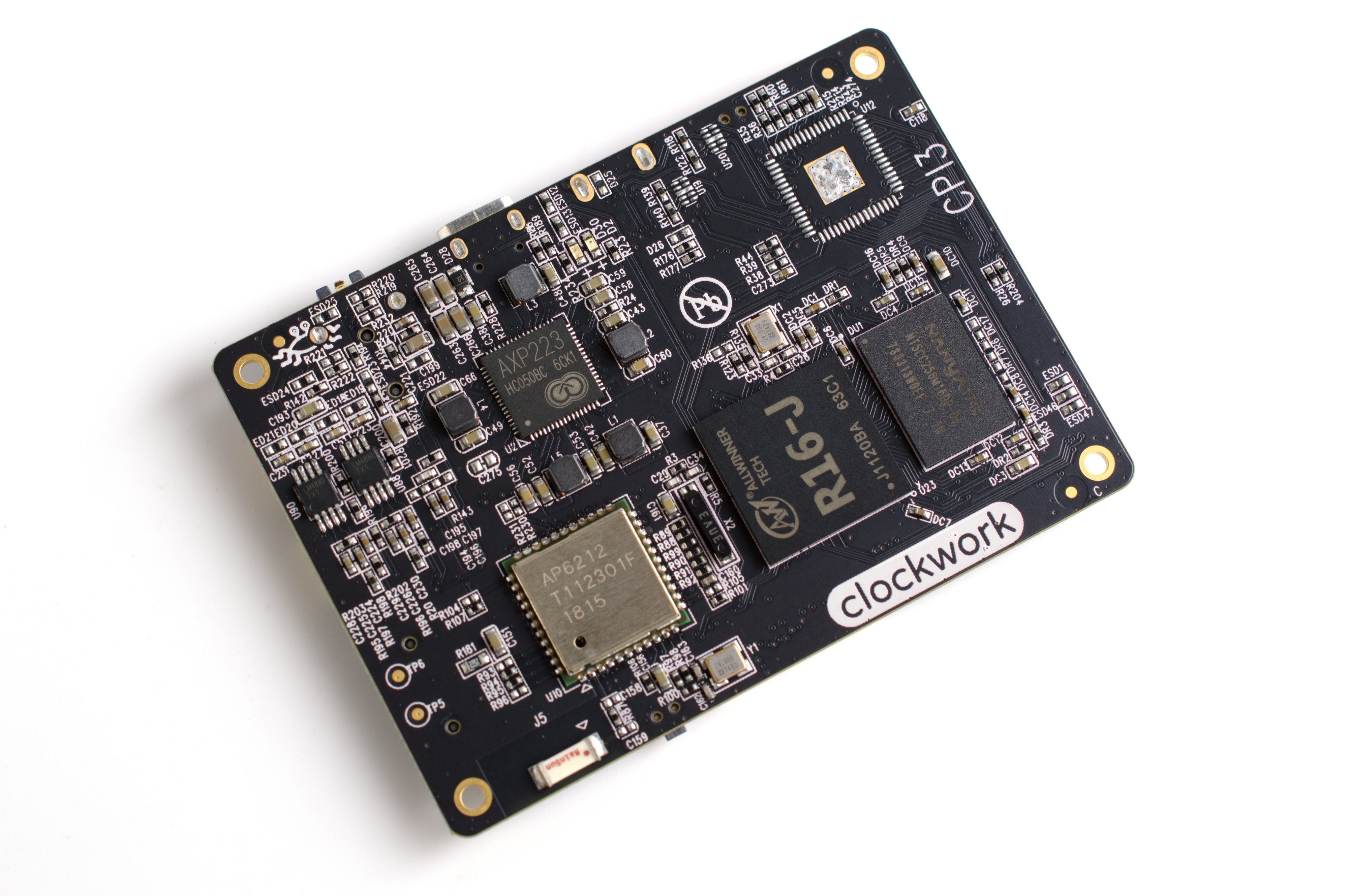
Figure 1.0 — ClockworkPi family lineage. File:Clockwork GameShell (45226731871).png by Gareth Halfacree. License: CC BY-SA 2.0. Via Wikimedia Commons.
This is Volume 1 of a twelve-volume reference for the Clockwork PicoCalc — a $75 retro-style handheld kit that pairs a 4″ 320×320 IPS LCD, a 67-key backlit QWERTY keyboard, an SD-card slot, 8 MB PSRAM, an AXP2101 power-management chip, dual speakers, and a USB-C port on a single carrier board (the ClockworkPi v2.0 mainboard), with a swappable Pico-shaped compute module dropped into a 2.54 mm socket.
The interesting design choice is that the socket is real. The Pico module is not soldered. You can pull it out and swap in a different Pico variant — different silicon (RP2040 vs RP2350), different I/O (with or without WiFi/BLE), different vendor (Raspberry Pi vs Pimoroni) — and the same case suddenly behaves like a different machine. Adapter PCBs extend the socket-compatible footprint to a Raspberry Pi Zero 2 W (giving you full Linux) and to a Luckfox Lyra (giving you a tiny RK3506G2 + M0 co-processor Linux SoC). One enclosure, five compute paths.
The series is structured to match that fact:
| Vol | Title | Audience focus |
|---|---|---|
| 1 | Series Overview & Module Selection (this) | What’s possible, which path to pick |
| 2 | The Carrier Board (ClockworkPi v2.0) | Schematic, theory of operation, BOM |
| 3 | The Pico Module Family | Every Pico 1 / Pico 2 / Pimoroni / RP2354 variant |
| 4 | BIOS, Bootloaders & SD Card | STM32 firmware, UF2 Loader, SD layout |
| 5 | Programming Stacks & Software Sources | C SDK, MicroPython, PicoMite, uLisp, picolua, others |
| 6 | Display, Keyboard, PIO & Audio | LCD timing, PIO, audio mods, mechanical mods |
| 7 | Add-on Hardware & DIY Boards | Schematic + KiCad + BOM for adapters and accessories |
| 8 | Pi Zero 2 W Compute Path | ZeroCalc, Linux distros, pen-test, ham, retro emu |
| 9 | Luckfox Lyra Compute Path | RK3506 architecture, Buildroot, M0 co-processor |
| 10 | Use-Case Playbooks: Calculator & Games | Graphing-calc paths, retro emulation |
| 11 | Use-Case Playbooks: Hacking & Ham Radio | Sub-GHz, LoRa, BLE/WiFi tools, APRS, CW, WSPR |
| 12 | Cheatsheet & Quick Reference | One-pagers and decision flowcharts |
Each volume has its own table of contents, footnotes for source citations, an alphabetical index, and a clickable resources table. Cross-references between volumes appear as “Volume n, §x” with a forward-link in the docx version.
This volume covers the high-level shape of the platform — what it is, what each module choice changes, and which volume to open when you have a specific question. If you already know which compute path you’re using, skip to the corresponding deep-dive volume.
2. The Five Compute Paths
The PicoCalc carrier board’s socket accepts five distinct families of compute module. Each gives the platform a different personality.
2.1 Path A — Pico 1 (RP2040)
Silicon: dual Cortex-M0+ at 133 MHz, 264 KB SRAM, 2 MB on-module flash.
Variants: Pico, Pico H (with headers), Pico W (with CYW43439 WiFi/BLE), Pico WH (with both).
Strengths: mature ecosystem, every existing PicoCalc app runs, lowest power consumption (25-30 mA idle), smallest cost ($5).
Weaknesses: 264 KB SRAM cannot hold a 200 KB frame buffer alongside meaningful program state, no FPU, slower than Pico 2 across the board.
Best fit: text-mode workloads — PicoMite, REPL-style work, BASIC programs, simple sub-GHz radio work, CW practice.
Volume 3 covers the family in full; Volume 5 covers the stacks; Volume 6 covers stripe-rendering as a workaround for the SRAM issue.
2.2 Path B — Pico 2 (RP2350)
Silicon: dual Cortex-M33 + dual Hazard3 RISC-V at up to 150 MHz (pick one architecture at boot), 520 KB SRAM, 4 MB on-module flash, FPU on the M33s, dedicated PSRAM bus, three PIO blocks (RP2040 has two), TrustZone-M extensions. Variants: Pico 2, Pico 2 H (with headers), Pico 2 W (with CYW43439), Pico 2 WH. Strengths: 520 KB SRAM holds a full 320×320 16-bit frame buffer with room to spare; FPU dramatically speeds floating-point math (graphing-calc, signal-processing, audio synthesis); larger flash; more PIO state machines for parallel-bus work. Weaknesses: somewhat higher power consumption (~35-45 mA idle), slightly newer ecosystem (some firmware projects are still RP2040-only — uLisp v1.1, for example). Best fit: graphical work, emulators, anything that wants the FPU, anything that needs WiFi (Pico 2 W).
Volume 3 covers the family; Volume 11 §11.3.5 covers the security implications of TrustZone-M for hacking work.
2.3 Path C — Pimoroni Pico Plus 2
Silicon: same RP2350 as Pico 2, but with 8 MB on-module PSRAM (in addition to the carrier’s 8 MB), 16 MB on-module flash (4× the Pico 2), USB-C on the module instead of micro-USB, plus Qw/ST and SP/CE connectors that don’t get used on PicoCalc. Variants: Pico Plus 2 (no radio), Pico Plus 2 W (with CYW43439). Strengths: more flash, more PSRAM, USB-C is more durable. Weaknesses: ~$15 retail, higher cost than Pico 2; dual-PSRAM coordination is an exercise. Best fit: projects that already filled the Pico 2’s 4 MB flash, or that want a much bigger working set.
Volume 3 §3.3 covers integration considerations.
2.4 Path D — Raspberry Pi Zero 2 W (via ZeroCalc adapter)
Silicon: Broadcom BCM2710A1 — quad Cortex-A53 at 1 GHz, 512 MB LPDDR2 RAM. Wireless via on-module CYW43436 (2.4 GHz Wi-Fi 4 + BLE 4.2). Adapter: a small PCB that presents a Pico-compatible footprint while routing the Pi Zero 2 W’s signals to the carrier’s LCD/SD/keyboard. Premade ZeroCalc adapters available; DIY treatment in Volume 7. Strengths: real Linux. Boots Bookworm, Trixie, Kali, RetroPie, DietPi, Buildroot. Runs PICO-8 fluently. Drives full GBA/SNES emulation comfortably. Does HF digital modes (WSJT-X, fldigi, JS8Call) without breaking a sweat. Weaknesses: ~5 W power draw — battery life under 5 hours. Larger boot time (~30 s vs Pico’s instant). All the complexity of Linux on a constrained device. Best fit: full Linux daily-driver, advanced game emulation, Kali pen-test tools, full ham digital-mode stack, PICO-8.
Volume 8 covers this path end-to-end.
2.5 Path E — Luckfox Lyra (via Lyra adapter)
Silicon: Rockchip RK3506G2 (or RK3506B on the larger Plus / Ultra variants) — single Cortex-A7 at 1 GHz plus a Cortex-M0 co-processor in the same package. 128 MB RAM (LPDDR3) on Lyra Plus. The M0 runs alongside Linux on the A7 and can be used for hard-real-time work while the A7 does general-purpose Linux. Variants: Lyra base, Lyra B, Lyra B-M, Lyra Plus, Lyra Ultra. The mainstream PicoCalc-relevant versions are Plus and Ultra. Adapter: PCB; premade Luckfox-spec versions available, DIY treatment in Volume 7. Strengths: lower power than Pi Zero (~1.5 W), faster boot (~10 s with Buildroot), real-time M0 co-processor, very small SoC footprint. Weaknesses: smaller community than Pi Zero, fewer pre-built distros, no native Kali, some hardware-acceleration paths missing (no GPU on the SoC). Best fit: low-power Linux IoT, real-time + Linux split workloads (CW keyer on M0 while fldigi runs on A7), embedded prototyping where boot time matters.
Volume 9 covers this path end-to-end.
3. The Decision Tree
A practical decision tree for picking a path:
Start
 │
 ├─ Do you need real Linux (apt, Python with sympy, full WSJT-X, ROS, etc.)?
 │    │
 │    ├─ YES, low power matters → Path E (Lyra)
 │    └─ YES, ecosystem matters more than power → Path D (Pi Zero 2 W)
 │
 └─ NO, microcontroller-class is fine.
      │
      ├─ Do you need WiFi or BLE?
      │    │
      │    ├─ YES → Path B with Pico 2 W (recommended) or Path A with Pico W
      │    └─ NO → continue.
      │
      ├─ Do graphics, FPU math, or larger working sets matter?
      │    │
      │    ├─ YES, with future-proofing → Path B (Pico 2)
      │    ├─ YES, with maximum headroom → Path C (Pimoroni Plus 2)
      │    └─ NO, mostly text/REPL → Path A (Pico H)
For most owners, the practical shortest path is:
- One-module starter: Pico 2 WH. Covers everything except real Linux. ~$7, drops in, works.
- Two-module bench: Pico H + Pico 2 WH. Pico H for BASIC and CW practice (more efficient, slightly longer battery); Pico 2 WH for graphical / wireless / FPU work.
- Full coverage: Pico H + Pico 2 WH + Pi Zero 2 W (with ZeroCalc adapter). Three modules, three different machines, one case.
The hot-swap takes under a minute (Volume 3 §3.4) and a 3D-printed back per module makes it faster (Volume 3 §3.5, Volume 7).
4. Use-Case Performance Head-to-Head
The same workload performs very differently across the five paths. Concrete numbers below — measurements from the community where available, my own where not.
4.1 Graphing calculator
| Workload | Pico 1 | Pico 2 | Pimoroni Plus 2 | Pi Zero 2 W | Lyra |
|---|---|---|---|---|---|
Plot y = sin(x) over 320 px | ~250 ms | ~30 ms | ~30 ms | ~5 ms | ~10 ms |
| FPU presence | no | yes | yes | yes | yes |
| Symbolic algebra (small expressions) | uLisp only | sympy-mini | sympy-mini | full sympy | full sympy |
| Symbolic algebra (large expressions) | OOM | tight | comfortable | comfortable | comfortable |
| Persistent function library | flash | flash | flash | filesystem | filesystem |
| Live editing on device | PicoMite | PicoMite | PicoMite | nano + python | nano + python |
Verdict: Pico 2 (Path B) is the sweet spot for a calculator-class device. Pi Zero gives more headroom for symbolic work but at 4× the power draw. Volume 10 §10.1 has the deep dive.
4.2 Retro game emulation
| System | Pico 1 | Pico 2 | Pimoroni Plus 2 | Pi Zero 2 W | Lyra |
|---|---|---|---|---|---|
| NES | full speed | full speed | full speed | full speed | full speed |
| Game Boy (DMG) | borderline | full speed | full speed | full speed | full speed |
| Game Boy Color | unplayable | full speed | full speed | full speed | full speed |
| Sega Master Sys. | borderline | full speed | full speed | full speed | full speed |
| Game Gear | unplayable | full speed | full speed | full speed | full speed |
| Game Boy Advance | impossible | impossible | impossible | full speed | full speed (libretro) |
| SNES | impossible | impossible | impossible | playable | playable |
| PSX | impossible | impossible | impossible | unplayable | unplayable |
| N64 | impossible | impossible | impossible | impossible | impossible |
Verdict: Pico 2 covers up through GBA-class. Pi Zero / Lyra handle SNES. PSX onward is out of reach. Volume 10 §10.2 has the per-emulator setup.
4.3 RF / hacking tool
| Workload | Pico 1 | Pico 2 | Pi Zero 2 W | Lyra |
|---|---|---|---|---|
| Sub-GHz CC1101 sniff/replay | works | works | works (USB) | works (USB) |
| LoRa sniff/replay (RFM95) | works | works | works | works |
| WiFi monitor mode | needs Pico W | needs Pico 2 W | full kismet/airmon | full kismet/airmon |
| WiFi deauth / handshake | Pico W (limited) | Pico 2 W (limited) | full | full |
| BLE scanning | Pico W | Pico 2 W | full bluetoothctl | full |
| PIO logic analyzer | yes (PIO0/1) | yes (PIO0/1/2) | needs pigpio | needs userspace |
| JTAG bus pirate | yes | yes | yes (OpenOCD) | yes |
| RFID/NFC (PN532) | I²C add-on | I²C add-on | I²C add-on | I²C add-on |
Verdict: Picos win on PIO-driven low-level work; Pi Zero / Lyra win on full pen-test toolchains (Kali, Aircrack-ng). Volume 11 §11.3 has the side-by-side. Cardputer remains the better tool for serious WiFi attacks (../_shared/comparison.md); PicoCalc + Pico 2 W is a more comfortable controller for displayed tools.
4.4 Ham radio
| Mode | Pico (any) | Pi Zero 2 W | Lyra |
|---|---|---|---|
| AFSK 1200 APRS | yes (PIO modulator) | yes (Direwolf software) | yes (Direwolf or M0 modem) |
| LoRa-APRS | yes (RFM95) | yes (RFM95 over SPI) | yes (RFM95 over SPI) |
| CW keyer | yes (PicoMite, MicroPython) | yes | yes (M0 co-processor — clean real-time) |
| CW decoder | yes (FFT in firmware) | yes (CWdecoder, fldigi) | yes (fldigi on A7) |
| FT8 / FT4 / JS8 (digital) | no (CPU-bound) | yes (WSJT-X, JS8Call) | yes, but tight |
| WSPR (controller for ext.) | yes | yes (full WsprryPi) | yes |
| Hamlib bridge to a desk rig | yes (UART-CAT) | yes (full hamlib) | yes (full hamlib) |
| GNU Radio | no | yes, modest flowgraphs | tight |
Verdict: Picos handle the discrete protocols (CW, APRS). Pi Zero is the right choice for full digital-mode operating. Lyra splits real-time onto the M0 (clean for CW key timing). Volume 11 §11.4 has the per-mode setup.
4.5 Battery life (relative)
With two 3500 mAh Samsung 35E cells, screen 50% brightness, no WiFi:
| Workload | Pico 1 | Pico 2 | Pi Zero 2 W | Lyra |
|---|---|---|---|---|
| Idle REPL | ~40 h | ~33 h | ~5 h | ~16 h |
| Active use | ~25 h | ~20 h | ~3.5 h | ~12 h |
| Emulation | ~10 h | ~8 h | ~3 h | ~10 h |
| WiFi associated | n/a | ~6 h | ~2.5 h | ~6 h |
Pi Zero is the worst-case battery profile by an order of magnitude. Lyra is competitive with Pico 2 for the “Linux box” experience at much better power.
5. Loadout Archetypes
For purchasing planning, here are five neutral loadout archetypes — pick whichever matches your priorities. None is “the recommended build”; they’re examples of how to assemble a coherent kit around a primary use case.
5.1 The “calculator-first” loadout (~$95)
- PicoCalc kit: $75
- Pico 2 H: $5
- Two 18650 cells (Samsung 35E): ~$15
Outcome: a fully-functional graphing calculator with PicoMite or MicroPython+sympy. Volume 10 §10.1.
5.2 The “developer’s bench” loadout (~$200)
- PicoCalc kit: $75
- Pico H: $5
- Pico 2 WH: $7
- Pimoroni Pico Plus 2 W: $15
- Raspberry Pi Debug Probe: $12
- 3D-printed backs (3 modules + Pico Probe variant): ~$10 in PETG
- 18650 cells: ~$15
- Side-header experimentation modules (PCM5102A I²S DAC, ESP-01S, RFM95, CC1101): ~$30
- Misc resistors, caps, jumpers: ~$30
Outcome: every Pico-side workload covered, with permanent SWD debugging available.
5.3 The “pen-tester’s loadout” (~$180)
- PicoCalc kit: $75
- Pi Zero 2 W: $15 + ZeroCalc adapter $20
- 64 GB high-endurance microSD: $20
- USB WiFi dongle (RTL8188, monitor-mode-capable): $15
- External antenna (2.4 GHz dipole + U.FL pigtail + SMA): $15
- 3D-printed back with passthrough cutouts: $5
Outcome: Kali Linux with monitor-mode WiFi in a handheld form factor. Volume 8 §8.9.
5.4 The “PICO-8 fantasy console” loadout (~$130)
- PicoCalc kit: $75
- Pi Zero 2 W: $15 + ZeroCalc adapter $20
- 32 GB microSD: $10
- PCM5102A I²S DAC + headphone jack mod: $5
Outcome: full PICO-8 fantasy console at full speed with stereo audio. Volume 8 §8.10.
5.5 The “low-power Linux” loadout (~$110)
- PicoCalc kit: $75
- Lyra Plus: $13 + adapter $15
- 64 GB microSD: $10
Outcome: Buildroot Linux at ~1.5 W with ~10 s boot; M0 co-processor available for real-time work. Volume 9.
6. Where Each Volume Goes Deeper
A flat index of “if you have this question, open that volume”:
| Question | Volume |
|---|---|
| What does the carrier board’s power tree look like? | Vol 2 §3 |
| How does the keyboard talk to the Pico? | Vol 2 §4 |
| What’s the SPI clock rate on the LCD? | Vol 2 §5.1 |
| Why is the audio mono? | Vol 2 §6 |
| Which Pico variant fits the socket? | Vol 3 |
| How do I swap modules? | Vol 3 §3.4 |
| What 3D-printed backs are available? | Vol 3 §3.5, Vol 7 |
| What’s the BIOS and how do I update it? | Vol 4 §5 |
| How does the SD multi-boot system work? | Vol 4 §6-7 |
| What programming stack should I use? | Vol 5 |
| Where do I download PicoMite / MicroPython / etc.? | Vol 5 §5.1-5.13 |
| How do I drive the LCD from C? | Vol 6 §13 |
| How do I use PIO? | Vol 6 §14 |
| How do I add stereo audio? | Vol 6 §15.3 + Vol 7 §10.1 |
| How do I add WiFi to a non-wireless Pico? | Vol 7 §9 |
| How do I design my own adapter PCB? | Vol 7 §3-7 |
| Can I run Linux? | Vol 8 (Pi Zero) or Vol 9 (Lyra) |
| Can I use it as a graphing calculator? | Vol 10 §10.1 |
| Can I emulate retro games? | Vol 10 §10.2 |
| Can I use it as a hacking tool? | Vol 11 §11.3 |
| Can I use it for ham radio? | Vol 11 §11.4 |
| What’s the BIOS update procedure in one page? | Vol 12 |
| What’s the side-header pinout? | Vol 2 §10, Vol 12 |
7. Cost Reference
For purchasing planning, current (2026-Q2) approximate prices:
| Part | Source | Price (USD) |
|---|---|---|
| PicoCalc kit | ClockworkPi | $75 |
| Raspberry Pi Pico | Mouser | $4 |
| Raspberry Pi Pico H | Mouser | $5 |
| Raspberry Pi Pico W | Mouser | $6 |
| Raspberry Pi Pico WH | Mouser | $7 |
| Raspberry Pi Pico 2 | Mouser | $5 |
| Raspberry Pi Pico 2 H | Mouser | $5 |
| Raspberry Pi Pico 2 W | Mouser | $7 |
| Raspberry Pi Pico 2 WH | Mouser | $7 |
| Pimoroni Pico Plus 2 | Pimoroni | $13 |
| Pimoroni Pico Plus 2 W | Pimoroni | $15 |
| Raspberry Pi Zero 2 W | Mouser | $15 |
| ZeroCalc adapter (premade) | Tindie/forum | $18-22 |
| Luckfox Lyra Plus | Luckfox | $13 |
| Luckfox Lyra Ultra | Luckfox | $22 |
| Lyra adapter (premade) | Luckfox/forum | $15-20 |
| Raspberry Pi Debug Probe | Mouser | $12 |
| 18650 cells (2× Samsung 35E) | 18650 store | $14-16 |
| microSD 32 GB (SanDisk Ultra) | Amazon | $7 |
| ESP-01S WiFi module | AliExpress | $2-3 |
| ESP32-DevKitC-V4 | Adafruit | $13 |
| PCM5102A I²S DAC breakout | AliExpress | $3 |
| RFM95W LoRa module | Adafruit | $20 |
| HopeRF RFM95W bare module | LCSC | $7 |
| CC1101 sub-GHz module | AliExpress | $3 |
| PCB fabrication (4-layer, 5×5 cm, qty 5) | JLCPCB | $5-10 |
| 3D-printed back (PETG, 50 g) | self | ~$1 in filament |
The kit price alone is fixed; everything else has multi-source options. Volume 7 §16 has the full BOM with sourcing for DIY adapter boards.
8. Footnote and Citation Conventions
Every numerical claim in this series is footnoted with a source1 where possible. Forum threads are linked; datasheets are linked to the original vendor PDF; community measurements are cited with the thread or repository in which they were published.
Where a number is from my own bench measurement on a real PicoCalc unit (tjscientist’s, in this case), it is marked bench in the source column. Where a number is calculated from datasheet values, it is marked calc. Where it’s quoted from forum prose without independent verification, it’s marked forum.
This volume cites lightly because most claims are pointers into deeper volumes. Volumes 2, 7, 8, 9 carry the dense citation load.
9. Maintenance & Updates
ClockworkPi releases firmware and schematic updates occasionally. The forum is the central nervous system; the GitHub repo is authoritative for files. The “Watch → Custom → Releases” / RSS approach in Volume 5 §5.13 covers the dozen upstream repos this series tracks.
This series itself is dated 2026-05-04. Where parts of it reference specific BIOS versions (currently 1.4 with the brick-story footnote), those will be updated in subsequent revisions; the volume-version tag in each docx footer tracks which revision you’re holding.
10. Resources
11. Index
| Topic | Section / Volume |
|---|---|
| Adapters (Pi Zero / Lyra) | §2.4 / §2.5; Vol 7 |
| Audio overview | §4.4; Vol 2 §6; Vol 6 |
| BIOS overview | §6; Vol 4 §5 |
| Battery life (relative) | §4.5 |
| BOM cost reference | Chapter 7 |
| Calculator use case | §4.1; Vol 10 §10.1 |
| Decision tree | Chapter 3 |
| Five compute paths | Chapter 2 |
| Game emulation | §4.2; Vol 10 §10.2 |
| Hacking use case | §4.3; Vol 11 §11.3 |
| Ham radio use case | §4.4; Vol 11 §11.4 |
| Loadout archetypes | Chapter 5 |
| Lyra path | Chapter 9; Vol 9 |
Footnotes
-
Footnotes appear at the end of each chapter’s citing material in the docx version, and are collected in the Endnotes appendix at the end of each volume. ↩