GL-iNet GL-BE3600 · Volume 6
GL-iNet GL-BE3600 Volume 6 — Wi-Fi 7 Specifics: 802.11be, MLO, 320 MHz, OFDMA, Regulatory
What Wi-Fi 7 actually buys; MLO, channel widths, security (WPA3/SAE), DFS, regulatory domain handling
6.1 About this Volume
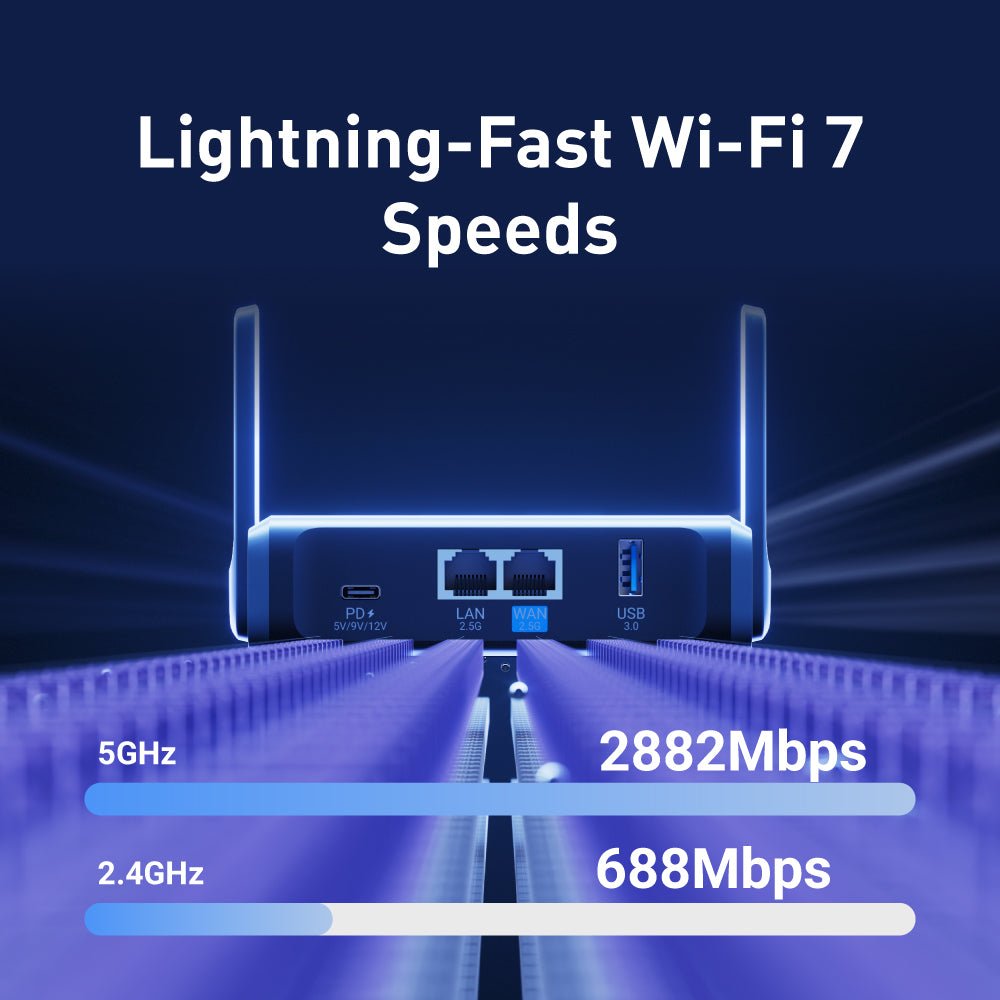
What 802.11be (Wi-Fi 7) means for this specific hardware. The marketing has been heavy; the real-world benefits on a dual-band SKU like this one are narrower than the spec-sheet suggests. We walk what features are present, which actually matter for travel use, and the regulatory-domain knobs that affect throughput.
Reads from:
- Vol 2 §3 for the underlying RF hardware.
Feeds:
- Vol 5 §3 for how Wi-Fi interfaces attach to bridges.
- Vol 8 repeater-mode sits on top of the Wi-Fi config established here.
6.2 What 802.11be Adds Over 802.11ax
Table 1 — 2. What 802.11be Adds Over 802.11ax
| Feature | Wi-Fi 6 (ax) | Wi-Fi 6E (ax + 6 GHz) | Wi-Fi 7 (be) |
|---|---|---|---|
| Channel widths | 20/40/80/160 MHz | 20/40/80/160 MHz | 20/40/80/160/320 MHz |
| Modulation | 1024-QAM | 1024-QAM | 4096-QAM |
| OFDMA | Yes (basic) | Yes | Yes (refined) |
| MU-MIMO | 4 user (DL+UL) | 4 user | 16 user (DL), 8 user (UL) |
| Multi-Link Operation (MLO) | No | No | Yes |
| Bands | 2.4 + 5 | 2.4 + 5 + 6 | 2.4 + 5 + 6 (where SKU supports) |
| Spec ratification | 2019 | 2020 (extension) | Sept 2024 |
The biggest gen-on-gen lifts are MLO and 320 MHz channels. Both require complementary client support; both are constrained on this dual-band SKU.
6.3 MLO — Multi-Link Operation
MLO is Wi-Fi 7’s headliner feature. Conceptually:
A single client maintains multiple simultaneous links to the AP, across different bands, and the kernel/driver decides per-packet which link to send on.
Three modes are defined in the spec:
Table 2 — Three modes are defined in the spec
| MLO mode | Behavior |
|---|---|
| STR (Simultaneous Transmit & Receive) | TX on one band while RX on another. Real concurrency. |
| NSTR (Non-STR) | Only one direction at a time across links — but switch is fast |
| EMLSR (Enhanced Multi-Link Single Radio) | Lower-cost client mode: maintains link state on multiple bands, but only one radio active at a time |
6.3.1 MLO on a dual-band SKU
This SKU has two bands (2.4 + 5 GHz). MLO can bond them — but the gain over a single 5 GHz link is small because:
- 2.4 GHz at 40 MHz tops out at 1147 Mbps PHY. Aggregating it with a 2402 Mbps 5 GHz link gives ~3500 Mbps, but the 2.4 GHz contribution is in a noisier band and rarely sustains the rate.
- MLO with 5 GHz + 6 GHz is where the dramatic gains show up; SKUs without 6 GHz miss that.
- Real client-side MLO support in 2026 is still uneven — many Wi-Fi 7 client chipsets implement EMLSR, not full STR.
For the BE3600: MLO works, MLO is genuinely on, but you won’t see 4 Gbps to a single client. Real numbers for a Wi-Fi 7 phone on this AP land around 1.4–1.8 Gbps single-stream — comparable to a strong Wi-Fi 6E setup.
6.3.2 Configuring MLO
In the GL-iNet build, MLO is enabled by default when both radios are up. Verify:
iw dev wlan0 info | grep -i mlo
iw dev wlan1 info | grep -i mlo
# Or look at the wpa_supplicant logs after a Wi-Fi 7 client associates
logread | grep -i 'mlo\|emlsr'
To explicitly toggle (if needed for compatibility with quirky clients):
# /etc/config/wireless
config wifi-iface 'default_radio0'
    option device 'radio0'
    option mode 'ap'
    option ssid '@TJ55219'
    option encryption 'sae-mixed'
    option key '...'
    option mlo '1'              # 1=enable, 0=disable
6.4 Channel Widths
This is where the dual-band SKU loses the headline number.
6.4.1 The 320 MHz problem
Wi-Fi 7’s flagship throughput requires 320 MHz contiguous channels. In US/EU/JP regulatory domains, the only band with 320 MHz available is 6 GHz. The 5 GHz band has at most 160 MHz of contiguous DFS-clear spectrum (and even that requires DFS channels, which carry their own restrictions).
For this dual-band SKU:
Table 3 — For this dual-band SKU
| Band | Max channel width | Realistic use |
|---|---|---|
| 2.4 GHz | 40 MHz | Always crowded; 20 MHz often more reliable in cities |
| 5 GHz (non-DFS) | 80 MHz | Always available; throughput ceiling ~1.5 Gbps single-stream |
| 5 GHz (with DFS) | 160 MHz | Available with DFS detection enabled; ceiling ~2.4 Gbps single-stream |
| 5 GHz | 320 MHz unavailable | Insufficient contiguous spectrum |
So the 5 GHz radio’s practical maximum is 160 MHz / 4096-QAM / 2-stream / 2.4 Gbps PHY. Real throughput well under 2 Gbps.
6.4.2 Picking the right width
For travel use:
- Default the GL-iNet build picks 80 MHz on 5 GHz with auto-channel selection. Conservative, works everywhere.
- For maximum throughput in a hotel room: 160 MHz with DFS enabled — but expect occasional rate drops if the radar-detection logic kicks in.
- For maximum reliability (e.g., remote work in a noisy environment): 80 MHz non-DFS.
Change in LuCI → Network → Wireless → Edit (radio1) → Width.
6.5 Security — WPA3-Personal / SAE
The default encryption mode for new Wi-Fi 7 networks is WPA3-Personal (also known as SAE — Simultaneous Authentication of Equals). This replaces WPA2’s PSK handshake with one that’s resistant to offline dictionary attacks.
6.5.1 SAE vs PSK
Table 4 — 5.1 SAE vs PSK
| WPA2-PSK | WPA3-SAE | |
|---|---|---|
| Handshake | 4-way (deauth-replay vulnerable) | SAE (Dragonfly) |
| Offline dictionary attack | Yes (capture handshake, dictionary-attack offline) | No (requires interaction with AP) |
| Forward secrecy | Per-session, but PSK leak is fatal | Yes |
| Compatibility | Universal | Wi-Fi 7 mandates support; Wi-Fi 6 optional; Wi-Fi 5 typically no |
6.5.2 Mixed-mode operation
The GL-iNet default is sae-mixed — the AP advertises both WPA2 and WPA3 and clients pick. This keeps older clients (the random IoT thing in your bag) connected. The cost is that an attacker can downgrade a Wi-Fi 7 client to WPA2 if they can spoof the AP’s beacons.
For travel-kit use: sae-mixed is fine. The threat model is “the venue Wi-Fi is hostile”, not “a sophisticated attacker is downgrade-attacking my SSID”. If that’s your threat model, switch to sae (WPA3-only) and accept that some legacy clients drop off:
option encryption 'sae'         # WPA3-only
# vs
option encryption 'sae-mixed'   # WPA3 + WPA2 fallback (default)
6.5.3 OWE for guest networks
OWE (Opportunistic Wireless Encryption) is the WPA3 replacement for open Wi-Fi — it encrypts the air interface without requiring a password. Useful for an open guest network that you still want to protect from passive sniffing:
option encryption 'owe'
# No 'key' option needed — OWE is keyless
6.6 Regulatory Domain — DFS, Country Codes, the W52/W53 Restriction
The regulatory marking on the bottom tag (Use Indoor only for W52,W53) refers to 5 GHz channels 36–48 (W52) and 52–64 (W53) in JP/EU regulatory domains.
6.6.1 What DFS does
DFS (Dynamic Frequency Selection) is the regulatory requirement that an AP using certain 5 GHz channels must:
- Listen for radar pulses before transmitting (Channel Availability Check, ~60s for non-weather, ~10 minutes for weather radar bands).
- If radar is detected mid-operation, vacate the channel within a short timeout (typically ~10s).
- Not return to the channel for at least 30 minutes (Non-Occupancy Period).
For the BE3600: DFS works correctly; the mt7996 driver handles the radar-detection state machine. The user-visible cost is occasional disconnects when a DFS channel is in use and the firmware decides to vacate.
6.6.2 Setting the country code
The country code drives which channels are legal, what TX power ceilings apply, and what DFS rules engage. It must be set correctly for the device to operate legally and for the radio to use its full power profile.
iw reg get                          # current regulatory state
iw reg set US                       # set to US (or DE, JP, etc.)

# Persist via UCI:
uci set wireless.radio1.country='US'
uci commit wireless
wifi reload
6.6.3 DFS-clear channels by region
Table 5 — 6.3 DFS-clear channels by region
| Region | Non-DFS 5 GHz channels (160 MHz capable) |
|---|---|
| US | 36–48 (1 channel @ 160 MHz: ch 36 + 80 MHz extension) |
| EU | 36–48 (limited; 100–140 are DFS) |
| JP | 36–48 (W52 — indoor-only per the regulatory marking) |
For most travel users in most regions, default to 80 MHz on a non-DFS channel as the reliability-first option. 160 MHz with DFS works but introduces avoidable disconnect risk.
6.7 The Wi-Fi UCI
# /etc/config/wireless

config wifi-device 'radio0'           # 2.4 GHz radio
    option type 'mac80211'
    option path 'platform/...'
    option channel 'auto'
    option band '2g'
    option htmode 'HE40'              # Wi-Fi 6 / Wi-Fi 7 mode label
    option country 'US'
    option txpower '20'

config wifi-iface 'default_radio0'
    option device 'radio0'
    option network 'lan'
    option mode 'ap'
    option ssid 'GL-BE3600-ae2'
    option encryption 'sae-mixed'
    option key '...'

config wifi-device 'radio1'           # 5 GHz radio
    option type 'mac80211'
    option path 'platform/...'
    option channel 'auto'
    option band '5g'
    option htmode 'EHT160'            # Wi-Fi 7 EHT mode at 160 MHz
    option country 'US'
    option txpower '23'

config wifi-iface 'default_radio1'
    option device 'radio1'
    option network 'lan'
    option mode 'ap'
    option ssid 'GL-BE3600-ae2'
    option encryption 'sae-mixed'
    option key '...'
The htmode strings:
HT20/HT40— Wi-Fi 4 eraVHT20/VHT40/VHT80/VHT160— Wi-Fi 5HE20/HE40/HE80/HE160— Wi-Fi 6EHT20/EHT40/EHT80/EHT160/EHT320— Wi-Fi 7
Use the most recent your radio supports (EHT for Wi-Fi 7); older modes are valid but limit what advertised-rates clients see.
6.8 The Same-SSID-Both-Bands Question
By default GL-iNet broadcasts both 2.4 and 5 GHz with the same SSID. This is fine for most travel use — clients pick the band based on signal strength and they get it right ~95% of the time.
The 5% case: a stubborn client that prefers 2.4 GHz when 5 GHz is available, dragging your throughput. Two fixes:
- Different SSIDs per band (
@TJ55219_2g,@TJ55219_5g). Manual but fool-proof. UCI: eachwifi-ifacegets a differentssid. - Band steering via
dawn(the OpenWrt 802.11k/v/r daemon — see Vol 8 §4). Automatic; works well most of the time; occasionally bounces clients during steering decisions.
For the travel kit, single SSID + occasional manual disconnect is the right tradeoff. Save the dawn config for fixed-location setups.
6.9 Cheatsheet Updates
Inputs to Vol 12 from this volume:
- No 320 MHz on this SKU. 5 GHz tops out at 160 MHz. Real-world ~1.5–2 Gbps to a single client.
- MLO works but the gain is modest on dual-band; it’s a 6 GHz feature in practice.
- WPA3 (SAE) is the default;
sae-mixedkeeps legacy clients connected. - Set
countrycorrectly — affects channel availability, TX power, and DFS rules. - For maximum reliability: 80 MHz, non-DFS channel. For maximum throughput: 160 MHz, DFS-enabled (accept occasional drops).
- Same SSID on both bands is fine for travel; switch to per-band SSIDs if a client misbehaves.
Comments (0)