AirTags · Volume 11
AirTags Volume 11 — Detection Devices for Hidden/Unwanted Tags
The complete detection landscape: iOS and Android OS-native alerts, Tracker Detect (Android, manual scan), AirGuard (TU Darmstadt), commercial BLE scanners and RF bug-sweepers, the Apple+Google DULT draft spec, and an honest can/cannot matrix of what each tool actually sees — with the false-sense-of-security caveat front and center
11.1 About this Volume
This is the opening volume of the counter-surveillance half of the series, and its role is to be the map of everything available for detecting a hidden or unwanted tracker. Vols 2–10 treated item trackers as things you own and operate; Vols 11–14 treat them as things that might be used against you. Vol 11 is the product landscape — the detectors, apps, OS alerts, and commercial hardware. Vol 12 is the do-it-yourself alternative using BLE scanning tools and a sniffer. The do-it-yourself path is covered next, in Vol 12.
The behavioral foundation this volume builds on is Vol 4 — the separated-beaconing state machine, the audible chirp, the paired-vs-separated status byte, and the Apple+Google DULT framework. Read Vol 4 first if you haven’t: the detectors in this volume do not invent their own detection logic; they implement the Vol 4 framework. “Found Moving With You” alerts, background BLE monitoring, and the DULT separated-advertising signal all trace back to mechanisms explained there. This volume names the products, maps their coverage, and is honest about their limits.
The phone-compatibility context is Vol 9, which defined the four verbs — register, locate, be-found-by, and detect — and showed which phones can do which with which networks. Vol 11 fills in the detect verb with engineer-grade product detail. The matrix in Vol 9 showed the detect verb as covered — via DULT-aligned OS alerts plus dedicated apps (Tracker Detect, AirGuard); this volume explains what exactly that “DULT + apps” coverage means on the bench, and where its coverage holes are.
   The detection landscape — four tool classes
   ════════════════════════════════════════════

   ┌────────────────────────────────────────────────────────────────┐
   │  WHAT YOU HAVE                   WHAT IT CATCHES              │
   ├────────────────────────────────────────────────────────────────┤
   │                                                                │
   │  ① OS-native alerts              AirTag, SmartTag, Tile,      │
   │    (iOS 14.5+ / Android 2023)    Chipolo, Pebblebee           │
   │    No app; automatic             (DULT-compliant trackers      │
   │    background scan               traveling with you)          │
   │                                                                │
   │  ② Dedicated apps                AirTag + other Find My       │
   │    Tracker Detect (manual)       (Tracker Detect), or         │
   │    AirGuard (background)         AirTag + SmartTag + Tile     │
   │                                  (AirGuard — broader)         │
   │                                                                │
   │  ③ Commercial BLE scanners       All BLE advertisers in range │
   │    (nRF Connect, RF analyzer)    — but cannot distinguish     │
   │    handheld BLE survey tools     a Find My tag from any BLE   │
   │                                  device without software       │
   │                                                                │
   │  ④ RF "bug detectors"            Broadband 2.4 GHz power      │
   │    cheap/mid-tier sweepers       presence only — cannot        │
   │    from security suppliers       separate BLE tracker from     │
   │                                  Wi-Fi, headphones, phone      │
   │                                                                │
   │  What NONE of them catch:                                      │
   │   • Non-compliant / DIY beacons (no DULT-separated signal)    │
   │   • Tags in rotation window (key churned, not yet correlated) │
   │   • Active GPS trackers (cellular — not BLE; different sweep) │
   └────────────────────────────────────────────────────────────────┘
Scope and posture. Everything in this volume is framed from the victim’s perspective: tools a person uses to detect a tracker they did not consent to carry. Planting a tracker on a person without their consent is criminal stalking in essentially every jurisdiction. This volume identifies hidden tags so people can remove them, report them, and protect themselves — it is not a guide to defeating detection of a tag you planted. That posture follows _shared/legal_ethics.md and is restated explicitly in Vol 14.
Spec-sourced. As of 2026-06-26 no dedicated detector hardware is on the bench. Product claims are sourced from Apple’s published documentation, the AirGuard project repository and SEEMOO papers (TU Darmstadt), the Apple+Google DULT IETF working-group documents, Tile’s published platform statements, and published technical analyses.^[Primary sources used throughout this volume: Apple Support, “If you see an alert that an AirTag, Find My network accessory, or set of AirPods is with you” — https://support.apple.com/; Apple Tracker Detect Android app — Google Play Store listing, December 2021; AirGuard project repository — https://github.com/seemoo-lab/AirGuard (TU Darmstadt SEEMOO lab); Apple+Google DULT IETF working group — https://datatracker.ietf.org/wg/dult/about/; Milan Stute et al., “A Billion Open Locks: Reverse Engineering Apple’s Bluetooth Low Energy Continuity Protocol,” CCS 2019, and Alexander Heinrich et al., “Who Can Find My Devices?,” PoPETs 2021(3), pp. 227–245.] The app screenshots will be added once a phone with AirGuard/Tracker Detect installed is on the bench.
11.2 OS-Native Detection
The most important detectors in the category are already in every phone — no purchase, no app install, no configuration. iOS and Android both gained built-in unknown-tracker alert systems as part of the same regulatory and safety push that produced DULT. Understanding them precisely — what they scan for, when they fire, and what they miss — is the prerequisite to understanding everything else in this volume.
11.2.1 iOS: “Found Moving With You” — built-in since iOS 14.5
Apple shipped built-in unwanted-tracking detection in iOS 14.5, released April 26, 2021 — the same iOS version that introduced AirTag itself. The decision to ship detection alongside the product was the result of pressure from domestic-violence advocates who flagged the obvious stalking potential before launch.^[See, e.g., the Safety Alerts for Domestic Violence Advocates (SADV) coalition pre-launch letter to Apple, reported by Motherboard/VICE, March 2021. Apple’s response was to ship iOS 14.5 with the “Found Moving With You” alerts concurrent with the AirTag release.] The feature surfaces as a system notification reading “AirTag Found Moving With You” (or, for other Find My accessories, “[Accessory name] Found Moving With You” / “Unknown Accessory Found Moving With You”). Tapping the notification opens a system sheet that offers:
- Play Sound — instructs the AirTag to chirp so you can locate it physically.
- Get Directions — opens Maps with the tag’s last-known location (only available after the tag has reported its location via the Find My network, which requires it to pass near another Apple device).
- Learn More About AirTag — Apple’s explainer page.
- Disable AirTag — instructions to remove the tag’s CR2032 battery, which deactivates it.
- Submit a Police Report — added in a later update; links to Apple’s law-enforcement guidance.
The critical behavioral parameters — all inherited from the Vol 4 state machine — are:
Table 1 — The critical behavioral parameters — all inherited from the Vol 4 state machine — are
| Parameter | Value / behavior |
|---|---|
| Trigger condition | An AirTag (or Find My accessory) whose status byte indicates “separated” (i.e., owner is absent) is detected moving with the iPhone across time and multiple location changes |
| Own-tag exclusion | Tags registered to the iPhone user’s own Apple ID or shared with them are silently ignored |
| Alert timing | Not instantaneous — requires sustained co-travel over a threshold of time and distance (the “by-design delay” of Vol 4 §6.3); Apple does not publish the exact threshold |
| Third-party coverage | AirTags + other Find My accessories (Chipolo ONE Spot, Pebblebee Find My variants) — natively. DULT-compliant tags from other vendors (SmartTag, Tile) covered via the DULT extension (§5) |
| App required? | No — OS-native, always on, no app install |
| Since | iOS 14.5 (April 2021) |
| NFC path offered? | Yes — the alert sheet includes instructions to tap the AirTag with NFC to read its serial and Lost Mode contact info (Vol 4 §2) |
What iOS detection misses. The iOS alert is triggered only on the separated state (Vol 4 §4.2): a tag that appears to be with its owner — i.e., a tag carried by its owner near you on public transit — will not trigger an alert on your phone, by design. The separated-state gate is a double-edged filter: it blocks the flood of false positives from bystanders’ keys and bags, but it also means that a stalker who is physically following the victim while also planting a tag would initially have the tag in the “nearby / maintained” state if they stay close, delaying detection. Vol 4 §6.3 explains the rationale; the upshot is that the by-design delay window is the irreducible gap in all OS-native detection.
11.2.2 Android native unknown-tracker alerts — Android 6.0+, 2023 rollout
Android’s built-in unknown-tracker alert capability arrived significantly later than iOS. The sequence matters because the gap — iOS had automatic background protection from April 2021, Android did not — was one of the primary drivers behind the Apple+Google DULT joint specification (§5).
The two-stage Android history:
Stage 1 — Apple Tracker Detect app (December 2021). Apple published an Android app called Tracker Detect on the Google Play Store in December 2021. This was a deliberate stopgap: it lets an Android user manually scan for nearby Find My–format separated beacons on demand. It does not run in the background. Full coverage of Tracker Detect is in §3.1 below; it is noted here only to place it in the timeline.
Stage 2 — Android native background alerts (2023). As part of the Apple+Google DULT cooperation (announced May 2023), Google integrated automatic unknown-tracker alert capability directly into Android, delivered via Google Play Services — the mechanism that allows Google to push features to Android devices without requiring a full OS update. This means the floor is effectively Android 6.0+ (Marshmallow), which is the minimum Android version supported by Google Play Services; devices running Android 6.0+ received the unknown-tracker alert capability through a Play Services update in 2023 without any explicit OS upgrade.^[Google, “Unwanted tracking alerts in Android,” developers.google.com/nearby/connections/android/unwanted-tracking-alerts and Google’s announcement as part of the DULT joint press release, May 2023. The Play Services delivery mechanism was confirmed in Google’s rollout documentation; see also Android’s SafetyNet / Play Services coverage statistics, which show Android 6.0+ Google Play Services support reaching >99.5% of active Android devices by 2023.] The behavior on Android mirrors the iOS alert: automatic, background, no app required, fires when an unknown separated tracker has been traveling with the Android user across locations over time.
The Android alert, when it fires, presents a system notification offering:
- Play the tracker’s sound
- Instructions for what to do with a found tag
- Links to scan for the tag via any installed detection app
Table 2 — 2.2 Android native unknown-tracker alerts — Android 6.0+, 2023 rollout
| Parameter | Value / behavior |
|---|---|
| Trigger condition | A separated-state BLE beacon matching a known-tracker or DULT-format advertisement detected consistently traveling with the Android device |
| Own-tag exclusion | Tags known to the device’s Google account (or explicitly acknowledged by the user) are ignored |
| Alert timing | Same by-design delay as iOS — sustained co-travel over threshold; exact values not published by Google |
| Coverage | AirTag (via DULT / Find My service-data signature), SmartTag (via DULT, rollout-dependent), Tile (via DULT), Chipolo/Pebblebee (via DULT) — DULT-compliant trackers |
| App required? | No — delivered via Google Play Services, always-on for Android 6.0+ |
| Since | 2023 — Google Play Services update; floor Android 6.0+ |
| NFC path offered? | Yes — Android NFC tap path to found.apple.com / equivalent works on any NFC-capable Android phone for AirTag identification (Vol 4 §2.4) |
Important framing note. The manual Tracker Detect app (§3.1) predated the automatic Android alert by approximately two years. Both exist simultaneously now; the automatic alert is the primary protection, and Tracker Detect remains available for on-demand manual scans when the user suspects tracking but the automatic threshold has not fired.
11.2.3 With-owner suppression — why the alerts don’t fire constantly
The single most important property of OS-native detection that a technical reader must internalize is that the alerts are deliberately engineered not to fire constantly. The reason is statistical: BLE-capable trackers are ubiquitous. On any train, in any office, in any airport, there are dozens of AirTags, SmartTags, and Tiles within Bluetooth range at any given moment — all legitimately traveling with their owners. If the alert fired on every detected separated tag, it would cry wolf hundreds of times per day and users would immediately disable it, rendering the entire protection worthless.
The suppression logic, drawn directly from the Vol 4 §6.5 decision tree, consists of four gates that all must be satisfied before an alert fires:
Table 3 — The suppression logic, drawn directly from the Vol 4 §6.5 decision tree, consists of four gates that all must be satisfied before an alert fires
| Gate | Description | Why it exists |
|---|---|---|
| Find My / DULT signature | The advertisement must match the Find My service-data structure or DULT separated-accessory format | Filters out the vast majority of non-tracker BLE devices (headphones, keyboards, beacons) |
| Separated-state byte | The advertised status byte must indicate “owner absent” (Vol 4 §4.2) | The most important gate: a tag traveling with its owner must never alert on a bystander’s phone |
| Not-my-account | The tag must not be registered to or shared with the alerting phone’s account | Your own tags must not alert you |
| Sustained co-travel | The tag must have been seen with the phone across multiple distinct locations and a minimum time window — the “by-design delay” gate | The expensive false-positive filter: a stranger’s tag beside you on the bus for ten minutes is very different from the same tag in your car, home, and office across three hours |
Detection delay is a feature, not a bug — it is the price of a usable alert. The by-design delay is the most misunderstood property in the whole system. Safety advocates initially criticized AirTag’s 3-day chirp window as dangerously long; Apple shortened it. But some delay is unavoidable at the alert level, because “eliminate false positives” and “alert immediately” are directly conflicting requirements in a world of ubiquitous BLE. The practical implication for a person under surveillance: an unwanted tracker may be present for minutes to hours before any alert fires, even with a perfectly functioning iOS or Android system. This is a known, documented limitation — not a bug in the implementation. Plan your response protocol accordingly (§7.2): an alert is not the earliest possible warning; it is the earliest reliable warning without false-positive flooding.
The long-lived separated key of Vol 4 §4.4 is what makes the sustained-co-travel gate tractable. Because a separated AirTag holds the same advertised public key for on the order of 24 hours (PETS 2021 baseline), the phone can build a co-travel evidence log keyed to a stable identifier. If the separated key rotated every 15 minutes like the paired-state cadence, the “same tag following me” correlation would fail and detection would collapse back to weaker signature-only matching.
11.2.4 The alert-timing picture — iOS vs Android, side by side
The definitive timing comparison across both OS paths and both app methods:
Table 4 — The definitive timing comparison across both OS paths and both app methods
| Dimension | iOS native | Android native (2023) | Tracker Detect (Android, manual) | AirGuard (iOS+Android, background) |
|---|---|---|---|---|
| Since | iOS 14.5, Apr 2021 | 2023 Play Services update | Dec 2021 | 2021 (iOS); 2022 (Android) |
| Floor | iOS 14.5+ | Android 6.0+ | Android (any NFC-capable) | iOS 15+ / Android 8+ |
| Scan mode | Automatic background | Automatic background | Manual only (one-shot) | Automatic background |
| App required? | No | No | Yes (Tracker Detect) | Yes (AirGuard) |
| Delay before alert | Minutes–hours (sustained co-travel) | Same | Immediate (on tap “Scan”) | Configurable (15-min, 30-min, 1-hour interval) |
| Networks covered | Find My (native) + DULT-compliant | DULT-compliant (broad) | Find My (AirTag + accessories) | AirTag, SmartTag, Tile (multi-network) |
| Offers Play Sound? | Yes | Yes | Yes (if tag located) | Yes |
| NFC tap guidance? | Yes | Yes | Yes | Yes |
| Open-source? | No | No | No | Yes (SEEMOO/TU Darmstadt) |
| Historical logging? | No | No | No | Yes (tracks patterns) |
| False-positive rate | Low (by-design delay) | Low (by-design delay) | Higher (instant scan) | Medium (configurable) |
The “scan mode” row is the sharpest axis of differentiation. The OS-native alerts and AirGuard do their work invisibly in the background and notify you only on a genuine finding; Tracker Detect requires you to already suspect tracking and actively open the app and scan. For a victim who has not yet realized they may be tracked, AirGuard and the OS-native alerts are the only tools that provide automatic discovery.
11.2.5 Which alert fires when — the separation timeline
The horizontal timeline below maps the progression from “owner leaves tag behind” to “victim’s phone alerts” — showing exactly where each detection mechanism engages and what the remaining gaps are.
   TAG SEPARATION → DETECTION TIMELINE
   ══════════════════════════════════════════════════════════════════════

   T=0          T+0→Δ         T+~8-24h*       T+co-travel    ≥T+co-travel
   │            │              │               threshold       threshold met
   ▼            ▼              ▼               ▼               ▼
   Owner ──────►Nearby──────►SEPARATED──────►ARMED:──────────►OS ALERT
   leaves       brief           state           chirp on        "Found Moving
   tag          absence         (long-lived     movement        With You"
   behind       (maintained     key, PETS-2021: armed;          fires on
                state)          ~24h basis)     tag announces   victim's
                                               itself           phone
   ──────────────────────────────────────────────────────────────────────
   │<── no alert window ──────────────────────>│<─ may fire ──>│<─ fires

   DETECTION COVERAGE BY TOOL (vertical columns at each phase):

   Phase: NEARBY          SEPARATED           ARMED           CO-TRAVEL
   ──────────────────────────────────────────────────────────────────────
   iOS native alert:     [not visible]      [building]     [fires here]
   Android native:       [not visible]      [building]     [fires here]
   Tracker Detect:       [scans here→       fires on any   fires on any
                          on demand]         separated adv  separated adv
   AirGuard:             [passive scan]     [correlating]  [alert fires]
   Audible chirp:        [silent]           [silent]       [CHIRP when
                                                            tag is moved]
   RF sweeper:           [sees 2.4 GHz]     [sees 2.4 GHz] [sees 2.4 GHz
                         [can't classify]   [can't classify] but can't ID]

   * The ~8–24h chirp window (randomized) is the tag-side countermeasure
     (Vol 4 §5.3). The OS alert fires on its own schedule based on
     co-travel evidence — it may precede or follow the first chirp.
     Both are firmware-dependent and Apple/Google do not publish exact
     thresholds. Quote as a range, not a fixed number.
   ──────────────────────────────────────────────────────────────────────
   KEY INSIGHT: There is always a "no-alert window" between T=0 and
   co-travel threshold firing. No detector eliminates it; some shorten it.
   A clean scan within this window does NOT mean "no tracker present."
The critical gap: between T=0 (tag is planted) and the first alert firing, no automatic tool raises an alarm. The width of this gap is the by-design delay discussed in §2.3. Tracker Detect closes it on-demand — if you scan manually at any point after the tag enters the “separated” state, you will see it — but only if you already suspect tracking. AirGuard’s configurable scan interval (as short as 15 minutes between automatic sweeps) is the closest thing to “closing the gap” without requiring manual action.
11.3 Dedicated Detection Apps
Beyond the OS-native alerts, two dedicated apps dominate the detection landscape: Apple’s Tracker Detect (Android, manual) and AirGuard (TU Darmstadt, background). Understanding the difference between them — and why both exist despite apparent overlap — is essential to choosing the right tool for a given situation.
11.3.1 Tracker Detect — the Android manual scanner
Official name: Tracker Detect (not “Apple Tracker Detect”). Published by Apple Inc. on the Google Play Store. Android-only — an iPhone user does not need this app, because the iOS built-in alerts (§2.1) already provide the equivalent and more. Released December 2021.^[Apple Inc., “Tracker Detect” — Google Play Store, published December 2021. https://play.google.com/store/apps/details?id=com.apple.trackerdetect. Apple released this app approximately eight months after AirTag launched, after sustained criticism that Android users had no protection against AirTag-facilitated stalking.]
What it does: Tracker Detect performs a one-shot, manual BLE scan for Find My–format separated beacons in the immediate vicinity of the Android phone. The user opens the app, taps “Scan,” and the app listens for ~10 minutes for BLE advertisements matching the Apple Find My service-data signature (the FF 4C 00 12 … manufacturer-specific data discussed in Vol 2 §2.4) with a “separated” status byte. If it finds any, it lists them and offers to play their sound so the user can physically locate them.
What it does not do:
- It does not run in the background. Close the app and scanning stops.
- It does not cover Tile, SmartTag, Chipolo (Google network), or any non-Find-My tracker.
- It does not build a history log of past detections.
- It does not use time/location correlation to improve confidence — a single scan session is a point-in-time snapshot.
When to use it: Tracker Detect is the right tool when you have a specific, immediate concern — “I think there might be a tag in my car right now” — and want a fast, zero-configuration scan against the most common threat (AirTag). It is also useful in situations where the OS-native DULT threshold has not fired yet but you already have reason to suspect tracking.
The limitation to name explicitly. Tracker Detect’s manual-only nature means it provides no protection against trackers you don’t already suspect. This was the core criticism of the app when it was released — it required the victim to already know they might be tracked and take deliberate action. The Android native background alerts (§2.2) and AirGuard (§3.2) address this gap; Tracker Detect was a stopgap from 2021 to 2023 and remains a useful on-demand tool.
11.3.2 AirGuard — the power-user pick
AirGuard is an open-source tracker-detection app developed by the SEEMOO lab (System Security Lab) at TU Darmstadt in Germany, released for Android in 2021 and iOS in 2022.^[Milan Stute, Sashank Narain, Alex Nigl, Niklas Bittner, David Bridges, Mike Hamburg, Bastian Reder, Ivan Martinovic, Matthias Hollick, “One Billion Apples’ Secret Sauce: Recipe for the Apple Wireless Direct Link Ad hoc Protocol,” MobiCom 2021; AirGuard app project: https://github.com/seemoo-lab/AirGuard (Apache 2.0 license). TU Darmstadt’s SEEMOO lab is the same group responsible for the OpenHaystack project (Vol 10) and the PETS 2021 paper on Apple Find My security.] The SEEMOO group is the most credible independent research group for Apple tracking technology, and their app applies their academic understanding directly to consumer protection.
What AirGuard does that Tracker Detect does not:
- Background scanning — AirGuard runs continuously as a background service, scanning for nearby separated trackers on a configurable interval (default 15 minutes; adjustable).
- Multi-network coverage — It detects AirTags, Samsung SmartTags (both SmartTag and SmartTag2), Tile trackers, and other Find My accessories — not just Apple. This makes it the most comprehensive single-app solution.
- Pattern analysis — Because it logs every scan, AirGuard can detect a tracker that appears intermittently (e.g., a tag in a vehicle that is parked nearby but not always moving). It surfaces “Tracking Alarm” when the same tracker is seen across multiple scan sessions and/or across location changes.
- Historical log — A full history of past detections lets the user see whether a tracker has been following them over days rather than just in the current session.
- Export / share — The detection record can be exported for law-enforcement reporting.
The tracking-alarm logic. AirGuard’s alarm fires when it correlates a tracker across multiple observations separated by time and location. The exact algorithm is open-source and inspectable. It is more aggressive than the OS-native alerts — it will flag a tracker seen consistently across even a small number of sessions — which means its false-positive rate is slightly higher (more alerts on bystanders’ tags) in exchange for a shorter detection-delay window than the OS default.
Coverage table:
Table 5 — Coverage table:
| Tracker family | AirGuard detection |
|---|---|
| Apple AirTag | ✓ (Find My service data) |
| Apple Find My accessories (Chipolo ONE Spot, Pebblebee Find My) | ✓ |
| Samsung SmartTag / SmartTag2 | ✓ (SmartThings BLE advertisement) |
| Tile (Mate, Pro, Slim, Sticker) | ✓ (Tile advertisement) |
| Chipolo POINT / CARD POINT (Google FMD) | Partial (BLE visible; Find My / DULT signature absent) |
| DIY OpenHaystack beacon (Vol 10) | Partial (Find My service-data present if correctly configured) |
| Non-standard / DIY beacons | Not reliably |
Open-source note. The AirGuard source code is available under Apache 2.0 license on the SEEMOO lab’s GitHub. A security-conscious user can review and compile it themselves, which is a meaningful advantage over any closed-source tool in the threat model where the detector itself might be tampered with by an adversary.
11.3.3 Other community and third-party apps
Beyond the two flagship apps, a small ecosystem of community and third-party tools exists:
nRF Connect for Mobile (Nordic Semiconductor): A professional BLE scanner/debugger that shows all BLE advertisements in range in real time, including raw service-data bytes. It does not have tracker-specific classification logic, but an engineer using it can filter for the Apple Find My manufacturer-specific data (FF 4C 00 12 …) to do manual identification. This is the bridge between the app tier and the DIY-scan tier of Vol 12.
LightBlue / generic Bluetooth-scanner-class apps: Several generic Bluetooth-scanning apps on the App Store and Play Store advertise “tracker detection” features of varying quality. These typically wrap a basic BLE scan with minimal classification logic. Treat with skepticism — the classification quality of a closed-source, no-research-backing app scanning for “suspicious BLE devices” is essentially unknown.
Tile’s own Scan-and-Secure (within the Tile app): Tile has a built-in “Scan and Secure” function that scans for Tile devices near you that are not yours. It only covers Tile’s own network — it will not detect an AirTag. It is the within-ecosystem analog of Tracker Detect, and it is useful in combination with AirGuard for the most comprehensive manual scan.
Samsung’s Unknown Tag Search (SmartThings app, Galaxy phones only): Similarly, Samsung’s SmartThings app offers an “Unknown Tag Search” that detects SmartTag beacons not associated with the user’s Samsung account. Galaxy-phone only. Combined with Tracker Detect and Tile Scan-and-Secure, this trio gives manual coverage across the three major ecosystems — but only if you have all three apps installed and remember to run them.
11.3.4 Detector and app comparison table
The complete comparison across all detection tools covered in this volume, ordered from broadest automatic coverage to narrowest manual-only:
Table 6 — The complete comparison across all detection tools covered in this volume, ordered from broadest automatic coverage to narrowest manual-only
| Tool / method | Platform | Scan mode | Networks / trackers covered | Cost | App required? | Background? | Historical log? | Open-source? |
|---|---|---|---|---|---|---|---|---|
| iOS native alerts | iOS 14.5+ | Automatic | Find My (AirTag, accessories) + DULT-compliant (SmartTag, Tile, etc.) | Free | No | Yes | No | No |
| Android native alerts | Android 6.0+, 2023+ | Automatic | DULT-compliant (AirTag, SmartTag, Tile, others) | Free | No | Yes | No | No |
| AirGuard (TU Darmstadt) | iOS 15+ / Android 8+ | Automatic + manual | AirTag, SmartTag, Tile (broad multi-network) | Free | Yes | Yes | Yes | Yes (Apache 2.0) |
| Tracker Detect (Apple) | Android only | Manual only | Find My tags (AirTag + Find My accessories) | Free | Yes | No | No | No |
| Tile Scan-and-Secure (in Tile app) | iOS + Android | Manual only | Tile network only | Free (app) | Yes | No | No | No |
| Samsung Unknown Tag Search (SmartThings) | Android / Galaxy only | Manual only | SmartTag family only | Free | Yes | No | No | No |
| nRF Connect (Nordic) | iOS + Android | Manual (raw BLE) | All BLE (no tracker-specific classification) | Free | No (active use) | No | No | No |
| Commercial BLE scanner / handheld | Standalone hardware | Manual sweep | All BLE (no tracker-specific classification) | $50–$800+ | n/a | No | Sometimes | Varies |
| RF “bug detector” (cheap, broadband) | Standalone hardware | Manual sweep | 2.4 GHz power presence (cannot classify BLE) | $20–$200 | n/a | No | No | No |
| RF “bug detector” (BLE-aware, TSCM-grade) | Standalone hardware | Manual sweep | BLE-capable but no DULT/Find My logic | $200–$2000+ | n/a | No | No | No |
The single most useful free combination for a non-technical user: Enable iOS/Android native alerts (they’re already on) + install AirGuard. That combination gives automatic background coverage of the major tracker families across both ecosystems, a historical log, and does not require remembering to scan. The manual apps (Tracker Detect, Tile Scan-and-Secure) add value for on-demand sweeps or to double-check a specific concern.
11.4 Commercial BLE Detectors and RF Bug-Sweepers
Commercial hardware detectors are marketed aggressively in the “counter-surveillance” market, with prices ranging from $20 for a keyring RF sweeper to $2,000+ for professional TSCM (Technical Surveillance Countermeasures) equipment. Understanding what these devices actually do — and their fundamental limitations against BLE trackers — is essential for avoiding both over-investment and false confidence.
11.4.1 The commercial BLE detector category
A small number of purpose-built handheld devices are marketed specifically as “Bluetooth tracker detectors” or “AirTag detectors.” These are distinct from general-purpose RF sweepers: they include a BLE radio, typically based on an off-the-shelf BLE SoC (nRF52-class or ESP32-class), and scan for BLE advertisements in the 2.4 GHz band.
What a dedicated BLE scanner does well:
- Detects all BLE-advertising devices within range — headphones, keyboards, smartwatches, fitness trackers, and yes, AirTags.
- Provides a visual or audible alert when a BLE device is detected.
- Some models display the device name, Bluetooth MAC address, RSSI (signal strength), and manufacturer-specific data bytes in raw form.
What a dedicated BLE scanner does not do (unless it has specific software):
- It does not automatically classify “this is a tracker” vs “this is someone’s earbud.”
- It does not implement the Find My signature detection (
FF 4C 00 12 …) unless specifically programmed to do so. - It does not implement the separated-state / DULT gate — it will alert on any BLE device, including your own headphones.
- It cannot correlate across time to distinguish “a tag following me” from “a tag in the next room.”
The result: a basic BLE scanner, without classifier software, produces the same raw BLE scan that the nRF Connect app on your phone provides. It is a tool, not a solution — it requires an engineer to interpret the output. Purpose-built commercial “AirTag detector” hardware that is simply a BLE scanner without tracker-classification firmware is not meaningfully superior to opening nRF Connect on your phone.
Better commercial BLE hardware. A few vendors have released hardware that includes specific Find My / DULT classifier firmware. These are more useful — they effectively implement a hardware version of Tracker Detect. Their limitations remain: they are still point-in-time scanners (no background, no correlation over time), they still cannot build a co-travel history, and they are still limited to DULT-compliant and Find-My trackers that happen to be in the separated state at the moment of the scan.
11.4.2 RF “bug detectors” — what they actually detect
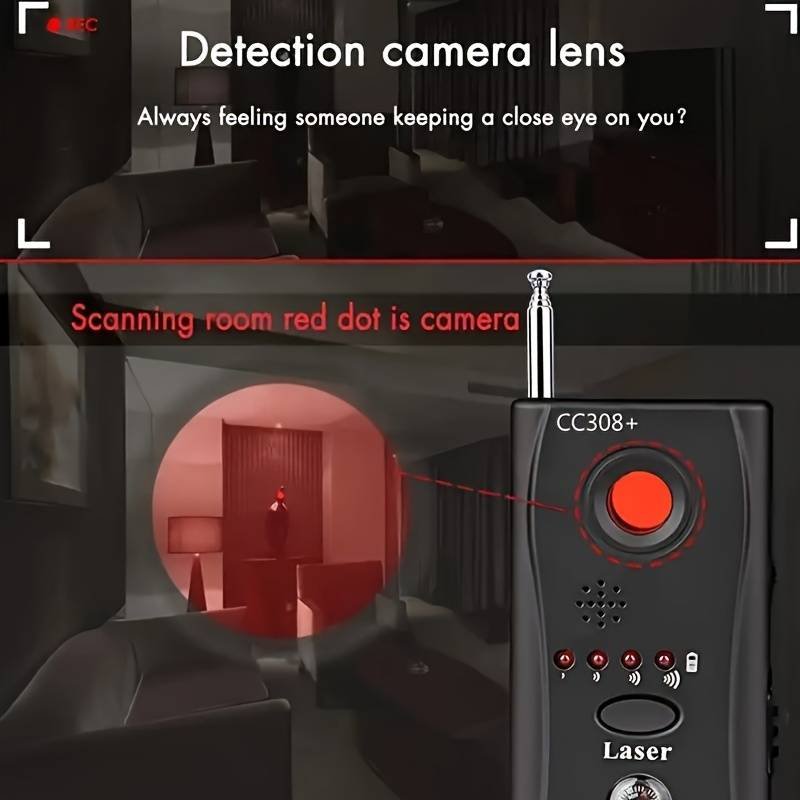
The most aggressively marketed class of counter-surveillance hardware is the broadband RF “bug detector” — typically a palm-sized device with an antenna, a sensitivity dial, and a ring of LEDs or a meter that responds to RF energy in some frequency range. These are sold in security-gear shops, on Amazon, and in travel stores under brand names like “Multi-Function Bug Detector,” “RF Signal Detector,” “Camera + Tracker Finder,” and similar.
What they actually detect: These devices detect broadband RF power in one or more frequency ranges (typically 100 MHz–6 GHz). They have no ability to classify the RF source — a BLE tracker, a Wi-Fi router, a Bluetooth headset, a mobile phone, a microwave oven, and a radio-controlled toy car all produce 2.4 GHz energy that will cause these detectors to react.
   What a broadband RF sweeper sees at 2.4 GHz
   ════════════════════════════════════════════

   ┌─────────────────────────────────────────────────────────┐
   │  Detected by sweeper (all produce 2.4 GHz energy):     │
   │                                                         │
   │   Wi-Fi router, access points         ████████████████ │
   │   Your own phone                      ████████████████ │
   │   Bluetooth headphones                █████            │
   │   Smart TV / streaming sticks         ████████         │
   │   AirTag (BLE advertisement)          ██               │
   │   SmartTag (BLE advertisement)        ██               │
   │   Tile (BLE advertisement)            █                │
   │   Microwave oven (leakage)            █████████        │
   │   Baby monitor (2.4 GHz video)        ████████████████ │
   │                                                         │
   │  Distinguishable by sweeper:          NONE             │
   │                                                         │
   │  "It beeped" = 2.4 GHz RF present = no useful          │
   │  information about whether a tracker is present         │
   └─────────────────────────────────────────────────────────┘
The fundamental limitation. A BLE tracker advertisement — a ~1 ms burst of 2.4 GHz energy at 0 dBm (1 mW) EIRP, occurring once every ~1–2 seconds — is physically indistinguishable from any other 2.4 GHz BLE device by a power-detect-only sweeper. The signal is not stronger, not weaker, and has no unique pattern detectable at the RF-power level. There is no setting, no sensitivity dial position, and no technique that makes a broadband RF sweeper identify an AirTag in an environment containing any other 2.4 GHz device. In a modern home or office, that means the sweeper will be pegged at its maximum reading at all times, rendering it useless as a tracker detector.
Most cheap RF sweepers marketed as “AirTag detectors” or “hidden-camera detectors” cannot distinguish a BLE tracker from any other 2.4 GHz device. The claim on the box is marketing — not a physical capability. In the presence of any Wi-Fi network or Bluetooth device (which includes your own phone, which is always present), a broadband RF sweeper provides zero additional signal about tracker presence. Save the $30–$200. Your phone running AirGuard is a more capable AirTag detector.
The one narrow exception: some high-end RF sweepers include a BLE-specific demodulation front-end that can resolve the BLE advertising channel structure (37/38/39 @ 2.402/2.426/2.480 GHz), which lets them see individual BLE PDUs. These are in the $500–$2,000 range and are professional TSCM tools. They still do not implement Find My / DULT classification — they give you a raw BLE scanner, not a classifier.
11.4.3 BLE-aware commercial detectors — marginally better, still limited
Professional TSCM-grade BLE-aware detectors, such as high-end models from REI (Research Electronics International) and similar professional counter-surveillance vendors, provide a better starting point:
- BLE channel resolution — they identify traffic on BLE advertising channels (37/38/39), confirming BLE activity.
- RSSI measurement — directional RSSI allows physically locating the source.
- Some models parse MAC address and service data — a trained TSCM operator can read the advertising payload and identify the Find My service-data byte sequence manually.
However, even TSCM-grade BLE sweepers share fundamental limitations with cheaper alternatives when applied to modern trackers:
- No separated-state classification — they see all BLE devices, not specifically “separated” trackers.
- BLE MAC rotation defeats address tracking — because Find My beacons rotate their Bluetooth MAC address with each key rotation (~15 minutes paired, hours separated), even a sophisticated BLE sweeper cannot track “the same device” over time without higher-level classifier software (which TSCM hardware typically lacks for consumer BLE tracker protocols).
- No co-travel correlation — the sweeper gives you a point-in-time snapshot of every BLE device in range; “is one of these following me” requires the time-and-location correlation that only a phone with AirGuard or OS-native alerts can build over a sweep interval.
11.4.4 Capability and cost summary
Table 7 — 4.4 Capability and cost summary
| Detector type | BLE-aware? | Classifies Find My/DULT? | Separated-state gate? | Co-travel correlation? | Typical price | Verdict |
|---|---|---|---|---|---|---|
| Broadband RF sweeper (cheap) | No | No | No | No | $20–$200 | Not useful for BLE trackers |
| Broadband RF sweeper (mid) | Marginal (BLE channel awareness) | No | No | No | $200–$500 | Marginally useful if BLE-channelized |
| BLE-specific handheld scanner | Yes (raw BLE scan) | No (no tracker classification) | No | No | $50–$300 | Same as nRF Connect on a phone |
| Commercial “AirTag detector” hardware | Yes (BLE scanner + some classification firmware) | Partial (Find My signature, not DULT) | No | No | $50–$300 | Limited; better than nothing but no correlation |
| Professional TSCM BLE sweeper | Yes (professional BLE receiver) | No classifier (manual interpretation needed) | No | No | $500–$2,000+ | Operator-dependent; for professional TSCM sweeps |
| Phone (iOS 14.5+ or Android 2023+) | Yes (via OS stack) | Yes (Find My + DULT classifier built in) | Yes | Yes (co-travel) | $0 additional (you have a phone) | Best overall for DULT-compliant trackers |
| Phone + AirGuard | Yes | Yes (multi-network) | Yes | Yes (historical log) | $0 (open-source) | Best for multi-network + logging |
11.5 The DULT Standard
11.5.1 What DULT is and why it exists
DULT — Detecting Unwanted Location Trackers — is a joint specification from Apple and Google, announced in May 2023 and progressing through the IETF as a working group and draft.^[“Detecting Unwanted Location Trackers,” IETF working group “dult” — https://datatracker.ietf.org/wg/dult/about/. Apple and Google jointly announced DULT in May 2023. The draft specification defines minimum requirements for location-tracking accessory manufacturers (separated-state advertising behavior, sound requirements) and for platforms (alert behavior when a separated tracker is detected traveling with a non-owner device). As of mid-2026 the draft is in active IETF progress; the exact RFC number was not yet assigned at time of authoring.] It represents the formalization of the insight that unwanted-tracking protection cannot be solved unilaterally by any one platform: AirTags can follow Android users; SmartTags can follow iPhone users; Tile can follow anyone. A standards-based approach requires trackers to signal “I am away from my owner” in a recognizable way, and phones to raise an alert when they detect that signal traveling with them. DULT is that standard.
The Vol 4 §7 treatment of DULT covered it as the design framework — the abstract model. This section covers it as a specification product: what it actually says, who is required to implement it, what compliance looks like, and where the residual gaps are.
The regulatory context. DULT did not emerge purely from technical goodwill. The joint announcement was accelerated by regulatory pressure in multiple jurisdictions. In the United States, the Federal Trade Commission (FTC) issued guidance on stalking-device regulation; Congressional members formally requested that Apple and Google develop interoperable standards. In the EU, the Digital Services Act context and EU safety advocates pushed similar direction. The UK’s National Crime Agency flagged AirTag-facilitated stalking in incident reports. The combined pressure made “each company solve its own problem” politically untenable — hence the joint initiative.
11.5.2 What DULT standardizes — the six obligations
DULT creates obligations in both directions: tracker manufacturers must comply, and phone platforms must comply. The specification’s six core obligations:
Table 8 — DULT creates obligations in both directions: tracker manufacturers must comply, and phone platforms must comply. The specification's six core obligations
| # | Who | Obligation | What it means in practice |
|---|---|---|---|
| 1 | Tracker | Advertise a standard “separated accessory” BLE signal when away from owner | The beacon’s BLE advertisement must encode a DULT-defined format indicating “I am separated from my owner” — not proprietary, not encrypted against parsers |
| 2 | Tracker | Play a sound on request when separated | A separated tracker must be able to play an audible tone when instructed to by a DULT-compliant platform, so a victim can physically locate the tag |
| 3 | Tracker | Expose an identification mechanism | The tracker must expose a way for a non-owner to identify it — the NFC tap path (Vol 4 §2) or equivalent — so the identifier can be read and reported |
| 4 | Platform (iOS/Android) | Detect the separated-accessory signal | The OS must scan for DULT-format separated-accessory advertisements and build co-travel evidence |
| 5 | Platform | Alert the user when sustained co-travel is detected | The OS must raise a user-visible notification when an unknown separated tracker has been following the user |
| 6 | Platform | Present sound/identification actions | The alert UI must let the user request the tracker’s sound, access its identifier, and find guidance on reporting |
These six obligations define the minimum interoperable floor. A vendor may add more (e.g., tighter timing, richer alert UI, additional detection methods), but cannot ship a DULT-compliant tracker without meeting all six.
11.5.3 The DULT data-flow and responsibility diagram
The canonical data-flow: what information flows between the tracker, the platform (iOS or Android), and the victim user, and which DULT obligation owns each step.
   DULT cross-platform detection data-flow
   ════════════════════════════════════════════════════════════════════

   TRACKER                    PLATFORM (iOS / Android)        USER
   (AirTag, SmartTag,         ─────────────────────────       ────
    Tile, Chipolo, etc.)      OS BLE scanner + DULT layer
   ─────────────────
   Owner leaves tag           ┌──────────────────────────┐
   behind (separated)         │  Background BLE scan     │
         │                    │  interval (~15-30 min or │
         │  ① DULT            │  continuous)             │
         │  "separated        │                          │
         │  accessory"        │  ② Detect the DULT       │
         └──────────────────► │  separated-accessory adv │
              advertisement   │                          │
              (not encrypted, │  ③ Gate 1: Is this MY    │
              recognizable to │  tag? → if yes: ignore   │
              any DULT-        │                          │
              compliant OS)   │  ④ Gate 2: Is it         │
                              │  correlated across       │
   ⑦ PLATFORM                │  time + location?        │
   INSTRUCTS SOUND →         │  → if yes: ALERT         │
   Tracker plays tone ◄──────│                          │
   (audible, ~60 dB+)        │  ⑤ DULT Alert fires ────►│ "Unknown tracker
                              │                          │  found moving
                              │  ⑥ Alert offers:        │  with you"
                              │  • Play Sound            │      │
                              │  • Read ID (NFC tap,     │      │ tap → NFC
                              │    Vol 4 §2)             │      ▼
                              │  • Report guidance       │  Tag NFC read
                              │                          │  → serial #
                              └──────────────────────────┘  → lost-mode contact
                                                             → report to police
                                                               (Vol 4 §3.4,
                                                                _shared/
                                                                legal_ethics.md)

   ─────────────────────────────────────────────────────────────────
   DULT obligations by actor:
     Tracker: ① (separated adv format), ⑦ (play-sound compliance)
     Platform: ②③④⑤⑥ (scan, gate, alert, actions)
     NFC path: tracker passive NDEF (Vol 4 §2), platform browser
   ─────────────────────────────────────────────────────────────────
The key architectural insight in this diagram: the detection path does not go through the tracker’s owner at all. The owner’s phone, Apple’s servers, and the Find My network are not involved in the victim’s detection experience. DULT detection is a local loop between the tracker’s BLE advertisement and the victim’s phone — cross-platform, no account required, no network query. This is what makes DULT structurally different from “Apple just telling Android about AirTags” — it is a manufacturer-agnostic open standard that any tracker and any phone can implement.
11.5.4 Adoption — who signed on and when
The announced DULT supporters as of the May 2023 announcement and subsequent public statements:^[Apple+Google DULT joint announcement, May 2023; subsequent public statements from Samsung, Tile (Life360), Chipolo, Pebblebee, and eufy at and following the May 2023 announcement. Samsung, Tile, Chipolo, Pebblebee, and eufy all issued public statements of support or commitment to DULT compliance. Exact firmware compliance dates vary by vendor and product generation; check vendor release notes.]
Table 9 — 5.4 Adoption — who signed on and when
| Vendor | Tracker families | DULT status |
|---|---|---|
| Apple | AirTag, Find My accessories | Co-author + implemented (iOS 14.5 anti-stalking predates DULT; DULT formalizes it) |
| Android platform (as platform, not tracker vendor) | Co-author + implemented (Android 6.0+ via 2023 Play Services update) | |
| Samsung | SmartTag, SmartTag2 | Signaled support; firmware rollout in progress — verify against vendor release notes |
| Tile / Life360 | Tile Mate, Pro, Slim, Sticker | Signaled support for DULT; historical gap noted below (§6.2) |
| Chipolo | ONE Spot, CARD Spot (Find My) · POINT, CARD POINT (Google) | Signaled support; inherits Apple/Google platform compliance |
| Pebblebee | Clip, Tag, Card (Find My + Google variants) | Signaled support |
| eufy | SmartTrack Link, SmartTrack Card | Signaled support (Anker subsidiary) |
“Signaled support” means public commitment but not necessarily complete firmware compliance in all products and generations at time of authoring. DULT compliance should be verified against vendor release notes for specific tracker SKUs.
11.5.5 Draft status, trajectory, and the fine print
DULT is an IETF draft, not a ratified standard. As of mid-2026 the working group is active and the draft is in progress, but no RFC number has been assigned. This has two practical implications:
-
The spec itself is a moving target. Requirements in the draft may be revised, tightened, or expanded before the standard is finalized. Behavior that is “DULT-compliant” today may not meet the final RFC. Vendor firmware implementations may lag or diverge from the latest draft.
-
Compliance is voluntary until mandated. Without a regulatory mandate, DULT adoption is based on the vendors who chose to sign on publicly. A tracker vendor could in principle release a product that deliberately opts out of DULT signaling — no enforcement mechanism prevents this.
The fine print for the DULT framework as a detection foundation:
- Coverage is tracker-compliance-dependent. A tracker only emits the DULT separated signal if its firmware implements it. A non-compliant tracker — whether by choice, by vendor inaction, or because it is a custom/DIY beacon — produces no DULT signal and is invisible to the DULT detection path.
- Detection requires a DULT-compliant phone. Old enough phones running OS versions before the DULT updates will not detect even fully DULT-compliant trackers. The floor (Android 6.0+, iOS 14.5+) covers the overwhelming majority of active devices, but not all.
- The draft does not (yet) cover all tracker types. The May 2023 scope focused primarily on BLE item trackers in the AirTag / SmartTag / Tile category. Active GPS trackers (cellular), mesh-based trackers (Amazon Sidewalk items), and other beacon classes are outside DULT’s current scope.
DULT narrowed the cross-platform gap; it did not close it. The phrase “DULT-compliant platform + DULT-compliant tracker” describes a specific, known-good detection path. In the real world, the detection surface also includes: trackers that have not yet shipped DULT firmware, DIY/custom beacons without DULT signaling, phones too old for DULT updates, users who dismissed or disabled alerts, and the by-design detection-delay window. The honest threat model is “DULT-compliant trackers, recent phones, after a deliberate delay” — powerful progress from 2021, but not comprehensive coverage of the full tracker threat landscape.
11.6 What Each Detector Can and Cannot See
11.6.1 The can/cannot detection matrix
The centerpiece table of this volume. Rows are the major tracker families and one DIY representative; columns are the detection methods covered in §2–§4. Each cell is the honest assessment.
Legend:
- Yes — detects reliably in normal separated-state operation
- DULT — detects via the DULT separated-accessory path (requires DULT firmware on the tracker and a DULT-compliant OS)
- Partial — detects under specific conditions (see note)
- No — does not detect (cannot be made to detect with this tool alone)
Table 10 — 6.1 The can/cannot detection matrix
| Tracker | iOS native alert | Android native alert | Tracker Detect (Android, manual) | AirGuard (background, multi-network) | Cheap RF sweeper (broadband) |
|---|---|---|---|---|---|
| Apple AirTag | Yes (native, iOS 14.5+) | Yes (DULT via Play Services 2023) | Yes (Find My signature) | Yes | No (cannot classify 2.4 GHz BLE) |
| Apple Find My accessories (Chipolo ONE Spot, Pebblebee Find My) | Yes (native, same Find My path) | DULT | Yes (Find My signature) | Yes | No |
| Samsung SmartTag / SmartTag2 | DULT (when Samsung DULT firmware ships) | DULT | No (not Find My) | Yes | No |
| Tile (Mate, Pro, Slim, Sticker) | DULT (see §6.2 for historical gap) | DULT | No | Yes | No |
| Chipolo POINT / CARD POINT (Google FMD) | DULT | Yes (native Google FMD + DULT) | No | Partial (BLE visible; limited classification) | No |
| Pebblebee (Google variants) | DULT | Yes (native + DULT) | No | Partial | No |
| DIY / OpenHaystack beacon (Vol 10, standard config) | Partial (reuses Find My service data → iOS native may flag) | Partial (DULT signal present only if firmware implements it) | Partial (Find My signature present if correctly configured) | Partial (Find My path if correctly configured; no DULT if not) | No |
| Non-DULT / custom beacon (modified firmware, no separated signal) | No | No | No | No | No |
| Active GPS tracker (cellular, no BLE advert) | No | No | No | No | No (cellular ≠ 2.4 GHz BLE; requires cellular-band RF sweep) |
Reading the matrix. The “No” cells in the RF sweeper column reflect the fundamental RF-classification problem of §4.2 — no BLE tracker is distinguishable from other 2.4 GHz sources by power-detection alone. The “DULT” cells in the iOS/Android columns reflect that many non-Apple trackers only become visible to the OS once their vendor ships DULT-compliant firmware — not automatically at purchase. The DIY/OpenHaystack row illustrates that a correctly configured Find My beacon is partially detectable (it reuses the Find My service-data structure), but one with non-standard advertising or without the DULT signal may not be.
11.6.2 Tile’s historical detection coverage gap
Tile occupies a peculiar position in this matrix, and its history is an important cautionary example of how a tracker vendor’s choices affect victim protection.
For most of Tile’s history — from its founding in 2013 until the DULT era — Tile tags did not advertise a signal that iOS or Android could use to detect them as “unknown trackers traveling with a non-owner.” This was not an accident:
- Tile’s BLE advertisement is recognizable to the Tile app (Tile-proprietary), but it does not include a “separated from owner” field in a format iOS or Android could parse.
- Apple’s iOS “Found Moving With You” alert, at launch, was tuned specifically for Find My service-data advertisements (the
FF 4C 00 12 …Apple manufacturer-specific format). A Tile advertisement does not match this signature. - Android’s native DULT alerts require the tracker to advertise the DULT separated-accessory format — which Tile only committed to implementing as part of the post-May-2023 DULT rollout.
The practical consequence: from 2021 to the DULT-era implementation, a Tile tag hidden in a victim’s bag would generate no iOS alert, no Android native alert, and no Tracker Detect detection — because none of those tools understood Tile’s proprietary advertisement format. The only detection path was Tile’s own “Scan and Secure” function within the Tile app (which the victim would have to install and manually invoke) or AirGuard (which reverse-engineered Tile’s advertisement format).
Tile’s historical opt-out from cross-platform detection was one of the clearest failures of the pre-DULT era. Apple’s iOS alert protected against AirTags; Android Tracker Detect protected against AirTags. Tile — a tracker on the market since 2013, with tens of millions of active users — was effectively invisible to the most widely used detection paths for years after those paths shipped. A stalker using a Tile (rather than an AirTag) against an iOS user faced a victim with far weaker automatic protection. DULT is designed precisely to close this kind of vendor-specific detection gap, but it required a multi-year standards process driven by regulatory pressure to get Tile to participate.
The situation as of 2026: Tile has publicly committed to DULT compliance. Whether all current Tile SKUs have shipped DULT-compliant firmware, and at what update version, should be verified against Tile/Life360’s release notes before treating the DULT column for Tile as reliable on any given device.
11.6.3 Key rotation, non-compliant beacons, and detection windows
Three structural properties of BLE trackers create irreducible gaps in any detection approach:
Gap 1: Key rotation in paired/nearby state. As established in Vol 2 §4.3 and Vol 4 §4.4, a Find My beacon in the paired state (owner nearby) rotates its advertised public key every ~15 minutes. During those 15-minute windows, each key is distinct — a detector correlating on the advertised key value sees a continuously changing set of addresses and cannot build a “this tag has followed me” correlation across keys. The OS-native alerts and AirGuard deal with this by keying on the DULT separated-state signal + the service-data signature rather than the raw MAC address — but they are still limited to detecting trackers in the separated state. A tag that is briefly in the paired state (owner walks past) and then returns to separated will reset the co-travel timer.
Gap 2: Detection window between rotation events. During the rotation window (up to 15 minutes in paired state, much longer in separated state), any given correlation must be re-established from scratch after the key changes. A sweep that happened to start just after a key rotation would see a “new” device that has no accumulated co-travel history. This is why persistent background monitoring (AirGuard, OS-native alerts) is materially stronger than one-shot manual scans (Tracker Detect): the background tools accumulate evidence across rotation events.
Gap 3: Non-DULT-compliant and deliberately evasive trackers. The detection framework described in this volume — DULT separated signal, Find My service data, OS-native alerts — depends on the tracker cooperating by emitting a detectable signal. A tracker that:
- Uses a proprietary advertisement with no DULT separated-state signal, or
- Deliberately mimics an innocent BLE device (e.g., advertising as a keyboard or a headset), or
- Uses a very long rotation period with random jitter to defeat time-correlation,
is systematically harder or impossible to detect with the OS-native DULT path. This is the space occupied by deliberately evasive “stalkerware” beacons — not a mainstream concern with AirTags or SmartTags (which are DULT-committed), but a real gap in the coverage map for custom or adversarially designed trackers. Vol 12’s DIY BLE-scan approach gives partial coverage of this gap by scanning for any persistent BLE advertiser rather than specifically DULT-format ones.
11.6.4 The false-sense-of-security problem
A clean scan from any detector does not mean “no tracker is present.” This is the most important caveat in the entire detection half of this series, and it deserves to be stated prominently rather than buried.
The scenarios under which a scan can return “clean” while a tracker is present:
Table 11 — The scenarios under which a scan can return "clean" while a tracker is present
| Scenario | Why the scan looks clean | What actually happened |
|---|---|---|
| Tracker in paired state | Owner is nearby; tag advertises “maintained” status → DULT gate filters it | Tag is present and following; owner is also nearby |
| Within detection-delay window | Co-travel threshold not yet met; alert not yet fired | Tag has been following for <1 hour; insufficient history |
| Scan between rotation events | No accumulated evidence after key rotation reset | Tag is present; last key just rotated |
| Non-DULT tracker | No DULT separated signal; OS-native path blind | Tile (pre-DULT firmware), custom beacon, or stalkerware device |
| Active GPS tracker | No BLE advertisement at all; cellular uplink only | Completely different tool class; BLE scan is the wrong tool |
| Manual scan (Tracker Detect) between advertising bursts | A tracker advertising every 2 seconds may be missed in a short scan window | Tracker present; scan window missed the advertising burst |
The summary: detection tools provide best-effort, DULT-compliant, delay-tolerant coverage against the major commercial tracker families. They are not a real-time, guaranteed, comprehensive sensor for all possible tracking devices. A person with a genuine stalking concern should treat a clean scan as “no known-compliant tracker detected in this window” — not as “definitely not being tracked.”
11.6.5 “A detector gives presence, not proof”
The forensic implication of all detection is similarly limited. Detecting an unknown BLE tracker near your person or vehicle proves that a BLE tracker advertising in the DULT/Find My format is physically nearby in the current moment. It does not prove:
- Who planted it (the device’s owner, per NFC read, may be anyone)
- Whether the presence is intentional (dropped, accidental carry, hidden)
- That the device has been following you specifically for any duration
- Any fact about the owner’s intent
For the legal and law-enforcement path to matter (see _shared/legal_ethics.md and Vol 14), the evidence chain requires: serial number (from NFC tap, Vol 4 §2.2), documentation of detection events with timestamps and locations (AirGuard’s history log is ideal for this), and — ultimately — Apple, Samsung, or Tile’s account-lookup systems resolving the serial to an account via law-enforcement legal process. The detector gives you the starting point; it does not give you proof of stalking.
A detector gives presence, not proof. Found an unknown AirTag? Photograph it, record the serial via NFC tap, save AirGuard’s detection history, note the time and your location, and consult law enforcement. Do not discard it silently — the serial and the detection history may be the only forensic lead available. The operative guidance is at
_shared/legal_ethics.md; the full operational posture is Vol 14.
11.7 Operational Posture
11.7.1 When an alert fires: the response procedure
When a tracker alert fires — iOS “Found Moving With You,” Android unknown-tracker notification, or AirGuard tracking alarm — the right response is methodical, not reactive. The alert tells you “an unknown separated tracker has been traveling with you”; it does not tell you where it is physically, who placed it, or what their intent is.
Immediate response steps:
   ALERT FIRES → RESPONSE PROCEDURE
   ══════════════════════════════════════════════════════════════════

   Alert fires
       │
       ▼
   ① STAY CALM. Do not immediately discard or destroy the tag.
     Evidence value: the physical tag + its serial number.
       │
       ▼
   ② PLAY SOUND. Use the "Play Sound" action in the alert UI
     to make the tag chirp. Listen to locate it physically.
     (If in a vehicle: check under wheel wells, behind bumpers,
      inside spare-tire areas, under seats — common placement.)
       │
       ▼
   ③ LOCATE IT. Walk toward the sound; use RSSI walk if needed
     (covered in Vol 12 for DIY gear). The tag is typically within
     10–100 m of where the alert fired.
       │
       ▼
   ④ DOCUMENT BEFORE TOUCHING. Photograph the tag and its location.
     Note time, your location, and how long the alert has been tracking.
       │
       ▼
   ⑤ NFC-TAP FOR SERIAL. Tap the tag with any NFC phone (iPhone or
     Android, no app needed). The browser opens found.apple.com.
     Record: the serial number (always present) and any owner contact
     info (present only in Lost Mode). This serial is your law-
     enforcement referral number (Vol 4 §3.4).
       │
       ├──── Is this a genuine stalking concern? ─── YES ──► STOP
       │                                                      Call law
       │                                                      enforcement
       │                                                      before removing
       ▼
   ⑥ DISABLE (if safe to do so). Remove the CR2032 battery
     (twist-off back on AirTag; other tags vary). This deactivates the
     tag; it can no longer report location or chirp.
       │
       ▼
   ⑦ REPORT. Even if the tag is now disabled, file a report with
     local law enforcement. The serial number links to the owner's
     Apple/Samsung/Tile account via legal process. See _shared/
     legal_ethics.md for the reporting path and jurisdiction notes.
11.7.2 Preserve before you disable — evidence posture
The counter-intuitive advice in a genuine stalking situation is to not immediately disable the tracker. Disabling it removes the evidence from the field; a law enforcement agency with a preserved, intact tag (with recorded serial and original placement photos) has far stronger grounds for an account-lookup order.
Table 12 — 7.2 Preserve before you disable — evidence posture
| Evidence type | What it provides | How to preserve it |
|---|---|---|
| Physical tag + location | Chain of custody; photograph placement | Photograph before touching; note address/GPS |
| Serial number (NFC tap) | Links to owner’s account (Apple/Samsung/Tile via LE warrant) | Screenshot / note the found.apple.com serial display |
| AirGuard detection history | Timestamps + GPS coordinates of detection events over time | Export history before clearing; share with law enforcement |
| Alert notification | Timestamp of first alert firing, iOS/Android OS-level log | Screenshot; note time exactly |
| Owner contact (Lost Mode) | If Lost Mode is enabled, the partially-masked phone/email | Screenshot from NFC-read page |
Practical exception: if you are in immediate physical danger or it is not safe to preserve evidence, your safety is the absolute priority. Disable the tag and leave the area. The serial number from an earlier NFC read (if you have it) is still valuable. Contact law enforcement as soon as you are safe.
11.7.3 Proactive sweep protocol
For high-concern situations — a person who has reason to believe they may be under surveillance, or a security professional sweeping a space or vehicle on behalf of someone — a structured sweep protocol gives the highest coverage of available tools.
Table 13 — 7.3 Proactive sweep protocol
| Step | Tool | What it covers | Time required |
|---|---|---|---|
| 1. Enable OS background monitoring | iOS/Android native alerts | DULT-compliant trackers that travel with you | Continuous (always on) |
| 2. Install AirGuard, run initial scan | AirGuard (iOS or Android) | AirTag, SmartTag, Tile (broad) | 5–10 min for first scan |
| 3. Manual Tracker Detect scan | Tracker Detect (Android) | Find My tags (point-in-time) | ~10 min scan session |
| 4. Manual Tile Scan-and-Secure | Tile app (iOS or Android) | Tile network tags | 2–3 min |
| 5. Samsung Unknown Tag Search | SmartThings app (Galaxy only) | SmartTag family | 2–3 min |
| 6. AirGuard historical review | AirGuard log | Any tracker appearing across multiple sessions | Review after 24h of normal movement |
| 7. Physical inspection | Eyes + flashlight | Non-BLE trackers; hidden placements; GPS cellular trackers | Varies — 15–60 min for a vehicle |
Step 7 — physical inspection — is not technologically aided by BLE scanning and is the only path to finding an active GPS tracker (cellular), which will not appear in any BLE-based tool’s output. The Nyan Box/ deep dive covers RF-sweep methodology for the broader hidden-emitter class (including video transmitters at 1.2/2.4/5.8 GHz), which is the closest sibling methodology to what a physical vehicle or room sweep requires for non-BLE devices.
Timing note. AirGuard’s effectiveness increases with observation time. A single 15-minute scan session will find only separated trackers that happen to be in range at that moment. Running AirGuard for 24–48 hours of normal movement, then reviewing the detection history, is significantly more comprehensive — it catches trackers that are only intermittently near the phone (e.g., a tag in a vehicle you use occasionally but not constantly) and builds a time/location correlation log that is useful for law enforcement.
11.8 Cheatsheet Updates
This volume’s contributions to the Vol 15 laminate-ready cheatsheet — the detection-landscape facts to carry without re-reading:
- The two strongest detectors are free and already on your phone. iOS 14.5+ “Found Moving With You” (native, no app) and Android 6.0+ native unknown-tracker alerts (2023, via Google Play Services) both run automatically in the background. No action required to enable. Start here.
- AirGuard is the power-user pick. TU Darmstadt / SEEMOO lab, open-source, Apache 2.0. Background scanning, multi-network (AirTag + SmartTag + Tile), historical log, exportable detection history for law enforcement. Install alongside the OS-native alerts.
- Tracker Detect = manual Android-only. The app named “Tracker Detect” (Apple Inc., Google Play, December 2021) is Android-only and manual — open it, tap Scan, see any nearby separated Find My beacons. iPhone users do not need it (use iOS native alerts). A good on-demand sweep tool; provides no background protection.
- The detection delay is by design. All automatic alert tools impose a “sustained co-travel over time and distance” gate before firing. An alert is not instantaneous — it may be minutes to hours after the tag is planted. The gap is unavoidable; it is the false-positive suppression cost. “No alert yet” ≠ “safe.”
- Most cheap RF sweepers cannot detect a BLE tracker. A broadband RF sweeper registers 2.4 GHz power; it cannot distinguish an AirTag from a Wi-Fi router, headphones, or your own phone. In any real environment the sweeper LEDs will be pegged at maximum at all times, providing no useful information. Your phone running AirGuard is a better detector.
- Tile had a historical detection gap. Before DULT, Tile did not advertise a separated-state signal recognizable to iOS or Android native alerts. That gap is closing as Tile ships DULT-compliant firmware; verify against vendor release notes for specific SKUs.
- DULT = “Detecting Unwanted Location Trackers.” Apple+Google joint spec, IETF draft, announced May 2023. Standardizes: a recognizable “separated-accessory” BLE advertisement + sound-on-demand obligation + cross-platform OS alert behavior. Supporters: Apple, Google, Samsung, Tile, Chipolo, Pebblebee, eufy. Still a draft; vendor implementation is ongoing.
- Can/cannot matrix rule. iOS native alert → AirTag + Find My accessories + DULT-compliant others. Android native → DULT-compliant (broad). Tracker Detect → Find My only. AirGuard → AirTag, SmartTag, Tile. RF sweeper → nothing useful. Non-DULT/custom/GPS trackers → require different tools or physical inspection.
- A clean scan is not proof of safety. A tag in the paired state, within the detection-delay window, in rotation, using non-DULT firmware, or cellular (GPS) will not appear in a BLE-based scan. Absence of alert ≠ absence of tracker.
- A detector gives presence, not proof. Detection provides a starting point for law enforcement, not by itself proof of criminal intent. Serial (NFC tap) + AirGuard history log + location/timestamp documentation is the evidence chain. See
_shared/legal_ethics.mdand Vol 14. - Preserve before you disable. Photograph, NFC-read the serial, export AirGuard history, note time/location — then decide whether to disable. In a genuine stalking situation, law enforcement may want an intact tag for account-lookup process.
- The DIY BLE-scan path (for any BLE device, not just DULT-compliant) is Vol 12. The owned-gear (Flipper, Marauder, Nyan Box) path is Vol 13. This volume is the off-the-shelf detector map; Vol 12 is the roll-your-own alternative.
- Sibling topic:
Nyan Box/covers hidden cameras (the other hidden-emitter sweep class). Methodology overlap: RSSI-walk localization, RF power detection, systematic sweep procedure.
This is Volume 11 of a fifteen-volume series. The detection landscape mapped here — OS-native alerts, Tracker Detect, AirGuard, commercial hardware, and the DULT framework — represents the off-the-shelf detection toolkit. All of it exploits the separated-state beaconing behavior established in Vol 4: the DULT separated-accessory signal, the long-lived separated key that enables co-travel correlation, and the NFC-tap identification path. Vol 12 turns the dial from “off-the-shelf tools” to “engineer-on-the-bench” detection — BLE scan with nRF Connect or bluetoothctl, RSSI-walk localization of a found tag, NFC-tap to read the serial, and the key-rotation problem that motivates signature-based rather than address-based detection. Vol 13 applies those DIY techniques to the owned gear: Flipper Zero BLE apps, ESP32 Marauder BLE scan on the AWOK Dual Touch V3 and Ruckus Game Over modules, Nyan Box RF sweep methodology, the nRF52840 USB sniffer, and an honest capability matrix of what each tool can and cannot do against a modern Find My beacon. The posture, legal constraints, and evidence-handling guidance for all of this are in Vol 14 and _shared/legal_ethics.md.
Comments (0)