Camera Detection · Volume 6
CameraDetection Volume 6 — Non-Wi-Fi Camera Deep Dive
Analog wireless demod to see the video · cellular realities · Bluetooth cams · wired-specific track from cable trace through PoE/LAN scan and PLC carrier detection
6.1 About this volume
Vol 2 established the RF physics and the analog-video band plans, and its §4.5 ended with a forward pointer: spectrum sweep to find, demodulate to confirm and see what the camera sees. This volume is where that pointer lands.
The chapter map is:
- §2 picks up where Vol 2 §4 left off. It goes past waterfall identification to the full demodulation workflow: the GNU Radio block chain, the
gqrxI/Q recording method, composite video output, and the display step. The payoff — watching the recovered video to confirm what the camera is pointed at — is the most unambiguous confirmation available for analog wireless cameras. - §3 covers cellular/4G cameras honestly. These are the genuinely hard case: licensed-band bursts, short duty cycles, end-to-end encryption, and no practical RF solution that a field sweeper can deploy. Honest constraints, no false promises.
- §4 covers Bluetooth-enabled cameras: BLE advertising, GATT service enumeration, and the scan procedure on Linux and on owned Marauder hardware. Rare but real, and a short BLE scan adds almost nothing to sweep time.
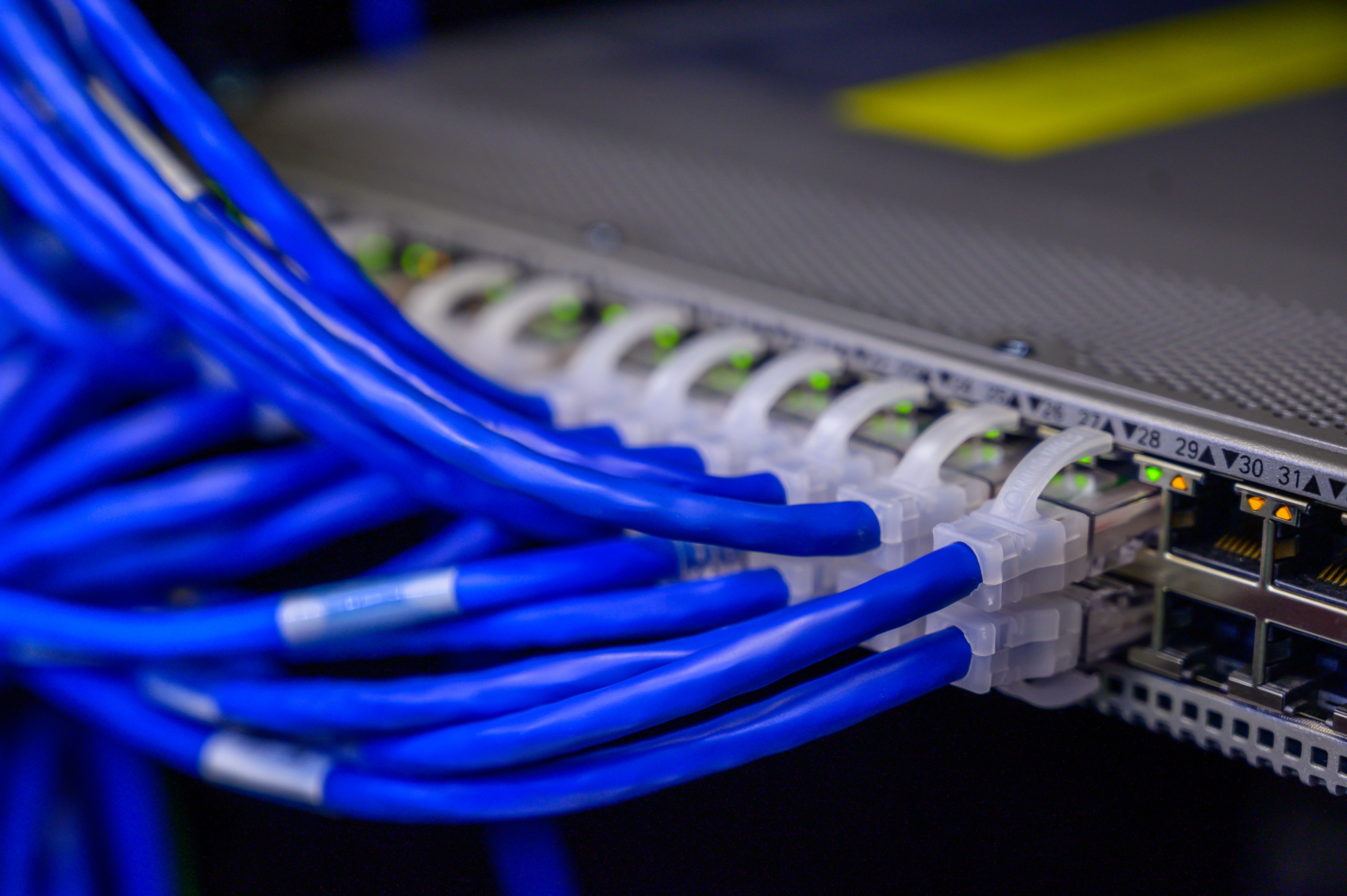
- §5 is the wired-specific track — the most complete treatment of wired camera detection in this series. Cable tracing with a tone-generator and inductive probe (Triplett Fox & Hound 3399/3388), TDR for locating anomalies, finding the recorder and back-tracing, PoE/LAN-side detection (RTSP port 554, ONVIF port 8899, PoE wattage-class anomaly detection), and PLC powerline-video carrier detection.
Running theme for this volume: constraint #3. An ESP32 Wi-Fi scan is blind to every class in this volume. A broadband RF bug detector will respond to an analog camera at close range but cannot identify or demodulate it. Analog and cellular cameras need entirely different radios than the Wi-Fi scanner. Wired cameras need no radio at all — they need cable-side and network-side tools. These are four distinct, non-overlapping detection problem classes.
Spec- and survey-sourced. Detection-range and wattage claims throughout this volume are sourced from product specifications and published literature; they are marked as such and remain pending bench verification.
6.2 Analog wireless: sweep and demod
Callout — analog ≠ Wi-Fi: An analog wireless camera operates on 1.2, 2.4, or 5.8 GHz with FM-video modulation. It is invisible to an ESP32 Wi-Fi scan, to a standard 802.11 sniffer, and to any tool that works at the MAC layer. Detection requires a spectrum sweep with a signal analyzer (HackRF One or RTL-SDR), and confirmation requires FM demodulation to recover the video signal. These are fundamentally different tools than the Wi-Fi scanner — not better or worse, just orthogonal.
6.2.1 The three analog-video bands
Analog wireless cameras use FM-modulated composite video (NTSC or PAL) on three bands. Channel plans are manufacturer-defined with no single international standard; the tables below reflect the most widely deployed consumer-market channel plans.^[Channel plans compiled from FCC ID database filings, AliExpress product listings, and teardowns of consumer analog wireless camera modules. Center frequencies are nominal; crystal tolerance in cheap units can produce ±0.5–1.0 MHz drift over temperature.]
6.2.1.1 GHz band (1,100–1,300 MHz)
The oldest and least common band in North American consumer gear. It sits adjacent to GPS L1 (1,575.42 MHz) and civilian aviation navigation aids; FCC Part 15 emission limits are stricter near these bands. Chinese-market devices imported via gray channels use this band; North American compliance is questionable.
Table 1 — 1.2 GHz band (1,100–1,300 MHz)
| Channel | Center (MHz) | Approx edges (MHz) | RTL-SDR R820T2 | HackRF One | Notes |
|---|---|---|---|---|---|
| Ch 1 | 1,120 | 1,108–1,132 | Yes | Yes | Lowest; least common in North America |
| Ch 2 | 1,160 | 1,148–1,172 | Yes | Yes | |
| Ch 3 | 1,200 | 1,188–1,212 | Yes | Yes | The nominal “1.2 GHz” label |
| Ch 4 | 1,240 | 1,228–1,252 | Yes | Yes | Highest; near some aviation nav aids |
RTL-SDR: The R820T2 tuner covers 24–1,766 MHz continuously; the entire 1.2 GHz camera band is well within range with good sensitivity. This is the one band where an RTL-SDR alone is fully adequate for both sweep and demodulation.
HackRF One: Covers 1 MHz–6 GHz; full coverage with clean sensitivity at 1.2 GHz.
6.2.1.2 GHz band (2,400–2,483.5 MHz)
The most common analog camera band. It shares the 2.4 GHz ISM allocation with Wi-Fi (Ch1/6/11) and Bluetooth (79 channels, 2,402–2,480 MHz), making it the noisiest and hardest to sweep without a signal analyzer. A broadband RF bug detector will register Wi-Fi and BT traffic as false positives throughout this band; only a spectrum view distinguishes an FM-video carrier from 802.11 OFDM.
Table 2 — 2.4 GHz band (2,400–2,483.5 MHz)
| Channel | Center (MHz) | Relation to Wi-Fi | Power (EIRP, spec-sourced) | Notes |
|---|---|---|---|---|
| Ch 1 | 2,414 | Between Wi-Fi Ch1 (2,412) and Ch6 (2,437) | 10–100 mW | Closest to Wi-Fi Ch1; may overlap |
| Ch 2 | 2,432 | ~5 MHz below Wi-Fi Ch6 (2,437) | 10–100 mW | Most common consumer camera channel |
| Ch 3 | 2,450 | Between Wi-Fi Ch6 and Ch11 (2,462) | 10–100 mW | Relatively clear of 802.11 centers |
| Ch 4 | 2,468 | ~6 MHz above Wi-Fi Ch11 (2,462) | 10–100 mW | Near upper ISM band edge |
| Ch 5 (8-ch units) | 2,419 | Wi-Fi Ch1/Ch6 overlap region | 10–100 mW | Extended channel plan |
| Ch 6 (8-ch units) | 2,442 | Wi-Fi Ch8 area | 10–100 mW | |
| Ch 7 (8-ch units) | 2,458 | Wi-Fi Ch9/Ch10 area | 10–100 mW | |
| Ch 8 (8-ch units) | 2,476 | Near upper band edge | 10–100 mW | Highest channel; may interfere with BT |
RTL-SDR: The R820T2 tuner stops at ~1,766 MHz. The 2.4 GHz band is outside RTL-SDR R820T2 range. Some E4000-tuner dongles partially reach 2.2 GHz but with sharply degraded sensitivity. In practice, the RTL-SDR is not a reliable tool for 2.4 GHz analog camera detection. Use HackRF One, a TinySA Ultra, or similar wideband SDR.
HackRF One: Full coverage; 2.4 GHz is well within the tuning range (1 MHz–6 GHz).
6.2.1.3 GHz band (5,725–5,875 MHz)
The 5.8 GHz ISM band is popular in modern consumer analog cameras because it is less congested than 2.4 GHz for analog signals. 802.11a/n/ac/ax channels exist in the 5 GHz band (U-NII-1/2/3), but their OFDM modulation is spectrally distinct from FM-video — a waterfall easily separates them. The band also overlaps heavily with FPV (first-person view) drone video transmitters, which use the same FM-video modulation on the same channel plan; this is both useful (FPV channel documentation is excellent) and a potential false-positive source (a nearby FPV pilot produces a signal identical to a camera in this band).
Table 3 — 5.8 GHz band (5,725–5,875 MHz)
| Channel | Center (MHz) | FPV band designation | Notes |
|---|---|---|---|
| Ch 1 | 5,740 | Boscam/A Ch1 | Common security camera channel |
| Ch 2 | 5,760 | Boscam/A Ch2 | |
| Ch 3 | 5,780 | Boscam/A Ch3 | |
| Ch 4 | 5,800 | Boscam/A Ch4 | Center of ISM band |
| Ch 5 | 5,820 | Boscam/A Ch5 | |
| Ch 6 | 5,840 | Boscam/A Ch6 | |
| Ch 7 | 5,860 | Boscam/A Ch7 | Near upper ISM edge (5,875 MHz) |
| Ch 8 | 5,880 | Boscam/A Ch8 | 5 MHz above nominal ISM edge |
| Raceband Ch1 | 5,658 | R1 | Below ISM; FPV-only |
| Raceband Ch4 | 5,769 | R4 | FPV overlap |
| Raceband Ch8 | 5,917 | R8 | Well above ISM band; FPV-only |
Path loss note: 5.8 GHz has ~7.7 dB more free-space path loss than 2.4 GHz at equal distance (20 log₁₀(5.8/2.4) ≈ 7.7 dB). A 100 mW camera at 5.8 GHz has effectively 8 dB less detection range than at 2.4 GHz — expect signals to be weaker and detection distances shorter.^[Friis FSPL formula; this is a free-space estimate. Multipath in a furnished room will alter the actual received power both upward (constructive interference) and downward (absorption, destructive) from the free-space estimate.]
RTL-SDR: R820T2 does not reach 5.8 GHz. The RTL-SDR is not usable for 5.8 GHz analog camera detection. HackRF One or a proper 5.8 GHz spectrum analyzer are the only practical options.
HackRF One: Full coverage; 5.8 GHz is within the 1 MHz–6 GHz tuning range.
6.2.1.4 Analog-band tool coverage summary
Table 4 — Analog-band tool coverage summary
| Band | Freq range | Camera channels | RTL-SDR (R820T2) | HackRF One | Key interference source |
|---|---|---|---|---|---|
| 1.2 GHz | 1,100–1,300 MHz | 4 (1,120–1,240 MHz) | Yes — full coverage | Yes | GPS L1 (1,575 MHz); aviation nav aids |
| 2.4 GHz | 2,400–2,483.5 MHz | 4–8 (2,414–2,476 MHz) | No — R820T2 stops at ~1,766 MHz | Yes | Wi-Fi Ch1/6/11; Bluetooth; microwave leakage |
| 5.8 GHz | 5,725–5,875 MHz | 4–8 (5,740–5,880 MHz) | No | Yes | Wi-Fi U-NII-3; FPV video transmitters |
6.2.2 FM-video modulation: what you are demodulating
Understanding the modulation structure is what separates knowing “there’s a carrier at 2.432 GHz” from being able to recover the video. The modulation is straightforward but has several parameters that affect the demod chain settings.
Carrier modulation. Analog wireless cameras transmit composite video (NTSC in North America / Japan; PAL in Europe and much of Asia) frequency-modulated onto the RF carrier. Frequency modulation (FM) encodes the signal by varying the carrier frequency; the instantaneous frequency deviation is proportional to the instantaneous video amplitude. This is the same modulation type used in broadcast FM radio, but with a much wider modulating signal (video spans DC to ~4.2 MHz for NTSC versus audio at DC to 15 kHz).
NTSC composite video structure:
Table 5 — NTSC composite video structure:
| Component | Frequency range | Notes |
|---|---|---|
| Sync pulses | ~0–200 Hz | Horizontal sync at 15.734 kHz; vertical at 59.94 Hz |
| Luminance (Y) | DC – 4.2 MHz | Black-and-white image information |
| Chrominance (C) | 3.579545 MHz subcarrier | Color information; QAM on 3.58 MHz |
| Audio subcarrier (if present) | 4.5 MHz | Optional FM audio; some cameras omit this |
| Total video bandwidth | DC – ~4.5 MHz | Approximate; residual sidebands to ~4.7 MHz |
PAL composite video extends the luminance to ~5.0 MHz and uses a 4.433618 MHz color subcarrier — slightly wider than NTSC, which matters for setting the post-demod low-pass filter cutoff.
RF occupied bandwidth (Carson’s rule). The RF bandwidth containing 98% of the FM carrier power is:
BW_Carson = 2 × (f_peak_deviation + f_max_baseband)

NTSC, narrow deviation (±3 MHz):   BW = 2 × (3.0 + 4.2) = 14.4 MHz
NTSC, wide deviation (±6 MHz):     BW = 2 × (6.0 + 4.2) = 20.4 MHz
PAL, wide deviation (±6 MHz):      BW = 2 × (6.0 + 5.5) = 23.0 MHz

Practical: most consumer analog security cameras occupy 12–20 MHz RF bandwidth.
Why the deviation matters for demodulation. The FM demodulator (Quadrature Demod block in GNU Radio) has a gain parameter:
FM demod gain = sample_rate / (2π × max_deviation_Hz)If you set the deviation too low (gain too high), the demodulator clips on large-deviation signals. Too high (gain too low), the recovered video is compressed and dark. The correct starting point is ±6 MHz for most consumer cameras; the value can be tuned by adjusting gain until sync pulses at the correct amplitude are visible in the demodulated signal.
Spectral signature on the waterfall. An FM-video carrier is identified by:
- Always-on, stable carrier. Unlike Wi-Fi, which is bursty, the analog camera transmits continuously whenever powered. It appears as a persistent colored stripe at a fixed frequency on the waterfall.
- Symmetric sideband roll-off. The FM spectrum has a Gaussian-like envelope, brighter at the carrier center and rolling off symmetrically to the sidebands — unlike the flat-topped OFDM shape of 802.11 channels.
- 12–20 MHz wide. Narrower than a 20 MHz 802.11n/ac channel but wider than a single narrowband carrier.
- Scene-dependent width variation. A high-motion scene (lots of frame-to-frame change) slightly widens the carrier as the instantaneous deviation increases. A static scene produces a slightly narrower carrier. This is not easily visible on casual inspection but is a secondary confirmation.
6.2.3 The demodulation signal chain
The demodulation chain takes the raw RF at the antenna and produces a viewable composite video signal. Each stage has a specific job; understanding the stages is necessary for troubleshooting when the video doesn’t come out cleanly.
FM-VIDEO DEMODULATION SIGNAL CHAIN
═══════════════════════════════════════════════════════════════════════════════

  RF antenna          SDR receiver            Processing pipeline
  ──────────          ────────────            ──────────────────────────────

  ┌──────┐    ┌─────────────────┐    ┌────────────────────────────────────┐
  │Dipole│    │ HackRF One /    │    │            GNU Radio               │
  │ or   │───►│ RTL-SDR         │───►│                                    │
  │Yagi  │    │                 │    │  IQ samples (complex float32)      │
  └──────┘    │ Tuned to:       │    │         │                          │
              │ 1.2 / 2.4 /    │    │  ┌──────▼──────────┐               │
              │ 5.8 GHz        │    │  │ Low-pass Filter  │  Channel iso: │
              │ carrier freq   │    │  │ (CCF)            │  cutoff 9 MHz │
              │                │    │  │ at 20 MS/s       │  < Nyquist   │
              │ SR: 20 MS/s    │    │  └──────┬──────────┘   (10 MHz)    │
              │ (HackRF)       │    │         │ IQ (complex)             │
              │ or 2.048 MS/s  │    │  ┌──────▼──────────────────────┐   │
              │ (RTL-SDR,      │    │  │ Quadrature Demod (CF→F)     │   │
              │ 1.2 GHz only)  │    │  │   ← runs at full 20 MS/s    │   │
              └─────────────────┘    │  │  Demod BEFORE resampling —  │   │
                                     │  │  Carson BW (12–20 MHz) spans│   │
                                     │  │  ± rate/2; 4 MS/s only spans│   │
                                     │  │  ±2 MHz, losing the signal. │   │
                                     │  │                             │   │
                                     │  │  gain = SR / (2π × Δf)     │   │
                                     │  │  SR=20e6, Δf=6e6:          │   │
                                     │  │  gain ≈ 0.531              │   │
                                     │  └──────┬──────────────────────┘   │
                                     │         │ Real float (baseband)    │
                                     │  ┌──────▼──────────┐               │
                                     │  │ Low-pass Filter  │  Video BW:   │
                                     │  │ (FFF)            │  cutoff 5 MHz│
                                     │  │ at 20 MS/s       │  NTSC 4.2   │
                                     │  │                  │  PAL 5.5    │
                                     │  └──────┬──────────┘               │
                                     │         │ Composite video (float)  │
                                     │  ┌──────▼──────────┐               │
                                     │  │ Rational         │  Reduce SR:  │
                                     │  │ Resampler        │  20→10 MS/s │
                                     │  │ (FFF, post-demod)│  ≥8.4 MS/s  │
                                     │  │                  │  for NTSC   │
                                     │  └──────┬──────────┘   Nyquist    │
                                     │         │                          │
                                     │  ┌──────▼──────────┐               │
                                     │  │ Output           │               │
                                     │  │ ┌──────────────┐ │               │
                                     │  │ │ Video SDL    │ │ live display │
                                     │  │ │ Sink (pref.) │ │ (gr-video-  │
                                     │  │ └──────────────┘ │  sdl)       │
                                     │  │ ─── or ──────── │               │
                                     │  │ ┌──────────────┐ │               │
                                     │  │ │ File Sink    │ │ .raw file    │
                                     │  │ │ (float32)    │ │ → see §2.6  │
                                     │  │ └──────────────┘ │               │
                                     │  └─────────────────┘               │
                                     └────────────────────────────────────┘

  Key parameters to set correctly:
  ┌────────────────────────────────────────────────────────────────────┐
  │ SDR sample rate     │ ≥20 MS/s (HackRF); 2.048 MS/s (RTL-SDR@1.2G)│
  │ SDR center freq     │ Camera carrier frequency (see §2.1 tables)   │
  │ SDR gain            │ LNA 32 dB + VGA 40 dB (HackRF); adjust     │
  │ Channel LPF cutoff  │ 9 MHz at 20 MS/s (< Nyquist = 10 MHz)      │
  │ FM demod gain       │ SR / (2π × Δf) — 0.531 at 20 MS/s, ±6 MHz │
  │ Video LPF cutoff    │ 5 MHz at 20 MS/s (NTSC 4.2 MHz + margin)   │
  │ Resampler out SR    │ 10 MS/s post-demod (≥8.4 MS/s for NTSC)   │
  └────────────────────────────────────────────────────────────────────┘
Two output paths. The flowgraph can output either (a) a live SDL window via the gr-video-sdl package’s video_sdl.sink_f block (preferred — handles NTSC composite sync directly; see §2.6 Option A), or (b) a file of raw float32 samples for offline processing (see §2.6 Option B for the float32→uint8 conversion requirements). The file path decouples capture from display and works without gr-video-sdl installed, but requires an additional conversion stage before it can be viewed with ffplay.
6.2.4 GNU Radio FM-video demod flowgraph
The following Python-based GNU Radio flowgraph implements the chain in §2.3. It is written at the design level — real GNU Radio Python API syntax — not pseudo-code. Run it on a Linux host with gnuradio, gr-osmosdr, and hackrf packages installed.
#!/usr/bin/env python3
"""
FM-video demodulator for analog wireless cameras (1.2 / 2.4 / 5.8 GHz).
Requires: gnuradio, gr-osmosdr, libhackrf (for HackRF), or gr-rtlsdr (for RTL-SDR).

Usage:
    python3 fm_video_demod.py --freq 2432e6 --output /tmp/camera_video.raw

Display options (see §2.6):
    Option A (recommended): run with video_sdl.sink_f instead of file_sink.
    Option B (file): see §2.6 for float32→uint8 conversion requirements.
"""

import argparse
from gnuradio import gr, blocks, analog, filter as gr_filter
import osmosdr

class FMVideoDemod(gr.top_block):
    def __init__(self, center_freq=2.432e9, samp_rate=20e6,
                 fm_deviation=6e6, output_file="/tmp/camera_video.raw",
                 use_hackrf=True):
        gr.top_block.__init__(self, "FM Video Demod")

        # ── Post-demod display/output sample rate ─────────────────────────
        # FM demodulation MUST run at the full capture rate (samp_rate).
        # The FM occupied bandwidth is 12–20 MHz (Carson's rule for ±6 MHz
        # deviation + 4.2 MHz NTSC baseband). A sample rate spans ± rate/2
        # in frequency (Nyquist); 4 MS/s spans only ±2 MHz and would have
        # its anti-alias filter destroy the signal before demod.
        # Demod first at 20 MS/s, THEN downsample for display/file.
        # Keep ≥8.4 MS/s post-resample so 4.2 MHz NTSC luma survives Nyquist
        # (Nyquist requires rate > 2 × 4.2 MHz = 8.4 MS/s minimum).
        display_rate = 10e6
        decim = int(samp_rate / display_rate)  # e.g. 20e6 / 10e6 = 2

        # ── Stage 1: IQ source ───────────────────────────────────────────
        src_args = "hackrf=0" if use_hackrf else "rtl=0"
        self.src = osmosdr.source(args=src_args)
        self.src.set_sample_rate(samp_rate)
        self.src.set_center_freq(center_freq)
        if use_hackrf:
            self.src.set_gain(32, "IF")   # HackRF LNA: 0/8/16/24/32/40 dB
            self.src.set_gain(40, "BB")   # HackRF VGA: 0–62 dB (2 dB steps)
        else:
            self.src.set_gain(40)         # RTL-SDR total gain (~0–50 dB)

        # ── Stage 2: Channel-isolation low-pass filter (pre-demod) ───────
        # Reject adjacent channels while preserving the target FM carrier.
        # At 20 MS/s, Nyquist = 10 MHz; cutoff must be < 10 MHz.
        # 9 MHz cutoff covers ±6 MHz deviation + 3 MHz headroom.
        ch_taps = gr_filter.firdes.low_pass(
            gain=1.0,
            sampling_freq=samp_rate,     # 20 MS/s — Nyquist = 10 MHz
            cutoff_freq=9e6,             # < Nyquist; passes ±6 MHz FM sidebands
            transition_width=1e6,
            window=gr_filter.firdes.WIN_HAMMING,
        )
        self.lp_chan = gr_filter.fir_filter_ccf(1, ch_taps)

        # ── Stage 3: Quadrature demodulator (FM demod) — AT FULL RATE ────
        # Converts IQ (complex) → baseband (real float) composite video.
        # MUST run at the full capture rate (samp_rate = 20 MS/s) before any
        # downsampling. Downsampling first would cause the anti-alias filter
        # to remove the FM sidebands, destroying the signal before demod.
        #
        # Gain = sample_rate / (2π × max_deviation)
        # At samp_rate=20e6, fm_deviation=6e6:
        #   gain = 20e6 / (2π × 6e6) = 20e6 / 37.699e6 ≈ 0.531
        fm_gain = samp_rate / (2.0 * 3.14159265358979 * fm_deviation)
        self.fm_demod = analog.quadrature_demod_cf(fm_gain)

        # ── Stage 4: Post-demod video bandwidth filter ───────────────────
        # Retain only the composite video baseband (NTSC: DC–4.2 MHz).
        # Still running at samp_rate=20 MS/s (Nyquist = 10 MHz); cutoff
        # 5 MHz passes NTSC luma (4.2 MHz) + chroma subcarrier + margin.
        # PAL: change cutoff to 5.5e6.
        vid_taps = gr_filter.firdes.low_pass(
            gain=1.0,
            sampling_freq=samp_rate,     # 20 MS/s — Nyquist = 10 MHz
            cutoff_freq=5e6,             # NTSC luma 4.2 MHz + margin; < Nyquist
            transition_width=0.5e6,
            window=gr_filter.firdes.WIN_HAMMING,
        )
        self.lp_vid = gr_filter.fir_filter_fff(1, vid_taps)

        # ── Stage 5: Rational resampler (downsample, post-demod) ─────────
        # Now that the signal is demodulated and video-band filtered, it is
        # safe to downsample. 10 MS/s Nyquist = 5 MHz > 4.2 MHz NTSC luma.
        self.resamp = gr_filter.rational_resampler_fff(
            interpolation=1,
            decimation=decim,            # 2 (20 MS/s → 10 MS/s)
            taps=None,                   # auto-designs anti-alias filter
        )

        # ── Stage 6: Output ──────────────────────────────────────────────
        # Write raw float32 composite video samples to file.
        # Output sample rate = display_rate = 10 MS/s.
        self.sink = blocks.file_sink(gr.sizeof_float, output_file)
        self.sink.set_unbuffered(False)

        # ── Connect the chain ─────────────────────────────────────────────
        # Order: source → channel LPF → FM demod → video LPF → resample → sink
        # FM demod runs at full 20 MS/s; resampler is POST-demod.
        self.connect(
            self.src,
            self.lp_chan,
            self.fm_demod,
            self.lp_vid,
            self.resamp,
            self.sink,
        )

def main():
    parser = argparse.ArgumentParser(description="FM-video demodulator")
    parser.add_argument("--freq", type=float, default=2.432e9,
                        help="Camera carrier freq in Hz (e.g. 2432e6)")
    parser.add_argument("--samp-rate", type=float, default=20e6,
                        help="SDR sample rate (20e6 for HackRF, 2.048e6 for RTL-SDR)")
    parser.add_argument("--deviation", type=float, default=6e6,
                        help="FM peak deviation in Hz (typically 3e6–6e6)")
    parser.add_argument("--output", default="/tmp/camera_video.raw",
                        help="Output file path for raw float32 video")
    parser.add_argument("--rtlsdr", action="store_true",
                        help="Use RTL-SDR instead of HackRF")
    args = parser.parse_args()

    tb = FMVideoDemod(
        center_freq=args.freq,
        samp_rate=args.samp_rate,
        fm_deviation=args.deviation,
        output_file=args.output,
        use_hackrf=not args.rtlsdr,
    )
    print(f"Demodulating {args.freq/1e6:.1f} MHz → {args.output}")
    print("Press Ctrl+C to stop.")
    tb.start()
    try:
        tb.wait()
    except KeyboardInterrupt:
        tb.stop()
        tb.wait()

if __name__ == "__main__":
    main()
Tuning the demod gain. If the recovered video appears too dark (compressed) or too bright (clipped), adjust --deviation. Start at 6e6 for most consumer cameras; try 3e6 if that saturates. Sync pulses in a proper NTSC composite signal should reach ±0.3 V (sync tip) with a 1 V peak-to-peak white level relative to blanking — use a scope-style plot in GNU Radio (QT GUI Scope Sink) to verify amplitude.
Installing prerequisites (Ubuntu/Debian):
sudo apt install gnuradio gr-osmosdr hackrf
# Optional: gr-video-sdl for live display instead of file sink
sudo apt install gr-video-sdl
6.2.5 gqrx demod steps
gqrx is the most accessible SDR frontend for visual carrier identification and I/Q recording. It does not directly display video — its FM demodulators are designed for 50–200 kHz audio-bandwidth FM radio, not 12–20 MHz video FM — but it is excellent for:
- Real-time waterfall to confirm carrier presence and center frequency
- I/Q recording to a file for offline GNU Radio processing
The workflow:
# ── Step 1: Install gqrx ─────────────────────────────────────────────────
sudo apt install gqrx-sdr

# ── Step 2: Launch and configure ─────────────────────────────────────────
gqrx &
# I/O Devices: "hackrf=0" (HackRF One) or "rtl=0" (RTL-SDR, 1.2 GHz band only)
# Input rate: 20000000 (HackRF) or 2048000 (RTL-SDR)
# No conversion offset needed for HackRF in most cases

# ── Step 3: Tune to the camera band ──────────────────────────────────────
# Frequency: e.g. 2432000000 for 2.4 GHz Ch2
# Set FFT size to 4096 or 8192 for frequency resolution
# Waterfall → look for a persistent, symmetric stripe 12–20 MHz wide
# that does not blink or burst like Wi-Fi channels

# ── Step 4: Mode = WFM (Wide FM) for audio presence check ────────────────
# In WFM mode (bandwidth set to 200 kHz), you will hear noise/hiss if
# the carrier exists. This is not the video — just confirms RF presence.
# Do NOT expect to hear or see video from gqrx's built-in demodulators.

# ── Step 5: Record I/Q ───────────────────────────────────────────────────
# Tools → I/Q Recorder → Start
# Records a .raw file: complex float32, interleaved I/Q
# Note the center frequency and sample rate (shown in status bar)
# Record at least 30 seconds

# ── Step 6: Demodulate offline with GNU Radio ─────────────────────────────
# Modify the flowgraph in §2.4 to use a File Source instead of SDR source:
# Replace osmosdr.source with blocks.file_source + blocks.interleaved_float_to_complex
# Then run the same demod chain.

# Quick offline demod command using rtl_fm (1.2 GHz band, RTL-SDR):
# (rtl_fm does FM audio demod — for video use the GNU Radio flowgraph above)
rtl_fm -f 1200000000 -s 2000000 -g 40 -r 4000000 /tmp/cam_1p2ghz.raw
# Note: rtl_fm is for audio FM. The output at 4 MS/s can be fed to the
# GNU Radio file-source chain above for video demodulation.
What gqrx tells you at each step:
Table 6 — What gqrx tells you at each step:
| gqrx observation | What it means |
|---|---|
| Persistent stripe in waterfall, always present | An always-on transmitter; analog cam is a strong candidate |
| Stripe is 12–20 MHz wide, not the 20/40 MHz of 802.11 | Bandwidth consistent with FM-video carrier |
| Stripe is symmetric around center, Gaussian roll-off | FM modulation (not OFDM rectangular shape) |
| Stripe comes and goes in bursts (100–500 ms) | Wi-Fi or cellular — not a continuously-transmitting analog camera |
| WFM audio: loud hiss/noise | FM carrier present; content is video baseband, sounds like noise to audio |
| No stripe in the band | No actively transmitting analog camera on that channel; check other channels |
6.2.6 Displaying the recovered video
After running the GNU Radio demod flowgraph, you have either a live SDL window (Option A, preferred) or a .raw file of float32 composite video samples at ~10 MS/s (Option B). Either way the payoff is the same: you watch exactly what the camera is pointed at. After FM demodulation, the composite video signal’s luma channel is present in the float stream; color requires NTSC color subcarrier demodulation (3.58 MHz QAM) which these options do not perform — the image is grayscale, which is sufficient for confirming what the camera is watching.
Option A: gr-video-sdl live display (recommended — handles NTSC composite sync).
Replace the file_sink in the §2.4 flowgraph with video_sdl.sink_f. Connect it after self.resamp in the chain:
# In the flowgraph __init__, replace the file_sink with:
from gnuradio import video_sdl
self.sink = video_sdl.sink_f(
    fps=29.97,          # NTSC frame rate
    width=720,          # display window width (pixels)
    height=480,         # display window height (pixels)
    x_channel=0,       # use the float stream as luma
)
# The SDL window opens and displays the live grayscale video.
# video_sdl.sink_f handles NTSC composite sync from the float32 baseband stream.
# Requires: sudo apt install gr-video-sdl
This is the recommended path. video_sdl.sink_f consumes the float32 baseband stream directly and handles composite sync internally — no intermediate conversion is needed. The SDL window displays grayscale live video (luma only; the 3.58 MHz NTSC color subcarrier is present in the stream but not decoded for display).
Option B: File sink + ffplay (offline, requires conversion).
The file written by blocks.file_sink contains raw float32 samples (4 bytes each). ffplay -f rawvideo -pixel_format gray expects uint8 pixels (1 byte each) — the pixel format and byte depth do not match, so the file cannot be fed to ffplay directly. Before using ffplay you must add a scaling and conversion stage in GNU Radio:
# Replace the file_sink in the §2.4 flowgraph with:
# Scale the float composite video (roughly 0.0–1.0 V range) to [0, 255],
# convert to uint8, then write to file.
scale = blocks.multiply_const_ff(200.0)    # scale 0–1 V float → ~0–200 counts
clip  = blocks.float_to_uchar()            # clamp + convert to uint8
self.sink = blocks.file_sink(gr.sizeof_char, output_file)
# Connect: self.resamp → scale → clip → self.sink
Then call ffplay with geometry matching sample_rate / fps. At 10 MS/s and 29.97 fps each “frame” is 10,000,000 / 29.97 ≈ 333,667 samples; choose a height (e.g. 480) and compute width = 333,667 / 480 ≈ 695:
# Requires the uint8 file written by the modified flowgraph above.
ffplay -f rawvideo \
       -pixel_format gray \
       -video_size 695x480 \
       -framerate 29.97 \
       /tmp/camera_video.raw
# Note: width × height must equal sample_rate / fps (here 695×480 ≈ 333,600).
# Sync lock is unreliable without composite sync extraction; use Option A
# (video_sdl.sink_f) for a clean display with proper sync handling.
Troubleshooting the recovered image:
Table 7 — Troubleshooting the recovered image:
| Symptom | Likely cause | Fix |
|---|---|---|
| Black screen, no image | SDR not tuned to carrier; gain too low | Re-check center freq, increase SDR gain |
| Bright white overload (clipping) | FM demod gain too high | Decrease --deviation (try 3e6) |
| Rolling or jumping image | Demod gain slightly wrong; sync not locking | Fine-tune gain; ensure LPF cutoff is above 15.734 kHz |
| Color stripes but no image | Tuned to wrong channel; demod gain very wrong | Sweep all channels; reset gain to default |
| Snowy/noisy but image visible | SDR gain slightly low or antenna poor | Increase LNA gain; improve antenna placement |
| Image visible but frozen | File source exhausted; recording too short | Record longer; check file write was not stopped early |
6.2.7 Posture gate: consenting-environment use only
Posture callout — demodulating a found analog stream: Demodulating an analog wireless camera’s FM-video signal to view its content is documented here for consenting-environment use: a camera you own, a test setup, or a sweep conducted in a space where you have authorization to perform counter-surveillance (your own property, or a property where you have the occupant’s explicit consent to sweep). Demodulating a signal and viewing content from a camera you did not install and in a space you do not control raises legal and privacy concerns that vary by jurisdiction. The
_shared/legal_ethics.mddocument is the hub-wide gate for all offensive-adjacent techniques. The spectrum sweep and carrier identification steps (§2.3–§2.5) are fully within counter-surveillance scope anywhere; the demodulation-and-view step carries the additional consenting-environment requirement.
6.3 Cellular-4G cams
Callout — cellular is genuinely hard: Cellular/4G cameras are the most detection-resistant class in the threat model. Licensed-band operation, burst-mode transmission, and end-to-end encryption combine to make RF detection unreliable without professional-grade equipment. This section does not promise easy detection — because there is none. Physical and optical methods are the primary detection paths for cameras in this class.
6.3.1 How cellular cameras work
A cellular camera embeds a SIM card (nano-SIM or embedded eSIM) and connects to the mobile carrier’s LTE or 4G network for cloud streaming or on-demand access. It requires no dependency on the local Wi-Fi network — no SSID association, no router, no DHCP from the property’s infrastructure. The camera’s only link to the outside world is the licensed cellular spectrum.
Operational characteristics:
Table 8 — Operational characteristics:
| Feature | Detail |
|---|---|
| SIM type | Nano-SIM (removable) or eSIM (soldered, OTA provisioned) |
| Air interface | LTE (4G) in most consumer cellular cameras; some support 3G/HSPA as fallback |
| LTE frequency bands (North America) | Band 2 (1,850–1,910 MHz uplink / 1,930–1,990 MHz downlink); Band 4 (1,710–1,755 MHz UL / 2,110–2,155 MHz DL); Band 12 (699–716 MHz UL / 729–746 MHz DL); Band 17 (704–716 MHz UL / 734–746 MHz DL) |
| Uplink trigger | Motion-triggered: the camera wakes on PIR or frame-difference detection and uploads a clip. Continuous streaming on demand via mobile app. |
| Transmission duty cycle | Very low (motion-triggered): typically 5–60 second bursts, then idle. During idle, the device may send only periodic keep-alive signals. |
| Encryption | LTE air-interface encryption is mandatory (AES-128 in the PDCP layer); the carrier controls decryption. Content is end-to-end encrypted between camera and cloud service. |
| Typical cloud services | Proprietary cloud (AliCloud, Tuya, domestic carrier cloud); camera accessed via mobile app with user authentication |
Why cellular cameras exist in the threat model. The cellular class is preferred by attackers who cannot rely on — or do not want to reveal — the installation of extra Wi-Fi infrastructure. A rental host with cellular cameras does not need to change the Wi-Fi password after check-out; the camera operates on its own data plan regardless of guest network activity. This is also the class most common in industrial espionage scenarios where the target location has no Wi-Fi, or where the attacker controls network access and would rather use licensed spectrum that the victim cannot easily monitor.
6.3.2 Why detection is genuinely hard
Three compounding factors make cellular camera detection impractical with the tools available for counter-surveillance field work:
1. Licensed spectrum. LTE operates on licensed frequency bands (allocated to AT&T, Verizon, T-Mobile, etc. in North America; corresponding allocations elsewhere). These bands are legally restricted — monitoring them for content requires authorization in most jurisdictions (the Communications Act §705 in the US; equivalents elsewhere). More practically: the bands are shared with millions of legitimate mobile devices. Any uplink burst from a cellular camera is indistinguishable at the RF level from a smartphone’s upload traffic — same frequency, same modulation (SC-FDMA uplink OFDM), same burst timing characteristics, same power level.
2. Burst mode. Unlike an analog camera that transmits continuously, a motion-triggered cellular camera transmits only when there is motion to report — typically a 10–60 second burst separated by minutes or hours of idle. During idle, the LTE RRC (Radio Resource Control) protocol keeps only a minimal “connected” state (RRC_IDLE or RRC_CONNECTED with DRX cycles), emitting periodic signals at very low power. A spectrum sweep during an idle period may see nothing anomalous.
3. End-to-end encryption. Every byte on the LTE air interface is encrypted at the MAC layer by the network; the content is further encrypted end-to-end between camera and cloud. A spectrum sweep reveals that an LTE device is transmitting — it cannot reveal that the device is a camera, or what it is transmitting.
The practical bottom line: A counter-surveillance sweeper in a hotel room or Airbnb cannot reliably distinguish a cellular camera’s LTE uplink from a guest’s smartphone upload using any instrument they can carry. This is not a sensitivity limitation — it is a fundamental information-theoretic constraint of licensed-band cellular systems.
6.3.3 What is actually possible
“Reliably easy” is not on the table. What is possible, with significant caveats:
LTE uplink anomaly detection (advanced). An LTE-capable spectrum analyzer or SDR (USRP B200/B210, Narda SRM-3006-class TSCM instrument, or a Rohde & Schwarz handheld) can be used to monitor LTE uplink bands in a room and flag anomalous sustained uplink bursts when no legitimate LTE device should be transmitting. The test procedure: have all guests disable LTE/4G on their phones (Airplane Mode or Data Off), wait for the cellular environment to quiet, then watch the LTE uplink bands for sustained activity. Any device transmitting on LTE uplink bands when all legitimate devices are silenced is an anomaly worth investigating.
What defeats this procedure: (a) a hidden camera that has suppressed transmissions during the quiet period (triggered only by motion; no motion during the test = no uplink), (b) presence of nearby cellular users in adjacent rooms whose signals bleed through walls, (c) the sweeper’s own equipment transmitting LTE.
RF burst detector as a secondary indicator. A sensitive broadband RF bug detector (AD8307-class log-amp, not a cheap K18 diode detector) may respond to the LTE uplink burst from a close-range cellular camera. The response would be a brief spike during the burst, at a power level that doesn’t match any known device in the room. This is a tertiary indication only — it cannot distinguish a cellular camera from any other LTE device bursting uplink traffic.
Practical detection path for cellular cameras:
Table 9 — Practical detection path for cellular cameras:
| Step | Method | What it rules out / identifies |
|---|---|---|
| 1 | Optical lens retroreflection (SpyFinder-class, IR ring) | Finds the physical camera regardless of electronics state |
| 2 | IR-emitter spotting (phone camera in darkness) | Finds cameras with IR LEDs active |
| 3 | Thermal imaging (FLIR-class) | Finds powered electronics generating heat |
| 4 | Physical inspection of all plausible hiding spots | Universal confirmation |
| 5 | LTE uplink anomaly sweep (Airplane Mode test) | Secondary indicator only; many false negatives and positives |
For cellular cameras, optical and physical methods are genuinely more reliable than any RF approach, because every camera — regardless of transmission type — has a lens that retroreflects and (if powered) generates heat.
6.3.4 The Rayhunter adjacency
The Rayhunter deep dive documents the EFF’s Rayhunter tool: open-source firmware for a Verizon Orbic Speed RC400L mobile hotspot that monitors the LTE attach and configuration procedures for anomalies consistent with an IMSI catcher (a device that impersonates a cell tower to intercept calls and track devices).
This is adjacent to cellular camera detection but is not the same problem:
- Rayhunter’s target: IMSI catchers (Stingrays) that impersonate base stations to the victim’s phone.
- Cellular camera detection’s target: A device using the network legitimately, but with covert purpose.
Rayhunter does not detect cellular cameras; a cellular camera looks exactly like a legitimate LTE subscriber device from the network’s perspective. The overlap is methodological: both problems involve monitoring the LTE protocol environment. The approaches share radio hardware (LTE-capable SDR or device) but diverge sharply in detection logic. Cross-reference the Rayhunter deep dive for the IMSI-catcher detection problem; that treatment is complete and deep. Cellular camera detection, by contrast, remains a partially-solved problem without a clean field-deployable solution.
6.4 Bluetooth cams
6.4.1 BLE advertising and GATT on camera devices
Bluetooth-enabled cameras are the least common class in the hidden-camera threat model. Wi-Fi is universally preferred for cloud-connected cameras because it provides far higher throughput (streaming 720p/1080p video requires 1–4 Mbps sustained; BLE Classic 2.0 Mbps peak and BLE 5.x 2 Mbps coded PHY are marginal for continuous video; Wi-Fi at 10–300 Mbps is ample). Bluetooth cameras exist in two niches:
- Local-access cameras with Bluetooth for configuration and short-range peer-to-peer video (a phone or tablet as the receiver, within ~10 m). Some tactical “body cam” style devices and close-range nanny cams use this approach.
- Dual-mode cameras that use BLE for configuration handshake (pairing, SSID entry, live-view settings) while using Wi-Fi for actual video streaming. These are common in consumer IP cameras — the BLE interface is used only for setup and may remain active after setup completes.
BLE advertising channels. BLE uses three primary advertising channels: channel 37 (2,402 MHz), channel 38 (2,426 MHz), and channel 39 (2,480 MHz). Advertising packets are broadcast on these three channels at intervals set by the device (typical advertising interval: 100 ms to 1 s). Any BLE scanner that listens on all three channels will see advertising packets from all BLE-advertising devices within range.
Advertising packet content. A BLE advertising packet contains:
- Device address (6 bytes, BD_ADDR): may be public (fixed, tied to hardware) or random (privacy-randomized; rotates every 15 minutes by default)
- Advertising type (ADV_IND, ADV_DIRECT_IND, ADV_SCAN_IND, ADV_NONCONN_IND)
- AD structures (variable): device name, TX power level, manufacturer-specific data (Bluetooth SIG Company ID + payload), service UUIDs
Camera-relevant GATT services. If a BLE camera exposes a GATT server, relevant service classes include:
- Video streaming services (proprietary vendor UUID): live video frames transmitted over BLE notify characteristics
- Camera control (shutter, recording start/stop, settings)
- Image/video transfer (pull-based: connect, read image data over multiple packets)
The GATT service UUIDs for camera functions are typically proprietary (128-bit vendor UUIDs), not assigned standard Bluetooth SIG UUIDs, which means a generic GATT service enumeration reveals the UUIDs but not their meaning without vendor documentation.
6.4.2 BLE scan procedure
Linux (hcitool + bluetoothctl):
# Active BLE scan — requests Scan Response packets in addition to ADV_IND
# Scan Response may contain the device name when ADV_IND does not
sudo hcitool lescan --duplicates
# Output format: <BD_ADDR> <Device Name>
# --duplicates shows repeated advertising packets (useful for RSSI ranging)

# More complete: bluetoothctl interactive scan
sudo bluetoothctl
> power on
> agent on
> scan on          # starts active BLE scan
# Watch for entries; note Device Name, Address Type (public/random), RSSI
> info <BD_ADDR>   # detailed info including UUIDs once device is discovered
> scan off

# Filter scan output for camera-related name patterns:
sudo bluetoothctl | grep -iE "(cam|spy|ipc|ipcam|camera|video|eye)"
Marauder-class hardware (AWOK Dual Touch V3 / Ruckus Game Over):
From the ESP32 Marauder main menu: BLE → Scan. Marauder performs an active BLE scan on the AWOK or Game Over hardware and displays a live list of discovered devices with RSSI. Filter the list visually for:
- Device names containing “CAM”, “SPY”, “IP”, “CAM”, “IPC”
- Unnamed devices (empty name field, which can indicate a non-standard BLE stack)
- Manufacturer-specific data bytes that correspond to unusual Company IDs
Nyan Box: The Nyan Box has a BLE scan feature that overlaps with its camera-detection fingerprint database. If a discovered BLE device matches any of the 20+ camera brands in the fingerprint DB, the Nyan Box flags it directly.
Dedicated BLE sniffer (Nordic nRF Sniffer + Wireshark): For detailed GATT and protocol inspection, the Nordic nRF Sniffer firmware on an nRF52840 dongle integrates with Wireshark for full BLE packet capture. This provides full AD structure parsing, GATT service discovery, and manufacturer-specific data decoding.
6.4.3 Identification patterns and limits
Positive identification indicators:
Table 10 — Positive identification indicators:
| Indicator | Significance | Reliability |
|---|---|---|
| Device name contains “CAM”, “IPCAM”, “SPY”, “EYE” | Camera self-identified; strong signal | High — if the name matches |
| GATT service UUID matches known camera vendor UUID | Camera protocol identified | High, but requires vendor UUID DB |
| Manufacturer-specific data Company ID matches camera vendor | Vendor fingerprint | Medium — Company IDs are not always unique to cameras |
| Device discovered in known camera hiding spot during spatial scan | Location correlation | Medium — confirms location if already suspicious |
| Device disappears when suspect object is removed | Physical association | High |
Limits of BLE scanning for camera detection:
- BLE advertising stops after pairing. Once a BLE camera pairs with its controller device (the attacker’s phone), some cameras cease broadcasting advertising packets entirely, becoming invisible to a BLE scan.
- Random address rotation. Privacy-enabled BLE devices rotate their BD_ADDR every ~15 minutes. This makes cross-session tracking unreliable and means a device seen at one address may have “disappeared” simply by rotating its address.
- Short range. BLE practical range is 10–50 m in open space and 5–15 m through walls. A camera concealed inside a thick object may have attenuated BLE even within the same room.
- BLE Classic vs LE. Some older Bluetooth camera links use Bluetooth Classic (BR/EDR) rather than BLE. Bluetooth Classic advertising is different (page scan, inquiry) and requires different scan tooling (
hcitool scanrather thanlescan).
BLE as a lightweight sweep addition. A BLE scan takes 15–30 seconds and adds almost no overhead to a sweep procedure. It is worth including as a standard step even given the above limits — the rare BLE-only camera is invisible to Wi-Fi scans and RF sweeps, so BLE is the only electronic detection method for that sub-class.
6.5 The wired-specific track
Callout — wired IP cam is fully visible on the wire it is cabled to: A wired IP camera emits no radio frequency signal. It is completely invisible to every RF method — Wi-Fi scan, spectrum sweep, broadband RF detector, BLE scan. But the moment it is connected to an Ethernet network or a PoE switch, it is a network-layer IP device: fully visible to an nmap scan, responding to RTSP on TCP/554, announcing itself via ONVIF WS-Discovery on TCP/8899 (or HTTP/80), and consuming PoE power at a wattage class that is measurable on the cable. A wired IP camera that “never uses Wi-Fi” is not hidden from a properly equipped LAN-side inspection. This is the single most important inversion for the wired class.
The wired-specific track is a set of five complementary methods, each targeting a different aspect of the wired camera system. They are used in order of increasing invasiveness: cable-trace first (non-destructive, works on any cable), then PoE/LAN detection (requires network access), then TDR (requires cable-end access), then find-the-recorder (requires physical access to the building), and finally PLC detection (requires a conducted-signal detector on the mains wiring).
6.5.1 Cable tracing: tone generator and inductive probe
A tone generator and inductive probe kit — generically called a “Fox and Hound” or “toner/tracer” — injects a low-frequency tone onto a cable and detects that tone inductively (through the cable’s electromagnetic field) without requiring a galvanic connection at the probe end. This is the standard tool for tracing unknown cables through walls, ceilings, and conduit.
Triplett Fox & Hound product line. Two models are relevant:^[Triplett model specifications sourced from product pages at testequipmentdepot.com, rammeter.com, and Triplett’s own website (triplett.com). Verified 2026-06-26.]
Table 11 — 5.1 Cable tracing: tone generator and inductive probe
| Model | Full name | Key capability | Connectivity | Tone type |
|---|---|---|---|---|
| 3388 | Fox & Hound HotWire | Traces live circuits — works on 0–250 VAC without disconnecting power | Alligator clips | Warble or Pulse selectable |
| 3399 | Fox 2 & Hound 3 (Premium) | Standard cable tracing (signal or dead circuit); bandpass filter on probe; signal-strength indicator LED | RJ-11, RJ-45, or alligator clips | Warble or Pulse selectable |
Technical specifications (both models, spec-sourced):^[Operating frequencies and voltages from testequipmentdepot.com and rammeter.com product pages for Triplett 3388 and 3399, verified 2026-06-26.]
Table 12 — 5.1 Cable tracing: tone generator and inductive probe
| Parameter | Value |
|---|---|
| Tone generator carrier frequency (RF mode) | 400–500 kHz |
| Tone generator audio modulation | 800–2,400 Hz (warble/pulse) |
| Output voltage (open circuit, adjustable) | 5 Vpp–30 Vpp |
| Maximum trace length | 1,000 ft (spec-sourced) |
| Hound 3 inductive probe range (3399) | 12 inches (spec-sourced) |
| Suitable cable types | Cat5/Cat6, coax, telephone wire, electrical wire |
Model choice for wired camera detection:
- 3399 (Fox 2 & Hound 3): The better choice for camera detection. The bandpass filter on the Hound 3 probe suppresses RF interference from Wi-Fi, cellular, and other sources in the room, making it easier to trace covert cables in an electrically noisy environment. The RJ-45 connectivity is directly useful for injecting tone into an Ethernet cable.
- 3388 (HotWire): Adds the capability to trace live (powered) wiring without disconnecting it. Useful if you discover a cable that you cannot safely de-energize. The 0–250 VAC live-circuit tracing works on PoE cables carrying 48 V DC (within the AC voltage range) and on mains-powered circuits.
Cable-tracing procedure for wired camera detection:
CABLE-TRACE PROCEDURE (Fox & Hound)
════════════════════════════════════════════════════════════════════
Step 1: Identify suspicious cables
  • Any cable entering or leaving the room through a wall,
    ceiling, or floor that you cannot account for.
  • Cables leading to plausible hiding spots (smoke detectors,
    clock outlets, AC vents) that are not connected to known devices.
  • Cables in conduit or behind molding that do not connect
    to any visible junction box or device.

Step 2: Connect the Fox (3399) / Fox HotWire (3388) tone generator
  • Use RJ-45 clips for Cat5/Cat6 patch cables.
  • Use alligator clips for coax center conductor + shield.
  • Use alligator clips for bare wire ends.
  • Set tone: Warble (easier to hear through walls/ceilings).
  • Set output: start mid-range (15 Vpp); increase if tracing long runs.

Step 3: Trace with the Hound probe
  • Move the probe slowly along the wall/ceiling above the cable.
  • The probe emits an audio tone proportional to field strength.
  • Maintain probe parallel to the cable (strongest signal when
    probe axis is perpendicular to cable run).
  • Mark the cable path with tape or a pencil on the wall.
  • The tone increases as the probe nears the cable and decreases
    as it moves away — the gradient is the direction.

Step 4: Follow the cable to its terminus
  • Every camera installation has two ends: the camera (hiding spot)
    and the recording device (NVR/DVR/server/SD-card encoder).
  • Trace in both directions: toward the camera and toward the recorder.
  • The recorder end is often in a less-visible location (closet,
    ceiling void, under furniture, concealed junction box).

Step 5: Physical confirmation
  • Once the cable path is traced, physically inspect both termini.
  • If the camera end terminates behind an air vent, smoke detector,
    or other plausible hiding spot: optical lens retroreflection
    (see Vol 4 §5) to confirm camera presence.
  • If the recorder end is found: document, do not disturb
    (preserve as evidence if law enforcement involvement is warranted).
════════════════════════════════════════════════════════════════════
6.5.2 TDR: locating anomalies on the cable
Time-Domain Reflectometry (TDR) injects a narrow voltage pulse into a cable and measures the time delay and amplitude of reflected pulses returning from impedance discontinuities along the cable. The time delay converted by the cable’s known propagation velocity gives the distance to the discontinuity. TDR is the standard tool for locating cable breaks, unterminated stubs, moisture ingress, and connector faults.
What TDR can find relevant to wired cameras:
- Unterminated stub: A cable that was spliced or tapped and has a loose end or an unterminated drop. TDR shows a large reflection at the stub distance — pointing to an accessible location for physical inspection.
- Impedance anomaly: A connector, splice, or tap point that creates a slight impedance mismatch. This tells you there is something on the cable at that distance but not what it is.
- Cable topology: In a building with conduit, TDR reveals how many cable segments are connected, where branches occur, and the total cable length. A longer cable run than the room geometry explains suggests the cable exits the room.
Critical limitation — TDR does not see inductive or capacitive taps:
Callout: A passive inductive tap (a ferrite-core transformer clamped around a cable) or a capacitive tap imposes a very small, narrowband impedance perturbation on the cable. TDR pulses, which are broadband and short-duration, are largely unaffected by such taps — the reflection is too small to distinguish from cable characteristic-impedance variation. TDR tells you where hard discontinuities are (open circuits, short circuits, sharp impedance changes); it does not reliably find soft taps. The TSCM maxim applies: “TDR finds spots to inspect, not devices.”
TDR interpretation table:
Table 13 — TDR interpretation table:
| TDR reflection signature | Interpretation | Action |
|---|---|---|
| Large positive reflection, sharp | Open circuit — unterminated cable end or break | Physically locate the cable end at that distance |
| Large negative reflection, sharp | Short circuit — two conductors shorted together | Locate the short; may be a connector pinched in a wall |
| Small positive reflection, broad | Impedance step-up — connector, splice, or branch | Inspect the cable at that distance |
| Small negative reflection, broad | Impedance step-down — possible tap or low-impedance connection | Inspect; may be a passive tap (cannot rule out by TDR alone) |
| Periodic small reflections | Multi-pair crosstalk or uniform periodic connectors (patch panels) | Expected in structured cabling; not a finding |
| No reflections, clean return | Well-terminated cable of known length | Cable is probably legitimate; verify length matches expectation |
Practical TDR instruments for this use case: Fluke DTX-1800, MicroTest Microscanner (lower cost), or a professional TSCM instrument (Riser Bond, JDSU). Bench-grade lab TDRs (Tektronix 1502) also work. A TDR function is included in many Cat6 cable testers (Fluke Networks CableIQ, Versiv) as an adjunct feature.
TDR PRINCIPLE — ASCII DIAGRAM

  TDR instrument                            Cable under test
  ┌──────────────┐   ┌────────────────────────────────────────────────┐
  │  Pulse       │   │                                                │
  │  Generator   │──►│──────────────────────────────────────────────►│ Z_T
  │              │   │                                  ↑             │ (termination)
  │  Time-       │   │                             Anomaly at d₁     │
  │  Domain      │   │                                                │
  │  Receiver    │◄──│◄──────────────────────────────────────────────│
  │              │   │           reflected pulse returns at t = 2d/v  │
  └──────────────┘   └────────────────────────────────────────────────┘

  Output on TDR display:
  Amplitude (V)
  │  ▌  Injected pulse
  │  ▌
  │  ▌       ▌ Reflection from anomaly at d₁
  │           ▌                    ▌ Reflection from termination
  │           ▌                    ▌
  └───────────────────────────────────────────────────► Time (ns)
              t₁ = 2d₁/v              t_T = 2d_T/v

  Distance d = (v × t) / 2
    v = propagation velocity = VoP × c   (VoP for Cat5e ≈ 0.64–0.69c)
    t = one-way travel time to reflection
6.5.3 Find the recorder and back-trace
The most productive step in a wired camera investigation — more reliably successful than cable tracing or TDR in ambiguous situations — is finding the recording device and working backward from it.
Every wired camera system has a recording device: an NVR (Network Video Recorder), DVR (Digital Video Recorder), standalone H.264 encoder with SD card, or a network-attached storage device. The camera cable runs to this device; the device is usually placed where the attacker has access and where it is less likely to be noticed by the target.
Common recorder hiding spots:
COMMON WIRED CAMERA RECORDER LOCATIONS
══════════════════════════════════════════════════════════════════
Priority 1 — Attacker-accessible, target-infrequent:
  • HVAC equipment closet / utility room (unlocked in many rentals)
  • Attic access panel / crawl space entrance
  • Ceiling void above a suspended tile ceiling
  • Under-sink cabinet (kitchen or bathroom)
  • Behind/beneath the main electrical panel area
  • Mounted inside a junction box (large enough for mini-NVR)

Priority 2 — Disguised in common objects:
  • Inside a second "clock radio" or USB hub
  • Under a false bottom in a drawer
  • Inside a powered speaker or subwoofer
  • Inside a router or network switch enclosure
  • Taped to the back of furniture (couch, wardrobe)

Priority 3 — Out of immediate room:
  • Adjacent room or unit (cabling through shared walls)
  • Behind a false wall panel
  • Inside a ventilation plenum
══════════════════════════════════════════════════════════════════
The back-trace procedure:
BACK-TRACE WORKFLOW
════════════════════════════════════════════════════════════════
1. IDENTIFY cable exits from the suspect room
   → Every cable leaving the room is a candidate recorder lead.
   → Check: at baseboard level, above crown molding, through
     ceiling penetrations, through window frames, under doors.

2. TRACE each unaccounted cable using Fox & Hound (§5.1)
   → The tone follows the cable regardless of wall/ceiling medium.

3. LOCATE the cable terminus
   → Look for any powered device not belonging to the property:
     small black box, USB-powered device, unfamiliar plug.

4. IDENTIFY the recording device
   → Mini NVR indicators: multiple video inputs (RCA, BNC, RJ-45),
     SD card slot, power LED, possible Wi-Fi antenna stub.
   → Standalone encoder indicators: single video input, HDMI
     output (for local display), SD card.
   → Network storage: RJ-45 port, USB ports, power brick.

5. DOCUMENT before touching anything
   → Photo of the device in situ, all cables connected.
   → Photo of any visible MAC address / serial number label.
   → Note the device location, orientation, and all cable colors.

6. CONSULT legal guidance
   → Removal or tampering with evidence may affect legal proceedings.
   → In most jurisdictions, a counter-surveillance sweep is a
     defensive act; removing found surveillance equipment may or
     may not be appropriate depending on your role and the
     jurisdiction. See _shared/legal_ethics.md.
════════════════════════════════════════════════════════════════
Network-side back-trace. If the recording device is an NVR with network connectivity (most modern NVRs are also IP-accessible), once it is found and its IP address is known, nmap reveals all cameras attached to it:
# Assuming NVR is at 192.168.x.y (discovered via nmap or ONVIF probe):
nmap -sV -p 554,80,8080,8899,3702 192.168.x.y
# -p 554: RTSP stream port
# -p 8899: ONVIF HTTP service (common for Hikvision, Dahua, Reolink NVRs)
# -p 3702: WS-Discovery (ONVIF device announcement)
# -p 80,8080: Web interface

# ONVIF Device Manager (GUI): scan the local network for ONVIF devices
# Download: https://sourceforge.net/projects/onvifdm/
# On Linux: use python-onvif or gsoap-based ONVIF client tools
6.5.4 PoE and LAN-side detection
This is where the wired-camera-fully-visible-on-the-wire principle pays off directly. A wired IP camera that never uses Wi-Fi is still a complete, fully discoverable IP device the moment it is connected to an Ethernet segment you can access. The detection tools are the same as for Wi-Fi IP cameras (nmap, ONVIF probe, RTSP discovery) — the physics just differ.
PoE power class as an indicator. Power over Ethernet (PoE) is the standard powering method for wired IP cameras; cameras powered by PoE draw a characteristic wattage from the switch or midspan injector. The IEEE 802.3 PoE standards define wattage classes:^[PoE wattage specifications sourced from IEEE 802.3af/at/bt standards summaries at fs.com, Wikipedia, and phihong.com, verified 2026-06-26.]
Table 14 — 5.4 PoE and LAN-side detection
| Standard | Common name | PSE max power (at port) | PD guaranteed power (at device) | Typical application |
|---|---|---|---|---|
| IEEE 802.3af | PoE | 15.4 W | 12.95 W | IP phones, basic cameras, access points |
| IEEE 802.3at | PoE+ | 30.0 W | 25.5 W | PTZ cameras, WAPs, PoE LED lighting |
| IEEE 802.3bt Type 3 | PoE++ / 4PPoE | 60.0 W | 51.0 W | Video surveillance, digital signage |
| IEEE 802.3bt Type 4 | PoE++ / 4PPoE | 90 W | 71.3 W | High-power devices, pan-tilt PTZ, video walls |
A standard fixed IP camera (non-PTZ) draws 5–12 W (within 802.3af). PTZ cameras draw 15–25 W (within 802.3at). If a PoE port shows 12–15 W draw and there is no device you can account for connected to that port, the powered device is an anomaly.
PoE wattage measurement: Any managed PoE switch with a web interface shows per-port power draw. On an unmanaged PoE switch or a midspan injector: a PoE power meter (e.g., Fluke FI-7000 FiberInspector or a PoE tester from Triplett, TRENDnet, etc.) can measure the wattage on a live PoE cable. Alternatively: a USB current meter inline with a PoE-to-USB adapter gives a rough measurement.
Network-side scan for wired IP cameras:
# Full LAN scan for camera-related services
# Replace 192.168.1.0/24 with the actual LAN subnet
nmap -sV -p 554,80,8080,8899,8000,8001,3702 192.168.1.0/24

# Key ports:
# 554/tcp  — RTSP (Real-Time Streaming Protocol): IP camera video stream
# 8899/tcp — ONVIF HTTP service (common for many camera brands)
# 80/tcp   — Camera web interface (standard or redirected)
# 8080/tcp — Alternative HTTP for camera web interface
# 8000/tcp — Used by some Hikvision and Dahua devices
# 3702/udp — WS-Discovery: ONVIF devices announce here

# ONVIF WS-Discovery probe (finds all ONVIF-compliant cameras on the LAN):
# Using python-onvif-zeep:
pip3 install onvif-zeep
python3 -c "
from onvif import ONVIFCamera
# WS-Discovery: broadcast a Probe to 239.255.255.250:3702
import socket, struct
WSD_PROBE = b'''<?xml version=\"1.0\"?>
<s:Envelope xmlns:s=\"http://www.w3.org/2003/05/soap-envelope\"
            xmlns:a=\"http://schemas.xmlsoap.org/ws/2004/08/addressing\"
            xmlns:d=\"http://schemas.xmlsoap.org/ws/2005/04/discovery\">
  <s:Header>
    <a:Action>http://schemas.xmlsoap.org/ws/2005/04/discovery/Probe</a:Action>
    <a:MessageID>uuid:probe-1</a:MessageID>
    <a:To>urn:schemas-xmlsoap-org:ws:2005:04:discovery</a:To>
  </s:Header>
  <s:Body><d:Probe><d:Types/></d:Probe></s:Body>
</s:Envelope>'''
sock = socket.socket(socket.AF_INET, socket.SOCK_DGRAM, socket.IPPROTO_UDP)
sock.setsockopt(socket.IPPROTO_IP, socket.IP_MULTICAST_TTL, 2)
sock.settimeout(5)
sock.sendto(WSD_PROBE, ('239.255.255.250', 3702))
try:
    while True:
        data, addr = sock.recvfrom(65535)
        print(f'ONVIF device at {addr[0]}')
        print(data.decode('utf-8', errors='replace'))
except socket.timeout:
    pass
"

# RTSP URL probe (once camera IP is known):
# Most cameras follow: rtsp://<ip>:<port>/stream or rtsp://<ip>/h264/ch1
# Common RTSP paths by vendor:
# Hikvision:  rtsp://<ip>:554/Streaming/Channels/101
# Dahua:      rtsp://<ip>:554/cam/realmonitor?channel=1&subtype=0
# Reolink:    rtsp://<ip>:554/h264Preview_01_main
# Generic:    rtsp://<ip>:554/stream1
# Test with VLC: vlc rtsp://<ip>:554/stream1
NVR isolated subnet — the hidden wired camera scenario. A sophisticated attacker may install a PoE NVR on a separate subnet that is not bridged to the main guest Wi-Fi or LAN. The NVR and its cameras are on a private switch (e.g., 192.168.10.0/24) connected to the building’s infrastructure separately from the guest network. This subnet is invisible to a Wi-Fi scan or a scan from the guest network.
Detecting this:
- Cable tracing (§5.1) reveals cables between rooms that shouldn’t be interconnected.
- Physical discovery of a PoE switch with unknown cables attached.
- If you can physically connect to an Ethernet port in the room (even if the guest network doesn’t offer one), try DHCP — the hidden NVR subnet may assign an address.
- An nmap scan that discovers devices with private IP addresses outside the expected range (e.g.,
10.x.x.xwhen the guest network is192.168.1.x) suggests a second network segment.
6.5.5 PLC powerline-video carrier detection
Powerline carrier (PLC) video is a niche wired camera transmission method that modulates analog video (and sometimes serial control data) onto the building’s AC mains wiring, using the wiring as a conducted transmission medium. The camera transmits video onto the mains at a carrier frequency between ~1 MHz and 30 MHz; a companion receiver plugged into any outlet on the same electrical branch receives and demodulates the video.
Products using PLC video transmission:^[PLC video product categories sourced from product descriptions for 7inova, Mistral Solutions, Bortox, and similar manufacturers. Conducted-detector instruments sourced from ComSec LLC Lockhart product documentation and TSCM practitioner literature (tscm.com). Verified 2026-06-26 as product categories that exist; specific models and prices spec-sourced, bench-unverified.]
Table 15 — 5.5 PLC powerline-video carrier detection
| Manufacturer / product class | Carrier frequency (approx) | Application |
|---|---|---|
| 7inova (and similar Chinese-market units) | 4–10 MHz (product-dependent) | Short-range covert camera over mains |
| Mistral Solutions (industrial) | 2–30 MHz | Utility/industrial CCTV over existing wiring |
| Bortox-class units | 1–10 MHz | Consumer covert camera / baby monitor |
PLC carrier detection methods:
A standard spectrum analyzer or SDR with a conducted-signal input (connected to the AC mains via a coupling network — not directly; requires a safety-rated line coupler or LISN) can detect PLC video carriers as narrowband signals on the mains spectrum. The Lockhart conducted detector, distributed by ComSec LLC, is a purpose-built TSCM instrument for exactly this task: it connects to a mains outlet via a safety-rated coupling network and detects conducted RF signals in the 1–30 MHz range that are inconsistent with expected powerline interference.
DIY indication approach (caution — mains voltage): A spectrum analyzer with a safety-rated Line Impedance Stabilization Network (LISN) input can detect PLC carriers without custom hardware. The LISN provides both a known 50 Ω termination at the measurement port and galvanic isolation from the mains. This is an equipment-intensive approach; it is mentioned here for completeness, not as a casual field-sweep technique.
Simpler indicator: A shortwave radio (or SDR + loop antenna near the mains wiring, not conducted) tuned to 1–10 MHz in a room with suspected PLC video may detect the carrier conducted out of the mains cable as radiated emission — the mains wiring acts as an unintentional antenna for signals in that frequency range. The signal will be weak and overlaid with AM broadcast interference, but a persistent carrier at an unusual frequency that correlates with locations near mains outlets may be indicative.
Scope of PLC video in the threat model: PLC video cameras are less common than Wi-Fi/IP and analog wireless cameras in documented surveillance incidents. The category exists and has been used in covert surveillance; it warrants inclusion in a comprehensive sweep methodology but is not a first-priority search item for typical Airbnb or hotel sweeps.
6.5.6 Wired-method summary table
Table 16 — 5.6 Wired-method summary table
| Method | What it finds | Primary tool | Key limit | When to apply |
|---|---|---|---|---|
| Cable tracing (tone generator + inductive probe) | Cable route through walls/ceilings/floors; identifies unaccounted cables; follows cable to terminus | Triplett Fox & Hound 3399 (normal) or 3388 (live circuits) | Cannot identify what is on the cable; requires some cable end to be accessible for toner attachment | First pass: trace any suspicious cable in the room |
| TDR (time-domain reflectometry) | Impedance discontinuities on a cable (opens, shorts, stubs, splices) at known distances | Fluke DTX-1800, cable tester with TDR mode, or lab TDR | Does NOT see inductive/capacitive taps; only hard impedance changes; requires cable-end access | After cable tracing, to locate anomalies for physical inspection |
| Find-the-recorder / back-trace | Recording device (NVR/DVR/encoder); provides physical evidence and full camera enumeration | Fox & Hound for cable trace; physical search | Requires physical access to likely hiding spots; attacker may have concealed the recorder well | Pro move; highest evidence value; follow cables to their source |
| RTSP port scan (TCP/554) | Wired IP cameras responding to RTSP discovery | nmap, VLC RTSP probe, ONVIF Device Manager | Requires network access to the same subnet as the camera/NVR | LAN-side detection; first electronic step when on a wired or Wi-Fi network |
| ONVIF WS-Discovery (UDP/3702, TCP/8899) | ONVIF-compliant cameras and NVRs announcing on the local network | ONVIF Device Manager, python-onvif probe | Camera must be ONVIF-compliant and on an accessible subnet; older analog-over-coax systems not ONVIF | LAN-side detection; complementary to RTSP scan |
| PoE wattage anomaly | Powered PoE devices drawing wattage on an unaccounted cable pair | Managed switch port statistics, PoE tester, inline watt meter | Requires access to PoE switch or ability to insert a meter; only useful on PoE-powered cameras | When a cable is traced but its attached device is not visible |
| PLC carrier detection (conducted) | Video signals carried on mains AC wiring (1–30 MHz band) | Lockhart conducted detector (ComSec), spectrum analyzer + LISN, shortwave radio near mains | Requires either a conducted-input instrument (safety-rated) or detects only as weak radiated emission; niche method | Low-priority sweep step; relevant when other methods fail and cable routing follows mains |
| Optical lens retroreflection | The camera lens itself, regardless of cable/electronics state | SpyFinder Pro (SF-103P), IR/red LED ring, phone flashlight | False-positives from any curved reflective surface; every glint physically inspected; not cable-specific | Universal confirmation step after any electronic finding |
WIRED CAMERA DETECTION — DECISION TREE
════════════════════════════════════════════════════════════════════
                        Sweep room

              ┌──────────────────────────────────┐
              │  Any cables you cannot account   │
              │  for entering or leaving room?   │
              └───────┬─────────────┬────────────┘
                    YES              NO
                      │              │
              ┌───────▼──────┐    ┌──▼─────────────────────────────┐
              │ Fox & Hound  │    │ Still do: PoE/LAN scan + ONVIF │
              │ cable trace  │    │ probe (finds cameras on NVR's   │
              │ (§5.1)       │    │ isolated subnet you couldn't   │
              └───────┬──────┘    │ see from Wi-Fi)                │
                      │           └────────────────────────────────┘
              ┌───────▼──────────────────┐
              │ Cable traced to terminus? │
              └───┬───────────┬──────────┘
               YES             NO
                 │              │
       ┌─────────▼──────┐   ┌──▼──────────────────────┐
       │ Terminus is a   │   │ TDR — find anomaly on   │
       │ recording device│   │ cable to locate physical │
       │ (NVR/encoder)? │   │ inspection point (§5.2)  │
       └───┬──────┬──────┘   └──────────────────────────┘
          YES     NO
           │       │
  ┌────────▼──┐   ┌▼───────────────────────────────┐
  │ Document; │   │ Terminus is likely the camera   │
  │ LAN scan  │   │ → optical lens check (Vol 4 §5) │
  │ the NVR   │   │ → physical inspection            │
  │ (§5.4)    │   └─────────────────────────────────┘
  └───────────┘
6.6 Resources
Standards
- ONVIF (Open Network Video Interface Forum) —
https://www.onvif.org/— Profile S and Profile T define WS-Discovery (port 3702/UDP), RTSP streaming (port 554/TCP), and device management. The WS-Discovery Probe/Hello mechanism is the primary ONVIF LAN-side detection hook; the WS-Discovery multicast address is 239.255.255.250. - ONVIF port usage — ONVIF HTTP service is commonly served on port 8899, 8080, 80, or 8000 depending on manufacturer; verify with an nmap
-sVscan. Port 3702/UDP is the WS-Discovery multicast port and is standard across all ONVIF devices.^[ONVIF port information verified 2026-06-26 via datastead.com FAQ, camapp365.com port reference, and promallshop.com ONVIF port article.] - IEEE 802.3af/at/bt PoE standards — IEEE Std 802.3-2018, Clauses 33 (af/PoE), 33 (at/PoE+), and 33 (bt/PoE++/4PPoE). Wattage figures: af = 15.4 W PSE / 12.95 W PD; at = 30 W PSE / 25.5 W PD; bt Type 3 = 60 W PSE / 51 W PD; bt Type 4 = 90 W PSE / 71.3 W PD.^[IEEE 802.3 PoE wattage specifications verified 2026-06-26 via Wikipedia Power over Ethernet article, phihong.com 802.3af/at article, and fs.com PoE standards overview.]
GNU Radio and SDR
- GNU Radio documentation —
https://wiki.gnuradio.org/— Quadrature Demod block documentation athttps://wiki.gnuradio.org/index.php/Quadrature_Demod. The block takes complex IQ input and produces a real float output proportional to instantaneous frequency deviation; thegainparameter is the key tuning parameter for FM demodulation. - gr-osmosdr —
https://github.com/osmocom/gr-osmosdr— the GNU Radio source block that supports HackRF One, RTL-SDR, USRP, and other SDR hardware through a unifiedosmosdr.source()interface. - HackRF One deep dive — the HackRF One deep dive covers
hackrf_sweep, gain settings, and theosmocomtoolchain in depth. The FM-video demod flowgraph in §2.4 above uses the same gain settings documented there. - RTL-SDR deep dive — covers
rtl_power,gqrx, and SDR# for the RTL-SDR V3. The 1.2 GHz analog camera band is within the R820T2 tuner range and fully accessible via the standard RTL-SDR toolchain. - Receiving analog NTSC TV with GNU Radio and RTL-SDR — RTL-SDR.com tutorial (Receiving NTSC Analogue TV with GNU Radio and an RTL-SDR, May 2014). Demonstrates a full NTSC demod chain in GNU Radio including color subcarrier demodulation; the technique applies directly to 1.2 GHz cameras demodulated at baseband.^[rtl-sdr.com article “Receiving NTSC Analogue TV with GNU Radio and an RTL-SDR”, verified as describing NTSC demodulation in GNU Radio.]
- gr-video-sdl — GNU Radio package for SDL-based video display. Available as
sudo apt install gr-video-sdlon Ubuntu/Debian. Provides thevideo_sdl.sink_fblock used in the live-display option in §2.4.
Analog wireless cameras — channel plans and modulation
- FPV video transmitter channel plans — the 5.8 GHz FPV community has extensively documented channel plans at
https://oscarliang.com/fpv-frequency/and similar references. The Boscam/A channel plan (Ch1–Ch8: 5,740–5,880 MHz in 20 MHz steps) is the most widely used by consumer cameras and FPV transmitters alike. - FM-video modulation and Carson’s rule — standard communications textbooks; Haykin, Communication Systems (4th ed.) §4.6 covers FM bandwidth and Carson’s rule. Applied to video: NTSC baseband bandwidth ≈ 4.2 MHz; typical FM deviation ±3–6 MHz; occupied BW ≈ 14–20 MHz by Carson’s rule.
Cable tracing and TDR tools
- Triplett Fox & Hound 3399 — product page at
https://www.triplett.com/products/3399-fox-hound-premium-tone-inductive-amplifier-probe-kit. Premium cable tracing kit with bandpass filter, RJ-11/RJ-45/alligator connectivity. 400–500 kHz carrier, 800–2,400 Hz audio tone, 1,000 ft rated range (spec-sourced).^[Triplett 3399 specifications verified 2026-06-26 at triplett.com, testequipmentdepot.com, and rammeter.com product pages.] - Triplett Fox & Hound 3388 — product page at
https://www.triplett.com/(HotWire model). Adds live-circuit tracing (0–250 VAC) capability for tracing powered mains wiring.^[Triplett 3388 specifications verified 2026-06-26 at testequipmentdepot.com and rammeter.com.] - TDR limitations — Wikipedia “Time-domain reflectometer”; tscm.com TDR tutorial pages. TDR limitations (inductive/capacitive taps invisible, spatial resolution vs range trade-off, multi-core cable complexity) are well-documented in professional TSCM literature.
Cellular cameras and LTE
- Rayhunter deep dive — EFF’s Rayhunter project. Rayhunter monitors LTE protocol anomalies for IMSI catcher detection, not camera detection. See the Rayhunter deep dive for the full cellular-protocol-anomaly detection treatment. Adjacent but distinct from cellular camera detection.
- LTE frequency bands (North America) — 3GPP TS 36.101 Table 5.5-1. Band 2 (PCS 1900): UL 1,850–1,910 MHz / DL 1,930–1,990 MHz. Band 4 (AWS-1): UL 1,710–1,755 MHz / DL 2,110–2,155 MHz. Band 12 (700 MHz lower): UL 699–716 MHz / DL 729–746 MHz. Band 17 (700 MHz lower B): UL 704–716 MHz / DL 734–746 MHz.
PLC video
- Lockhart conducted detector — ComSec LLC (
https://www.comsecllc.com). A professional TSCM instrument for detecting conducted RF signals (1–30 MHz) on mains wiring. Used in professional counter-surveillance sweeps to detect PLC video carriers and other conducted signals. - 7inova PLC camera products —
http://www.7inova.com/. Consumer-grade PLC video camera systems using mains wiring as the video transmission medium. Carrier frequency product-dependent; nominally 4–10 MHz range.
Posture and legal
_shared/legal_ethics.md— hub-wide gate for all offensive-adjacent techniques, including demodulating a found analog video stream (gated to consenting-environment use, §2.7 above) and the general counter-surveillance defensive framing for this series.- Vol 13 of this series covers operational posture, the find-vs-make line, and regional rules on detection and recording in full.
This is Volume 6 of a fifteen-volume series. Next: Vol 7 presents the from-scratch ESP32-S3 detector build — architecture, BOM, firmware pipeline, the OUI fingerprint database, and the RSSI-walk localization algorithm that turns a detected camera into a physical location.
Comments (0)