Camera Detection · Volume 8
CameraDetection Volume 8 — Build Our Own: From Existing Designs + the Pi Path
Fork ESP32 Marauder · Fork Nyan Box · Raspberry Pi monitor-mode sniffer · fork-vs-scratch-vs-Pi decision guide
8.1 About this volume
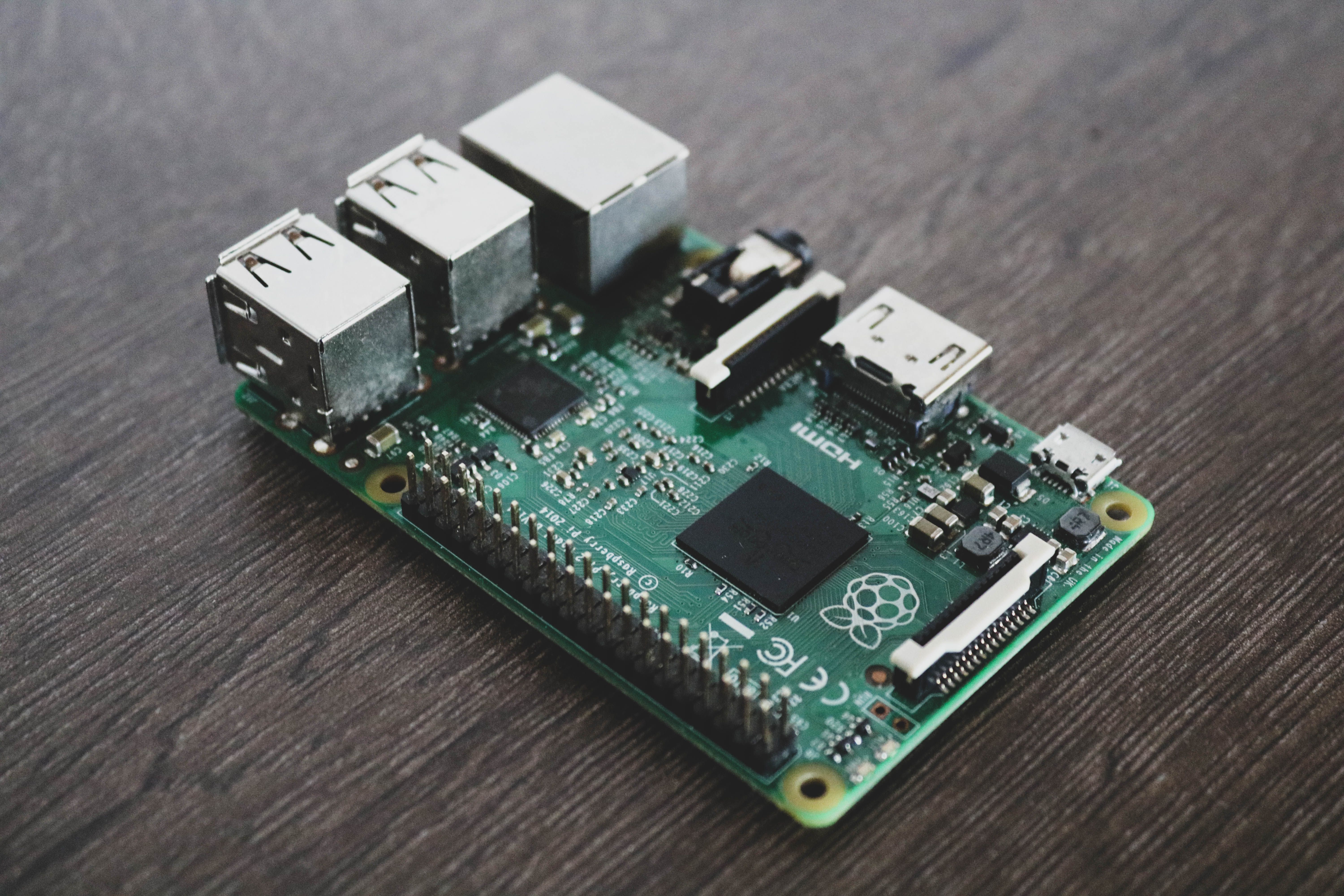
This volume presents the fork-from-existing-design approaches to building a Wi-Fi camera detector — the practical complement to the from-scratch ESP32-S3 design in Vol 7. Where Vol 7 starts with bare silicon and builds upward, this volume starts with two proven open-source firmware platforms — ESP32 Marauder and the Nyan Box — and adds the camera-detection layer on top. A third path runs on a Raspberry Pi instead of a microcontroller, trading portability for full-Python flow analysis, a larger OUI database, and a web UI.
The three paths this volume documents:
-
Fork ESP32 Marauder — the highest-leverage fast path if you already own an AWOK Dual Touch V3 or Ruckus Game Over module. Marauder already does 802.11 promiscuous scan, station enumeration, and OUI lookup; the camera layer adds a camera-vendor OUI filter, a traffic-rate accumulator, and a dedicated RSSI-walk display mode.
-
Fork Nyan Box — Nyan Box already has a native Camera Detector feature with a 20+-brand OUI-plus-heuristics fingerprint database, confidence scoring, and an RSSI-based lock-and-walk meter. This is the smallest code delta of the three paths: you are extending existing camera-aware firmware rather than writing the detection logic from scratch.
-
Raspberry Pi monitor-mode sniffer — a Pi running Python/scapy in monitor mode gets full CPU for flow statistics (rolling bitrate, standard deviation, motion-correlation scoring), can load the complete IEEE OUI database without flash constraints, and can serve a browser-based UI over the local network. The tradeoff: no battery-friendly handheld form factor.
Design-not-built. This volume is a design document, following the project-wide decision recorded in the spec: “cover all three build paths, pick the actual build later.”^[
docs/superpowers/specs/2026-06-25-cameradetection-deep-dive-design.md— “The ‘which one I actually build’ call and theprojects/code are deferred to bench time.”] No firmware has been flashed, no prototype has been assembled, and noprojects/code is authored in this push. Detection-capability claims are spec-sourced pending bench verification. The designs are grounded in production API surfaces (ESP-IDF v5.x, scapy 2.x, aircrack-ngairmon-ng), real hardware datasheets, and the detection algorithms established in Vol 3 §5 (traffic-rate/motion-correlation) and Vol 5 §5 (RSSI-walk localization). The gap from this document to a working device is bench time and a build session.
Non-emitting cameras are out of scope for all three paths. The Wi-Fi scanner at the core of every path documented here is completely blind to SD-only and wired cameras — no OUI match, no traffic-rate correlation, no RSSI-walk will detect a camera that transmits nothing. The optical lens-finder ring add-on (documented in Vol 7 §7.3 for the from-scratch build) can be bolted onto either ESP32 fork to partially patch this gap. NLJD is the definitive non-emitting method. This is constraint #1 from Vol 1 §7.1 — stated here so it is not lost in the fork-specific detail.
Volume map. Vol 7 is the sibling from-scratch design this volume contrasts with; read §2.1 of that volume for the ESP32-S3 architecture that the from-scratch path builds. Vol 3 §5 is the traffic-rate/motion-correlation physics foundation that all three paths implement. Vol 5 §5 is the RSSI-walk localization algorithm. The ESP32 Marauder Firmware deep dive covers Marauder’s full firmware architecture, build system, and feature set in depth; the Nyan Box deep dive covers the Nyan Box camera detection feature, fingerprint database, and overall hardware platform. Vol 10 surveys the open-source landscape and includes a fork-worthiness matrix for both projects. Vol 11 covers adapting owned gear — AWOK, Game Over, Nyan Box, HackRF — for camera finding without forking firmware.
8.2 Forking ESP32 Marauder
8.2.1 What Marauder already provides
ESP32 Marauder (justcallmekoko, MIT license) is a production-grade 802.11 + BLE pentest firmware with a well-documented build system, active maintenance, and an established port to the AWOK Dual Touch V3 and Ruckus Game Over modules.^[ESP32 Marauder GitHub: https://github.com/justcallmekoko/ESP32Marauder — the ESP32 Marauder Firmware deep dive covers the full architecture.] For the camera-detection fork, Marauder’s value is in what it already provides before you write a line:
Table 1 — ESP32 Marauder (justcallmekoko, MIT license) is a production-grade 802.11 + BLE pentest firmware with a well-documented build system, active maintenance, and an established port to the AWOK Dual Touch V3 and Ruckus Game Over modules.^[ESP32 Marauder GitHub: https://github.com/justcallmekoko/ESP32Marauder — the [ESP32 Marauder Firmware deep dive](https://firmware.fubsypoly.com/esp32-marauder-firmware/) covers the full architecture.] For the camera-detection fork, Marauder's value is in what it already provides before you write a line
| Marauder feature | What it does | Relevance to camera detection |
|---|---|---|
scanap | Promiscuous beacon capture; builds AP list with SSID, BSSID, channel, RSSI, and manufacturer (OUI lookup) | First-pass network enumeration: any camera AP or the host AP the camera has joined shows up here |
scansta | Captures association frames and data-frame source MACs after scanap; builds station list with MAC, RSSI, and linked AP | Provides the raw MAC list that the camera OUI filter acts on |
Sniffers (sniffbeacon, sniffprobe, sniffraw) | Hooks esp_wifi_set_promiscuous_rx_cb() to capture management and data frames | The raw sniffer is the tap point for the traffic-rate accumulator added in §2.5 |
| OUI lookup | Manufacturer lookup in the AP scan display | Starting point — not camera-specific; shows all manufacturers, not camera-vendor-filtered |
| SD card logging | Writes PCAP and CSV to microSD | Allows traffic-rate data to be captured to disk for post-analysis even if real-time display is not yet implemented |
| RSSI display | Shows per-client signal strength in the station list | The underlying data for RSSI-walk; the fork adds the EMA filter and walk-mode UI on top |
| Channel hop / channel lock | setchannel N to lock to a channel; default hop across all 2.4 GHz channels | Essential for the RSSI-walk: lock to the camera’s channel before walking |
| BLE scan | scanble enumerates nearby BLE advertisers | Bonus: catches BLE-advertising cameras (rare but real — see Vol 1 §4.4) with no additional code |
Marauder’s promiscuous callback is already in production use. When running sniffraw, the firmware calls esp_wifi_set_promiscuous(true) and registers a callback via esp_wifi_set_promiscuous_rx_cb(); every frame the radio captures — regardless of association — arrives in that callback with RSSI, channel, timestamp, and payload. The camera layer hooks into this same mechanism with a filter. No new radio plumbing is required.
OUI display scope: Marauder shows manufacturer (OUI-resolved) in the AP scan, not as a dedicated per-station field in the station list. For the station list the displayed value is the MAC address. The camera OUI filter in §2.4 operates on those MACs in software — Marauder does not natively highlight camera-vendor stations. Being precise about this matters: Marauder is a starting point for the camera layer, not a camera fingerprinter.
8.2.2 What Marauder does not provide — the camera-layer gap
Four things Marauder lacks that the fork must supply:
Table 2 — Four things Marauder lacks that the fork must supply
| Missing capability | Why it matters | What the fork adds |
|---|---|---|
| Camera-vendor OUI filter on the station list | Without filtering, the station list shows every device on every network — phones, laptops, IoT devices. Camera candidates are invisible in the noise. | A camera-vendor OUI table (§2.4) applied to station MAC addresses; only camera-vendor MACs are promoted to the camera candidate list. |
| Traffic-rate / motion-correlation watch | OUI match alone is fragile: MAC randomization, generic ESP32 chipsets, and white-label cameras all break it. The traffic-rate tell — uplink bitrate tracks motion in front of the lens (Vol 3 §5) — works even when OUI fingerprinting fails. | Per-candidate frame-size ring buffers in the promiscuous callback, with a 500 ms tick that computes rolling averages and sets a motion-correlation flag. |
| Confidence scoring | A single OUI match says “this could be a camera”; a sustained traffic-rate spike says “this is almost certainly streaming.” The user needs to know which. | A combined confidence score: OUI match contributes a baseline weight; traffic-rate spike adds a higher weight; sustained spike over multiple intervals reaches “HIGH” confidence. |
| Dedicated RSSI-walk display mode | The station list RSSI field is informational. To physically walk to a camera the user needs a real-time, EMA-smoothed, large-format bar/needle display that updates every 250 ms. | A separate UI state triggered by selecting a camera candidate, showing a full-screen RSSI gauge with numeric value, EMA trend arrow, and channel lock confirmation. |
The from-scratch Vol 7 design builds all four of these natively. The Marauder fork builds them incrementally on a working firmware foundation — lower risk, faster time-to-bench, but constrained by Marauder’s existing architecture.
8.2.3 The fork architecture: layering camera detection on top
The fork adds a camera-detection module (camera_detect.cpp / camera_detect.h) that sits between Marauder’s existing sniffer layer and its display/UI layer. The existing code is modified only at two entry points: (1) the promiscuous callback to call the camera-detect update function, and (2) the main menu to add a “Camera” mode that drives the camera-detect UI.
┌──────────────────────────────────────────────────────────────────────────┐
│                    MARAUDER FORK — LAYER DIAGRAM                          │
├──────────────────────────────────────────────────────────────────────────┤
│                                                                            │
│  ┌──────────────────────────────────────────────────────────────────────┐ │
│  │  ESP-IDF Wi-Fi stack  (unchanged — esp_wifi_set_promiscuous)         │ │
│  └─────────────────────────────┬────────────────────────────────────────┘ │
│                                │ every frame via promiscuous_rx_cb         │
│  ┌─────────────────────────────▼────────────────────────────────────────┐ │
│  │  Marauder sniffer layer  (minimal change)                             │ │
│  │  sniffraw / sniffbeacon / sniffprobe — existing callbacks             │ │
│  │     └── ADD: call cam_detect_update(sa_mac, rssi, frame_len)  ◄──────┼─┤─ NEW
│  └─────────────────────────────┬────────────────────────────────────────┘ │
│                                │                                            │
│  ┌─────────────────────────────▼────────────────────────────────────────┐ │
│  │  camera_detect module  (NEW — camera_detect.cpp)                     │ │
│  │                                                                        │ │
│  │  cam_oui_match(mac)       → camera-vendor OUI table lookup           │ │
│  │  cam_sta_update(...)      → per-STA ring-buffer update                │ │
│  │  cam_tick_500ms()         → motion-correlation flag, confidence score│ │
│  │  cam_sta_list[]           → sorted camera candidate list              │ │
│  └─────────────────────────────┬────────────────────────────────────────┘ │
│                                │                                            │
│  ┌─────────────────────────────▼────────────────────────────────────────┐ │
│  │  Marauder display / UI layer  (menu addition)                         │ │
│  │  Existing: AP list / station list / sniffer views                     │ │
│  │     └── ADD: Camera mode → candidate list + RSSI-walk display  ◄──────┼─┤─ NEW
│  └──────────────────────────────────────────────────────────────────────┘ │
│                                                                            │
└──────────────────────────────────────────────────────────────────────────┘
Integration scope. Two files in the existing Marauder codebase require modification: marauder.cpp (add the cam_detect_update() call in the promiscuous callback path, add the Camera menu entry) and marauder.h (include camera_detect.h). All new detection logic lives in the added files. This surgical approach means Marauder’s own features remain intact and the fork can track upstream releases with minimal merge conflicts.
8.2.4 The OUI filter — turning the station list into a camera list
The camera-vendor OUI table is the first discriminator. It is a compact array of 3-byte prefixes embedded in DRAM_ATTR (or RODATA_ATTR for read-only flash storage on the ESP32-S3) — the same approach used in the Vol 7 from-scratch design (§5 of that volume covers the full build-from-IEEE-DB process). For the Marauder fork the table is smaller and focused on the highest-confidence prefixes:
Table 3 — The camera-vendor OUI table is the first discriminator. It is a compact array of 3-byte prefixes embedded in DRAMATTR (or RODATAATTR for read-only flash storage on the ESP32-S3) — the same approach used in the Vol 7 from-scratch design (§5 of that volume covers the full build-from-IEEE-DB process). For the Marauder fork the table is smaller and focused on the highest-confidence prefixes
| OUI prefix (hex) | Vendor | Notes |
|---|---|---|
B0:C5:54 | Hikvision | Dominant IP-camera vendor globally |
44:19:B5 | Hikvision (second block) | Also appears in some Reolink OEM units |
C0:56:E3 | Hikvision (third block) | Confirmed Hikvision NVR/camera range |
D0:21:F9 | Dahua Technology | Second-largest IP-camera OEM |
3C:EF:8C | Dahua (second block) | Dahua branded + white-label downstream |
2C:AA:8E | Wyze Labs | Wyze Cam v2/v3/Pan series |
EC:71:DB | Reolink Innovation | Reolink direct; note Hikvision OEM blocks also appear |
DC:EF:09 | Amcrest / Foscam | White-label Foscam platform |
00:40:8C | Axis Communications | Axis professional camera range |
AC:CC:8E | Axis (second block) | Axis M-series and Q-series |
34:EA:34 | Eufy (Anker Innovations) | EufyCam 2/2C/S40/S300 range |
AC:84:C6 | Ring (Amazon) | Ring Stick Up Cam, Spotlight Cam |
68:37:E9 | Ring (second block) | Ring Video Doorbell Pro series |
F0:27:2D | Blink (Immedia Semiconductor / Amazon) | Blink Mini, Blink Outdoor |
18:B4:30 | Google Nest | Nest Cam (wired + battery), Nest Doorbell |
64:16:66 | Google Nest (second block) | Nest Cam IQ, Hello Doorbell |
20:4C:03 | Arlo (Netgear OUI, historically) | Arlo Pro 2/3/4 range |
70:2E:D9 | Tapo (TP-Link) | Tapo C100/C200/C310 series |
50:3E:AA | TP-Link (Tapo second block) | Tapo C510W, C420 |
Important caveats. The table above is illustrative, not complete. The full IEEE OUI database^[IEEE Standards OUI — https://standards-oui.ieee.org/ — updated regularly; download a fresh copy before building or refreshing the OUI table.] contains hundreds of blocks for these vendors, and new product lines bring new OUI allocations quarterly. Build the production table with the build_oui_db.py script design described in Vol 7 §5.1 — it downloads the IEEE CSV, filters for camera-vendor company strings, and emits a sorted prefix array. OUI-match alone is fragile (MAC randomization, generic module chipsets, white-label cameras — see Vol 1 §7.2); always run traffic-rate correlation (§2.5) before reporting a match as confirmed.
8.2.5 Traffic-rate watch hook
The traffic-rate/motion-correlation technique (Vol 3 §5) is the most robust camera-detection signal. Its ESP32 implementation in the Marauder fork is a per-station ring buffer of uplink byte totals, sampled every 500 ms. A motion-correlation flag is set when the current interval’s total exceeds a rolling eight-interval average by more than 40 percent — the tell that a VBR encoder’s uplink bitrate is tracking motion in front of the lens.
The following is a design-level C sketch of the camera-detect module’s core data structure and tick function. It is not compilable projects/ firmware — that is deferred to bench time — but it specifies the API surface precisely enough that bench implementation is a direct transcription:
/* camera_detect.h — design sketch for the Marauder-fork camera layer */
#include "esp_wifi.h"
#include <stdint.h>
#include <stdbool.h>

#define CAM_MAX_CANDIDATES  16    /* simultaneous camera candidates tracked   */
#define CAM_RING_LEN        64    /* 32 s of 500 ms intervals                 */
#define CAM_MOTION_K_NUM    14    /* motion flag: current > 1.4 × rolling avg */
#define CAM_MOTION_K_DEN    10    /*   (integer fraction: 14/10 = 1.4×)       */
#define CAM_RSSI_ALPHA_NUM   1    /* EMA coefficient α = 0.1 (integer fixed-  */
#define CAM_RSSI_ALPHA_DEN  10    /*   point: 1/10)                           */

typedef enum {
    CONF_NONE    = 0,  /* no OUI match                                       */
    CONF_OUI     = 1,  /* OUI match, no traffic-rate data yet                */
    CONF_MEDIUM  = 2,  /* OUI match + single motion spike                    */
    CONF_HIGH    = 3,  /* OUI match + sustained motion over ≥3 intervals     */
} cam_confidence_t;

typedef struct {
    uint8_t          mac[6];
    int8_t           rssi_ema;           /* EMA-smoothed RSSI (× 10, fixed)  */
    uint32_t         byte_ring[CAM_RING_LEN]; /* per-interval byte totals    */
    uint8_t          ring_head;
    uint32_t         interval_accum;     /* bytes accumulated this interval  */
    uint8_t          motion_streak;      /* consecutive intervals with flag  */
    bool             motion_flag;
    cam_confidence_t confidence;
    int8_t           channel;            /* channel on which last seen       */
    uint32_t         last_seen_ms;
} cam_sta_entry_t;

/* Called from the Marauder promiscuous callback for every uplink data frame */
void cam_detect_update(const uint8_t *sa_mac, int8_t rssi,
                        uint16_t frame_len, int8_t channel);

/* Called from a 500 ms FreeRTOS timer task */
void cam_tick_500ms(void);

/* Access the sorted candidate list (sorted by confidence, then RSSI) */
const cam_sta_entry_t *cam_get_candidates(int *count_out);
The cam_detect_update() function runs in the promiscuous callback context (IRAM-safe, no heap allocation). It performs an OUI lookup in the camera-vendor table using a binary search (the table is sorted for O(log n) lookup), updates the matching station’s RSSI EMA, and increments the interval accumulator. cam_tick_500ms() runs in a separate FreeRTOS task, drains the accumulators into the ring buffers, computes the rolling average, sets motion_flag and increments motion_streak, and updates the confidence level.
The confidence escalation logic: an OUI match with no traffic data → CONF_OUI. A single motion spike → CONF_MEDIUM. Three or more consecutive spikes → CONF_HIGH. This reduces false positives from bursty non-camera devices (phone app updates, streaming to a laptop) that can momentarily spike uplink traffic without sustaining it.
8.2.6 RSSI-walk mode
Once a camera candidate reaches CONF_MEDIUM or higher, the user selects it from the camera list and enters RSSI-walk mode. The fork adds a dedicated display state to Marauder’s UI state machine:
- Channel lock — call
setchannel(candidate->channel)to stop channel-hopping and park on the camera’s channel. This is critical: RSSI readings while hopping are discontinuous and useless for direction-finding. - EMA display — show a full-width horizontal bar proportional to the EMA RSSI (range –100 to –30 dBm mapped to 0–100%). A numeric dBm value is shown in the center of the bar. The EMA coefficient (α = 0.1) damps step-noise while still tracking direction changes as the user walks.
- Trend arrow — compare the current EMA with the 2-second-ago EMA; show ▲ (getting closer) or ▼ (moving away).
- Channel confirmation — display the locked channel number and the candidate MAC in a status line so the user can confirm they are tracking the right device.
- Exit — back button returns to the candidate list; the station remains in the list so the walk can be resumed.
The algorithm is identical to Vol 7 §6 (the RSSI-walk from the from-scratch design). The implementation surface is different — Marauder’s TFT driver and button handler versus the bare ESP-IDF TFT API — but the math is the same EMA filter.
8.2.7 Running on AWOK Dual Touch V3 and Ruckus Game Over
Both owned modules already run ESP32 Marauder. The camera-detection fork targets them directly.
Table 4 — 2.7 Running on AWOK Dual Touch V3 and Ruckus Game Over
| Attribute | AWOK Dual Touch V3 | Ruckus Game Over |
|---|---|---|
| MCU | Dual ESP32-WROOM-32 (2.4 GHz) | ESP32-S3 (2.4 GHz, dual-core LX7) |
| Display | Resistive touch TFT (color) | 0.96″ OLED (128×64, monochrome) |
| Navigation | Touch + resistive area | 5-way joystick + 2 buttons |
| Daughter slot | None | CC1101 / NRF24L01 daughterboard slot |
| GPS | Yes (onboard) | No |
| Flash | 4 MB per ESP32 | 16 MB (ESP32-S3) |
| PSRAM | No (limited for large OUI table) | 8 MB PSRAM (ESP32-S3-N16R8 variant) |
| Camera-fork suitability | Good for OUI filter + RSSI-walk; PSRAM constraint limits OUI table size | Better: PSRAM allows a larger OUI table; ESP32-S3 performance is stronger; CC1101 slot adds sub-GHz survey capability |
| Display constraint | Color TFT good for RSSI bar UI | OLED constrains RSSI-walk display to text; a bar chart needs careful layout |
AWOK dual-ESP32 opportunity. The AWOK has two independent ESP32 modules. With the camera fork, one ESP32 could be dedicated to promiscuous capture + OUI match + traffic-rate accumulation (CPU-bound scan core), while the second handles the display and UI. This soft-CPU split reduces the risk of display lag during heavy-traffic captures without adding hardware. It is not something the Vol 7 from-scratch design supports without extra hardware.
Ruckus CC1101 scope. The Game Over’s CC1101 daughter covers 300–928 MHz sub-GHz. This does not reach the 2.4 GHz or 5.8 GHz analog camera bands — those need a HackRF One or RTL-SDR (see the HackRF One deep dive and the Ruckus Game Over deep dive for the sub-GHz coverage map). The CC1101 is useful for sub-GHz RF environment survey but contributes nothing to Wi-Fi camera detection specifically.
8.3 Forking Nyan Box
Source-availability caveat — read before treating §3 as a confirmed fork path. The Nyan Box deep dive (Vol 8, §2.1 — “The stock firmware — closed-source question”) establishes the working assumption that the nyanBOX stock firmware is probably closed-source — analogous to the Ruckus Game Over situation and consistent with the pattern for most small-vendor ESP32 pentest firmwares. The deep dive states explicitly: “No clean fork: you can’t
git cloneit, add a tool, rebuild.” If the firmware source is not published, “forking” the Nyan Box becomes a binary reverse-engineering effort — Ghidra analysis of a stock firmware binary — which is high effort and explicitly not the recommended path. The first action before committing to this route is to check the vendor’s GitHub (linked from nyandevices.com) and confirm that the firmware source is actually published. The rest of §3 is therefore written conditionally on source availability: the inferred module structure (radio/,camera/,ui/), the extension-point table, and the fork additions in §3.2–3.4 describe what you would extend if the source were available — a conditional design, not a confirmed-available fork path. If the source is closed, treat §3 as a design sketch for a hypothetical open variant: the architecture is correct for the ESP32-Arduino/PlatformIO platform, but the practical starting point becomes reverse-engineering rather than a git clone. See the Nyan Box deep dive, Vol 8 §2, for the full closed-vs-open analysis and the “assume closed until verified open” posture this series applies to that firmware.
8.3.1 What the native camera detection already does
The Nyan Box (Nyan Devices) already ships a dedicated Camera Detector feature in its stock firmware. This makes it the lowest-delta fork path of the three: the core detection logic already exists, and the fork extends rather than creates it.^[Nyan Devices vendor documentation — https://nyandevices.com/ — accessed 2026-06-26. The Nyan Box deep dive covers the hardware platform (ESP32-WROOM-32U, triple NRF24, OLED) and firmware feature set in full depth.]
The stock Camera Detector operates as follows:
Table 5 — The stock Camera Detector operates as follows
| Capability | What it does | How it works |
|---|---|---|
| Passive scan | Detects cameras without transmitting a single packet | 802.11 promiscuous mode — same mechanism as Marauder and the Vol 7 design |
| OUI fingerprinting | Matches source MAC OUI against a camera-vendor database | First-pass filter; covered brands listed in §3.2 |
| Frame heuristics | Applies behavioral filters beyond OUI | Frame-interval regularity, uplink/downlink asymmetry, payload-size clustering consistent with streaming encoders |
| Confidence level | Displays a confidence indicator per detected camera | Composite of OUI match strength and heuristic agreement |
| MAC + SSID + RSSI display | Shows the camera’s MAC, associated SSID (if any), and signal strength | Standard station-list data, presented in a camera-specific view |
| Lock-onto-camera | User selects a detected camera and the firmware locks to its channel | Prerequisite for RSSI-walk — prevents channel-hop discontinuities |
| Signal-strength walk meter | Real-time RSSI display to walk toward the locked camera | Serves the same purpose as the Vol 7/8 Marauder-fork RSSI-walk mode |
| Camera Deauther | Deauthenticates detected cameras by sending 802.11 deauth frames | Confirmation technique — consenting-environment only (see below) |
Camera Deauther posture gate. The Camera Deauther feature sends deauthentication frames at detected cameras. This is an active, transmitting technique — it forces the camera off its network momentarily to confirm it responds like a camera (drops and reconnects). Use only in environments where you own or have written authorization for the network and all devices on it. Cross-reference
_shared/legal_ethics.md. In a defensive hotel-room sweep context this technique is inappropriate; it is useful in a home lab with your own camera under test or in a professional TSCM engagement with explicit authorization.
The key distinction from the Marauder baseline is that the Nyan Box firmware already has the camera-specific view. A Marauder user running scansta sees every device on every network with no camera-specific filtering. A Nyan Box user running Camera Detector sees only camera candidates, already scored and sorted.
8.3.2 The 20+-brand fingerprint DB as a fork seed
The Nyan Box fingerprint database is the most directly useful open seed in the ecosystem for a camera-detection fork. It covers 20+ camera manufacturers, verified from vendor documentation:^[Nyan Devices product page — nyandevices.com — lists Ring, Blink, Nest, Arlo, Wyze, Reolink, Eufy, Hikvision, Dahua, and Axis explicitly, with “20+ more brands” claimed.]
Table 6 — 3.2 The 20+-brand fingerprint DB as a fork seed
| Confirmed brands in the Nyan Box DB (from vendor documentation) |
|---|
| Ring (Amazon) |
| Blink (Amazon / Immedia Semiconductor) |
| Nest / Google Nest |
| Arlo (historically Netgear OUI range) |
| Wyze Labs |
| Reolink Innovation |
| Eufy (Anker Innovations) |
| Hikvision |
| Dahua Technology |
| Axis Communications |
| + 10 or more additional brands (full list not published) |
The “20+ brands” figure refers to the vendor database as of the public product listing. The actual OUI entries per brand typically span multiple blocks (Hikvision alone has 6+ OUI allocations; Dahua has 4+), so the effective OUI-prefix count in the database is well above 20 entries even if “brand” count is 20.
Fork extension: updating and expanding the database. The Nyan Box database was accurate at firmware release time; new camera product lines add OUI blocks continuously. A fork should build and bake in a refreshed OUI table from the IEEE database (script design in Vol 7 §5.1) and add coverage for emerging brands not in the stock database: Tapo (TP-Link), Amcrest, Foscam, Lorex, Swann, Unifi Protect (Ubiquiti), and the growing range of white-label cameras built on Espressif and Realtek Wi-Fi modules (where the OUI resolves to Espressif rather than to a camera brand — these are false-negatives under OUI-only matching, and the heuristic layer must carry more weight).
8.3.3 Firmware structure and what to extend
The Nyan Box runs on an ESP32-WROOM-32U. Its firmware is an Arduino-framework build (PlatformIO) with FreeRTOS tasks for radio management, UI, and the feature modules. Specific internal source details require direct inspection at bench time (the Nyan Box is aspirational hardware — not yet owned as of 2026-06-26); the following is inferred from the hardware platform and feature behavior:
Inferred module structure (verify against actual source at bench time):
NyanBox firmware (Arduino/PlatformIO, ESP32-WROOM-32U)
│
├── radio/
│   ├── wifi_scan.cpp         ← AP + station scan; promiscuous callback
│   ├── ble_scan.cpp          ← BLE advertiser scan
│   └── nrf24_manager.cpp     ← triple-NRF24 channel management (RemoteID, etc.)
│
├── camera/
│   ├── camera_detector.cpp   ← Camera Detector feature (OUI + heuristics)
│   ├── camera_deauther.cpp   ← Camera Deauther feature
│   └── oui_db.cpp / oui_db.h ← the 20+-brand fingerprint database
│
├── ui/
│   ├── display.cpp           ← OLED driver (0.96″ SSD1306)
│   └── menu.cpp              ← menu navigation
│
└── main.cpp / setup / loop
What to extend in the fork:
Table 7 — What to extend in the fork:
| Extension point | What to add | Why |
|---|---|---|
oui_db.cpp | Refresh from current IEEE OUI DB; add Tapo, Amcrest, Lorex, generic ESP32/Realtek blocks with heuristic-only flag | OUI DB is the first discriminator; staleness reduces detection rate |
camera_detector.cpp | Add explicit traffic-rate / motion-correlation accumulator (500 ms ring buffer + motion flag) | The heuristic layer may already include some rate-based logic, but explicit VBR-encoder motion correlation (Vol 3 §5) is the most robust tell and should be a first-class signal |
camera_detector.cpp | Add off-network camera detection: cameras on a hidden SSID or their own AP are still visible in promiscuous mode even if not on any known network; extend the candidate list to include these with a “no-network / isolated AP” flag | Marauder’s scansta only captures stations associated with known APs; a camera on its own AP is missed unless promiscuous capture is extended |
ui/ | If display constraints allow, add a full-screen RSSI-walk bar (OLED character art: [======== ] with dBm number) | The stock walk meter on the 0.96″ OLED is constrained; a character-art bar is clearer during a physical walk-toward |
8.3.4 The traffic-rate gap in the Nyan Box baseline
The Nyan Box Camera Detector’s published feature description emphasizes OUI fingerprinting and frame heuristics. Whether the stock firmware implements the specific VBR-bitrate / motion-correlation technique from Vol 3 §5 is not confirmed from public documentation. This matters because:
- OUI + generic heuristics catches cameras in most Airbnb sweep scenarios where the camera is on an active network and generating steady traffic.
- VBR motion-correlation catches cameras that are present but not currently streaming (standby, or motion-detection-only mode) by provoking a reaction: the user waves their hand in front of where they suspect the camera lens is and watches for the uplink spike. This active-probe technique works even on cameras whose OUI resolves to a generic ESP32 block.
A fork that adds explicit motion-correlation (the ring-buffer + tick pattern from §2.5) on top of the existing Nyan Box Camera Detector gets both layers: the stock OUI+heuristic pass and the VBR motion-correlation confirmation. This is a lower-risk extension than the Marauder fork (you are adding to a camera-aware codebase rather than building the camera layer from scratch) and a higher-capability result than the stock Nyan Box firmware.
8.4 The Raspberry Pi Sniffer Path
8.4.1 When the Pi beats an ESP32
The Pi sniffer path exchanges portability for capability. On an ESP32, every algorithm — OUI lookup, ring-buffer accumulation, EMA computation, display rendering — must fit in a real-time embedded context with limited SRAM and no floating-point SIMD. On a Pi running Python, the constraints invert: CPU and memory are essentially unlimited for this application, but the form factor is a small computer, not a handheld.
Table 8 — 4.1 When the Pi beats an ESP32
| Capability dimension | ESP32 Marauder fork | Nyan Box fork | Raspberry Pi sniffer |
|---|---|---|---|
| OUI database size | 100–400 entries (DRAM/PSRAM constrained) | 20+ brands (stock); expandable but flash-constrained | Full IEEE OUI database (5+ MB JSON, trivially fits in RAM) |
| Flow statistics | 500 ms ring buffer, integer arithmetic, 16–32 candidates | Similar; limited by SRAM | Per-STA rolling statistics, floating-point, unlimited candidates, full scapy frame access |
| Traffic-rate precision | Frame-count or byte-count proxy (sig_len field, not layer-3 payload) | Similar | Exact layer-2 payload length from RadioTap + Dot11 headers; full PCAP access for post-analysis |
| Motion-correlation algorithm | Fixed-point EMA + threshold; deterministic, real-time | Similar | Arbitrary statistics: rolling mean + σ, z-score flagging, multi-interval trend detection |
| Web UI | Not feasible on-device | Not feasible | Flask/FastAPI serving a live-updating browser dashboard over the Pi’s Wi-Fi or Ethernet |
| Post-capture analysis | SD card PCAP; analyzed offline | Similar | In-process: Python + pandas, no separate step |
| Portability | Handheld + battery | Handheld + battery | Requires AC or a USB battery bank; laptop bag, not pocket |
| Cost | $0 marginal (already-owned module) | ~$80–$120 (aspirational) | $35–$80 Pi + $20–$40 adapter |
The Pi wins when:
- The OUI database gap matters: white-label ESP32-based cameras (whose OUI is
EspressiforRealtek, not a camera brand) require richer heuristics to detect; full Python gives more room to build those heuristics. - Flow analysis precision matters: professional TSCM-grade sweep where you want confidence scores backed by statistical evidence, not just flag-if-over-threshold.
- A web UI matters: multiple team members sweeping a large property can share a single Pi sniffer’s view in their browsers.
- You are already carrying a laptop or have a power source: the Pi zero 2 W + USB adapter on a battery bank is borderline pocketable; the Pi 4 is a bag item.
8.4.2 Hardware: Pi model + monitor-mode adapter selection
Pi model selection:
Table 9 — Pi model selection:
| Model | CPU | RAM | Form factor | Camera-sniffer verdict |
|---|---|---|---|---|
| Pi Zero 2 W | 4× Cortex-A53 @ 1 GHz | 512 MB | Credit card; ~9 g | Best for portable/covert; 512 MB limits large pandas DataFrames but is sufficient for the cam_sniff.py design |
| Pi 3B+ | 4× Cortex-A53 @ 1.4 GHz | 1 GB | Standard; ~45 g | Good all-round; Ethernet for lab use; USB 2.0 limits adapter throughput |
| Pi 4 | 4× Cortex-A72 @ 1.8 GHz | 2–8 GB | Standard; ~46 g | Best for a fixed lab sniffer with web UI + pandas post-analysis; overkill for field use |
The Pi Zero 2 W with an RTL8812AU adapter and a 10,000 mAh USB-C battery bank is the most deployable portable configuration. Estimated runtime: 4–6 hours (spec-sourced; Pi Zero 2 W draw ~0.4 W idle + 1 W under scan load; RTL8812AU ~0.5–1 W).^[Power figures are estimates from published Pi Zero 2 W idle current (0.35 A @ 5 V = 1.75 W at load; lower at idle) and RTL8812AU typical USB current draw (~400–800 mA @ 5 V). Actual field runtime is bench-verified pending build.]
Monitor-mode adapter chipset selection:
Table 10 — Monitor-mode adapter chipset selection:
| Chipset | Driver | Bands | Monitor mode | Injection | Notes |
|---|---|---|---|---|---|
| RTL8812AU | rtl88xxau-dkms (aircrack-ng fork; not in mainline kernel) | 2.4 + 5 GHz | Yes — stable | Yes | The current go-to for dual-band monitor mode. Requires DKMS driver install (apt install realtek-rtl88xxau-dkms on Kali/Parrot, or build from https://github.com/aircrack-ng/rtl8812au). Widely tested on Pi 3B+ and Pi 4; Pi Zero 2 W requires compile for arm7l target. |
| AR9271 | ath9k_htc (mainline kernel, included since 2011) | 2.4 GHz only | Yes — rock solid | Yes | Zero setup: plug in and airmon-ng start wlan1 works immediately. 2.4 GHz only is a limitation — misses 5 GHz cameras. Alfa AWUS036NHA is the reference adapter for this chipset (~$30). |
| MT7612U | mt76 (mainline kernel 4.19+) | 2.4 + 5 GHz | Varies by kernel version | Partial | Dual-band, in-kernel driver is attractive, but monitor mode stability varies. Reports of disconnects under sustained scan load (>20 min) on some kernel versions.^[MT7612U stability under sustained monitor-mode scan: community reports on Raspberry Pi forums and aircrack-ng GitHub issues, 2024–2025. Verify against current kernel before relying on this chipset for a long sweep.] Verify before committing to this chipset for a deployment. |
| RTL8814AU | rtl8814au-dkms (aircrack-ng fork) | 2.4 + 5 GHz | Yes | Yes | 3×3 MIMO; higher sensitivity and throughput than RTL8812AU; USB 3.0 adapter size; overkill for a Pi Zero 2 W but excellent on Pi 4. |
Recommended pick for this application: RTL8812AU (e.g., Alfa AWUS036ACH, ~$40). Dual-band coverage catches cameras on both 2.4 GHz and 5 GHz networks; the DKMS driver is well-maintained by the aircrack-ng project; the adapter is tested on every Pi model. The AR9271 is acceptable if the target environment is known to be 2.4 GHz only (most low-cost hidden cameras still use 2.4 GHz) and you want the simplest setup.
8.4.3 Architecture: the Pi sniffer pipeline
┌─────────────────────────────────────────────────────────────────────────┐
│          RASPBERRY PI CAMERA SNIFFER — ARCHITECTURE                      │
├─────────────────────────────────────────────────────────────────────────┤
│                                                                           │
│  ┌──────────────────┐    USB 2.0/3.0    ┌──────────────────────────────┐│
│  │  Raspberry Pi    │◄──────────────────►│ RTL8812AU (or AR9271)        ││
│  │  (Zero 2W/3B+/4) │                   │ monitor-mode adapter          ││
│  └────────┬─────────┘                   └──────────────────────────────┘│
│           │                                                               │
│  ┌────────▼──────────────────────────────────────────────────────────┐  │
│  │  Linux kernel — mac80211 + RTL8812AU driver                        │  │
│  │  wlan1 → wlan1mon (airmon-ng start wlan1)                          │  │
│  └────────┬──────────────────────────────────────────────────────────┘  │
│           │ raw 802.11 frames (RadioTap + Dot11)                         │
│  ┌────────▼──────────────────────────────────────────────────────────┐  │
│  │  cam_sniff.py (Python 3 + scapy)                                   │  │
│  │                                                                     │  │
│  │  ┌─────────────────────┐   ┌──────────────────────────────────┐   │  │
│  │  │ pkt_callback()      │   │ tick_thread (500 ms)              │   │  │
│  │  │  – Dot11 type check │   │  – drain per-STA accumulators    │   │  │
│  │  │  – SA MAC extract   │──►│  – compute rolling avg (8 intv)  │   │  │
│  │  │  – OUI DB lookup    │   │  – set motion_flag               │   │  │
│  │  │  – RSSI from        │   │  – update confidence score       │   │  │
│  │  │    RadioTap         │   └─────────────┬────────────────────┘   │  │
│  │  │  – update sta_table │                 │                          │  │
│  │  └─────────────────────┘                 │                          │  │
│  │                                           ▼                          │  │
│  │  ┌──────────────────────────────────────────────────────────────┐  │  │
│  │  │  sta_table: {mac → {rssi_ema, byte_ring, motion, confidence}} │  │  │
│  │  └──────────────────────────┬───────────────────────────────────┘  │  │
│  └─────────────────────────────┼─────────────────────────────────────┘  │
│                                │                                          │
│  ┌─────────────────────────────▼─────────────────────────────────────┐  │
│  │  Output layer (choose one or both)                                  │  │
│  │  ┌───────────────────────┐  ┌────────────────────────────────────┐│  │
│  │  │ Terminal table        │  │ Flask web UI (JSON API + HTML/JS)  ││  │
│  │  │ (rich / tabulate)     │  │ http://pi.local:5000               ││  │
│  │  │ sorted by confidence  │  │ live-updating table via SSE/WS     ││  │
│  │  └───────────────────────┘  └────────────────────────────────────┘│  │
│  └────────────────────────────────────────────────────────────────────┘  │
└──────────────────────────────────────────────────────────────────────────┘
Key design decisions:
- Scapy for capture rather than
tcpdumppiped to Python: scapy provides direct Dot11 + RadioTap field access without subprocess overhead. The frame callback runs in scapy’s capture thread; the tick function runs in a separate daemon thread. No asyncio, no multiprocessing — two threads and a shared dict with a threading.Lock is sufficient for this traffic volume. - Per-STA accumulator (not per-AP): the motion-correlation signal lives in the uplink traffic from the camera’s MAC, not in beacon traffic from the AP. Accumulating at the STA level is essential.
- RadioTap RSSI: scapy’s
pkt[RadioTap].dBm_AntSignalfield gives the RSSI in dBm directly from the adapter’s receive metadata. This is the same data the ESP32 promiscuous callback provides viarx_ctrl.rssi. - Channel management: a separate channel-hop thread cycles through channels 1, 6, 11 (and optionally 36, 40, 44, 48 for 5 GHz) using
iwconfig wlan1mon channel N. Dwell time should be at least 500 ms per channel to accumulate a meaningful sample before moving on. Once a camera candidate is identified, the user can invoke--lock-channel Nto stop hopping.
8.4.4 cam_sniff.py design sketch
The following is a design-level Python sketch of the core sniffer. It is not production projects/ code — that is deferred to bench time — but it specifies the data model, algorithm, and scapy API usage precisely:
#!/usr/bin/env python3
"""
cam_sniff.py — Raspberry Pi Wi-Fi camera sniffer (design sketch, not projects/ code)
Monitor-mode scapy capture → per-STA flow stats → motion-correlation flag.

Usage:
    sudo airmon-ng start wlan1
    sudo python3 cam_sniff.py --iface wlan1mon --oui-db cam_oui.json
"""
import time, json, argparse, threading, collections
from scapy.all import sniff, Dot11, Dot11QoS, RadioTap

# ── OUI database ────────────────────────────────────────────────────────────
def load_oui_db(path: str) -> dict:
    """
    Load camera-vendor OUI map: {"B0:C5:54": "Hikvision", ...}
    Build from IEEE OUI DB with build_oui_db.py (Vol 7 §5.1 design).
    """
    with open(path) as f:
        return json.load(f)   # keys are uppercase "XX:XX:XX" OUI prefixes

# ── Per-STA flow state ───────────────────────────────────────────────────────
RING_LEN   = 60       # 30 seconds of 500 ms intervals
INTERVAL_S = 0.5      # accumulation window (seconds)
ALPHA      = 0.1      # EMA coefficient for RSSI smoothing
MOTION_K   = 1.40     # motion flag: current interval > 1.4 × rolling avg
MIN_AVG    = 500      # minimum average bytes/interval before motion test applies

_table_lock = threading.Lock()
sta_table: dict[str, dict] = {}   # mac_str → state dict

def _new_sta(mac: str, rssi: float) -> dict:
    return {
        "mac":      mac,
        "vendor":   "",
        "rssi_ema": rssi,
        "ring":     collections.deque([0] * RING_LEN, maxlen=RING_LEN),
        "accum":    0,
        "motion":   False,
        "conf":     "OUI",        # OUI | MEDIUM | HIGH
        "streak":   0,
        "channel":  0,
        "last":     time.time(),
    }

def update_sta(mac: str, rssi: float, frame_bytes: int,
               vendor: str, channel: int):
    with _table_lock:
        if mac not in sta_table:
            sta_table[mac] = _new_sta(mac, rssi)
            sta_table[mac]["vendor"] = vendor
        s = sta_table[mac]
        s["rssi_ema"] = ALPHA * rssi + (1 - ALPHA) * s["rssi_ema"]
        s["accum"]   += frame_bytes
        s["channel"]  = channel
        s["last"]     = time.time()

def tick_thread():
    """Drain accumulators every INTERVAL_S; compute motion flag + confidence."""
    while True:
        time.sleep(INTERVAL_S)
        with _table_lock:
            for s in sta_table.values():
                ring = s["ring"]
                # Rolling average of the last 8 intervals (4 seconds)
                recent = list(ring)[-8:]
                avg = sum(recent) / len(recent) if recent else 0
                current = s["accum"]
                if avg > MIN_AVG and current > avg * MOTION_K:
                    s["motion"]  = True
                    s["streak"] += 1
                else:
                    s["motion"]  = (s["streak"] > 0)  # hysteresis: keep flag 1 interval
                    s["streak"]  = max(0, s["streak"] - 1)
                # Confidence escalation
                if s["streak"] >= 3:
                    s["conf"] = "HIGH"
                elif s["streak"] >= 1:
                    s["conf"] = "MEDIUM"
                else:
                    s["conf"] = "OUI"
                ring.append(current)
                s["accum"] = 0

# ── Packet callback ──────────────────────────────────────────────────────────
def pkt_callback(pkt, oui_db: dict):
    """Called by scapy for every captured frame."""
    if not pkt.haslayer(Dot11):
        return
    dot11 = pkt[Dot11]
    # Uplink data frames: type=2 (data), to-DS=1, from-DS=0
    if dot11.type != 2:
        return
    if not (dot11.FCfield & 0x01) or (dot11.FCfield & 0x02):
        return
    src_mac = dot11.addr2
    if src_mac is None:
        return
    oui_key = src_mac[:8].upper()   # "XX:XX:XX"
    if oui_key not in oui_db:
        return                       # not a camera-vendor OUI — skip
    vendor = oui_db[oui_key]
    rssi_val = -99.0
    if pkt.haslayer(RadioTap) and hasattr(pkt[RadioTap], "dBm_AntSignal"):
        rssi_val = float(pkt[RadioTap].dBm_AntSignal)
    channel = 0
    if pkt.haslayer(RadioTap) and hasattr(pkt[RadioTap], "ChannelFrequency"):
        freq = pkt[RadioTap].ChannelFrequency
        channel = (freq - 2407) // 5 if freq < 5000 else (freq - 5000) // 5
    update_sta(src_mac, rssi_val, len(pkt), vendor, channel)

# ── Entry point ──────────────────────────────────────────────────────────────
def main():
    ap = argparse.ArgumentParser(description="cam_sniff.py — Pi camera sniffer")
    ap.add_argument("--iface",   default="wlan1mon", help="monitor-mode interface")
    ap.add_argument("--oui-db",  default="cam_oui.json", help="camera OUI JSON")
    args = ap.parse_args()
    oui_db = load_oui_db(args.oui_db)
    print(f"[cam_sniff] Listening on {args.iface} | {len(oui_db)} OUI entries")
    threading.Thread(target=tick_thread, daemon=True).start()
    # Pass oui_db into callback via lambda closure
    sniff(iface=args.iface,
          prn=lambda p: pkt_callback(p, oui_db),
          store=False)

if __name__ == "__main__":
    main()
Extending to motion-correlation confirmation. The sketch above accumulates bytes and sets flags passively. To actively test for motion correlation, the user stands near a suspected camera location and moves an object (hand, cloth) in front of where the lens likely is. If the suspected camera’s accum field spikes in the next two to three 500 ms intervals and motion flips to True, the correlation is confirmed. This is the practical application of the Vol 3 §5 technique on a Pi: the algorithm is identical, the implementation is in Python rather than C, and the display is a terminal table rather than a TFT bar.
8.4.5 Monitor-mode setup and channel management
# ── Pi monitor-mode setup (RTL8812AU) ────────────────────────────────────────

# Install driver (Kali/Parrot; Debian-based with DKMS)
sudo apt install realtek-rtl88xxau-dkms

# Or build from source (required for Pi Zero 2 W, arm7l target)
git clone https://github.com/aircrack-ng/rtl8812au
cd rtl8812au
make -j4 ARCH=arm7l    # or arm64 for Pi 4 with 64-bit OS
sudo make install

# Confirm adapter is seen
ip link show            # look for wlan1 (or wlan0 if no built-in radio)

# Put into monitor mode
sudo airmon-ng check kill          # kill conflicting processes (NetworkManager, wpa_supplicant)
sudo airmon-ng start wlan1         # creates wlan1mon

# Verify monitor mode
iwconfig wlan1mon                  # should show Mode:Monitor

# Channel management during scan — hop 2.4 GHz channels
for ch in 1 2 3 4 5 6 7 8 9 10 11 12 13; do
    sudo iwconfig wlan1mon channel $ch
    sleep 0.5                      # 500 ms dwell per channel
done

# Lock to a specific channel once a candidate is found
sudo iwconfig wlan1mon channel 6

# Restore normal operation after sweep
sudo airmon-ng stop wlan1mon
sudo systemctl start NetworkManager
For 5 GHz channels (cameras on 5 GHz networks), substitute channels 36, 40, 44, 48, 52, 56, 60, 64 (UNII-1 and UNII-2 ranges where most consumer cameras operate). The RTL8812AU supports 5 GHz monitor mode; the AR9271 does not.
8.4.6 Web UI design
A minimal Flask web UI turns the Pi sniffer into a shared-screen tool for a two-person sweep:
http://pi.local:5000/
┌─────────────────────────────────────────────────────────────────────────┐
│  cam_sniff — live camera candidates                       [refresh: 1s] │
├──────────────┬─────────────┬────────────────┬──────────┬───────────────┤
│  MAC         │  Vendor     │  Confidence    │  RSSI    │  Motion       │
├──────────────┼─────────────┼────────────────┼──────────┼───────────────┤
│ B0:C5:54:... │ Hikvision   │  ██ HIGH       │  –48 dBm │  ▲ YES        │
│ 2C:AA:8E:... │ Wyze Labs   │  █  MEDIUM     │  –67 dBm │  – no         │
│ AC:84:C6:... │ Ring        │  ·  OUI        │  –72 dBm │  – no         │
└──────────────┴─────────────┴────────────────┴──────────┴───────────────┘
The Flask endpoint serves a /api/stations JSON route returning the sorted sta_table contents. The HTML page uses a JavaScript setInterval(fetch, 1000) to poll and redraw the table. No WebSocket required; the 1-second poll is adequate for a field sweep where the user is walking, not watching millisecond-level changes.
8.5 Fork-vs-Scratch-vs-Pi Decision Guide
8.5.1 The three-path decision matrix
This is the load-bearing table for the build decision. Every column is scored against the same criteria so paths can be compared along dimensions that matter for the intended use case. Scores are LOW / MEDIUM / HIGH; cost is USD approximate at time of writing.
Table 11 — 5.1 The three-path decision matrix
| Criterion | Fork ESP32 Marauder (on AWOK/Game Over) | Fork Nyan Box | Raspberry Pi sniffer | From-scratch ESP32-S3 (Vol 7 reference) |
|---|---|---|---|---|
| Build effort | LOW — add camera module to existing working firmware; no new hardware | MEDIUM — extend a camera-aware codebase, but Nyan Box is aspirational hardware (not yet owned) | MEDIUM — Pi + adapter setup, Python environment; no embedded build system | HIGH — BOM sourcing, PCB, full firmware from bare ESP-IDF |
| Time to first working prototype | Lowest — days if Marauder already runs on the target module | Medium — days once hardware is in hand | Low-Medium — Pi + adapter is off-the-shelf hardware; software is a Python script | Highest — PCB spin or devkit wiring + full firmware |
| Capability ceiling (Wi-Fi detection) | MEDIUM — promiscuous capture, OUI filter, traffic-rate watch, RSSI-walk; constrained by ESP32 SRAM | MEDIUM-HIGH — OUI+heuristics baseline is already higher than Marauder stock; same SRAM ceiling | HIGH — full scapy flow statistics, full IEEE OUI DB, arbitrary Python algorithms, web UI | MEDIUM-HIGH — same ESP32-S3 hardware as best ESP32 option; purpose-built rather than forked |
| Capability ceiling (non-Wi-Fi cameras) | LOW — CC1101 daughter (Game Over) covers sub-GHz only; 2.4/5.8 GHz analog needs HackRF add-on | LOW — same ESP32 limitation | LOW (RF) — Pi + RTL-SDR via GNU Radio could add analog sweep; not part of cam_sniff.py base design | MEDIUM — optional CC1101/RTL-SDR add-on slot designed in (Vol 7 §7) |
| Portability | HIGH — handheld module on Flipper; battery-powered; pocket-size | HIGH — handheld; battery-powered; pocket-size | LOW — Pi + adapter + battery bank; bag item, not pocket | HIGH — purpose-built handheld; designed for field carry |
| Cost (marginal) | $0 — already-owned AWOK/Game Over modules | ~$80–120 (aspirational) | ~$55–120 (Pi Zero 2 W + RTL8812AU adapter) | $50–$200 (BOM + PCB) |
| OUI database coverage | Small subset (DRAM-constrained, 100–400 entries) | 20+ brands (vendor DB); extensible but flash-constrained | Full IEEE OUI DB (5+ MB, no RAM constraint) | Small to medium subset (PSRAM helps; Vol 7 §5.4 covers sizing) |
| Motion-correlation (VBR tell) | Yes — added by fork (§2.5 design) | Partial — stock may have rate heuristics; explicit VBR correlation is the fork extension (§3.4) | Yes — best implementation; full-precision float statistics | Yes — native in from-scratch design (Vol 7 §4.4) |
| RSSI-walk localization | Yes — added by fork (§2.6) | Yes — stock has walk meter; fork can improve display | Yes — terminal/web table shows RSSI; no dedicated bar UI in base design (easy to add) | Yes — native; full-screen bar + EMA (Vol 7 §6) |
| Web UI / shared screen | No | No | Yes — Flask endpoint; multi-user sweep | No (single-user TFT only) |
| Deauth-confirm capability | Yes — Marauder native; camera deauther hook is trivial | Yes — Camera Deauther is native stock feature | Yes — scapy can send deauth frames (requires injection; consenting-environment only) | Yes — designed in Vol 7 |
| Upgrade path | Bounded by ESP32-S3 hardware | Bounded by ESP32-WROOM-32U | Essentially unlimited — swap Pi model, add SDR | Bounded by ESP32-S3 hardware |
8.5.2 Emission classes covered per path
Table 12 — 5.2 Emission classes covered per path
| Emission class | Fork Marauder | Fork Nyan Box | Pi sniffer | Scratch ESP32-S3 |
|---|---|---|---|---|
| Wi-Fi / IP cameras | Yes (OUI filter + traffic-rate) | Yes (OUI + heuristics + traffic-rate ext.) | Yes (best precision) | Yes |
| Analog wireless 1.2 GHz | No | No | No (base design) | No (opt. add-on) |
| Analog wireless 2.4/5.8 GHz | No (CC1101 ≠ video demod) | No | No (base design; RTL-SDR could add) | No (opt. add-on) |
| Cellular / 4G cameras | No | No | No | No |
| Bluetooth cameras | Partial (Marauder scanble) | Partial (if BLE scan enabled) | Partial (scapy can capture BLE adv) | Partial (BLE scan via ESP32) |
| SD-only / non-emitting | No — RF-blind | No — RF-blind | No — RF-blind | No — RF-blind (opt. IR-LED add-on) |
| Wired cameras (no-RF) | No — RF-blind | No — RF-blind | No — RF-blind | No — RF-blind (opt. IR-LED add-on) |
No path in this volume covers non-emitting cameras. All three are Wi-Fi sniffers. This is constraint #1 from Vol 1 §7.1. For any sweep where non-emitting cameras must be ruled out, pair whichever path you choose with an optical lens finder (SpyFinder Pro / SF-103P or equivalent), IR-LED spotting in darkness, and physical inspection of plausible hiding spots.
8.5.3 Detection techniques available per path
Table 13 — 5.3 Detection techniques available per path
| Detection technique | Fork Marauder | Fork Nyan Box | Pi sniffer | From-scratch ESP32-S3 |
|---|---|---|---|---|
| OUI fingerprinting | Yes (camera OUI filter in station list) | Yes (stock 20+-brand DB + fork extensions) | Yes (full IEEE OUI DB; no size constraint) | Yes (PROGMEM/RODATA table) |
| Frame heuristics (beyond OUI) | Minimal — fork adds threshold-only rate check | Yes — stock heuristics + fork extensions | Yes — full Python: frame-interval analysis, size distribution, uplink/downlink ratio | Yes — embedded heuristics, more constrained |
| Traffic-rate / motion-correlation | Yes (fork adds 500 ms ring buffer + flag) | Yes (fork extension in §3.4) | Yes (best precision; full-float statistics) | Yes (native; Vol 7 §4.4) |
| mDNS / ONVIF discovery scan | No — Marauder does not probe mDNS/ONVIF | No | Possible via python-zeroconf + wsdiscovery Python libs running on the Pi | No |
| RTSP port probe | No | No | Yes — nmap or Python socket probe on any discovered IP | No |
| RSSI-walk localization | Yes (fork adds walk mode) | Yes (stock + improved display) | Terminal/web RSSI column; dedicated walk mode is an easy addition | Yes (native; Vol 7 §6) |
| Deauth-confirm (consenting environments only) | Yes (Marauder native) | Yes (Camera Deauther is stock) | Yes (scapy injection; requires adapter with injection support) | Yes (designed in) |
The Pi sniffer adds two detection techniques neither ESP32 path supports: mDNS/ONVIF discovery scanning (the camera announces itself on the local network via WS-Discovery / mDNS) and RTSP port probing (once an IP is known, a TCP probe to port 554 confirms a camera is streaming). These are passive-then-active techniques and are the most definitive confirmation methods short of watching the demodulated video. Vol 3 §3 covers the discovery protocol mechanics; Vol 5 §2 covers the network-presence timeline.
8.5.4 Recommended default path and when to deviate
Recommended default: Fork ESP32 Marauder on the owned Ruckus Game Over module.
The Ruckus Game Over is already owned, already running Marauder, and is the most capable ESP32 Marauder platform in the lineup (ESP32-S3 with 8 MB PSRAM, which removes the OUI-table size constraint that limits the AWOK). The camera fork adds three focused additions — camera OUI filter, traffic-rate ring buffer, RSSI-walk display mode — on a firmware that is already verified working on the hardware. This is the lowest-risk path to a first working prototype. Time to bench is lowest; marginal cost is zero.
When to deviate to Fork Nyan Box:
- You have acquired a Nyan Box and it is on the bench.
- You want the smallest possible code delta: the stock camera detection is already present; the fork adds traffic-rate precision and OUI DB updates.
- The Nyan Box’s 20+-brand stock DB with heuristics is sufficient for the target scenario without extension.
When to deviate to the Pi sniffer:
- The sweep target is a large property where a web UI and multi-person coordination matter.
- You need the full IEEE OUI database — white-label ESP32-based cameras (OUI = Espressif) are suspected and the heuristic layer needs to carry the detection load alone.
- Post-capture statistical analysis (pandas DataFrame, CSV export) matters — e.g., building a performance log of the sweep.
- You want to add ONVIF/mDNS discovery scanning or RTSP probing as confirmation techniques; these are natural Python code, not embedded firmware code.
- The sweep is a fixed-site deployment (hotel room, office) where the Pi can sit on AC power.
When to deviate to From-scratch (Vol 7):
- Neither owned ESP32 module is available (e.g., building a standalone kit for someone who does not own a Flipper/AWOK/Game Over).
- The purpose-built form factor matters: a compact device without the Flipper host, with a dedicated full-color TFT and the optional CC1101 + IR-LED ring add-on designed in from the start.
- The optical lens-finder add-on (IR-LED ring) is a requirement: it can be bolted onto the Vol 7 design directly; bolting it onto the Marauder fork requires the same GPIO and SPI plumbing as Vol 7 §7.4, effectively making it a hybrid of both approaches.
┌────────────────────────────────────────────────────────────────────────┐
│  FORK vs SCRATCH vs PI — QUICK DECISION FLOW                           │
├────────────────────────────────────────────────────────────────────────┤
│                                                                          │
│  Own AWOK Dual Touch V3 or Ruckus Game Over?                            │
│  │                                                                       │
│  ├─YES──► Default: Fork ESP32 Marauder on Game Over (§2)               │
│  │         ├─ Camera-layer delta: LOW effort                            │
│  │         ├─ Marginal cost: $0                                         │
│  │         └─ Time to first prototype: days                             │
│  │                                                                       │
│  └─NO──► Do you own / will you acquire a Nyan Box?                      │
│            │                                                              │
│            ├─YES──► Fork Nyan Box (§3)                                  │
│            │         └─ Smallest code delta; camera detection pre-built │
│            │                                                              │
│            └─NO──► Is portability a hard requirement?                   │
│                      │                                                   │
│                      ├─YES──► Build from scratch, Vol 7                 │
│                      │         └─ Best handheld form factor             │
│                      │                                                   │
│                      └─NO──► Raspberry Pi sniffer (§4)                 │
│                               ├─ Best Wi-Fi detection capability        │
│                               ├─ Web UI for team sweeps                 │
│                               └─ ~$60-$120 hardware cost                │
└────────────────────────────────────────────────────────────────────────┘
8.6 Resources
ESP32 Marauder
- GitHub — https://github.com/justcallmekoko/ESP32Marauder (JustCallMeKoko, MIT license). The
wiki/subdirectory has per-feature documentation includingscan-stations,faq, and per-platform build guides. The ESP32 Marauder Firmware deep dive covers the full architecture, build system, firmware pipeline, and feature landscape in depth. - AWOK Dual Touch V3 build target — the AWOK Dual Touch V3 deep dive covers the hardware platform, dual-ESP32-WROOM configuration, and Marauder port in full depth.
- Ruckus Game Over build target — the Ruckus Game Over deep dive covers the ESP32-S3 hardware, CC1101 daughter slot, OLED display, and Marauder port.
Nyan Box
- Nyan Devices product page — https://nyandevices.com/ — vendor documentation for the Camera Detector and Camera Deauther features, confirmed brand list (Ring, Blink, Nest, Arlo, Wyze, Reolink, Eufy, Hikvision, Dahua, Axis + 10 or more additional).
- The Nyan Box deep dive covers the hardware (ESP32-WROOM-32U, triple NRF24L01+, 0.96″ OLED, 2500 mAh battery), the firmware feature set, and the camera detection mechanism in full depth.
Raspberry Pi monitor mode
- RTL8812AU DKMS driver — https://github.com/aircrack-ng/rtl8812au (aircrack-ng fork, active maintenance, DKMS; the reference driver for RTL8812AU/8811AU/8814AU on Linux, including Raspberry Pi OS and Kali/Parrot).
- aircrack-ng suite including
airmon-ng— https://www.aircrack-ng.org/ - Scapy documentation — https://scapy.readthedocs.io/ — Dot11, RadioTap, and sniff() API reference.
- CellStream USB Wi-Fi adapters with monitor mode — https://www.cellstream.com/2024/03/25/a-list-of-usb-wi-fi-adapters-that-support-monitor-mode/ — practical chipset survey updated through 2024.
Camera-vendor OUI data
- IEEE OUI / MAC Vendor Database — https://standards-oui.ieee.org/ — the authoritative source for the camera-vendor OUI table. Download the CSV; filter on company strings including “Hikvision”, “Dahua”, “Wyze”, “Reolink”, “Amcrest”, “Axis”, “Eufy”, “Ring”, “Blink”, “Nest”, “Tapo”, “TP-Link”, “Lorex”. The full build script design is in Vol 7 §5.1.
Detection physics background
- Vol 3 §5 — Traffic-rate / motion-correlation: the academic lineage and algorithm design for the VBR-encoder uplink-bitrate tell. This is the load-bearing detection technique for all three paths documented in this volume.
- Vol 5 §5 — RSSI-walk localization: the EMA filter design and walk procedure that the Marauder fork and Pi sniffer both implement.
- Vol 10 — DIY & open-source survey: the fork-worthiness matrix covering ESP32 Marauder, Nyan Box, and every other open camera-detector project, with license/maturity assessments. The fork decisions in this volume are grounded in that survey.
Posture and ethics
_shared/legal_ethics.md— the hub-wide rules. Deauth-confirm / Camera Deauther and scapy-based deauth injection are active, transmitting techniques, gated to consenting-environment use. Every scan in this volume is passive (promiscuous receive only) until deauth-confirm is explicitly invoked. The defensive counter-surveillance framing — finding cameras installed by someone else — is the scope of this entire series; see Vol 13 for the full posture discussion.
Vol 8 of 15. Next: Vol 9 surveys every commercially available camera detector — RF sweepers, NLJD, lens finders, thermal cameras, and phone apps — with a capability/price/what-it-actually-catches matrix and an honest set of hype-flag warnings.
Comments (0)