PWNagotchi · Volume 7
PWNagotchi Volume 7 — Fancygotchi: the color-display theme engine
What Fancygotchi is, how it sits on top of jayofelony, how the theme JSON + sprite system works, and how to write custom faces
Fancygotchi (by fmatray) is a Pwnagotchi mod — really a partial re-implementation of the display pipeline — that does three things mainline Pwnagotchi does not:
- Color e-ink support. Mainline drives the b/w Waveshare 2.13” and the Pimoroni Inky pHAT (3-color) only. Fancygotchi adds drivers for the Pimoroni Inky Impression family (4”/5.7”/7.3” 7-color e-paper) and Waveshare’s larger ACEP color panels.
- Themable faces. Mainline ships a fixed set of ~20 pixel-art face expressions hardcoded in the daemon. Fancygotchi turns the face into a theme — a directory of PNG sprites plus a JSON descriptor — that you swap at runtime via a CLI command.
- A configurable UI layout. Mainline’s UI position (status row at top, face in the middle, log at bottom) is fixed. Fancygotchi exposes the layout as JSON: where the face goes, where the log goes, what fonts to use, what icons to show in the status row.
The name “Fancygotchi” is exactly what it sounds like — a “fancier-looking gotchi.” The underlying agent, bettercap engine, plugins, and config are all unchanged. You install jayofelony first, then Fancygotchi on top.
The community-meaning of “Fancygotchi” has drifted: some users use it to mean any Pwnagotchi running a custom theme; others use it strictly for the fmatray engine. This volume uses the strict meaning — the engine, not “any Pwnagotchi with a cool face.”
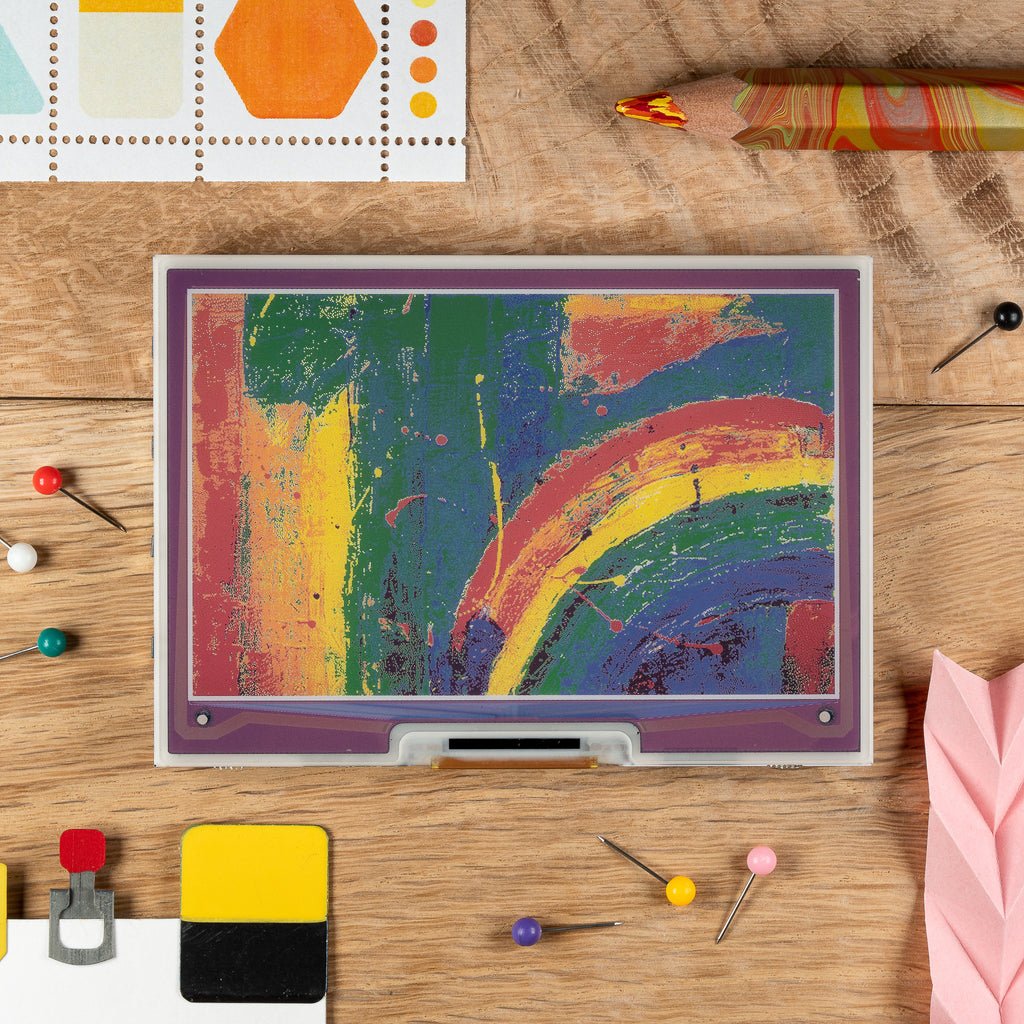
7.1 Why Fancygotchi exists
Mainline Pwnagotchi shipped with a fixed, small set of Waveshare/Inky drivers because evilsocket wrote the device for himself + a few friends. As the community grew, two pressure points hit:
- The 7-color Pimoroni Inky Impression hit the market (~2019-2020) and quickly became the most-wanted display for hobbyist e-paper projects generally. No mainline driver existed.
- Builders wanted their gotchis to be visually distinct. The fixed pixel-art face meant every Pwnagotchi looked identical, which is at odds with the “this is my pet” framing.
fmatray scratched both itches at once. Fancygotchi v1 (~2021) added the Inky Impression driver and a basic theme-swap. Subsequent releases broadened the theme system, added a small CLI tool (fancygotchi-theme), and integrated a handful of community-contributed themes shipped as a bundle.
7.2 Installation on top of jayofelony
The recommended install path:
- Flash jayofelony Pwnagotchi image (Vol 8). First-boot, SSH in, edit
/etc/pwnagotchi/config.toml, confirm the gotchi runs in its stock UI. - SSH into the Pi as root.
- Clone the Fancygotchi repo:
cd /usr/local/share sudo git clone https://github.com/fmatray/Fancygotchi.git fancygotchi - Run the installer:
The installer:cd /usr/local/share/fancygotchi sudo ./install.sh- Patches the Pwnagotchi
ui/module to load Fancygotchi’s display dispatcher instead of mainline’s - Drops
/etc/pwnagotchi/fancygotchi/with the theme manager + default themes - Adds a
fancygotchi-themeCLI to/usr/local/bin/ - Restarts the
pwnagotchi.serviceto pick up the patched UI
- Patches the Pwnagotchi
- Confirm with:
Should print available themes.fancygotchi-theme list
If install.sh complains about Python version mismatch or missing PIL — those are jayofelony image version drift issues. The Fancygotchi README is kept up-to-date with which jayofelony versions are tested; consult before installing.
7.2.1 Configuring the display driver
Fancygotchi installs alongside the mainline Pwnagotchi display drivers. The config in /etc/pwnagotchi/config.toml:
[ui.display]
enabled = true
type = "inky_impression_4"            # NEW — Fancygotchi-provided driver
color = "auto"                         # Fancygotchi uses the full panel palette
rotation = 0
Driver types Fancygotchi adds:
Table 1 — Driver types Fancygotchi adds
| Driver string | Panel | Native resolution |
|---|---|---|
inky_impression_4 | Pimoroni Inky Impression 4” 7-color | 640×400 |
inky_impression_5_7 | Pimoroni Inky Impression 5.7” 7-color | 600×448 |
inky_impression_7_3 | Pimoroni Inky Impression 7.3” 7-color | 800×480 |
waveshare_4in_7color | Waveshare 4.01” 7-color ACEP | 640×400 |
waveshare_5_65in_7color | Waveshare 5.65” 7-color ACEP | 600×448 |
waveshare_7_5in_7color | Waveshare 7.5” 7-color ACEP | 800×480 |
(Fancygotchi also re-exposes the mainline drivers — waveshare_4, inkyphat, etc. — so you can install it on a normal Pi + 2.13” build and just use it for the theming, even without color.)
7.3 The theme system
Fancygotchi themes live under /etc/pwnagotchi/fancygotchi/themes/. Each theme is a directory containing:
themes/
└── my_theme/
    ├── theme.json              # the theme descriptor
    ├── faces/                  # face sprite PNGs
    │   ├── awake.png
    │   ├── sleeping.png
    │   ├── happy.png
    │   ├── sad.png
    │   ├── excited.png
    │   ├── lonely.png
    │   ├── angry.png
    │   ├── intense.png
    │   ├── friend.png
    │   ├── broken.png
    │   ├── debug.png
    │   ├── upload.png
    │   └── ...                # one PNG per face state the daemon emits
    ├── icons/                  # status-row icons
    │   ├── battery.png
    │   ├── wifi.png
    │   └── peers.png
    └── fonts/                  # optional — bundled font files
        └── status.ttf
The face PNGs are at the panel’s native resolution (or scaled). The theme JSON is the wiring:
7.3.1 theme.json schema
{
  "name": "my_theme",
  "author": "<your-name>",
  "version": "1.0",
  "target_panel": "inky_impression_4",
  "background_color": "white",
  "palette": ["black", "white", "red", "yellow", "blue", "green", "orange"],
  "layout": {
    "face": {
      "position": [120, 80],
      "size": [400, 200]
    },
    "status_row": {
      "position": [0, 0],
      "items": [
        { "type": "icon",   "name": "battery", "position": [10, 10] },
        { "type": "text",   "name": "name",    "position": [50, 10], "font": "status.ttf", "size": 18 },
        { "type": "icon",   "name": "wifi",    "position": [580, 10] }
      ]
    },
    "counters": {
      "position": [10, 300],
      "items": [
        { "label": "APs",  "field": "ap_count",       "color": "blue" },
        { "label": "STAs", "field": "client_count",   "color": "green" },
        { "label": "SHK",  "field": "handshake_count","color": "red" }
      ]
    },
    "log": {
      "position": [10, 350],
      "size": [620, 40],
      "lines": 2,
      "font": "status.ttf",
      "size_pt": 12
    }
  },
  "faces": {
    "awake":     "faces/awake.png",
    "sleeping":  "faces/sleeping.png",
    "happy":     "faces/happy.png",
    "sad":       "faces/sad.png",
    "excited":   "faces/excited.png",
    "lonely":    "faces/lonely.png",
    "angry":     "faces/angry.png",
    "intense":   "faces/intense.png",
    "friend":    "faces/friend.png",
    "broken":    "faces/broken.png"
  }
}
Key fields:
target_panel— informs the engine which native resolution to render against.palette— for color panels, this is the explicit color list and ordering (the IO order of e-paper colors is panel-specific; the engine handles the mapping).layout.face.position— where the face PNG renders (top-left corner in pixels).layout.status_row.items— array of UI elements with their positions, types (icon/text), and optional sources.faces.*— mapping from daemon-emitted face state names to PNG files.
The daemon emits face state names (awake, sad, happy, etc.) as the gotchi cycles through its emotion machine. Fancygotchi renders the corresponding sprite. If a state is missing from the theme JSON, the engine falls back to the awake sprite + logs a warning.
7.3.2 The bundled themes
Fancygotchi ships with several themes in its repo’s themes/ directory:
Table 2 — Fancygotchi ships with several themes in its repo's themes/ directory
| Theme | Aesthetic | Target panel |
|---|---|---|
default | A faithful color port of the mainline pixel-art face | Inky Impression 4” |
kawaii | Anime-style, big eyes, pastel palette | Inky Impression 4” |
noir | Black-and-white film-noir aesthetic — works on 2-color panels too | Waveshare 2.13” v4 |
retro | 1980s arcade-cabinet style with chunky pixels | Inky Impression 5.7” |
tama | Direct visual quote of the original 1996 Tamagotchi (the irony returns) | Any panel — adaptive |
Switching themes:
fancygotchi-theme list                          # list available
fancygotchi-theme show my_theme                 # validate without applying
sudo fancygotchi-theme apply tama               # apply + restart pwnagotchi
7.3.3 Creating your own theme
- Copy
default/toyour_theme/. - Edit
theme.json— at minimum, changenameandauthor. - Replace sprite PNGs in
faces/. Use any image editor (GIMP, Inkscape exporting to PNG, Photoshop). For color panels, save with a palette matchingpaletteexactly — otherwise the e-paper driver does a closest-color match that can be ugly. - Test:
sudo fancygotchi-theme show your_theme # validate JSON sudo fancygotchi-theme apply your_theme # apply - Watch the e-ink redraw. The first frame may take 25-30 seconds on a 7-color panel; subsequent frames are similar (no partial refresh on color).
Pro tip: develop your sprites against a screen mockup before flashing them to e-ink. Fancygotchi ships a fancygotchi-render utility that renders the theme to a PNG file on disk so you can preview without burning panel cycles:
sudo fancygotchi-render your_theme --state happy --output /tmp/preview.png7.4 Animated faces
Mainline Pwnagotchi’s faces are static (one PNG per state). Fancygotchi supports animation via a multi-frame PNG sequence convention:
faces/
├── happy/
│   ├── 0.png
│   ├── 1.png
│   ├── 2.png
│   └── 3.png
If theme.json references "happy": "faces/happy/" (a directory, not a file), Fancygotchi cycles through 0.png … N.png at the panel’s refresh rate. On an Inky Impression (25-30s per frame) this is impractical — animation works only on partial-refresh panels (Waveshare v3/v4 b/w; some Inky pHAT modes).
Realistic animation use cases: a 2-frame happy/eating cycle (chew open, chew closed) on a Waveshare v4 b/w, alternating ~once per second. Anything more sophisticated burns the panel for marginal visual gain.
7.5 Color e-paper palette wrangling
The 7-color e-paper panels (Inky Impression / Waveshare ACEP) have a fixed palette the panel hardware supports. The colors are not arbitrary RGB — they’re specific to the e-paper’s pigment chemistry. For the Inky Impression 4” 7-color:
Table 3 — The 7-color e-paper panels (Inky Impression / Waveshare ACEP) have a fixed palette the panel hardware supports. The colors are not arbitrary RGB — they're specific to the e-paper's pigment chemistry. For the Inky Impression 4" 7-color
| Index | Color | Approximate RGB |
|---|---|---|
| 0 | Black | #000000 |
| 1 | White | #FFFFFF |
| 2 | Green | #00FF00 (approximation) |
| 3 | Blue | #0000FF |
| 4 | Red | #FF0000 |
| 5 | Yellow | #FFFF00 |
| 6 | Orange | #FFA500 |
When designing a theme:
- Restrict your sprite palette to these 7 colors. Anti-aliased PNGs look terrible on e-paper (the driver dithers across the limited palette, producing speckled gradients).
- Use solid blocks of color with crisp edges. The screen-printed-poster aesthetic is the genre.
- Test by converting your sprite through Pillow with
quantize(colors=7)and inspecting the result — if it survives that, the e-paper will render it well.
7.6 The compatibility matrix
Not every theme works on every panel. The Fancygotchi engine validates target_panel against the configured display at apply time; mismatches log a warning and either degrade gracefully or fall back to the default.
Table 4 — 7. The compatibility matrix
| Theme target | Works on | Notes |
|---|---|---|
inky_impression_4 (640×400, 7-color) | Inky Impression 4”; degraded on 5.7” / 7.3” (centered, padded) | Native fit |
inky_impression_5_7 (600×448, 7-color) | Inky Impression 5.7”; degraded on 4” (cropped) | |
waveshare_2_13_v4 (250×122, b/w) | Waveshare 2.13” v3 / v4 | Themes designed for this are b/w-only |
inkyphat (212×104, 3-color) | Pimoroni Inky pHAT | Uses 3-color palette only |
A theme that targets a color panel can be force-applied to a b/w panel — Fancygotchi falls back to a 2-color quantization. The result is usually ugly. Better: maintain a separate b/w-target version of your theme for the small panels.
7.7 Distributing your own theme
If you want to share:
- Tarball your
your_theme/directory. - License it explicitly — a
LICENSEfile inside the theme. Most community themes are CC-BY or MIT. - Upload to GitHub or the Pwnagotchi community wiki.
- Optional: submit a pull request to the Fancygotchi repo to add it to the bundled themes.
The community-shared theme repo isn’t a formal registry — just informal git-share between users. The Reddit r/pwnagotchi and the Pwnagotchi Discord channel #fancygotchi are the discovery channels.
7.8 Fancygotchi + mainline Pwnagotchi feature parity
Fancygotchi only changes the display path. All other Pwnagotchi features work identically:
Table 5 — Fancygotchi only changes the display path. All other Pwnagotchi features work identically
| Feature | Same? |
|---|---|
| bettercap engine + capture pipeline | Yes |
| pwngrid social mode | Yes |
| A2C agent | Yes |
| All plugins (PiSugar, GPS, web UI, etc.) | Yes — they emit events to the daemon; Fancygotchi only changes how face/status renders |
| config.toml | Yes — Fancygotchi reads the same [ui.display] block, with extra driver types |
| Auto-update | Yes (separately for jayofelony and Fancygotchi — they update independently) |
The one thing to be aware of: if you uninstall Fancygotchi (a ./uninstall.sh script is provided), the daemon reverts to the mainline UI rendering. Your themes don’t disappear — they’re still in /etc/pwnagotchi/fancygotchi/themes/ — but they’re not loaded.
7.9 Failure modes specific to Fancygotchi
Table 6 — 10. Failure modes specific to Fancygotchi
| Symptom | Cause | Fix |
|---|---|---|
| Theme apply succeeds but display unchanged | Pwnagotchi daemon needs restart to pick up the patched UI | sudo systemctl restart pwnagotchi |
| Theme renders, but colors are wrong | Sprite PNG isn’t in the panel’s palette — the closest-color match is producing speckle | Re-quantize sprite to the 7-color palette explicitly |
| Theme renders, but layout is broken (overflowing) | position + size in theme JSON doesn’t match the actual panel resolution | Check target_panel matches the installed panel |
| Animated face never animates | Panel doesn’t support partial refresh (Waveshare v1/v2, color panels) | Use static frames; animation isn’t viable on slow panels |
| Daemon crashes on Fancygotchi load | Mismatch between Fancygotchi version + jayofelony Pwnagotchi version | Check Fancygotchi README for jayofelony version compat; update one or the other |
7.10 Cheatsheet updates from this volume
Items to roll into Vol 12 (laminate-ready cheatsheet):
- “Fancygotchi = theme engine + color e-paper drivers; install on top of jayofelony.” (§1, §3)
- “Theme = directory under
/etc/pwnagotchi/fancygotchi/themes/withtheme.json+ face PNG sprites.” (§4)- “Apply:
sudo fancygotchi-theme apply <name>+ restart daemon.” (§4.2)- “Preview without burning panel cycles:
fancygotchi-render.” (§4.3)- “Color sprites must use the panel’s native 7-color palette — don’t anti-alias.” (§6)
Comments (0)