Flipper Zero · Volume 12
Flipper Zero Volume 12 — Cheatsheet
Print and laminate. The reference you carry to the bench and into the field.
12.1 About this Cheatsheet
Each section here is a one-pager. Printable as-is from this HTML
(@media print stylesheet hides nav and TOC). Laminate the ones you
use most.
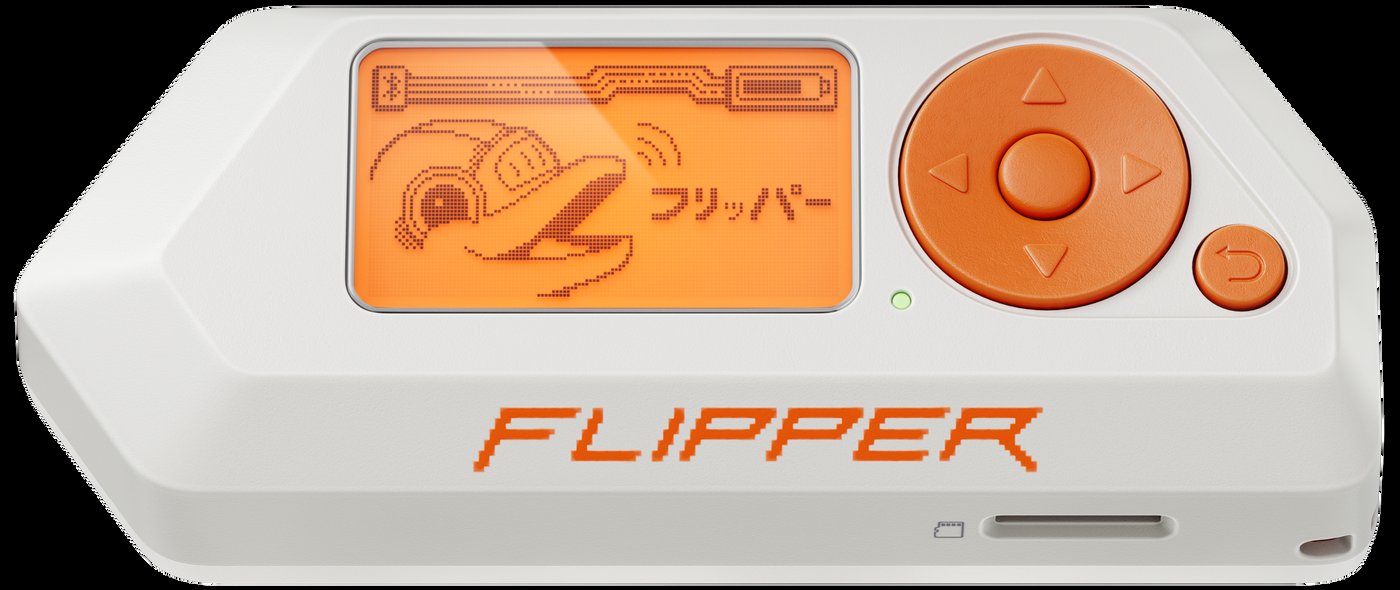
12.2 GPIO Header — 18-pin Pinout
   ┌──────────────────────────────────────────────────────┐
   │            (top of Flipper, screen-up)               │
   │                                                      │
   │   1  5V  ●  ●  PA7  2     SPI1_MOSI  / TIM17_CH1     │
   │   3  PA6 ●  ●  PA4  4     SPI1_MISO  / SPI1_NSS      │
   │   5  PB3 ●  ●  PB2  6     SPI1_SCK   / LPUART1_RX    │
   │   7  PC3 ●  ●  GND  8     ADC1_IN4   / -             │
   │   9 3V3  ●  ● SWC   10    +3.3V out  / SWCLK (PA14)  │
   │  11  GND ●  ● SIO   12    -          / SWDIO (PA13)  │
   │  13  TX  ●  ● RX    14    USART1_TX  / USART1_RX     │
   │  15  PC1 ●  ● PC0   16    I²C3_SDA   / I²C3_SCL      │
   │  17  1W  ●  ● GND   18    iButton    / -             │
   │                                                      │
   └──────────────────────────────────────────────────────┘

  All I/O 3.3V tolerant. ESD-protected. 51Ω series. 20mA per pin.
  3V3 rail community-rated ~150 mA continuous.
  5V rail: 1.2 A on USB; ~600 mA on battery boost; OFF by default.
12.3 Firmware Quick Reference
qFlipper:                       https://github.com/flipperdevices/qFlipper
Web Updater:                    https://lab.flipper.net/
Momentum:                       https://momentum-fw.dev/
Unleashed:                      https://github.com/DarkFlippers/unleashed-firmware
RogueMaster:                    https://github.com/RogueMaster/flipperzero-firmware-wPlugins
Xtreme (legacy):                https://github.com/Flipper-XFW/Xtreme-Firmware

DFU recovery:                   Hold LEFT + BACK while plugging USB-C
                                Device enumerates as VID 0x0483 PID 0xDF11
                                qFlipper → "Repair"
Bail out of DFU:                Hold BACK ~10 s

PIN reset:                      Repair flash wipes /int/.dolphin_state

In-app update:                  Settings → Storage → Install from update.fuf
12.4 BLE Re-pair 3-Step
After ANY firmware update that bumps radio.bin:

1. ON THE PHONE:
   Settings → Bluetooth → Find your Flipper → tap (i) → Forget This Device
   (Android: long-press → Unpair)

2. ON THE FLIPPER:
   Settings → Bluetooth → Forget all paired devices
   (Some firmwares: Settings → System → Reset → BLE only)

3. RE-PAIR:
   Open Mobile App → it'll find the Flipper → confirm pairing PIN

If pairing still fails: REBOOT the phone, then redo step 3.
12.5 Sub-GHz Protocol Quick-ID
| Protocol           | Carrier   | Modulation | Notes                       |
| Princeton          | 433.92    | OOK        | Old garage/gate, 24-bit     |
| CAME               | 433.92    | OOK        | Italian gate brand          |
| NICE FLO           | 433.92    | OOK        | Italian gate, fixed code    |
| FAAC               | 433.92    | OOK        | Italian gate                |
| Holtek HT12        | 315/433   | OOK        | Generic IC family           |
| Linear MegaCode    | 318       | OOK        | US legacy                   |
| Genie Intellicode  | 315/390   | rolling    | Garage opener, post-1995    |
| KeeLoq             | 433.92    | OOK rolling| Microchip; Honda; many fobs |
| HCS200/300/301     | various   | rolling    | KeeLoq variants             |
| Hörmann BiSecur    | 868.3     | FSK        | German garage, modern       |
| BFT Mitto          | 433.92    | OOK rolling| Italian gate, modern        |
| LaCrosse           | 433.92    | OOK        | Weather sensor, RX-only     |
| Acurite            | 433.92    | OOK        | Weather sensor, RX-only     |
| Oregon Scientific  | 433.92    | OOK        | Weather, RX-only            |
| TPMS (various)     | 315/433   | FSK/ASK    | Tire pressure, RX-only      |
| Star Line          | 433.92    | OOK        | Russian car alarm           |
Static codes are clonable; rolling codes are not (without sophisticated attacks).
12.6 NFC Card Quick-ID
| Card type              | Standard      | Read | Emulate | Crack          |
| MIFARE Classic 1k/4k   | ISO 14443-4A  | ✓    | ✓ (keys)| mfkey32/nested |
| MIFARE Ultralight      | ISO 14443-4A  | ✓    | ✓       | (no crypto)    |
| NTAG 213 / 215 / 216   | ISO 14443-4A  | ✓    | ✓       | (no crypto)    |
| MIFARE DESFire EV1     | ISO 14443-4A  | ✓    | partial | crypto, no atk |
| MIFARE DESFire EV2/3   | ISO 14443-4A  | ✓    | -       | AES-128, secure|
| ICODE SLIX             | ISO 15693     | ✓    | partial | password attack|
| FeliCa Lite-S          | NFC-F         | ✓    | partial | -              |
| Calypso                | ISO 14443-4B  | ✓    | partial | -              |
| Animal microchip       | ISO 11784/85  | ✓    | ✓       | -              |
LF cards (different antenna/app):
| EM4100 (EM-Marine)     | 125 kHz       | ✓    | ✓       | clone to T5577 |
| HID Prox               | 125 kHz       | ✓    | ✓       | clone to T5577 |
| Indala                 | 125 kHz       | ✓    | ✓       | clone to T5577 |
| AWID                   | 125 kHz       | ✓    | ✓       | clone to T5577 |
| HiTag2                 | 125 kHz       | partial | partial | proxmark3 only |
| EM4x70 (Megamos)       | 125 kHz       | -    | -       | proxmark3 only |
| LegIC                  | 125 kHz       | -    | -       | proxmark3 only |
12.7 Magic Card Generations
| Gen 1A | UID writable, sector 0 writable | Backdoor command sequence |
| Gen 1B | UID writable, sector 0 writable | Different backdoor seq    |
| Gen 2 (CUID) | UID writable, sector 0 partial | Direct write only |
| Gen 3 | UID writable, multi-personality slots | Best for cloning  |
| Gen 4 (UMC) | UID writable, emulates anything | All-singing       |
12.8 BadUSB / DuckyScript Quick Syntax
REM <comment>           # Comment
DELAY <ms>              # Pause (typically 200-1000 ms)
STRING <text>           # Type literally
STRINGLN <text>         # STRING + ENTER
ENTER, TAB, BACKSPACE   # Named keys
DELETE, SPACE, ESC, CAPS

GUI <key>               # Win/Cmd + key (e.g., GUI r = Win+R)
SHIFT <key>             # Shift + key
CTRL <key>              # Ctrl + key
ALT <key>               # Alt + key
CTRL ALT DELETE         # Combo

F1 ... F12              # Function keys
UP, DOWN, LEFT, RIGHT   # Arrows
PAUSE                   # Pause script; resume on user keypress
HOLD <key>              # Sticky modifier
RELEASE <key>           # Release sticky

REPEAT <count>          # Repeat next instruction
DEFAULTDELAY <ms>       # Default delay between every keystroke
Layout: BadUSB → Settings → Layout → US/DE/FR/ES/IT/RU/…
12.9 JS Runtime Module Quick Reference
let ev   = require("event_loop");      // scheduler
let gui  = require("gui");
let sm   = require("gui/submenu");
let txt  = require("gui/text_input");
let dlg  = require("gui/dialog");
let pop  = require("gui/popup");
let widg = require("gui/widget");
let n    = require("notification");
let fs   = require("storage");
let usb  = require("usbdisk");
let kb   = require("keyboard");
let ser  = require("serial");
let i2c  = require("i2c");
let spi  = require("spi");
let gp   = require("gpio");
let sg   = require("subghz");
let bt   = require("bt");
let vgm  = require("vgm");      // only if VGM attached
Run .js from Apps → Scripts. Save under /ext/apps/Scripts/.
12.10 ufbt Quick Commands
pip install --upgrade ufbt
ufbt update                 # latest stable SDK
ufbt update --branch=dev    # dev branch
ufbt update --index-url https://up.momentum-fw.dev/firmware/directory.json
                            # Momentum SDK

ufbt                        # build FAP in current dir
ufbt launch                 # build + upload + run
ufbt cli                    # serial console
ufbt vscode_dist            # generate VS Code workspace
12.11 Module Quick Reference
Table 1 — 11. Module Quick Reference
| Module | Owned | What | Pinout |
|---|---|---|---|
| WiFi Devboard (ESP32-S2) | ✓ | Marauder / FlipperHTTP / BMP | UART pins 13/14 |
| Video Game Module | ✓ | DOOM, IMU, DVI, RP2040 | All header pins |
| NRF24 module | ✓ | MouseJack | SPI + CE/IRQ |
| External CC1101 amp | ✓ | 70-150 m sub-GHz | SPI + GDO0/2 |
| Game Over (Ruckus) | ✓ | Multi-radio standalone | All header pins + USB-C |
| AWOK Dual Touch V3 | ✓ | Wi-Fi/GPS wardriver | All header pins + USB-C |
12.12 Power-Budget Quick Card
3V3 GPIO rail:    ~150 mA continuous, ~300 mA peak before MCU resets

Module                    Cont   Peak   Action
─────────────────────────────────────────────────────
WiFi Devboard             80mA   250mA  OK
VGM (HDMI active)         30mA   180mA  OK; EMI to CC1101
NRF24                      1mA    14mA  trivial
External CC1101 amp       30mA   200mA  OK
Game Over                 80mA   500mA  USE EXTERNAL USB
AWOK V3                  150mA   600mA  USE EXTERNAL USB
Apex 5 (5GHz TX)         150mA   600mA+ USE EXTERNAL USB
12.13 SD Card Multi-Firmware Layout
For staging multiple firmwares:
/ext/
├── update/
│   ├── mntm-013/          ← Momentum bundle
│   │   ├── update.fuf
│   │   ├── firmware.dfu
│   │   └── resources.tar
│   ├── ofw-1.4/           ← Official bundle
│   │   └── ...
│   └── unleashed-080/     ← Unleashed bundle
│       └── ...
├── apps/                   ← FAPs by category
├── nfc/                    ← Saved NFC files
├── subghz/                 ← Saved sub-GHz captures
├── infrared/               ← Saved IR remotes
├── badusb/                 ← BadUSB scripts
├── ibutton/                ← Saved iButton dumps
├── lfrfid/                 ← Saved LF RFID dumps
└── dolphin/                ← Pet state
Install via: Settings → Storage → Install from update.fuf → pick a bundle subdir.
12.14 Common Errors
Table 2 — 14. Common Errors
| Error | Cause | Fix |
|---|---|---|
| ”TX prohibited” | Region check | Switch to Momentum/Unleashed; or change region |
| ”API version mismatch” | FAP outdated | Rebuild with current SDK |
| ”App crashed” with no info | Stack overflow | Bump stack_size in .fam to 4 KB+ |
| Mobile App can’t connect | BLE link key stale | §4 BLE re-pair |
| qFlipper “no Flipper” | Not in DFU when needed | Hold LEFT+BACK on USB plug-in |
| HDMI black on VGM | DVI signal rejected | Try old 1080p monitor / HDMI capture stick |
| Sub-GHz weak signal | Antenna detuned / too far | External CC1101 amp |
| Game Over brown-outs | 3V3 rail sag | External USB power |
12.15 Lab-Discipline One-Liner
Own the hardware, or have written authorization. Sub-GHz TX power and frequency restrictions vary by region; jamming is illegal nearly everywhere. NFC/RFID cloning of access systems requires authorization. BadUSB use is computer-attack territory — only against owned hardware.
12.16 Where to Find Help
- Official docs: https://docs.flipper.net/
- Developer docs: https://developer.flipper.net/
- Awesome list: https://github.com/djsime1/awesome-flipperzero
- Tutorials wiki: https://github.com/jamisonderek/flipper-zero-tutorials/wiki
- Community Discord: https://discord.gg/flipper
- Reddit: r/flipperzero
- Hackaday tag: https://hackaday.com/tag/flipper-zero/
- Momentum: https://momentum-fw.dev/
12.17 Series Cross-Reference
Table 3 — 17. Series Cross-Reference
| Want | Read |
|---|---|
| Capability matrix | Vol 1 §3 |
| Schematic-grade hardware | Vol 2 |
| Firmware install / DFU recovery | Vol 3 |
| Sub-GHz CC1101 register-level | Vol 4 |
| RFID/NFC details | Vol 5 |
| IR/iButton/BadUSB/U2F | Vol 6 |
| FAP development with ufbt | Vol 7 |
| Official module deep-dives | Vol 8 |
| Third-party module deep-dives | Vol 9 |
| DIY module guide + KiCad | Vol 10 |
| End-to-end field workflows | Vol 11 |
Comments (0)