HackRF One · Volume 12
HackRF One Volume 12 — Cheatsheet (the Laminate-Ready Field Card)
One-pagers and decision flowcharts — the synthesis volume
12.1 About this Volume
The cheatsheet is the synthesis of every other volume — the bench card you keep next to the HackRF + PortaPack, laminated and abused, when memory of which gain stage does which thing and which hackrf_* flag means what fades. It is the only volume designed to be printed and physically deployed, not just read on screen.
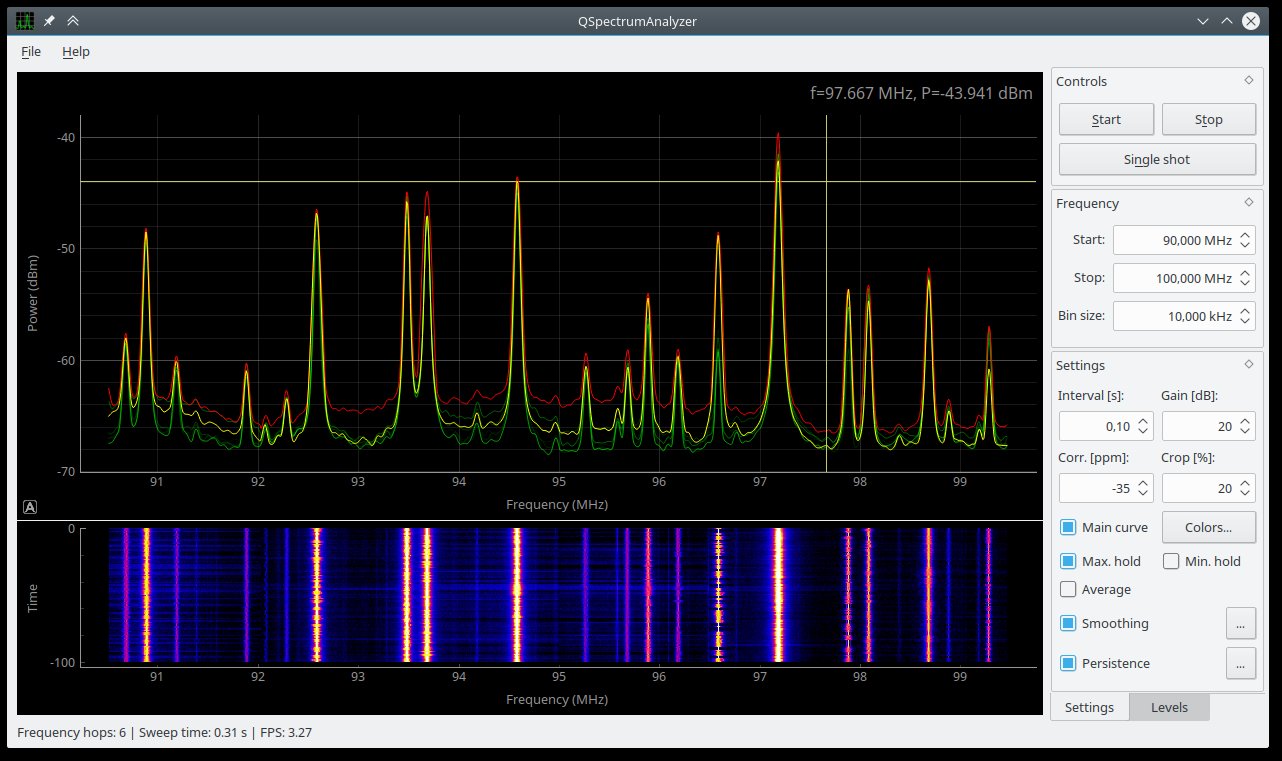
Each section below is one printable page (target: ~8.5×5.5 inches when laminated, fits a standard A5 pouch). Print double-sided to halve the page count.
12.2 Page 1 — Identification & First-Bench Tests
12.2.1 USB IDs
Table 1 — USB IDs
| State | VID:PID |
|---|---|
| HackRF One running | 1d50:6089 |
| HackRF One DFU | 1d50:6088 |
| Jawbreaker | 1d50:604b |
| rad1o (CCC badge) | 1d50:cc15 |
12.2.2 First commands
lsusb | grep -i hackrf      # confirm enumeration
hackrf_info                  # firmware, rev, serial
hackrf_sweep -f 80:1000 -1   # rough RX sanity check
12.2.3 Hardware revision identifier (printed near MAX5864 / U18)
Table 2 — Hardware revision identifier (printed near MAX5864 / U18)
| Rev | Years | Switch | Transceiver | Clock gen | Bias-T diode |
|---|---|---|---|---|---|
| r1–r4 | 2014–2020 | SKY13350 | MAX2837 | Si5351C | no |
| r6 | 2020 | SKY13453 | MAX2837 | Si5351C | no |
| r7 | 2021 | SKY13350 | MAX2837 | Si5351C | no |
| r8 | 2021–2022 | SKY13453 | MAX2837 | Si5351C | no |
| r9 | 2023 | SKY13453 | MAX2839 | Si5351A+ | yes |
| r10 | 2024+ | SKY13453 | MAX2837 | Si5351C | yes |
12.3 Page 2 — hackrf_* CLI Quick Reference
12.3.1 hackrf_transfer
# RX: capture
hackrf_transfer -r FILE -f FREQ -s RATE -g VGA -l LNA -a AMP -p BIAS -n N

# TX: replay
hackrf_transfer -t FILE -f FREQ -s RATE -x TX_VGA
Table 3 — TX: replay
| Flag | Meaning | Range |
|---|---|---|
-r | RX to file | int8 IQ interleaved |
-t | TX from file | same format |
-f | Centre freq Hz | 1e6–6e9 |
-s | Sample rate | up to 20e6 |
-g | RX VGA gain | 0–62 in 2 dB steps |
-l | RX LNA gain | 0–40 in 8 dB steps |
-a | RF amp on/off | 0 or 1 |
-p | Bias-T enable | 0 or 1 |
-x | TX VGA gain | 0–47 in 1 dB steps |
-n | Sample count | 0 = until Ctrl-C |
-b | Baseband filter | 1.75/2.5/3.5/5/5.5/6/7/8/9/10/12/14/15/20/24/28 MHz |
12.3.2 hackrf_sweep
hackrf_sweep -f LO:HI -w BIN -n FFT -1 > sweep.csvOutput: date,time,hz_low,hz_high,bin_width,num_samples,bin0_db,bin1_db,...
12.3.3 hackrf_info / hackrf_clock / hackrf_spiflash / hackrf_cpldjtag
hackrf_info
hackrf_clock -i
hackrf_clock --set-input-source external
hackrf_spiflash -w firmware.bin     # routine update
hackrf_spiflash -R                   # reset to DFU
hackrf_cpldjtag -x default.xsvf     # CPLD reflash (rare)
dfu-util -i 0 -s 0x0000:leave -D firmware.bin  # DFU recovery
12.4 Page 3 — Frequency Reference
12.4.1 Common bands (US)
Table 4 — Common bands (US)
| Band | Notes |
|---|---|
| 88–108 MHz | FM broadcast (RX) |
| 108–137 MHz | Aviation AM (RX only) |
| 121.5 MHz | Aviation distress (RX only — never TX) |
| 144–148 MHz | Amateur 2-m (TX with license) |
| 162.40–162.55 MHz | NOAA weather (RX) |
| 220–225 MHz | Amateur 1.25-m (TX with license) |
| 410–470 MHz | Amateur 70-cm (TX with license at 420-450) |
| 433.05–434.79 MHz | ISM (Part 15 TX OK at low power) |
| 462.55–467.7125 MHz | FRS (license-by-rule) / GMRS (license) |
| 902–928 MHz | ISM (Part 15 TX OK) |
| 1090 MHz | ADS-B (RX only — never TX) |
| 1.5754 GHz | GPS L1 (RX only — never TX, felony) |
| 1900–1995 MHz | Cellular PCS (never TX) |
| 2.4–2.4835 GHz | ISM / WiFi / BLE (TX OK with rules) |
| 2.412/2.437/2.462 GHz | WiFi channels 1/6/11 |
| 5.18–5.825 GHz | UNII (WiFi; TX with rules) |
12.4.2 Modulation tells
Table 5 — Modulation tells
| What you see | Likely modulation |
|---|---|
| Amplitude humps in waterfall | OOK / ASK |
| Two-frequency hops | FSK / GFSK |
| Phase rotation (constellation) | PSK / QAM |
| Chirps (frequency sweep) | LoRa (CSS) |
| Many narrow channels, hopping | Bluetooth Classic |
| Continuous wide channel | OFDM (WiFi) |
12.5 Page 4 — Antenna Quick Reference
12.5.1 Field kit defaults
Table 6 — Field kit defaults
| Antenna | Range | When |
|---|---|---|
| ANT500 | 75 MHz – 1 GHz | Sub-1 GHz default |
| ANT700 | 400 MHz – 7.2 GHz | 1+ GHz / 2.4 GHz / 5.x GHz |
| 17.3 cm whip | 433 MHz only | Tuned single-band; outperforms wideband |
| Discone | 25 MHz – 1.3 GHz | Permanent station |
| Yagi | band-specific | Direction finding, weak-signal pulls |
| Mag loop | HF (< 30 MHz) | Indoor HF reception |
12.5.2 Bias-T
hackrf_transfer -p 1 enables bias on the SMA (3.3 V default; 5 V on some configurations). For NooElec SAWbird LNAs, this is the power source.
12.5.3 Quick LNA / filter calculus
Noise floor = -174 + 10 log10(BW Hz) + NF_dB
At 2 MHz BW + 5 dB NF: -106 dBm
With 2 dB NF (good LNA): -109 dBm
3 dB improvement = 2× receive distance
12.6 Page 5 — GNU Radio Companion Block Hotlist
Table 7 — 6. Page 5 — GNU Radio Companion Block Hotlist
| Block | Use for |
|---|---|
osmocom Source/Sink | HackRF I/O |
Throttle | Cap rate when reading from a file |
Low Pass Filter (FIR) | Pre-decimation anti-alias |
Decimating FIR Filter | Sample rate reduction |
Polyphase Arbitrary Resampler | Non-integer rate change |
WBFM Receive | Wide FM (broadcast) |
NBFM Receive | Narrow FM (voice) |
AM Demod | Amplitude modulation |
Quadrature Demod | FSK (output is real-valued frequency) |
Costas Loop + Symbol Sync | PSK demod chain |
Frequency Sink (QT GUI) | Real-time FFT |
Waterfall Sink (QT GUI) | Real-time spectrogram |
Audio Sink | Speaker/headphone output |
File Sink | Write samples to disk |
Char to Float | Convert HackRF int8 IQ to GR float32 |
12.6.1 Standard FM-broadcast flowgraph
osmocom Source ──► Low Pass (cutoff 100k) ──► WBFM Receive ──► Audio Sink
   2e6 sr             2e6 sr                  quad=2e6           44.1k
   98e6 ctr                                   audio_dec=5
12.7 Page 6 — Mayhem Quick Reference (PortaPack)
12.7.1 Navigation
Table 8 — Navigation
| Control | Action |
|---|---|
| 5-way nav | Move highlight |
| Centre press | Select |
| OPTIONS | Context menu |
| BACK | One level up |
| MENU | Home (long-press = power off) |
12.7.2 Most-used apps
Table 9 — Most-used apps
| Category | App | Use |
|---|---|---|
| RX | Audio | NFM/WFM/AM voice + audio out |
| RX | Capture | IQ to SD card |
| RX | Spectrum analyzer | Mini-hackrf_sweep UI |
| RX | ADSB | 1090 MHz aircraft positions |
| RX | TPMS | Tire pressure monitor decode |
| RX | Replay | Play back IQ from SD |
| TX | Encoders TX | Garage / sensor remote codes |
| TX | Audio TX | Voice TX (use only on licensed ham bands!) |
| Util | Settings | PPM offset, audio, theme |
| Util | Notepad | Bench notes on-device |
| Util | File manager | Browse SD |
| Debug | About | Firmware version / git hash |
12.7.3 settings.ini essentials
[mayhem]
ppm_offset = -3                  ; calibrated against known reference
audio_volume = 24                 ; 0..63
agc_enabled = 1
[clocks]
clkin_enabled = 0                 ; set 1 for external 10 MHz reference
[capture]
default_rate = 2000000
auto_filename = 1
12.7.4 Frequency Manager file (FREQMAN/freqman.ini)
f=433920000, n=Garage door, m=AM
f=144390000, n=APRS, m=NFM
f=121500000, n=Aviation distress, m=AM
f=2412000000, n=WiFi ch1, m=NFM
12.8 Page 7 — Legal Quick Reference
12.8.1 Always legal
- Receive anything in HackRF range (FCC Part 15.119)
- Transmit on Part 15 ISM bands at low power (433.05-434.79, 902-928, 2.4-2.4835 GHz) following channel rules
- Bench TX into 50 Ω dummy load (no radiation)
- Faraday-tent TX for closed-loop testing
12.8.2 Legal with license
- Ham bands (Technician → 2-m, 70-cm, etc.) — $35 license
- GMRS — $35 / 10 yr / household
- Marine VHF — license per vessel
12.8.3 NEVER TX
- Cellular bands
- GPS L1 / L2 (1.5754 / 1.2276 GHz)
- Aviation transponder (1090 MHz)
- Aviation voice (108–137 MHz, especially 121.5 distress)
- Public safety (police, fire, EMS)
- Marine VHF without vessel license
- Government bands (NIST, military, federal use)
12.8.4 Bench discipline
- Always have antenna or dummy load on SMA before TX
- Power off before changing connectors
- Document captures:
YYYYMMDD_HHMMSS_<freq>_<rate>_<gain>_<desc>.cfile - Pin firmware versions for reproducibility
12.9 Page 8 — Troubleshooting Flowchart
USB plugged, no enumeration
    └── Try another cable / port → fix?
        └── No: hold DFU + replug; lsusb shows 1d50:6088?
            └── Yes: dfu-util -i 0 -s 0x0000:leave -D firmware.bin → fix?
            └── No: Hardware fault — open GitHub issue with hackrf_info output

USB enumerates, hackrf_info errors
    └── Linux: udev rules missing → install plugdev rules + relogin
    └── Windows: driver not WinUSB → Zadig replace driver
    └── Permission errors → group + udev as above

hackrf_info OK, hackrf_transfer no samples
    └── CPLD bitstream → hackrf_cpldjtag -x default.xsvf
    └── If still no: USB chain bottleneck → reduce sample rate or change USB hub

Frequency reads off by 20+ ppm
    └── Cold device → wait 30 min warm-up
    └── Or: feed 10 MHz GPSDO to CLKIN + hackrf_clock --set-input-source external
    └── Or: HackRF Pro upgrade

Strong signal in band masks weak signal of interest
    └── 8-bit ADC dynamic range exhausted
    └── Add band-pass filter before HackRF
    └── Reduce gain on strong signal direction (different antenna)
    └── Different SDR: 12-bit class (Airspy HF+ Discovery / SDRplay RSPdx)

Mayhem boots but USB host doesn't see it
    └── Mayhem replaces stock firmware; host won't see HackRF
    └── To use host tools: hackrf_spiflash -w hackrf_one_usb.bin
    └── To go back to Mayhem: hackrf_spiflash -w firmware.bin (Mayhem)

CPLD reflash done but still no samples
    └── Power-cycle (unplug + replug), not just reset
    └── If still not: more involved firmware diagnosis (Vol 4 §8)
12.10 Cheatsheet Maintenance
This volume is intentionally dense and revision-able. When something on the cheatsheet becomes outdated:
- Update the relevant volume’s “Cheatsheet Updates from this Volume” section (it’s the seed).
- Update the corresponding page in this volume.
- Re-render with
python3 build/build_html.py --volume 12. - Reprint and re-laminate.
The expected stale-fast items:
- Latest firmware version (Vol 1 §9, Vol 4 §5)
- Latest Mayhem nightly (Vol 1 §9.2, Vol 10 §3)
- New Mayhem app additions (Vol 10 §5)
- New PortaPack hardware variants (Vol 9 §3)
12.11 Resources (single-page summary)
Table 10 — 11. Resources (single-page summary)
| Resource | URL |
|---|---|
| Official docs | https://hackrf.readthedocs.io/en/latest/ |
| Firmware repo | https://github.com/greatscottgadgets/hackrf |
| Mayhem firmware | https://github.com/portapack-mayhem/mayhem-firmware |
| GNU Radio | https://www.gnuradio.org/ |
| Universal Radio Hacker | https://github.com/jopohl/urh |
| FCC frequency allocation | https://transition.fcc.gov/oet/spectrum/table/fcctable.pdf |
| ARRL | http://www.arrl.org/ |
| RTL-SDR.com (HackRF news) | https://www.rtl-sdr.com/tag/hackrf/ |
| PySDR (free book) | https://pysdr.org/ |
End of Volume 12. The series is complete.
To continue learning: drop into the GSG Slack, the r/HackRF subreddit, or the Mayhem GitHub issues. The HackRF community is friendly.
Comments (0)