Nyan Box · Volume 10
Nyan Box Volume 10 — Use Cases and Recipes
End-to-end workflows — RemoteID watch, hidden-camera sweep, multi-channel NRF24 sniff, education sessions, the travel kit
10.1 About this volume
Vol 10 is the end-to-end recipes volume — concrete workflows that pull the pieces from Vols 2-9 into start-to-finish procedures. The recipes are organized by use case, not by tool, because that’s how the nyanBOX actually gets used: “I’m in a hotel room, sweep for cameras” — not “let me explore the camera-detection tool.”
The recipes that earn the nyanBOX its place in the lineup are the two unique-feature ones (§ 2-4) and the education one (§ 7). The Wi-Fi/BLE and NRF24 recipes (§ 5-6) are competent but overlap with other tools in the lineup.
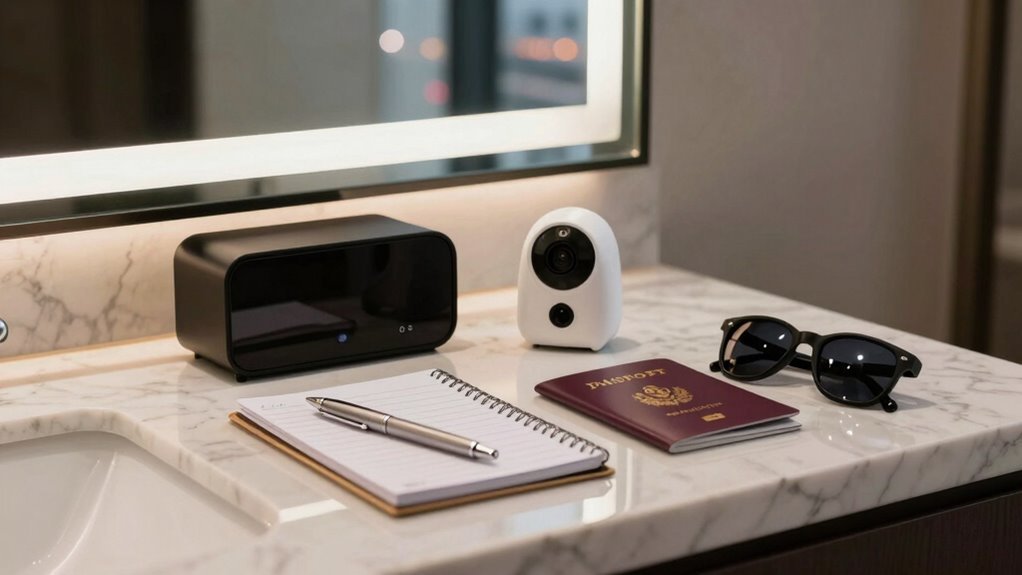
10.2 Recipe — stationary RemoteID watch
Goal: monitor an area for RemoteID-broadcasting drones over an extended period.
   ┌─────────────────────────────────────────────────────┐
   │ STATIONARY REMOTEID WATCH                           │
   ├─────────────────────────────────────────────────────┤
   │ PREP                                                │
   │  □ Firmware reasonably current (RemoteID decoder)   │
   │  □ Battery charged — watch runs ~13 h on 2500 mAh   │
   │    (Vol 2 §5.4); or run on USB-C power for indefinite│
   │  □ Host logger ready if you want a durable record   │
   │    (Vol 9 §4.2 — the EEPROM can't hold a long watch)│
   ├─────────────────────────────────────────────────────┤
   │ SETUP                                               │
   │  1. Position the device — antenna clear, ideally    │
   │     elevated, line-of-sight to the airspace         │
   │  2. Enter Drone RemoteID mode                       │
   │  3. (Optional) connect host logger over USB-C       │
   ├─────────────────────────────────────────────────────┤
   │ RUN                                                 │
   │  4. Firmware time-slices Wi-Fi + BT, watching for   │
   │     RemoteID broadcasts (Vol 6 §6)                  │
   │  5. Detected drones populate the list:              │
   │     ID · RSSI · position · operator bearing         │
   │  6. Select a drone → full detail                    │
   │  7. Watch RSSI trend → approach/departure sense     │
   ├─────────────────────────────────────────────────────┤
   │ INTERPRET                                           │
   │  • A detection = a COMPLIANT drone, nearby, now     │
   │  • NO detection ≠ no drones (Vol 6 §7 — non-        │
   │    compliant drones are invisible)                  │
   │  • Operator position = where the pilot is — handle  │
   │    per Vol 6 §9 / Vol 11 §5                          │
   └─────────────────────────────────────────────────────┘
Good for: event security awareness, “is this site being overflown” checks, privacy audits. Not: comprehensive drone defense (non-compliant drones evade — Vol 6 § 7).
10.3 Recipe — the travel hidden-camera sweep
Goal: the fast, realistic hotel-room / Airbnb sweep. The single most likely real-world use of the nyanBOX.
   ┌─────────────────────────────────────────────────────┐
   │ TRAVEL HIDDEN-CAMERA SWEEP  (~10 minutes)           │
   ├─────────────────────────────────────────────────────┤
   │ BEFORE THE TRIP                                     │
   │  □ UPDATE THE FIRMWARE — the camera signature DB is │
   │    only as fresh as the firmware (Vol 7 §4.3)       │
   │  □ Charge the device                                │
   │  □ Pack an optical lens-finder too (Vol 7 §7 — the  │
   │    nyanBOX can't see RF-silent cameras)             │
   ├─────────────────────────────────────────────────────┤
   │ IN THE ROOM                                         │
   │  1. Walk in. Run camera detection ~2-3 minutes,     │
   │     standing roughly center-room                    │
   │  2. Note every flagged device + confidence tier     │
   │     (Vol 7 §5.2)                                    │
   │  3. HIGH-confidence flags → RSSI-walk toward them   │
   │     (Vol 7 §8.2 step 3); physically check the spot  │
   │  4. LOW-confidence flags → likely the room's TV /   │
   │     a neighbor's device (Vol 7 §6); note, move on   │
   │  5. Optical lens-check the spots facing the bed:    │
   │     smoke detector, clock, TV area, vents, outlets, │
   │     picture frames, USB chargers                    │
   ├─────────────────────────────────────────────────────┤
   │ RESULT                                              │
   │  Clean nyanBOX sweep = "no WIRELESS 2.4 GHz camera  │
   │  is CURRENTLY STREAMING." Not "no camera." (Vol 7   │
   │  §7.1) — but it catches the common cheap-spy-cam    │
   │  threat, which is the realistic one.                │
   └─────────────────────────────────────────────────────┘
This is the nyanBOX’s most defensible, most legitimate, most likely-to-actually-be-used recipe. Vol 7 § 9 — detecting cameras aimed at you is a clearly-legal defensive act.
10.4 Recipe — the thorough room sweep
Goal: when the fast sweep (§ 3) isn’t enough — a high-stakes space, a deliberate counter-surveillance audit.
   ┌─────────────────────────────────────────────────────┐
   │ THOROUGH ROOM SWEEP                                 │
   ├─────────────────────────────────────────────────────┤
   │  Follows Vol 7 §8.2's six-step methodology in full: │
   │                                                     │
   │  1. BASELINE — camera detect + Wi-Fi scan together, │
   │     stationary, center room. Full candidate list.   │
   │  2. TRIAGE — sort candidates by confidence tier;    │
   │     cross-reference each against the Wi-Fi scan     │
   │     (Vol 7 §6.2) to drop the obvious false +s       │
   │  3. RSSI-WALK each priority lead to its location    │
   │  4. PHYSICAL search at each RSSI peak               │
   │  5. OPTICAL pass — lens-glint check, catches the    │
   │     RF-silent cameras the nyanBOX can't (Vol 7 §7)  │
   │  6. DOCUMENT — pull the nyanBOX log over USB-serial │
   │     (Vol 9 §4.3 correlator script), write up what   │
   │     was flagged / investigated / found / ruled out  │
   ├─────────────────────────────────────────────────────┤
   │  ALSO add the NRF24 layer:                          │
   │  • Run the 2.4 GHz RPD spectrum sweep (Vol 5 §2) —  │
   │    catches FPV-style analog/digital video TX that   │
   │    isn't a Wi-Fi camera                             │
   │  • A strong continuous NRF24-band carrier that      │
   │    ISN'T Wi-Fi is a candidate analog camera TX      │
   ├─────────────────────────────────────────────────────┤
   │  TIME: 30-60+ minutes. Battery is a non-issue       │
   │  (~17 h camera-sweep runtime — Vol 2 §5.4).         │
   └─────────────────────────────────────────────────────┘
The thorough sweep uses both radios (ESP32 for Wi-Fi cameras, NRF24 RPD-sweep for analog video TX) plus the optical method for the RF-silent class. The nyanBOX is one disciplined layer of a multi-layer audit.
10.5 Recipe — multi-channel NRF24 sniff
Goal: capture a 2.4 GHz NRF24-protocol device — the headline use of the triple-radio hardware (Vol 3 § 6, Vol 5 § 3).
   ┌─────────────────────────────────────────────────────┐
   │ MULTI-CHANNEL NRF24 SNIFF                           │
   ├─────────────────────────────────────────────────────┤
   │ PREP                                                │
   │  □ Identify (or guess) the target's channel set:    │
   │    - Logitech Unifying → known hop set               │
   │    - generic wireless mouse → often ch 60s-70s       │
   │    - unknown → use 3 radios to characterize first    │
   │  □ Know the data rate + address width + CRC, or use  │
   │    the firmware's promiscuous-sniff mode (Vol 5 §3.2)│
   │  □ Host logger ready (Vol 9 §4.4 — captures more     │
   │    than the OLED/EEPROM can hold)                    │
   ├─────────────────────────────────────────────────────┤
   │ RUN                                                 │
   │  1. Set NRF#1, #2, #3 each to one target channel     │
   │  2. Set matching data rate / address / CRC           │
   │  3. Start parallel RX — all three listen continuously│
   │  4. Spread the antennas (Vol 2 §6.3) — clustered     │
   │     antennas degrade the multi-radio isolation       │
   │  5. Packets populate per-radio counters + a log     │
   │  6. (Long session → host logger does the real       │
   │     capture; OLED is just live status)              │
   ├─────────────────────────────────────────────────────┤
   │ THE PAYOFF                                          │
   │  A channel-hopping device a single-radio board      │
   │  chases and half-misses → three radios on the hop   │
   │  set catch it FULLY (Vol 3 §6.1). This is the mode  │
   │  the triple-radio hardware delivers cleanest — all  │
   │  RX, no antenna-coupling problem (Vol 3 §5.2).       │
   └─────────────────────────────────────────────────────┘
For active follow-up (Mousejack inject, replay) → Vol 5 § 4 / § 6, and the posture in Vol 11 § 3.
10.6 Recipe — Wi-Fi/BLE site survey
Goal: a standard 2.4 GHz site survey. Competent on the nyanBOX, but overlaps other tools in the lineup.
   ┌─────────────────────────────────────────────────────┐
   │ WI-FI / BLE SITE SURVEY                             │
   ├─────────────────────────────────────────────────────┤
   │  1. Wi-Fi AP scan — SSIDs, BSSIDs, channels, RSSI,  │
   │     encryption (Vol 4 §2.1)                          │
   │  2. Client/station detection — devices on each AP    │
   │  3. Probe-request capture — what devices are looking │
   │     for (reveals device SSID history)                │
   │  4. Channel survey — per-channel congestion          │
   │  5. BLE scan — BLE devices, names, services, RSSI    │
   │  6. BT Classic scan — the nyanBOX advantage here:    │
   │     the original ESP32 sees Classic BT that an       │
   │     ESP32-S3 device can't (Vol 4 §3.3)               │
   │  7. Walk the site; RSSI trends map coverage          │
   ├─────────────────────────────────────────────────────┤
   │  HONEST NOTE: for pure Wi-Fi/BLE depth, ESP32        │
   │  Marauder (on the AWOK Dual Touch V3, which          │
   │  already owned) is the more capable tool             │
   │  (Vol 4 §5). The nyanBOX site survey is competent    │
   │  but it's not the reason to own the nyanBOX. The     │
   │  one genuine edge: BT Classic scanning.              │
   └─────────────────────────────────────────────────────┘
10.7 Recipe — the education session
Goal: use the nyanBOX for what its design is actually optimized for — teaching someone the wireless-security field.
   ┌─────────────────────────────────────────────────────┐
   │ EDUCATION SESSION                                   │
   ├─────────────────────────────────────────────────────┤
   │  AUDIENCE: a student, a new hire, a curious          │
   │  colleague — someone learning the field              │
   ├─────────────────────────────────────────────────────┤
   │  WHY THE NYANBOX FITS:                               │
   │  • The XP system scaffolds the learning curve —     │
   │    passive tools first, disruptive tools later,     │
   │    with context at each step (Vol 1 §4)             │
   │  • The device lock (Vol 2 §8.2) means you can hand  │
   │    it over without worrying about the learner       │
   │    triggering something disruptive                  │
   │  • One device covers a broad sweep of the field —   │
   │    Wi-Fi, BLE, NRF24, RemoteID, camera detection    │
   ├─────────────────────────────────────────────────────┤
   │  A SESSION ARC:                                      │
   │  1. Wi-Fi scan — "look how much your phone reveals" │
   │     (probe-request capture is a great opener)        │
   │  2. BLE scan — the device-tracking conversation     │
   │  3. 2.4 GHz spectrum — "the band is CROWDED"        │
   │  4. RemoteID watch — "drones announce themselves"   │
   │  5. Camera detection — the personal-privacy hook;   │
   │     the most relatable, most defensible tool        │
   │  6. (Later, with context) the disruptive tools —    │
   │     framed as "here's why this is regulated"        │
   ├─────────────────────────────────────────────────────┤
   │  THE FRAMING THAT MATTERS:                           │
   │  Lead with the DEFENSIVE tools (camera detection,   │
   │  RemoteID, "what your devices leak"). They're       │
   │  relatable, legal, and they build the ethical       │
   │  foundation BEFORE the disruptive tools appear.     │
   │  That's the whole point of the education-first      │
   │  design — and it's genuinely good pedagogy.         │
   └─────────────────────────────────────────────────────┘
This is the recipe where the nyanBOX’s design philosophy and the use case are perfectly aligned. It’s the “hand it to someone else” recipe — the device’s best non-personal use.
10.8 Recipe — counter-surveillance kit
Goal: assemble the nyanBOX into a deliberate personal counter-surveillance loadout.
   ┌─────────────────────────────────────────────────────┐
   │ COUNTER-SURVEILLANCE KIT                            │
   ├─────────────────────────────────────────────────────┤
   │  THE NYANBOX'S ROLE:                                 │
   │  • Hidden-camera sweep (Vol 7) — wireless 2.4 GHz   │
   │    cameras                                          │
   │  • RemoteID watch (Vol 6) — compliant drones        │
   │  • 2.4 GHz spectrum survey — general RF awareness   │
   ├─────────────────────────────────────────────────────┤
   │  WHAT THE NYANBOX DOESN'T COVER — pair with:         │
   │  • Optical lens-finder → RF-silent cameras           │
   │  • A 5 GHz-capable scanner → 5 GHz Wi-Fi cameras     │
   │    (the nyanBOX is 2.4 GHz only — Vol 7 §7)          │
   │  • A broadband RF detector / HackRF → cellular       │
   │    (4G/5G) cameras + non-2.4 GHz bugs                │
   │  • Physical search → wired + SD-card-only cameras    │
   ├─────────────────────────────────────────────────────┤
   │  THE KIT MENTAL MODEL:                               │
   │  ┌──────────────┬────────────────────────────────┐  │
   │  │ Threat class │ Kit element that catches it    │  │
   │  ├──────────────┼────────────────────────────────┤  │
   │  │ Wi-Fi 2.4 cam│ nyanBOX camera detection ★      │  │
   │  │ Analog video │ nyanBOX NRF24 RPD spectrum ★    │  │
   │  │ Compliant UAV│ nyanBOX RemoteID watch ★        │  │
   │  │ 5 GHz Wi-Fi  │ 5 GHz scanner                  │  │
   │  │ Cellular cam │ HackRF / broadband detector    │  │
   │  │ RF-silent cam│ optical lens-finder            │  │
   │  │ Wired cam    │ physical search                │  │
   │  └──────────────┴────────────────────────────────┘  │
   │  ★ = the nyanBOX covers three of seven classes.     │
   │  It's a strong PIECE of the kit — not the whole kit.│
   └─────────────────────────────────────────────────────┘
This recipe is the honest summary of the nyanBOX’s value: it covers three real threat classes well, and it’s explicit about the four it doesn’t. A counter-surveillance kit built around it is a good kit — as long as the four gaps are filled by other elements.
10.9 What the nyanBOX is bad at
The recipes-that-aren’t — when to reach for something else:
Table 1 — The recipes-that-aren't — when to reach for something else
| You want to… | Don’t use the nyanBOX | Use instead |
|---|---|---|
| Work 5 GHz Wi-Fi | 2.4 GHz only | AWOK ESP32 C5, Banshee |
| Work sub-GHz (315/433/868/915) | No sub-GHz radio | Flipper Zero, HackRF, Ruckus Game Over (CC1101) |
| RFID / NFC | No RFID front-end | Flipper Zero, Proxmark3 |
| Wideband SDR capture/analysis | Not an SDR | HackRF One |
| Deep Wi-Fi/BLE pentest | Stock FW is a subset of Marauder | AWOK V3 (runs Marauder) |
| Precision direction-finding | RSSI-triangulation is hint-grade | KrakenSDR |
| Long on-device logging | EEPROM, not microSD | Host-side serial logger (Vol 9 §4) — or a microSD device |
| High-power TX / long-range jam | NRF24 ~0 dBm; and jam is illegal anyway | (and don’t jam — Vol 11 §3) |
| Catch RF-silent / cellular / 5 GHz cameras | 2.4 GHz wireless cameras only | Optical finder + broadband detector + physical search |
| Comprehensive drone defense | Only sees compliant drones | (no consumer tool fully solves this) |
The nyanBOX is a focused 2.4 GHz device with two unique tricks. Used inside that scope (§ 2-8), the recipes are genuinely good. Pushed outside it, every other tool in the lineup beats it. Vol 1 § 8’s decision tree is the filter; this table is the reminder.
10.10 Resources
The unique-feature volumes (the recipes that matter most)
Host-side scripting (turns ephemeral output into durable records)
- Vol 9 § 4 — the host-side analysis scripts
Cross-tool
- ESP32 Marauder Firmware deep dive (the deeper Wi-Fi/BLE alternative):
- Ruckus Game Over deep dive (the sibling):
- Hack Tools comparison:
../../../_shared/comparison.md - Hack Tools shared legal/ethics:
../../../_shared/legal_ethics.md
End of Vol 10. Next: Vol 11 covers operational posture — regional RF rules, the legal landscape around jamming and detection, the ethics of camera-detection and drone-surveillance work, and the pre-engagement checklist.
Comments (0)