Nyan Box · Volume 9
Nyan Box Volume 9 — Programming and Custom Firmware Development
Building and forking the MIT-licensed source, host-side analysis scripts, the alternative-base path, what's worth customizing
9.1 About this volume
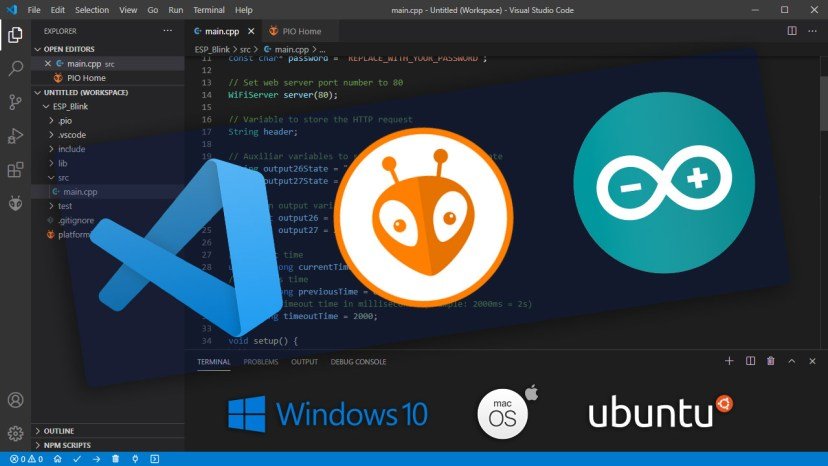
Vol 9 covers programming the nyanBOX. The firmware is open source under the MIT License — the source is published at https://github.com/jbohack/nyanBOX, descended from CiferTech’s nRFBOX (Vol 8 § 2) — so building and forking it is ordinary ESP32-Arduino work. The one catch is that the published source is a snapshot from April 2026; the current vendor build has tools the snapshot lacks, including the general camera detector. For most users the current vendor build remains the day-to-day firmware (Vol 8 § 6), and custom development matters in specific cases (§ 6).
What is universally useful, regardless of the firmware question: host-side analysis scripts (§ 4) — pulling data off the nyanBOX over USB-serial and processing it on a real computer. That’s the part of this volume that earns its keep for everyday use.
9.2 The fork decision — snapshot or vendor build
   Custom firmware on the nyanBOX
   ═══════════════════════════════

   Source: github.com/jbohack/nyanBOX — MIT
           firmware-files/legacy-src.tar.xz
           (PlatformIO project, April-2026 snapshot)
                    │
   Does the change need a tool that exists ONLY in
   the current vendor build (e.g. the Wi-Fi camera
   detector, Packet Monitor, Jam Detector)?
                    │
            ┌───────┴────────┐
           NO               YES
            │                │
            ▼                ▼
      §3 — fork the      Not buildable from the
      snapshot, build    published source. Use the
      with PlatformIO    vendor build + host scripts
                         (§4), or ask the vendor (§5)
Licence obligations are light: MIT permits modification and redistribution provided the copyright and permission notice (jbohack 2025, CiferTech 2022) stay with the code. Files derived from other projects carry their own notices — src/drone_detector.cpp, for example, notes code derived from opendroneid-core-c.
9.3 Building from the published source
9.3.1 Getting the source and the toolchain
The source is not a browsable tree in the current repository; it is the archive firmware-files/legacy-src.tar.xz (the full tree was at the repo root until the 2026-04-13 restructure — earlier commits in the history show it unpacked).
# Install PlatformIO (one-time)
pip install platformio

# Get the repository and unpack the source snapshot
git clone https://github.com/jbohack/nyanBOX.git
cd nyanBOX/firmware-files
tar -xJf legacy-src.tar.xz
cd "legacy-src/VScode Platformio"

# Build and flash the main firmware (env defined in platformio.ini)
pio run -e nyanbox-main -t upload
# A separate hardware self-test build also exists:
#   pio run -e hardware-test -t upload
The platformio.ini targets platform = espressif32, board = esp32dev, framework = arduino, with the huge_app.csv partition table and library dependencies RF24, U8g2, Adafruit NeoPixel and ArduinoJson. (The repository’s 2026-04-15 commit notes that later vendor builds replaced the RF24 library with a custom NRF24 driver; the snapshot still uses RF24.) The build has not been bench-tested for this series — no unit is in hand.
9.3.2 The code structure
The snapshot is a flat Arduino-style project — one .cpp per tool in src/, one header per tool in include/:
   nyanBOX source snapshot (legacy-src/VScode Platformio/)
   ═════════════════════════════════════════════════════════

   platformio.ini               ← envs: nyanbox-main, hardware-test
   hardware-test/
   │   └── nyanbox_hardware_test.cpp
   include/                     ← one header per module, plus
   │                              pindefs.h, nyanbox_common.h
   src/
   ├── nyanBOX.ino              ← setup()/loop(), the menu tables
   │                              (MenuItem arrays per WiFi/BLE/
   │                              Other menu), XP awards
   ├── radio_manager.cpp        ← BLE/Wi-Fi radio lifecycle
   ├── level_system.cpp         ← XP, levels, ranks, EEPROM (Vol 8 §4)
   ├── setting.cpp              ← Settings, incl. the Dangerous toggle
   ├── drone_detector.cpp       ← RemoteID detector (Vol 6)
   ├── drone_spoofer.cpp        ← RemoteID test-packet generator
   ├── flock_detector.cpp       ← Flock Safety camera detector
   ├── scanner.cpp / analyzer.cpp / sigkill.cpp
   │                            ← the NRF24 2.4 GHz tools (Vol 5)
   ├── wifiscan.cpp, deauth.cpp, evil_portal.cpp, ...
   ├── blescan.cpp, airtag_detector.cpp, sourapple.cpp, ...
   ├── display_mirror.cpp       ← streams the OLED framebuffer
   │                              over serial
   └── ...                      (about 40 modules in all)
The general Wi-Fi camera detector of Vol 7 is not in this snapshot (Vol 8 § 2.2).
9.3.3 Adding a tool (the canonical customization)
Tools are registered as MenuItem entries — { name, icon, setup function, loop function, cleanup function } — in the menu arrays in src/nyanBOX.ino; the SigKill entry, for example, is { "SigKill", nullptr, sigkillSetup, sigkillLoop, cleanupRadio }.
   Adding a custom tool
   ═════════════════════

   1. Add include/my_tool.h + src/my_tool.cpp
      - implement a setup and a loop function (and a
        cleanup, or reuse cleanupRadio / noCleanup)
      - copy the pattern of a similar existing tool

   2. Add a MenuItem entry to the right menu array in
      src/nyanBOX.ino

   3. Build + flash
      pio run -e nyanbox-main -t upload
The tool’s name also decides its XP rate: getXPAmount() classifies by substrings in the name (“Scan”, “Detector”, “Spoofer”, …).
9.3.4 Changing the XP system
There is no XP lock to remove — in the published source the XP system gates nothing (Vol 8 § 4). If its behaviour matters, the relevant code is small:
Table 1 — There is no XP lock to remove — in the published source the XP system gates nothing ([Vol 8 § 4](/nyan-box/vol-8/#84-the-xp-system--and-bypassing-it)). If its behaviour matters, the relevant code is small
| Change | Where |
|---|---|
| Award rates per tool class | getXPAmount() in src/nyanBOX.ino |
| Session bonuses | stopAppTracking() in src/nyanBOX.ino |
| Level curve / rank names | getXPRequiredForLevel(), getRankName() in src/level_system.cpp |
| Broadcasting the level to other nyanBOXes | createManufacturerData() in src/nyanbox_advertiser.cpp |
9.4 Host-side analysis scripts
This is the section that’s useful regardless of the firmware question. The nyanBOX has EEPROM, not microSD (Vol 2 § 7) — it can’t store large logs on-device. The answer is to stream data off it over USB-serial and process it on a host PC. The Nyan Box/projects/ directory exists for exactly these scripts.
9.4.1 The USB-serial pull pattern
   Pulling data off the nyanBOX
   ══════════════════════════════

   nyanBOX ──USB-C──→ USB-serial bridge ──→ host PC
                                              │
                                              ▼
                                    /dev/ttyUSB0 (or COMx)
                                              │
                                              ▼
                                    Python script reads the
                                    serial stream, parses it,
                                    logs to disk, analyzes

   The nyanBOX firmware streams tool output over the
   serial console (most ESP32-pentest firmwares do this
   by default — it's the debug/log channel). A host
   script captures that stream — turning the EEPROM-
   limited device into one with effectively-unlimited
   logging.
9.4.2 A RemoteID-watch logger (sketch)
#!/usr/bin/env python3
# nyan_remoteid_logger.py — capture a long RemoteID watch
# to disk, since the nyanBOX EEPROM can't hold it.
import serial, json, time, sys

PORT = sys.argv[1] if len(sys.argv) > 1 else "/dev/ttyUSB0"
ser = serial.Serial(PORT, 115200, timeout=1)

with open(f"remoteid_{int(time.time())}.jsonl", "w") as log:
    print(f"Logging RemoteID watch from {PORT} ...")
    while True:
        line = ser.readline().decode("utf-8", "ignore").strip()
        if not line:
            continue
        # nyanBOX RemoteID lines — adapt the parse to the
        # actual firmware output format once on hardware
        if line.startswith("RID:"):
            record = {
                "ts": time.time(),
                "raw": line,
                # parse drone ID / position / operator
                # position from the line per the firmware's
                # actual format
            }
            log.write(json.dumps(record) + "\n")
            log.flush()
            print(f"  logged: {line}")
This turns the ~13-hour RemoteID watch (Vol 2 § 5.4 — battery supports it) into a complete on-disk record instead of an OLED-only ephemeral view.
9.4.3 A camera-sweep correlator (sketch)
#!/usr/bin/env python3
# nyan_camera_correlate.py — pull the camera-detection
# stream + the Wi-Fi-scan stream, correlate them per
# the Vol 7 §6.2 cross-reference discipline.
import serial, sys
from collections import defaultdict

PORT = sys.argv[1] if len(sys.argv) > 1 else "/dev/ttyUSB0"
ser = serial.Serial(PORT, 115200, timeout=1)

camera_flags = {}     # MAC -> camera-detection record
wifi_devices = {}     # MAC -> wifi-scan record

while True:
    line = ser.readline().decode("utf-8", "ignore").strip()
    if line.startswith("CAM:"):
        # parse the camera-detection flag (MAC, confidence, brand)
        ...
    elif line.startswith("WIFI:"):
        # parse the wifi-scan entry (MAC, SSID, vendor)
        ...
    # Cross-reference: a CAM flag whose MAC also shows as a
    # known TV/streaming/networking device in WIFI is a
    # likely false positive (Vol 7 §6). Flag the deltas —
    # the CAM hits that DON'T have a benign WiFi identity
    # are the real leads.
This automates the Vol 7 § 6.2 cross-reference discipline — instead of eyeballing two OLED screens, the host script does the correlation and surfaces only the genuine leads.
9.4.4 A multi-channel NRF24 capture logger
Same pattern: the triple-NRF24 sniff (Vol 5 § 3) produces more packets than the OLED can show or the EEPROM can hold. A host logger captures the full stream — every packet on all three channels — to a pcap-like file for offline analysis.
9.4.5 Why this is the high-value section
These host-side scripts:
- Work with the current vendor build — they just read the serial output, so they keep every vendor feature (a source fork would give up the post-April-2026 tools)
- Solve the real limitation — the EEPROM-not-microSD constraint (Vol 2 § 7) is the nyanBOX’s biggest practical weakness; serial logging makes it moot
- Are quick to write — a few dozen lines of Python each
- Live in
Nyan Box/projects/— the designated home
This is the actual “development” work the nyanBOX warrants — not custom firmware, but a small host-side script library that turns the device’s ephemeral OLED output into durable, analyzable data.
9.5 Other paths — alternative bases and the vendor
Forking the published source (§ 3) is the main development path. The alternatives:
Table 2 — Forking the published source (§ 3) is the main development path. The alternatives
| Option | Effort | Verdict |
|---|---|---|
| Use the vendor build + host scripts (§4) | Low | The right answer for most users. The vendor build has every current feature; the host scripts give you the data. |
| Fork the published snapshot (§3) | Low-Medium | The right answer for a specific change — at the cost of tools added after April 2026. |
| Base a custom firmware off ESP32 Marauder | High | Marauder has deeper Wi-Fi/BLE. Its stock builds lack RemoteID + camera detection (Vol 8 § 5.3); the MIT RemoteID code could be ported in, but the triple-NRF24 handling, OLED and input map all need porting too. |
| Ask the vendor | Low | Nyan Devices is a small, community-rooted two-person shop with an active Discord; the README invites tool and feature requests. This is also the only route to changes in the tools that are not in the published source. |
Reverse-engineering the binary is unnecessary for anything in the published source. For the newer, unpublished tools it would be possible in principle but is disproportionate for a $220 device — ask the vendor first.
9.6 What’s actually worth customizing
Cutting through the theory — here is the realistic customization priority:
Table 3 — Cutting through the theory — here is the realistic customization priority
| Customization | Worth it? | Path |
|---|---|---|
| Host-side analysis scripts (§4) | Yes — definitely | Just Python + pyserial; no firmware touch needed; lives in projects/ |
| Changing the XP system | Rarely needed | It gates nothing (Vol 8 §4.4); if it matters, a few lines in the published source (§3.4) |
| Adding a custom tool | When the catalog lacks one | Fork the published source (§3.3); accept the April-2026 feature set |
| Extending RemoteID detection | Feasible | src/drone_detector.cpp is in the MIT source |
| Extending the Wi-Fi camera DB | Not from source | The general camera detector is not in the published source; report missing cameras to the vendor |
| Improving the BT5 RemoteID coverage (Vol 6 §7.3) | Out of scope | That’s a silicon limitation (original ESP32 BT5) — firmware can’t fully fix it |
| Native triple-NRF24 in alt firmware | High effort, niche | Only if you’ve decided to abandon stock firmware entirely |
The one-line takeaway: the worthwhile “development” for the nyanBOX is the host-side script library in projects/ — not custom firmware. When a firmware change is genuinely needed, the MIT-licensed source makes it an ordinary PlatformIO job — with the caveat that the published snapshot trails the vendor build.
9.7 Resources
Firmware source and build
- nyanBOX firmware repository (MIT; source in
firmware-files/legacy-src.tar.xz): https://github.com/jbohack/nyanBOX - Upstream lineage — CiferTech nRFBOX: https://github.com/cifertech/nrfbox
- PlatformIO: https://platformio.org/
- ESP32 Arduino core: https://github.com/espressif/arduino-esp32
- esptool.py: https://github.com/espressif/esptool
- opendroneid-core-c (the RemoteID code the detector derives from): https://github.com/opendroneid/opendroneid-core-c
Alternative base
- ESP32 Marauder: https://github.com/justcallmekoko/ESP32Marauder
Host-side scripting
- pyserial: https://pyserial.readthedocs.io/
- The
Nyan Box/projects/directory — designated home for these scripts
Vendor contact
- Nyan Devices Discord (the creators — jbohack & zr_crackiin): linked from the vendor site
End of Vol 9. Next: Vol 10 covers end-to-end use-case recipes — RemoteID watch, hidden-camera sweep, multi-channel NRF24 sniff, and education-session workflows.
Comments (0)