Nyan Box · Volume 8
Nyan Box Volume 8 — Firmware Ecosystem
The closed-source stock firmware, the gamified XP system, whether the XP gating is bypassable, the alternative-firmware paths
8.1 About this volume
Vol 8 covers what runs on the nyanBOX. There are really three firmware questions:
- The stock firmware — closed or open? updatable how? (§ 2-3)
- The XP system — is the gamification just a wrapper, or does it actually gate tools, and can you skip it? (§ 4)
- Alternative firmware — can the hardware run Marauder / Ghost ESP instead, and should it? (§ 5)
The answers shape whether the nyanBOX is “the device as the vendor designed it” or “a nice piece of triple-NRF24 hardware running whatever firmware you prefer.”
8.2 The stock firmware — closed-source question
8.2.1 The likely situation
Per both the project CLAUDE.md and DEVELOPMENT.md, the working assumption is that the nyanBOX stock firmware is closed-source — like the Ruckus Game Over situation, like most small-vendor ESP32-pentest firmwares.
This is an assumption, not a confirmed fact. The DEVELOPMENT.md is explicit: “Don’t fork until you’ve confirmed the source is published. Many ESP32-pentest vendor firmwares are binary-only.” The first thing to do on acquisition (or even before) is check the vendor’s GitHub — linked from nyandevices.com — for whether the firmware source is actually published.
8.2.2 What “closed” would mean
If the stock firmware is closed-source:
Table 1 — If the stock firmware is closed-source
| Implication | Detail |
|---|---|
| No clean fork | You can’t git clone it, add a tool, rebuild |
| Updates come only from the vendor | You’re dependent on Nyan Devices’ release cadence (matters for the camera DB — Vol 7 § 4.3) |
| The XP system can’t be patched out at source | You’d bypass it (§ 4) rather than remove it |
| Reverse-engineering is possible but slow | Pull the binary, run it through Ghidra — a research project, not a quick mod |
| The two unique features are vendor-locked | RemoteID + camera detection only exist in the stock firmware; alt firmware doesn’t have them (§ 5.3) |
8.2.3 What “open” would mean
If it turns out the source is published (verify!):
- Custom builds become straightforward (Vol 9)
- The XP gating could be patched out at source
- The community could extend the camera signature DB
The honest position: assume closed until verified open. The rest of this volume is written for the closed case (the more likely one), with the open case noted where it changes things.
8.3 Updating the stock firmware
8.3.1 The web-flasher path
The canonical update method, per DEVELOPMENT.md:
   nyanBOX stock firmware update
   ═══════════════════════════════

   1. Plug nyanBOX into a Chrome / Edge machine via USB-C
   2. Visit the vendor's web flasher (linked from nyandevices.com)
   3. Pick the firmware version → Flash
   4. The web flasher (WebSerial API) handles erase + write + verify

   Note: USB-C on the nyanBOX goes through a USB-serial
   bridge (the ESP32-WROOM-32 is not native-USB — Vol 2
   § 3.4), so the flasher talks to the bridge, which talks
   to the ESP32. Standard ESP32 flashing under the hood.
8.3.2 Why updating matters — the camera database
The single most important reason to keep the stock firmware current: the hidden-camera signature database is baked into the firmware (Vol 7 § 4.3). A year-old firmware has a year-old camera database. Before any real camera sweep, update.
RemoteID detection is less update-sensitive — the ASTM F3411 message format is a stable standard, so the RemoteID decoder doesn’t age the way the camera DB does. But firmware updates may still bring RemoteID improvements (better BT5 handling, new transports).
8.3.3 The re-flash resets XP state
From DEVELOPMENT.md: re-flashing resets the XP-progression state (it lives in EEPROM — Vol 2 § 7). If the XP state matters to you, back up the EEPROM first (the vendor may publish a backup tool). The XP state is not precious — but know that updating firmware zeroes it.
8.3.4 esptool.py as the fallback
If the web flasher is unavailable or you have a raw .bin:
esptool.py --chip esp32 -p /dev/ttyUSB0 -b 460800 \
    write_flash 0x0 firmware.bin
Standard ESP32 (original, not S3) flashing. The --chip esp32 is correct — the nyanBOX is original ESP32, not S3/C3.
8.4 The XP system — and bypassing it
8.4.1 What the XP system is
Vol 1 § 4 introduced the gamified XP-progression system. Recap of the model:
   The XP-progression model (Vol 1 § 4.1, recapped)
   ══════════════════════════════════════════════════

   Tier 1: Passive  ─→ always available
   (scan, RemoteID watch, camera sweep, spectrum)
        │ earn XP
        ▼
   Tier 2: Active   ─→ unlocked by XP threshold
   (beacon work, BLE spoof, NRF24 sniff)
        │ earn XP
        ▼
   Tier 3: Disruptive ─→ unlocked by XP / context
   (deauth, jam, replay, Mousejack inject)

   The gating is the question: does the firmware ACTUALLY
   lock Tier 2/3 tools behind XP, or is the XP just a
   cosmetic counter? Verify on the unit.
8.4.2 Two possibilities — and they matter differently
Table 2 — 4.2 Two possibilities — and they matter differently
| If the XP system is… | Then… |
|---|---|
| Cosmetic only (tracks usage, shows progression, but every tool is always usable) | No bypass needed — ignore the XP counter, use whatever |
| Actually gating (Tier 2/3 tools are locked until XP earned) | A real friction — an experienced user would want to bypass |
The honest answer: unknown until verified on the unit. The product framing (“education-first,” “scaffolds learning”) suggests real gating — that’s the whole pedagogical point. But it might be soft (a confirmation prompt rather than a hard lock). Verify.
8.4.3 Bypass approaches (if gating is real)
In rough order of effort:
Table 3 — In rough order of effort
| Approach | Effort | Notes |
|---|---|---|
| Grind the XP | Low (time) | Just use the passive tools until the thresholds clear. Tedious but trivial. One evening of letting scans run. |
| A settings / “expert mode” option | Low (if it exists) | Many education-framed firmwares have a hidden “I know what I’m doing” toggle. Check Settings + the vendor docs. |
| EEPROM edit | Medium | The XP state lives in EEPROM (Vol 2 § 7). If you can read/write the EEPROM (over USB-serial, or with the vendor’s backup tool), you might write a maxed-XP state directly. |
| Alternative firmware | Medium-High | Flash Marauder / Ghost ESP — no XP system at all (§ 5). But you lose the two unique features. |
| Patch the binary | High | Reverse-engineer, find the gate check, patch it. Research project. Not worth it vs grinding. |
8.4.4 The pragmatic answer
Grind the XP, or find the expert-mode toggle. Don’t reverse-engineer a binary to skip a gamification layer — that’s effort wildly disproportionate to the friction. An evening of running passive scans clears the thresholds, and then the device behaves like a flat-menu tool. If the camera + RemoteID features (which are Tier-1 passive anyway) are the reason you bought it, the gating barely touches actual use.
8.5 Alternative firmware — Marauder, Ghost ESP
8.5.1 The hardware will run them
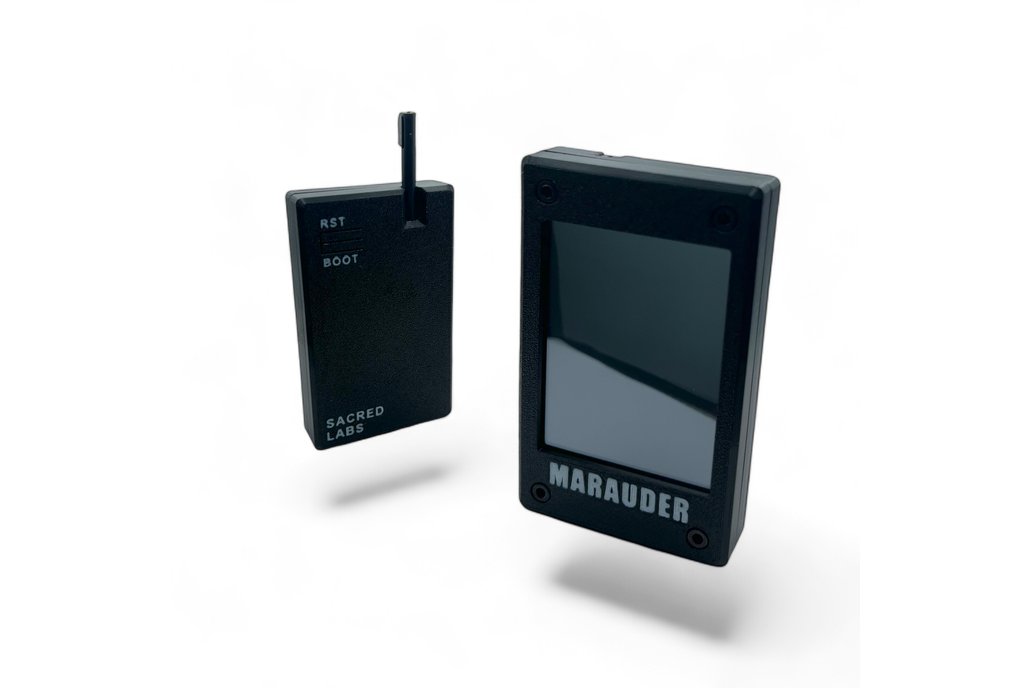
The nyanBOX hardware — ESP32-WROOM-32U + NRF24 over SPI + OLED + battery — is standard-enough ESP32-pentest hardware that it can run the major alternative firmwares:
Table 4 — The nyanBOX hardware — ESP32-WROOM-32U + NRF24 over SPI + OLED + battery — is standard-enough ESP32-pentest hardware that it can run the major alternative firmwares
| Alt firmware | Runs on nyanBOX hardware? | What you get |
|---|---|---|
| ESP32 Marauder | Yes (ESP32 build) | Mature, deep Wi-Fi/BLE pentest; open-source; the canonical alt |
| Ghost ESP | Likely | Another popular open ESP32-pentest firmware |
| Bruce | Possibly (Bruce targets many boards; the nyanBOX isn’t a standard target) | Would need a custom build / pin map |
8.5.2 The catch — the UI + tool catalog won’t match
From DEVELOPMENT.md, stated plainly: “The ESP32-WROOM-32U + 3× NRF24 hardware will run those firmwares (with the NRF24s exposed via SPI or treated as auxiliary radios), but the OLED UI patches and tool catalog won’t match the stock UX.”
What “won’t match” means concretely:
- The OLED is a specific size/controller; alt firmware needs its display driver configured for the nyanBOX’s exact OLED — may need a custom build, not a stock binary
- The arrow-key input matrix needs its GPIO map configured
- The three NRF24 radios — alt firmware typically expects one NRF24. The triple-radio arrangement (Vol 3) is a nyanBOX-firmware feature; Marauder won’t natively use all three. You’d get one NRF24 working, the other two idle, unless you customize.
- The XP system is gone (good, if you wanted it gone)
8.5.3 The big loss — the two unique features
This is the decisive point. ESP32 Marauder and Ghost ESP do not have:
Those two features are nyanBOX-stock-firmware-exclusive. They’re the entire reason the nyanBOX is interesting in the lineup (Vol 1 § 6). Flash Marauder onto the nyanBOX and it becomes a slightly-awkward Marauder box — and the lineup already has a good Marauder box (the AWOK Dual Touch V3).
   The alt-firmware tradeoff
   ════════════════════════════

   Flash Marauder onto the nyanBOX:
     GAIN:  open-source, no XP system, mature Wi-Fi/BLE
     LOSE:  RemoteID detection      ← the reason to own it
            hidden-camera detection ← the reason to own it
            native triple-NRF24 use ← the distinctive hardware
            (and the nyanBOX becomes a worse AWOK V3)

   Verdict: alt firmware on the nyanBOX is a FALLBACK for
   "the stock firmware disappointed me on the Wi-Fi/BLE
   side and I don't care about the unique features" — a
   narrow case. If you bought the nyanBOX for what makes
   it the nyanBOX, you run the stock firmware.
8.5.4 When alt firmware actually makes sense
The narrow legitimate cases for flashing alt firmware on the nyanBOX:
- The stock firmware is abandoned (vendor stops updating — the camera DB rots, bugs go unfixed) and you want a maintained firmware
- You specifically want the nyanBOX hardware as a second Marauder box and don’t care about RemoteID/camera
- You’re doing custom firmware development (Vol 9) and using Marauder’s open source as a starting base
Otherwise: stock firmware is the answer, because stock firmware is the only firmware with the features that justify the device.
8.6 The firmware decision
   Firmware decision tree
   ═══════════════════════

   Did you buy the nyanBOX for RemoteID / camera detection
   / triple-NRF24 (i.e. the reasons it's distinctive)?
            │
       ┌────┴─────┐
      YES         NO (you wanted a 2nd Marauder box)
       │           │
       ▼           ▼
   Run STOCK    Consider alt firmware —
   firmware.    but honestly, the AWOK V3
   Keep it      already covers Marauder;
   UPDATED      buying a nyanBOX to flash
   (camera DB!) Marauder onto it is an
   Grind the    odd choice. Reconsider the
   XP or find   purchase.
   expert mode.
       │
       ▼
   If the vendor abandons the firmware
   later → THEN reconsider alt firmware
   as a salvage path.
Bottom line: for the nyanBOX, stock firmware is almost always the right answer — because the stock firmware is the only thing that has the features that make the nyanBOX worth owning. The XP gating is a minor, grind-able friction. Keep the firmware updated (for the camera database). Treat alt firmware as a salvage option for a hypothetical abandoned-vendor future, not a day-one move.
8.7 Resources
Stock firmware
- Nyan Devices: https://nyandevices.com
- Vendor GitHub (check here FIRST for source-availability): linked from the vendor site
- Vendor web flasher: hosted on the vendor site
- Vendor Discord: linked from the site
Alternative firmware
- ESP32 Marauder: https://github.com/justcallmekoko/ESP32Marauder
- ESP32 Marauder Firmware deep dive (the engineer-grade reference):
- Ghost ESP: https://github.com/Spooks4576/Ghost_ESP (verify current repo)
Flashing tools
- esptool.py: https://github.com/espressif/esptool
Sibling reference
- Ruckus Game Over deep dive (the closed-source-sibling comparison):
End of Vol 8. Next: Vol 9 covers programming and custom firmware development — the path if the source is open, the harder path if it’s closed, and what’s worth customizing.
Comments (0)