OpenSourceSDRLab PortaRF · Volume 5
OpenSourceSDRLab PortaRF Volume 5 — Battery, Thermal, Power Profile
Integrated LiPo topology, charge subsystem, per-mode current draw, thermal under sustained TX, field-deployment power discipline
5.1 About this volume
Vol 5 covers the PortaRF’s power profile — the dimension that most-strongly differentiates a handheld-class SDR from a tethered HackRF setup. The owned porta runs in two modes — USB-tethered (HackRF takes USB power; PortaPack has a tiny LiPo for the display when untethered) or PortaPack-LiPo-only (HackRF goes dark since it has no power). PortaRF integrates one battery powering both halves of the stack, which changes everything about runtime planning, thermal behavior, and field-engagement strategy.
This is the volume where research-baseline-vs-confirmed-fact distinction matters most — the specific numbers in §§ 4–5 are estimates pending bench measurement on actual hardware. The topology and reasoning are confirmed — they follow from the silicon datasheets (LPC4320, MAX2837, RFFC5072, MAX5864) and the standard LiPo handheld design pattern. When PortaRF arrives, replace the current-draw and runtime estimates with measured values; the reasoning stays the same.
Cross-reference: Vol 11 covers operational posture (when not to deploy under power constraints); Vol 9 covers use-case-specific power tradeoffs. This volume is the power-budget reference both pull from.
5.2 Battery cell — chemistry, capacity, sourcing
5.2.1 Likely cell specification
Table 1 — 2.1 Likely cell specification
| Attribute | Likely value | Confidence | Notes |
|---|---|---|---|
| Chemistry | LiPo (lithium polymer, pouch format) | High | Industry-standard for handhelds in this size class |
| Configuration | 1S (single cell) | High | Standard for 5V-USB-charge handhelds |
| Nominal voltage | 3.7 V | High | Single-cell LiPo |
| Charge cutoff voltage | 4.20 V | High | Standard LiPo charge endpoint |
| Discharge cutoff voltage | 3.0 V (protection IC) / 3.3 V (firmware soft-cutoff) | High | Protection IC hard cutoff; firmware should soft-warn earlier |
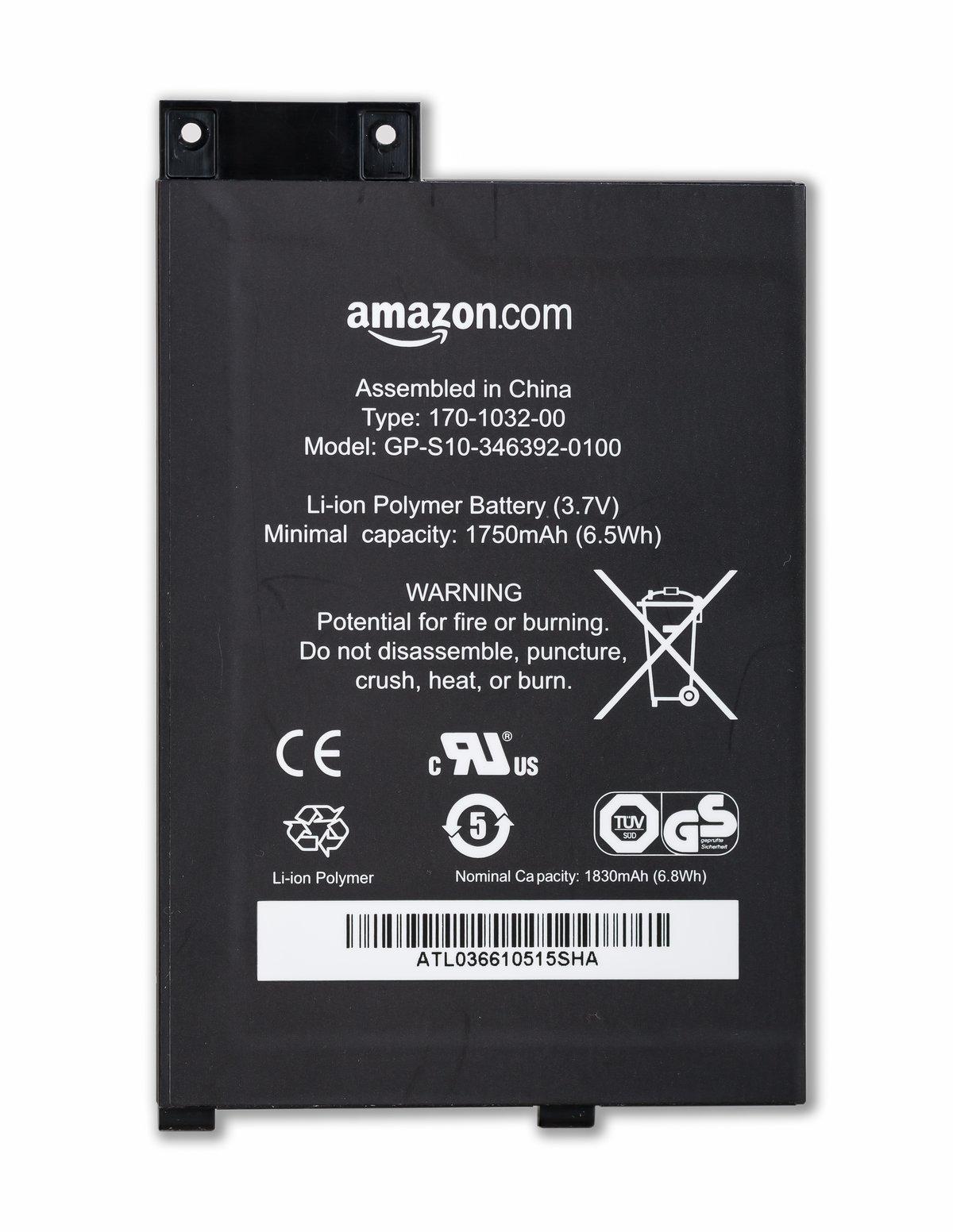
| Capacity | 2000 mAh (1500–3000 mAh range) | Medium | Vendor sizing — 2000 mAh is the cost-effective sweet spot for this form factor |
| Continuous discharge rate | ~1C (2 A for a 2000 mAh cell) | High | Typical handheld pouch cell |
| Burst discharge rate | ~2-3C (4-6 A) | Medium | TX peak current well within 2C for a 2000 mAh cell |
| Energy | ~7.4 Wh (2000 mAh × 3.7 V) | High (derived) | Useful for comparing to USB-C battery packs |
5.2.2 Why these likely values
The PortaRF form factor (~150-250 g handheld) and integration goal (~6-10 hours mixed use) point at a 2000 mAh nominal cell. Smaller cells (~1000 mAh) wouldn’t meet the runtime promise; larger cells (~4000 mAh) would push the form factor beyond comfortable handheld weight. The 2000 mAh ± 500 mAh range matches what every other vendor in this category (M5Stack Cardputer ADV, Flipper Zero, Clockwork PicoCalc, AWOK Dual Touch V3) has converged on.
The vendor product page should disclose the actual capacity. If it doesn’t, ask before purchase — capacity directly determines field-deployment planning.
5.2.3 Energy comparison reference
For reference when planning USB-C battery pack pairing:
Table 2 — For reference when planning USB-C battery pack pairing
| Energy source | Energy (Wh) | Equivalent runtime at 200 mA continuous |
|---|---|---|
| PortaRF internal (2000 mAh @ 3.7 V) | 7.4 Wh | ~10 hours |
| Small USB-C power bank (5000 mAh @ 3.7 V) | 18.5 Wh | ~25 hours (~3 PortaRF charges) |
| Mid USB-C power bank (10000 mAh @ 3.7 V) | 37 Wh | ~50 hours (~5 PortaRF charges) |
| Large USB-C power bank (20000 mAh @ 3.7 V) | 74 Wh | ~100 hours (~10 PortaRF charges) |
| USB-C laptop power bank (100 Wh airline-legal) | 100 Wh | ~135 hours (~14 PortaRF charges) |
A 10 Wh internal cell + 37 Wh external pack covers a full day of mixed RF work with margin to spare. § 9 covers pairing strategy.
5.3 Charge subsystem — controller, USB-C input, protection
5.3.1 Likely topology
The PortaRF charging subsystem almost certainly follows the standard single-cell LiPo handheld pattern:
USB-C Vbus (5 V)
       │
       ▼
┌──────────────────┐
│ Charge controller│   TP4056-class linear charger
│ (TP4056 / MCP73831│   ~1 A max charge current programmable via resistor
│  / similar)      │   Auto-CV/CC switching
└──────┬───────────┘
       │
       ▼
   Battery cell (LiPo, 3.7 V nominal)
       │
       ▼
┌──────────────────┐
│ Protection IC    │   DW01+ / FS8205A (or similar)
│ + MOSFET pair    │   Over/under-voltage, over-current, short-circuit
└──────┬───────────┘
       │
       ▼
   System power rail (3.0–4.2 V)
       │
       ├─→ Buck/boost regulators (3.3 V for digital; 1.8 V for LPC4320 core; etc.)
       └─→ Direct load (RF final stage, when applicable)
This is the topology shared by every $50-500 LiPo handheld on the market — it’s mature, cheap, and works. PortaRF’s actual implementation may use slightly different chips (some vendors prefer the BQ24074, the IP5306, or the LP4055) but the topology is the same.
5.3.2 Charge controller behavior
A TP4056-class linear charger operates in two phases:
- Constant Current (CC) — charge current is fixed (set by RPROG; typically ~1 A) while the cell voltage rises from ~3.0 V to ~4.20 V. This is the bulk of the charge cycle.
- Constant Voltage (CV) — cell voltage is held at 4.20 V while charge current tapers from ~1 A down to a termination threshold (~50–100 mA), at which point charging stops. This is the “topping off” phase.
For a 2000 mAh cell charged at 1 A: CC phase takes ~1.7–2 hours (covering ~80% of capacity); CV phase takes another ~30–45 minutes (covering the last 20%). Total full-charge time: ~2.5 hours.
5.3.3 USB-C input behavior
USB-C is electrically capable of delivering up to ~3 A at 5 V (15 W) over a standard cable, or up to 100 W with USB-PD negotiation. The PortaRF almost certainly uses USB-C in the simple 5 V mode (no PD negotiation) — the TP4056 charge controller doesn’t support PD anyway. Practical implications:
- Any USB-C cable + USB-C-capable power source charges PortaRF at full speed (limited by the charge controller’s ~1 A setting, not the source)
- USB-C-to-A cables work if the A-side source is 5 V capable
- Charging from a USB-PD wall-wart is fine — PortaRF will simply draw 5 V at ~1 A; the PD source supplies it
- Charging from a 9 V or 20 V PD-only source won’t work without PD negotiation — the charge controller expects 5 V input. This is rare but worth verifying when carrying a single-purpose PD adapter
5.3.4 Protection IC topology
Downstream of the cell, a protection IC + MOSFET pair monitors:
- Over-voltage during charge — disconnects cell from charge path at ~4.25 V (failsafe above the charge controller’s 4.20 V endpoint)
- Under-voltage during discharge — disconnects cell from load at ~3.0 V (preventing damage from over-discharge)
- Over-current during discharge — disconnects at ~3 A typical (failsafe against shorts)
- Short-circuit — instant disconnect (typically <100 ms)
When the protection IC trips on under-voltage, the cell appears dead until reconnected to a charger. Most TP4056-class chargers will wake a protected cell automatically by applying ~50 mA “precharge” current until voltage rises above the lockout threshold, then ramping up. This is invisible to the user.
5.3.5 Battery telemetry
Mayhem firmware displays battery percent in the top-status bar. The underlying measurement is almost certainly just ADC-sampled cell voltage mapped to percent via the LiPo discharge curve (which is non-linear — flat between 70%–30%, steep at the ends). This is the cheap reliable approach; the alternative (dedicated coulomb-counter IC like a BQ27441) would be unusual at this price point.
Practical implication: percent readings are approximate — useful for “more than half” / “below 20%” granularity, not for “exactly 47% remaining”. For accurate runtime planning, use bench-measured runtime numbers (§ 5) and elapsed-time tracking rather than trusting the percent indicator.
5.4 Per-mode current draw
The current-draw values below are engineered estimates based on the silicon datasheets and the standard HackRF + PortaPack subsystem composition. Bench-measure on actual hardware to confirm; expect ±20% variance from these.
5.4.1 Subsystem-level draws
Table 3 — 4.1 Subsystem-level draws
| Subsystem | Current (mA) at 3.7 V | Notes |
|---|---|---|
| PortaPack STM32 + display backlight (50%) | ~45 | LPC4320 idle + LCD backlight is the dominant non-RF load |
| Display backlight (100%) | +25 | Linear with brightness |
| LPC4320 active (Mayhem app running) | ~70 | RF idle; CPU + USB if tethered |
| MAX2837 (RX, LNA + VGA on) | ~50 | Transceiver receive mode |
| RFFC5072 (mixer running) | ~30 | Synthesizer locked |
| MAX5864 (ADC sampling 20 MS/s) | ~25 | ADC + I/O |
| Si5351 (clock generator) | ~10 | Continuous |
| MAX2837 (TX, +15 dBm out) | ~250 | Final stage class-A; this is the biggest single load |
| TRF37B73 MMIC amp at full output | ~80 | Additional draw on top of MAX2837 TX |
| microSD write at 20 MS/s | +50 | Buffered SD activity |
| USB-C output (when tethered as host) | +10 | Standard CDC overhead |
5.4.2 Operational-mode totals
Summed for typical use cases:
Table 4 — Summed for typical use cases
| Mode | Current (mA) | Notes |
|---|---|---|
| Deep sleep (display off, radio off) | ~3-5 | Protection IC + leakage; if Mayhem supports true sleep |
| Display off, radio idle (paused operation) | ~30 | LPC4320 in low-power mode |
| Menu navigation (display on, no RF) | ~75 | Backlight + CPU + standard display refresh |
| RX continuous narrowband (one app, decoded output) | ~180 | Display + CPU + receiver chain + DSP |
RX wideband (hackrf_sweep running on Mayhem) | ~220 | More CPU load |
| RX + I/Q capture to SD | ~230 | Add SD write activity |
| TX continuous at +10 dBm | ~280 | Reduced power TX, lower final-stage draw |
| TX continuous at +15 dBm (max) | ~430 | Full power; biggest current draw the unit supports |
| TX bursts (1% duty cycle at +15 dBm) | ~80 | Mostly idle, brief TX peaks; conservative for many beacon/replay workflows |
| Wideband replay (continuous TX of captured I/Q) | ~400 | Captured-signal TX often near max output |
5.4.3 Comparison to porta
Porta’s HackRF One r4 (powered from USB, no battery) draws similar HackRF-side currents, but PortaPack-side draws come from the H2+‘s own tiny LiPo. When USB-tethered, porta’s total system draw appears at the host as a single USB current; when running on PortaPack LiPo only, the HackRF is dark and only the H2+‘s display + STM32 are running.
PortaRF’s integrated topology means both halves draw from the same cell — so total-system current draw is meaningfully higher than the worst-case PortaPack-only scenario on porta. The 2000 mAh battery is sized accordingly.
5.5 Battery life under realistic field deployment
5.5.1 Runtime estimates by mode
Assuming 2000 mAh cell with usable capacity of ~1800 mAh (discounting 4.2 V → 3.3 V soft-cutoff region):
Table 5 — Assuming 2000 mAh cell with usable capacity of ~1800 mAh (discounting 4.2 V → 3.3 V soft-cutoff region)
| Mode | Current (mA) | Runtime |
|---|---|---|
| Deep sleep | 5 | ~360 hours (15 days theoretical) |
| Display off, radio idle | 30 | ~60 hours (2.5 days) |
| Menu navigation | 75 | ~24 hours |
| RX narrowband continuous | 180 | ~10 hours |
| RX wideband sweep | 220 | ~8 hours |
| RX + I/Q capture to SD | 230 | ~7.8 hours |
| TX at +10 dBm continuous | 280 | ~6.4 hours |
| TX at +15 dBm continuous | 430 | ~4.2 hours |
| TX burst (1% duty cycle) + RX | 100 | ~18 hours |
| Wideband replay | 400 | ~4.5 hours |
For different battery capacities, scale: 1500 mAh × 0.75; 3000 mAh × 1.5.
5.5.2 Realistic mixed-use runtimes
Real field engagements rarely run one mode continuously. Typical-mix scenarios:
Table 6 — Real field engagements rarely run one mode continuously. Typical-mix scenarios
| Scenario | Mix | Effective avg current | Runtime |
|---|---|---|---|
| Site recon (mostly RX, occasional capture, no TX) | 80% RX continuous, 20% capture | ~190 mA | ~9.5 hours |
| Audit walk (RX + sweep + occasional decode) | 60% RX, 30% sweep, 10% deep listen | ~200 mA | ~9 hours |
| Replay attack work (RX, capture, replay TX) | 50% RX, 20% capture, 30% TX bursts | ~250 mA | ~7 hours |
| Wideband survey (continuous sweep + capture) | 50% sweep, 50% capture | ~225 mA | ~8 hours |
| Beacon spam (sustained TX at low duty) | 5% TX at +15 dBm, 95% display-idle | ~50 mA | ~36 hours |
| Sustained TX (continuous +15 dBm jam / repeater test) | 100% TX max | ~430 mA | ~4 hours — thermal-limited; see § 6 |
| Pure capture (RX, save raw to SD) | 100% RX + SD write | ~230 mA | ~7.8 hours |
5.5.3 Engagement planning rule of thumb
For planning purposes:
- General field RF work: assume ~8 hours per full charge, with margin
- TX-heavy work: assume ~5 hours per full charge; carry external power
- Multi-day deployment: plan one full recharge per day (2.5 hours) plus contingency for unexpected scenarios
- Always carry a USB-C battery pack for any engagement >4 hours — the marginal weight cost (~150-300 g for a 10000 mAh pack) is worth eliminating the runtime cliff
5.6 Thermal model + sustained-TX behavior
5.6.1 Heat sources inside the enclosure
Under sustained TX at +15 dBm, the dominant heat sources are:
- MAX2837 final stage — ~250 mW dissipated as heat (the difference between DC power in and RF power out)
- TRF37B73 MMIC amplifier — ~150 mW dissipated
- LPC4320 + PortaPack STM32 — ~200 mW combined
- TFT backlight — ~75 mW at 50% brightness
- LiPo cell during discharge — small but non-zero, ~50 mW at high discharge currents
Total continuous heat load under sustained TX: ~700 mW. In a sealed plastic enclosure with no active cooling, this all has to escape through conduction to the case and radiation/convection from the case surface.
5.6.2 Thermal time constant
A handheld plastic enclosure with these components has a thermal time constant on the order of ~10–20 minutes — meaning case temperature rises rapidly during the first ~30 minutes of sustained load and then approaches steady state.
Table 7 — 6.2 Thermal time constant
| Time under sustained TX | Case temperature rise above ambient |
|---|---|
| 0–5 minutes | +3-5 °C (barely noticeable) |
| 5–15 minutes | +8-12 °C (warm to touch) |
| 15–30 minutes | +15-20 °C (uncomfortably warm) |
| 30–60 minutes | +20-25 °C (hot; case ~45-50 °C in 25 °C ambient) |
| 60+ minutes | Near steady state; +25-30 °C above ambient |
5.6.3 Silicon junction temperatures
The thermal envelope of concern is inside the silicon, not at the case. Junction-to-ambient thermal resistance for the dominant heat sources:
Table 8 — The thermal envelope of concern is inside the silicon, not at the case. Junction-to-ambient thermal resistance for the dominant heat sources
| Component | θJA (°C/W) | Power (W) | Junction rise above case |
|---|---|---|---|
| MAX2837 (QFN-40) | ~30 | 0.5 (TX peak) | ~15 °C |
| TRF37B73 | ~50 | 0.3 | ~15 °C |
| LPC4320 (LQFP-144) | ~40 | 0.15 | ~6 °C |
Worst case: 30 °C ambient + 25 °C case rise + 15 °C junction rise = ~70 °C junction. Within spec (silicon datasheets allow 85–105 °C junction) but with limited headroom in hot environments.
5.6.4 Thermal-protection behavior
When silicon junction temperature approaches limits, several protective behaviors may engage:
- MAX2837: has internal thermal-shutdown at ~125 °C — if hit, TX output drops abruptly
- TRF37B73: similar internal thermal protection
- LiPo cell: protection IC may trip on high temperature in extreme cases
- Mayhem firmware: may include thermal monitoring (verify on hardware; some PortaPack firmware reads MCU die temp)
For PortaRF specifically: the sealed handheld form factor means thermal management is more constrained than for porta on a bench. Expect to manually duty-cycle sustained TX work — e.g., 20 minutes TX, 10 minutes idle for cooldown, repeated. The unit won’t damage itself (silicon-level thermal protection is robust) but performance may degrade under sustained load.
5.6.5 Mitigation strategies
- Reduce TX power when possible — dropping from +15 dBm to +10 dBm cuts final-stage dissipation by ~50%
- Limit continuous TX to <30 minutes blocks with cooldown breaks
- Operate in cool ambient — avoid hot vehicles, direct sun; aim for <25 °C ambient
- Remove from sealed bags / pockets during TX work — passive cooling needs airflow
- Tether via USB-C to bench power during long sessions — eliminates battery thermal contribution and lets the unit operate at lower internal temperature
5.7 LiPo handling + safety discipline
LiPo cells are robust under normal conditions but have failure modes that vary in severity from “annoying” (rapid capacity loss) to “fire” (thermal runaway). The PortaRF integrates a protected cell, so most failure modes are mitigated, but operator discipline matters.
5.7.1 Storage discipline
- Long-term storage (>2 weeks): discharge to ~50% (~3.8 V resting voltage) before storing. Storage at full charge accelerates capacity loss.
- Temperature: store at room temperature (~20 °C); avoid cold (<5 °C) and hot (>30 °C). Refrigerator/freezer storage is a myth — it doesn’t help and may damage the cell.
- Discharge depth: avoid leaving a LiPo at <3.0 V for extended periods. If PortaRF is stored discharged, top up to ~50% within a few weeks.
5.7.2 Charging discipline
- Always use the integrated charge port (USB-C) — never attempt to charge the cell directly with an external charger unless the cell is removed and the charger is LiPo-aware
- Don’t charge a swollen cell — if the case bulges or the cell is visibly puffy, retire the cell immediately
- Don’t charge below 0 °C — lithium plating occurs at low temperatures and permanently damages the cell. If PortaRF is cold (left in a vehicle overnight in winter), warm to room temperature before charging.
5.7.3 Operational discipline
- Don’t drop or impact — physical damage to LiPo pouch cells can short the internal layers and cause runaway
- Don’t operate when wet — water ingress through USB-C/SD slot/SMA may corrode contacts; sustained moisture exposure can short the protection IC
- Don’t disassemble — the integrated cell is presumably soldered or connected via a small JST connector; opening the enclosure invalidates warranty and risks damaging the cell
5.7.4 Disposal
LiPo cells should be disposed at a recycling facility, not thrown in normal trash. Most municipalities have battery-disposal drop-offs (often at home-improvement stores, electronics retailers). Tape the terminals before disposal to prevent shorts in transit.
For PortaRF specifically: when the unit reaches end-of-life (typically 3-5 years for the battery), the most reasonable path is to send for vendor refurbishment (battery replacement service if offered) or donate the unit to a community member willing to refurbish. Disposal of the entire unit just to retire a cell is wasteful given the rest of the silicon has decades of life.
5.8 Brownout + power-loss posture
5.8.1 What happens when battery dies
In order of events as battery voltage drops:
- ~3.6 V (50% remaining): nominal operation; battery indicator shows ~50%
- ~3.4 V (20% remaining): Mayhem should show low-battery warning (verify firmware behavior)
- ~3.3 V (10% remaining): firmware should initiate graceful shutdown — save any open captures, write any unflushed SD data
- ~3.0 V: protection IC hard-cuts the cell from the load; system power loss is abrupt
The window between “warning” and “hard cut” is ~10-15 minutes at typical RX load. Gives the operator time to switch to USB-C power or wrap up work.
5.8.2 Loss-of-power consequences
When power is lost mid-operation:
- microSD write in progress: high risk of corrupted last-written file; FAT32 metadata may be inconsistent
- Capture in progress: last few seconds of data may be lost; file may be valid up to that point or may have a truncated header
- Mayhem state: in-RAM-only state is lost (current frequency, gain settings, etc.); settings written to SD persist
- Decoded protocol state: any decoder state (e.g., packet reassembly buffers) is lost — captures of interest should be saved to SD periodically, not held in RAM
5.8.3 Recovery procedures
After unexpected power loss:
- Connect USB-C charge — let cell reach ~3.5 V before power-on
- On power-on, check Mayhem version still loads (no corruption on the SD firmware partition)
- Run
chkdsk/fsckon SD card from a host PC — fix any FAT metadata inconsistencies - Verify captured files — last-written file is most likely truncated; everything before should be intact
For field-critical engagements, never let the battery run to brownout — switch to USB-C power well before the warning threshold.
5.9 USB-C battery pack pairing
5.9.1 Why a USB-C battery pack matters
The PortaRF’s ~10-hour pure-RX runtime is comfortable for a single-day engagement but insufficient for multi-day work, heavy TX work, or contingency. A USB-C battery pack solves this:
- Charges PortaRF while operating — no downtime
- Extends runtime indefinitely at the marginal weight cost of the pack
- Doubles as charger for other tools (phone, Flipper, GL-iNet, etc.) — one pack, multiple tools
- Survives airline carry-on (under 100 Wh capacity is unrestricted; 100-160 Wh allowed with prior approval; >160 Wh prohibited)
5.9.2 Pack selection
Table 9 — 9.2 Pack selection
| Pack capacity | Weight | Energy (Wh) | PortaRF runtime extension | Use case |
|---|---|---|---|---|
| 5000 mAh | ~150 g | ~18 Wh | +25 hours @ 200 mA | Day-trip; minimal weight |
| 10000 mAh | ~250 g | ~37 Wh | +50 hours @ 200 mA | Multi-day field work |
| 20000 mAh | ~450 g | ~74 Wh | +100 hours @ 200 mA | Extended engagement; charges other tools |
| 27000 mAh (airline-max) | ~650 g | ~99.9 Wh | +135 hours | Long deployment; max airline-legal |
Recommended for PortaRF field work: 10000–20000 mAh range. The 10000 mAh pack at ~250 g doubles as a phone backup and weighs less than a paperback book. The 20000 mAh is overkill for most engagements but useful when supporting multiple tools.
5.9.3 Cable + pass-through considerations
- Cable: any USB-C-to-USB-C cable rated for 5 V / 3 A. Most cables work; very cheap cables may sag voltage under load.
- Pass-through charging (charge pack while charging PortaRF): supported by most modern packs. Useful for opportunistic wall-charging during transit.
- PD-only packs: some USB-PD packs only output 5 V when the device requests 5 V via PD negotiation. The PortaRF’s TP4056-class charger doesn’t do PD; most packs auto-fall-back to 5 V trickle, but verify the pack outputs 5 V without PD negotiation before relying on it for PortaRF.
- Quality: avoid no-name aliexpress packs for critical work; Anker, RAVPower, Nimble, Goal Zero are reliable.
5.9.4 Field-deployment integration
Practical carry pattern:
- PortaRF in a chest pocket or belt holster (antenna up, accessible)
- USB-C pack in a side pocket or attached to a strap
- Short USB-C cable (15-30 cm) between them; coiled to absorb motion
- Pack outputs continuous trickle to PortaRF; PortaRF internal battery stays at near-100% throughout the engagement
This pattern eliminates the runtime cliff entirely. The PortaRF’s internal cell becomes a buffer for momentary disconnects (cable unplug, pack swap) rather than the primary energy reservoir.
5.10 Worked engagement power budgets
Three example engagements to make the planning concrete:
5.10.1 Short site survey (2 hours)
- Goal: walk a building, sweep RF spectrum, identify access points and IoT devices
- Mode mix: 80% wideband sweep, 20% narrowband listen
- Avg current: ~210 mA
- Energy budget: 2 hours × 0.21 A × 3.7 V = ~1.6 Wh
- Battery state: starts at 100%, ends at ~80%
- Battery pack needed: no
- Margin: 8 hours of additional capacity in reserve
Reality: this engagement runs on internal battery only with comfortable margin.
5.10.2 Day-long RF capture session (8 hours)
- Goal: monitor a defined frequency band, capture all activity to SD, decode interesting signals
- Mode mix: 50% RX + capture (230 mA), 30% RX-only (180 mA), 20% wideband sweep (220 mA)
- Avg current: ~205 mA
- Energy budget: 8 hours × 0.205 A × 3.7 V = ~6.1 Wh
- Battery state without pack: 100% → ~10% (cuts close to brownout)
- Battery pack needed: yes, even a small 5000 mAh pack provides 3× margin
- Recommended pack: 10000 mAh
Reality: feasible on internal battery but uncomfortable margin. Always carry external power for day-long engagements.
5.10.3 Multi-day extended deployment (24 hours active, 24 hours standby)
- Goal: multi-day field test of an RF protocol; record + decode + occasional replay
- Mode mix during active: similar to 10.2; ~205 mA average
- Mode mix during standby: display off, radio idle; ~30 mA
- Energy budget: 24 hours × 0.205 A × 3.7 V + 24 hours × 0.030 A × 3.7 V = ~18.2 + ~2.7 = ~21 Wh
- Battery state without pack: 100% → brownout in ~10 hours; need to recharge twice
- Battery pack needed: 20000 mAh (74 Wh) provides ~3.5× margin
- Recommended setup: 20000 mAh USB-C pack with PD pass-through; carry a wall charger for opportunistic top-ups
Reality: requires deliberate power planning. 20000 mAh pack + opportunistic recharge during meals/breaks makes this comfortable.
5.10.4 Brief: high-power TX session (1 hour)
- Goal: sustained TX at +15 dBm for a specific test (replay attack, jamming exercise, beacon flooding — assume authorized)
- Mode: 100% TX at +15 dBm; ~430 mA continuous
- Energy budget: 1 hour × 0.43 A × 3.7 V = ~1.6 Wh
- Battery state: 100% → ~80%
- Thermal: significant (§ 6); case will reach ~45 °C ambient + rise
- Battery pack: not strictly required for runtime; recommended to reduce battery thermal contribution
- Recommendation: tether to USB-C bench power for the full hour; gives thermal margin and avoids battery thermal stress
Reality: TX sessions are thermal-limited, not battery-limited. The 1-hour limit is the case-temperature ceiling, not the runtime.
5.11 Long-term battery health + replacement
5.11.1 Expected lifetime
A LiPo cell at typical handheld use experiences:
- 300–500 full charge cycles before capacity drops to 80% of nameplate
- 2–4 years of normal use before capacity loss is noticeable
- 3–5 years before replacement becomes worthwhile
PortaRF used heavily (full charge every other day) will reach the 80% point in ~2 years; used moderately (full charge weekly) in ~5 years.
5.11.2 Signs of degradation
- Reduced runtime at the same workload (compare to bench-measured baseline from § 5)
- Faster discharge curve — battery percent drops from 100% to 50% faster than originally
- Increased internal resistance — voltage sags more under load; TX bursts cause noticeable brownout warnings
- Physical swelling — case bulges; if visible, retire immediately
5.11.3 Replacement options
Three paths when the battery degrades:
- Vendor refurbishment — OpenSourceSDRLab may offer battery replacement service. Verify when degradation appears; likely $50-100 cost.
- Community refurbishment — open-source teardown guides + replacement cells; DIY path. Requires soldering skill + LiPo-handling care.
- Retire and replace — at end of useful battery life, the unit’s RF silicon is still good for decades; replace with newer-revision PortaRF or refurbish.
The integrated/sealed form factor makes self-replacement harder than for a screw-together design. For most operators, vendor refurbishment is the right answer.
5.12 Resources
LiPo handling + safety
- Battery University (Cadex): https://batteryuniversity.com/ — comprehensive LiPo behavior reference
- RC hobby LiPo handling discipline: applies directly to handhelds
- IATA dangerous goods regulations on lithium batteries: useful for air travel
Charging IC datasheets
- TP4056 (NanJing TopPower): generic single-cell linear charger
- MCP73831 (Microchip): alternative single-cell linear charger
- BQ24074 (TI): power-path single-cell charger with system management
- IP5306 (Injoinic): switching-mode boost charger with power-path
Protection IC
- DW01+ + FS8205A pair: most common single-cell LiPo protection topology
- BQ29709 / BQ29700 (TI): alternative protection IC
USB-C battery packs (research-tested for handheld pairing)
- Anker PowerCore 10000 PD: standard 10000 mAh PD-compliant
- Anker PowerCore 20000 PD: 20000 mAh, 18 W PD, pass-through
- Nitecore NB10000 Gen3: lightweight 10000 mAh, popular with outdoor users
- Charmast 26800: 26800 mAh, near-airline-max capacity
Sibling references
- HackRF One Vol 5 (canonical HackRF power profile, bench / tethered):
../../../HackRF One/03-outputs/HackRF_One_Complete.html - Hack Tools comparison:
../../../_shared/comparison.md
End of Vol 5. Next: Vol 6 covers the firmware ecosystem — Mayhem on PortaRF, the two-firmware reality (HackRF + PortaPack), fork landscape, and the path to custom firmware development.
Comments (0)