Ruckus Game Over · Volume 8
Game Over Module — Volume 8
Legal/Ethics, Lab Fit, and References
Game Over is a multi-radio offensive-security tool. Every capability it enables — Wi-Fi deauth, BLE pairing-pop-up spam, NRF24 mousejacking, sub-GHz capture/replay — exists in a regulatory and legal context that carries real consequences for misuse.
The “Game Over” name itself is a tongue-in-cheek reference; the legal posture isn’t.
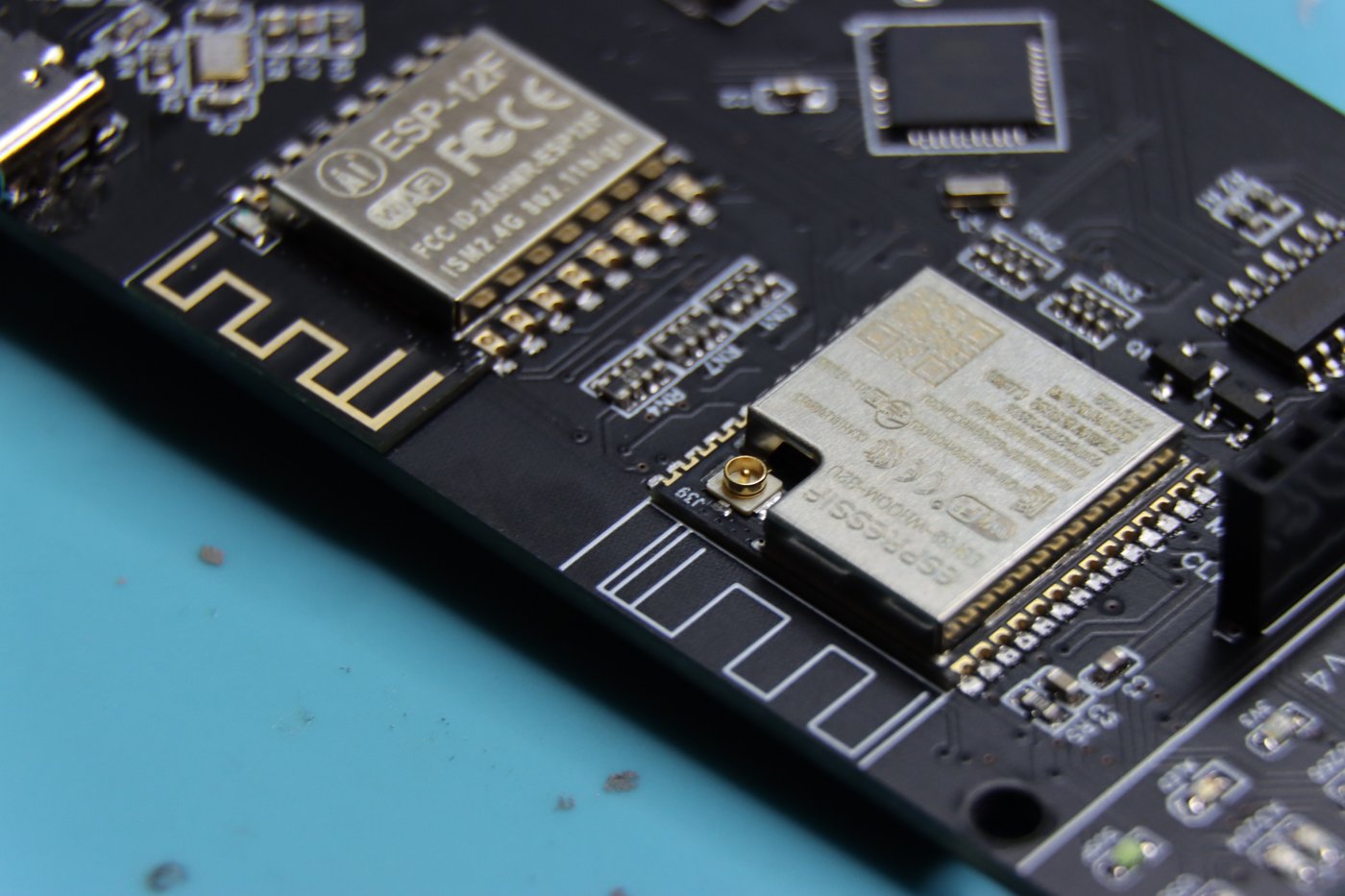
The hardware is capable; firmware throttles are legal cover
Several capabilities on Game Over are firmware-throttled rather than hardware-limited:
- Wi-Fi deauth — the ESP32-S3 will transmit deauth frames if asked to. Marauder firmware ships the capability; “Official” Flipper firmware adds a regulatory layer when commands route through the companion FAP, but the OLED standalone path bypasses that.
- Sub-GHz TX power on the CC1101 daughter — the CC1101 chip can transmit up to ~10 dBm; firmware can throttle, but you can also build your own that doesn’t.
- BLE spam — same: chip-capable, firmware-permitted.
This means the disclaimer on the Tindie product page is legal cover for the vendor, not a hardware safety. The vendor’s “not liable for damages caused by misuse or negligence” applies to you — when you use the device illegally, it’s you, not the vendor, who answers for it.
Concrete rules of engagement
Apply these every session:
Wi-Fi deauth (US/EU/most jurisdictions)
- Illegal in the US (FCC Part 15 violation — interference with authorized communications) when targeted at networks you don’t own.
- Illegal in EU under similar RTTE / RED frameworks.
- Penalties are real — FCC has issued multi-thousand-dollar fines for hotel-Wi-Fi deauth attacks.
- Legal: deauth on your own network, or with written authorization from the network owner (red-team engagement contract, permission letter, etc.).
Captive portal / Evil Portal
- Computer-fraud territory (US: CFAA; UK: Computer Misuse Act; EU: similar) the moment captured credentials are used or stored without consent.
- Legal: training environments, your own household, red-team scoped engagements.
- Not legal: any deployment that captures real credentials from non-consenting users, even passively.
BLE proximity-pairing spam
- Denial-of-service against nearby devices — Sour Apple, Samsung Buds, Microsoft Swift-Pair all create persistent pairing pop-ups that disrupt normal device use.
- Probably legal in private use (your own devices, your own household).
- Almost certainly illegal in public — deploying BLE spam in a coffee shop, hotel, conference room is a CFAA / Computer Misuse Act problem.
- Range is ~10–30 m — accidental neighbor disruption is real.
NRF24 mousejacking
- Federal computer-misuse territory if you inject keystrokes into someone else’s computer, full stop.
- Legal: testing your own keyboards/mice, demonstrating to people who consent.
- The Flipper Zero already has “Bad USB” for similar attacks via USB; NRF24 mousejacking adds a wireless vector.
Sub-GHz capture / replay (via CC1101 daughter)
- Capture: passive RX of public-broadcast information. Generally legal in the US and EU.
- Replay: re-transmitting captured signals (your own garage opener, your own car key fob, your own weather station) is legal on your own devices, illegal against third-party systems.
- Replay against vehicles is felony auto-theft territory.
- Replay against access control (gates, garage doors of others) is criminal trespass / unlawful entry territory.
PCAP capture
- Capture your own traffic: legal.
- Capture third-party traffic on a network you don’t own: wiretapping in many jurisdictions.
- Posting captures publicly that include credentials, personal info, or detailed AP locations: another legal layer entirely.
Cross-references to lab discipline
The Hack Tools/_shared/legal_ethics.md document contains the
cross-tool legal/ethics framework that applies to every device in the
Hack Tools project — Flipper, HackRF, AWOK, Game Over, future tools.
Game Over inherits all of it.
The Flipper Zero Vol 11 (parent series) covers field-workflow legal/ ethics for the broader scope of Flipper-based work.
8.1 Where Game Over fits in the lab
8.1.1 The decision matrix
When the work calls for Wi-Fi / BLE / sub-GHz / NRF24, which tool should be in your hand? Consolidated:
Table 1 — should be in your hand? Consolidated
| Job | Game Over | AWOK Dual Touch V3 | WiFi Devboard | HackRF One | Flipper alone |
|---|---|---|---|---|---|
| 2.4 GHz Wi-Fi probe sniff | ✅ | ✅ | ✅ | ⚠️ via gr-ieee802-11 | ❌ |
| 2.4 GHz Wi-Fi deauth | ✅ | ✅ | ✅ | ⚠️ via SDR-side | ❌ |
| Evil Portal | ✅ | ✅ | ✅ | ❌ | ❌ |
| BLE scan | ✅ | ✅ | ⚠️ depends on FW | ❌ | ✅ partial |
| BLE proximity spam | ✅ | ✅ | ⚠️ FW-dependent | ❌ | ❌ |
| 5 GHz Wi-Fi | ❌ | ❌ | ❌ | ⚠️ partial | ❌ |
| Sub-GHz scan | ✅ via CC1101 daughter | ❌ | ❌ | ✅ best (full SDR) | ✅ stock CC1101 |
| Sub-GHz capture/replay | ⚠️ | ❌ | ❌ | ✅ best | ✅ |
| Sub-GHz extended range (>50 m) | ✅ | ❌ | ❌ | ✅ | ❌ |
| NRF24 sniff / mousejack | ✅ via NRF24 daughter | ❌ | ❌ | ❌ | ❌ |
| Wardriving (Wi-Fi + GPS) | ⚠️ external GPS only | ✅ best | ❌ | ❌ | ❌ |
| Standalone (no Flipper) | ✅ | ✅ | ❌ | ✅ via PortaPack | ❌ |
| PCAP to SD | ✅ | ❌ | ⚠️ FW-dep | ✅ via PortaPack | ❌ |
8.1.2 When Game Over is the right answer
- Sub-GHz at extended range — your stock Flipper CC1101 has 5–10 m range; Game Over’s CC1101 daughter with a proper antenna gets 70– 150 m. When you’re auditing a garage opener two houses away (your own), Game Over wins.
- NRF24 mousejack — neither AWOK nor stock Flipper does this; if you need this capability, Game Over with the NRF24 daughter is the cleanest answer in the lab.
- Multi-vector handheld — you want one device that does Wi-Fi + BLE + sub-GHz simultaneously, with a screen, no Flipper required — Game Over is the only board in the lab that does all of those.
8.1.3 When Game Over is NOT the right answer
- Wardriving with GPS → AWOK Dual Touch V3 (built-in GPS, dual ESP for parallel work).
- 5 GHz Wi-Fi → none of the lab’s tools do this currently; Apex 5 would be the gap-filler.
- Real SDR work (broad spectrum survey, signal analysis, novel protocol decoding) → HackRF One. Game Over’s CC1101 is a single- protocol radio, not an SDR.
- First-party / regulatory-clean Wi-Fi work → official WiFi Devboard. Game Over isn’t FCC-certified for the attack modes it enables; if you need that paper trail, use the official.
- Fast iteration / development → WiFi Devboard or a bare ESP32-S3 dev board with a screen. Game Over’s vendor binary is closed-source; the modding path exists but is more work than starting from a clean dev board.
8.1.4 Pairing recommendations
Game Over + Flipper Zero (mounted) — full coverage of 2.4 GHz Wi-Fi, BLE, NRF24 (with daughter), sub-GHz (with daughter), plus the Flipper’s own NFC / IR / iButton. The natural “everything below 6 GHz that isn’t a real SDR” handheld combo. This is the recommended primary pairing for Game Over.
Game Over + AWOK Dual Touch V3 — both bench Wi-Fi auditors, with overlapping but complementary feature sets. Use both when:
- AWOK does the GPS-tagged wardriving leg.
- Game Over does the daughter-card-required work (sub-GHz / NRF24) the AWOK can’t.
Don’t run both tethered to the same Flipper simultaneously — they’d contend for the same UART path. Treat them as sibling tools, not co-mounted ones.
Game Over + HackRF One PortaPack — Game Over does protocol-aware work (Marauder Wi-Fi, NRF24 mousejack); HackRF does spectrum survey and novel-protocol RX. Two devices, complementary.
Game Over + RTL-SDR (when acquired) — RTL-SDR provides cheap multi-band RX for parallel monitoring while Game Over operates on a specific band. Less compelling than HackRF combo (RTL-SDR is RX-only) but useful for budget-constrained sessions.
8.2 Recommended workflow integration
8.2.1 The “Game Over field session” template
For any Game-Over-led session (e.g. auditing a network you have authorization to test):
- Pre-session: verify Game Over firmware version (vendor or upstream Marauder), microSD card mounted, antennas installed, daughter card matching the planned work.
- Pre-session: dedicated Game-Over-host Flipper (per Vol 5 recommendation), powered Game Over via its own USB-C, not the Flipper rail.
- Session start: log file naming convention — date-stamped subdirectory on SD.
- During: keep deauth/spam bursts short (~5 min max), rest periods between, watch RGB LED for power instability.
- Post-session: pull SD card, transfer logs to project archive
(
Hack Tools/Flipper Zero/03-outputs/captures/{date}/). - Post-session: wipe SD if required by engagement contract; otherwise archive in encrypted form.
- Post-session: document findings in the project’s session-log format.
8.2.2 The “Game Over lab session” template
For lab work (testing your own gear, exploring features):
- Setup: Game Over on a known-good SD, antennas installed, stock or upstream Marauder firmware.
- Goal definition — write a one-line “what am I testing today” at the top of your session notes.
- Run experiments — capture interesting traces, save to SD, note RSSI / channel / target details.
- Reset between experiments — power cycle Game Over to ensure clean state. Cheap insurance against firmware state contamination.
- Archive findings — anything reproducible goes into
Hack Tools/Flipper Zero/03-outputs/notes/with a brief writeup.
8.3 MY_GEAR registration — game-over-host
The third Flipper unit dedicated to Game Over hosting is registered in
MY_GEAR/inventory.yaml with the working nickname game-over-host.
Per the established AWOK precedent (AWOKflip), the new entry has
placeholder identifying details (asset_tag, serial_number, hw_revision
captured as TBD pending walk-through) and the Game Over module
attached as a single modules: entry.
Walk-through items to capture on first sit-down with the unit:
- Serial number (from CLI
device infoor back-of-case silk). - Hardware revision and UID hash (from CLI
device info→Hardware revisionfield). - Asset tag (assign new from
TJ-series; TJ411 and AWOK-host are already taken —TJ-GOor similar). - Photograph the back-of-case label.
- Confirm Flipper firmware (Momentum mntm-012 expected per Vol 5 recommendation).
- Confirm Game Over firmware (vendor binary as shipped, until decision to reflash per Vol 3 § 8).
- Confirm daughter card installed (or note “no daughter” if bare).
- Confirm microSD card brand (Lexar / Kingston preferred per Vol 7 § 2).
The unit’s narrative sidecar (game-over-host.md) follows the same
template as AWOKflip.md — Hardware identification → Configuration
intent → Why this loadout → Firmware update procedure → Cross-references
→ Updates / maintenance log.
References
Primary sources
- Game Over Tindie product page
- End Game Tindie page (predecessor)
- ruckus // section80 reviews on Tindie
- Browse all ruckus // section80 products
- Vendor’s update tutorial (YouTube)
- Game Over quick look (YouTube)
Firmware projects
- ESP32 Marauder (upstream)
- Marauder Releases (binaries)
- Marauder Wiki — Flipper Zero
- Marauder Wiki — Update Firmware
- Ghost ESP repo
- Ghost ESP — supported boards
- Bruce firmware
Flashing tools
Flipper firmware projects
Sibling/parent docs in this project
- Parent: Flipper Zero deep dive (12 volumes)
- Vol 9 §2.2 — Game Over catalog entry
- Vol 9 §2.3 — AWOK catalog entry
- AWOK Dual Touch V3 deep dive (sibling module deep dive)
- Module ecosystem research notes
- Cross-tool comparison matrix
- Lab legal/ethics rules
Community resources
- RogueMaster awesome-flipperzero-withModules
- djsime1 awesome-flipperzero
- Flipper Community Wiki — Hardware Overview
- Flipper docs — GPIO & Modules
8.4 End of series
This is the end of the Game Over module deep dive. Eight volumes, ~250 KB of source material, covering identity through legal posture with the firmware-decision content as the load-bearing core.
The series is maintained alongside the parent Flipper Zero deep dive — when hardware or firmware facts change (V2 of Game Over released, vendor opens the source repo, Marauder major version, Flipper firmware lineage shift), update both this series and Vol 9 § 2.2 of the parent.
Last updated 2026-05-11.
Comments (0)