Ruckus Game Over · Volume 3
Game Over Module — Volume 3
Firmware Ecosystem & Sourcing
This volume covers what software runs on Game Over’s ESP32-S3, where to get it, and what to verify. It is the most important volume in the series for one specific reason: the Game Over firmware sourcing situation is not normal, and the deltas from “normal” matter operationally.
Read this volume before flashing anything. Vol 4 covers the actual flash mechanics; this volume covers the decision matrix.
3.1 The supply-chain situation (the core issue)
3.1.1 What ships on the board
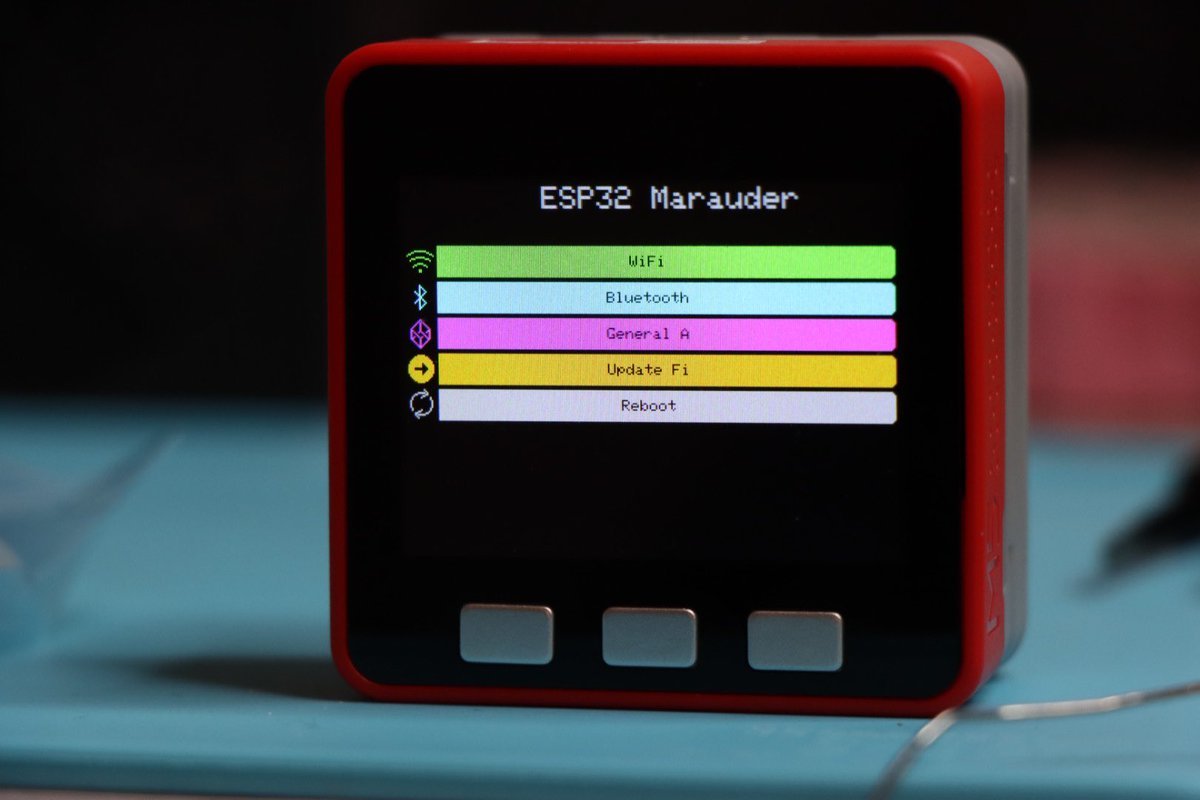
When you receive a Game Over from Tindie, the ESP32-S3 comes pre-flashed with what the vendor calls “the Wifi Marauder firmware.” What that means in detail:
- It is a fork of
justcallmekoko/ESP32Marauder(upstream). - The fork is modified for Game Over hardware — OLED driver, joystick input handling, daughter-slot pin assignments, RGB-LED status mapping, microSD path tuning.
- The fork is maintained by ruckus // section80, the vendor.
- The fork’s source code is not published on GitHub or anywhere else that I can find. The vendor explicitly credits justcallmekoko (“Full credit to justcallmekoko for wifi marauder firmware: GitHub”) but doesn’t link to their own fork.
This is the core supply-chain caveat. You’re running closed-source binary firmware on an attached peripheral that has full Wi-Fi/BLE/sub- GHz/NRF24 radio access.
3.1.2 What “dirty_flasher” is
The vendor’s distribution channel for firmware updates is a tool called dirty_flasher, currently labeled (BETA). It is:
- A flashing utility (likely Python or Electron) that downloads the current Ruckus Marauder fork binary and writes it to the Game Over’s ESP32-S3 over USB serial.
- Distributed by the vendor, not open-sourced as far as I can find.
- The canonical update path the vendor recommends — the product description literally says “Firmware available here: dirty_flasher (BETA).”
- Functionally equivalent to FZEE Flasher / VoyagerRF / esptool.py —
it’s just a wrapper over
esptoolwith vendor-specific binary URLs baked in.
This pattern — vendor-controlled flasher with no public binary URLs you can inspect — is what makes the situation a supply-chain issue rather than just a normal firmware-distribution one.
3.1.3 Why this is a real concern (not paranoid)
Practical attack surface that closed-source vendor firmware introduces on a multi-radio peripheral:
- The radio access is total. The ESP32-S3 has full control over Wi-Fi (probe + deauth + capture), BLE (scan + advertise + GATT client/server), and via the daughter slot, sub-GHz CC1101 or NRF24. A compromised firmware could exfiltrate data, sniff networks, or participate in a botnet.
- The Flipper UART bridge means the firmware can send arbitrary commands to the Flipper companion FAP — and on some Flipper firmwares (especially Momentum’s permissive JS runtime), an upstream ESP can trigger actions the user didn’t initiate.
- You’ve handed it your Wi-Fi network access (when you connect it to your home Wi-Fi for OTA updates or web-UI configuration). It can then phone home.
- You’ve got a microSD slot. A compromised firmware could write to the SD and pivot to anything that later reads the SD on a host machine.
The risk is not “the vendor is malicious” — by all observable signals, ruckus // section80 is a one-person shop running an honest business. The risk is:
- The vendor’s build environment could be compromised without their knowledge.
- The vendor’s infrastructure could be compromised (the dirty_flasher binary host, the Tindie account, etc.).
- A future ownership change could see the brand sold to a less-good actor.
- You can’t audit what you can’t see. “Trust the vendor” is not the same as “verify the binary.”
3.1.4 What to actually do about it
The mitigations, ordered from cheapest to strictest:
3.1.4.1 Status quo (cheapest, lowest paranoia)
Run the vendor binary as shipped. Don’t connect Game Over to your home Wi-Fi. Don’t use it on networks where you’d be embarrassed by traffic analysis. Treat it as you’d treat a plug-in hardware tool from any small-shop maker — useful, modestly trustworthy, contained.
This is what 99% of Game Over buyers do. It is probably fine, and it is the default this series describes in Vols 4–6 for that reason.
3.1.4.2 Switch to upstream Marauder (recommended for a security-aware posture)
Reflash the board with justcallmekoko’s upstream Marauder binary — the open-source canonical version. Lose any Game-Over-specific modifications (probably some OLED-driver-tuning niceties). Gain:
- A binary built from public source you can read.
- A binary built from a public CI pipeline you can spot-check.
- A binary identical to what runs on the Marauder Dev Board Pro and similar reference hardware.
The upstream binary that targets Game Over’s class of hardware is
labeled in Marauder releases as the Marauder Dev Board Pro binary
(..._marauder_dev_board_pro.bin). Game Over’s hardware is very close
to that reference design — close enough that the binary works.
Caveats:
- The OLED + joystick might not light up correctly on first boot if the upstream pin assignments don’t match Game Over’s. You may need to build from source and adjust the pin map (Vol 3 § 6).
- The RGB status LED might not work. Functional cost, not blocking.
- The daughter-slot SPI bus should work — same reference pinout.
- The microSD should work — same SPI bus.
For a security-aware operator with lab discipline who prefers auditable binaries, this is the recommended firmware path.
3.1.4.3 Switch to Ghost ESP
Ghost ESP (Spooks4576/Ghost_ESP) is an alternative ESP32 pentest
firmware family with broader BLE-spam coverage and runtime-loadable
captive portal HTML. Ghost ESP supports ESP32-S3 boards but per the
project’s own documentation does not have full feature parity with
Marauder on the Marauder dev-board-pro hardware family — including
Game Over.
Specific Ghost ESP gaps on Game Over class:
- No microSD support on Marauder V6 / AWOK Mini / similar boards by the project’s own architectural decision. Whether Game Over inherits this gap is unclear (the documentation lumps “Marauder V6 family” together loosely). Verify before betting on PCAP capture.
- OLED driver may need pin-map tweaks — Ghost ESP targets a different default OLED pinout in some builds.
- No Flipper companion FAP integration as polished as Marauder’s — the Ghost ESP companion FAP is improving but lags Marauder’s in Game-Over-specific features.
For Game Over, Ghost ESP is plausible but not the recommended starting point. Use it if you specifically want Ghost ESP’s BLE-spam variants or runtime-loadable Evil Portal.
3.1.4.4 Switch to Bruce
Bruce (BruceDevices/firmware, formerly pr3y/Bruce) is the M5Stack
Cardputer / CYD (“Cheap Yellow Display”) class of multi-tool ESP32
firmware. Excellent UI, broad capability, great for capacitive-touch
boards.
Bruce is not officially listed as Game Over compatible. The official Supported Devices matrix covers M5Stack, LilyGo, CYD, and similar — not Game Over. Community ports may exist in forks but should be treated as experimental.
For Game Over, skip Bruce unless you have a specific reason. Cardputer is a much better Bruce host (and that platform is on the Hack Tools roadmap anyway).
3.1.4.5 Build your own from ESP-IDF
The DIY option. Clone the upstream Marauder source (or write your own ESP32-S3 sketch from scratch), set the pin map for Game Over hardware (Vol 2 § 3.3 has the inferred mapping), build, flash. Strictest path — you control everything, including the bootloader and partition table.
Realistic for an operator with a PCB-fab and assembly lab background and decades of embedded experience. The Marauder build pipeline is straightforward PlatformIO; the only Game-Over-specific work is the pin-map and peripheral init.
This is the right path if:
- You want to add a feature the vendor binary doesn’t have (e.g. Wi-Fi 6, custom protocol decoder, or Mesh networking).
- You want full audit trail.
- You want to experiment with the daughter slot in non-standard ways (e.g. driving an arbitrary SPI peripheral from there, not just CC1101 or NRF24).
Vol 3 § 6 covers the steps in detail.
3.2 The Marauder fork lineage in detail
To understand what’s on the board, it helps to understand the family tree:
   ┌──────────────────────────────────────────┐
   │  justcallmekoko/ESP32Marauder (upstream) │
   │  - Public GitHub                         │
   │  - PlatformIO build, public CI           │
   │  - Reference for Marauder Dev Board Pro  │
   │  - All pins / drivers documented in src  │
   └──────────────────────────────────────────┘
                      │
                      │  fork (closed source)
                      ▼
   ┌──────────────────────────────────────────┐
   │  Ruckus Marauder fork                    │
   │  - Used on Game Over (vendor binary)     │
   │  - Game-Over-specific OLED tuning        │
   │  - Joystick handler                      │
   │  - RGB status mapping                    │
   │  - Daughter-slot init verbatim           │
   │    (reference-design compatible)         │
   │  - Distributed via dirty_flasher         │
   │  - No public source                      │
   └──────────────────────────────────────────┘
The fork’s modifications are real but small. The headline Marauder features (probe sniff, deauth, evil portal, BLE spam, NRF24 sniffer, sub-GHz capture via CC1101) are all upstream features — the fork doesn’t add capabilities, it adapts upstream to Game Over hardware specifically.
This is why swapping back to upstream Marauder is feasible with some tweaking: the underlying functionality is the same; the difference is just hardware-init code.
3.2.1 What the fork might have changed
Because the fork’s source isn’t public, this is partial speculation:
- Boot splash / branding — almost certainly customized to say “Game Over” instead of “Marauder.”
- Default attack settings — TX power throttled to mitigate brownouts (the vendor’s documented mitigation history per Vol 2 § 8.3).
- OLED layout — repacked for the SSD1306 128×64 vs Marauder’s reference for ILI9341 240×320 type screens.
- Joystick handling — Game Over has 3-way; reference Marauder Dev Board Pro typically has 5-way or 6-button + scroll.
- Default file paths — log file naming conventions the vendor prefers.
- Update mechanism — possibly hooks into dirty_flasher’s auto-update protocol.
None of these are user-facing capability changes. None require Marauder’s core features to differ.
3.3 Marauder feature surface (relevant to Game Over)
What Marauder gives you on Game Over hardware (vendor fork or upstream):
3.3.1 Wi-Fi (ESP32-S3 native)
- AP scan — list all visible 2.4 GHz Wi-Fi APs with SSID, BSSID, channel, RSSI, encryption.
- Station scan — list all visible Wi-Fi clients (STAs) with MAC, associated AP, signal.
- Probe-request sniff — log probe requests (the SSIDs devices ask for when looking for known networks). Useful for finding “ghost” SSIDs that no longer exist physically but are still being probed.
- Beacon spam — broadcast a list of fake APs.
- Targeted deauth — deauth flood a specific AP or AP+client pair.
- Evil Portal — captive-portal phishing with bundled or SD-loaded HTML.
- Karma / probe responder — respond to probes with matching SSIDs to attract clients (PineAP-style).
- PMKID capture — capture the PMKID handshake (WPA/WPA2 cracking prep work).
- PCAP capture — write all sniffed traffic to SD as a standard PCAP file readable by Wireshark.
3.3.2 BLE 5.0 (ESP32-S3 native)
- BLE scan — list visible BLE advertisements with MAC and RSSI.
- Sour Apple — Apple AirDrop / pairing-popup spam.
- Samsung Buds spoofing — Galaxy ear-buds pairing pop-ups.
- Microsoft Swift-Pair spoofing — Windows pairing-pop-ups.
- BLE spam (general) — broadcast crafted advertisements.
- GATT client — connect to advertised devices (limited; not the point of Marauder).
3.3.3 Sub-GHz (via CC1101 daughter)
When the CC1101 daughter is installed:
- 433/868/915 MHz scan — sweep the band for active transmissions with RSSI.
- Capture / replay — record a transmission, replay it. Less polished than the Flipper’s onboard sub-GHz UI, but operates from the OLED.
- Brute-force sub-GHz — for legacy fixed-code remotes.
This is not a substitute for the Flipper’s native sub-GHz UI. The Flipper’s sub-GHz handling (with .sub file format, protocol-aware decoders, proper UX) is much better. The Game Over CC1101 daughter is useful when you want to sniff sub-GHz simultaneously while doing Wi-Fi work (two parallel channels of attention via the OLED + Flipper), not as the primary sub-GHz tool.
3.3.4 NRF24 (via NRF24 daughter)
When the NRF24 daughter is installed:
- MouseJack scan — find vulnerable wireless mice/keyboards using the Logitech / Microsoft / Dell unifying-receiver protocols.
- MouseJack inject — inject keystrokes into vulnerable receivers.
- NRF24 sniff — generic 2.4 GHz NRF24 sniffer (with shockburst).
This is the canonical way to do mousejack work from a Flipper-attached device. The Flipper itself has no NRF24 silicon, so this is a real capability extension — not a duplicate of a Flipper feature.
3.3.5 What Marauder doesn’t give you on Game Over
- No 5 GHz Wi-Fi — silicon limit.
- No NFC — no NFC silicon.
- No IR — no IR silicon.
- No GPS unless you bring an external feed (Vol 6 § 5).
- No Bluetooth Classic — the ESP32-S3 has BLE only.
3.4 Where to get the firmware (concrete URLs and procedures)
3.4.1 Vendor Marauder fork (default)
Channel: the dirty_flasher tool, distributed through the vendor’s support channel (Tindie product page / direct email).
Procedure: Vol 4 § 2.
Status: BETA, per vendor labeling. Has been “BETA” for at least a year, indicating “released and supported” rather than “actually unstable.”
Verify what you got: if the vendor is willing, ask for the SHA256 of the binary they distributed. Compare across multiple buyers to detect targeted tampering. (Realistic: most buyers won’t bother; the threat model is broad supply-chain compromise, not targeted attack.)
3.4.2 Upstream Marauder (recommended audit-friendly path)
Channel: github.com/justcallmekoko/ESP32Marauder/releases
Binary to use: the Marauder Dev Board Pro variant. Release file
names look like
esp32_marauder_v0.13.X_marauder_dev_board_pro.bin. (Version numbers
update; check the latest release.)
Verify: GitHub Releases provides SHA256 sums in the release notes, and the binary is built by GitHub Actions from public source — both auditable.
Procedure: Vol 4 § 5 (manual esptool flash).
3.4.3 Ghost ESP
Channel: github.com/Spooks4576/Ghost_ESP/releases and the
project’s web flasher at ghostesp.net.
Binary to use: check Ghost ESP’s “Supported Boards” page — specifically look for “Marauder Dev Board Pro” or generic ESP32-S3 preset. Game Over is not specifically listed.
Procedure: Vol 4 § 6.
3.4.4 Custom IDF / PlatformIO build
Channel: clone Marauder upstream, modify pin assignments, build.
Procedure: Vol 3 § 6 (this volume).
3.5 Building your own (DIY route)
This is a 1–2 hour exercise the first time, and a 10-minute rebuild thereafter. Worth doing once to have an auditable binary in the archive, even if the vendor fork is the day-to-day choice.
3.5.1 Setup
Prerequisites:
- PlatformIO (VS Code extension or CLI).
- Python 3.8+ for esptool dependencies.
- Git to clone Marauder upstream.
Clone Marauder:
git clone https://github.com/justcallmekoko/ESP32Marauder
cd ESP32Marauder
The PlatformIO config is at platformio.ini. Multiple build
environments exist for different boards.
3.5.2 The Game-Over-specific config
Find the Marauder Dev Board Pro environment in platformio.ini. It
will look something like:
[env:marauder_v6_1]
platform = espressif32
board = esp32-s3-devkitc-1
framework = arduino
build_flags =
    -D MARAUDER_DEV_BOARD_PRO
    -D HAS_DUAL_BAND=0
    -D HAS_GPS=0
    -I include/configs/marauder_dev_board_pro
Make a copy of this environment renamed [env:game_over] so you can
diverge without breaking the upstream environment:
[env:game_over]
platform = espressif32
board = esp32-s3-devkitc-1
framework = arduino
build_flags =
    -D GAME_OVER
    -D MARAUDER_DEV_BOARD_PRO    ; reuse pin map for now
    -D HAS_DUAL_BAND=0
    -D HAS_GPS=0
    -I include/configs/marauder_dev_board_pro
Then create include/configs/game_over/ as a copy of the dev board pro
config and adjust:
- OLED I²C pins if Game Over differs from the dev board pro.
- Joystick GPIOs (Game Over has 3-way; dev board pro typically 5-way).
- RGB LED GPIO (single-pin WS2812 vs three-pin RGB depending on board variant).
The first build attempt will boot to a black OLED if any I/O is wrong; debug via the Flipper’s UART bridge (which works regardless of OLED).
3.5.3 Building and flashing
pio run -e game_over -t uploadThis builds, then flashes via whichever USB-C port (Game Over’s own or
the Flipper’s UART bridge) PlatformIO can see. For the Flipper bridge
path, set upload_port = /dev/ttyACM0 (Linux/Mac) or the appropriate
COM port.
3.5.4 Iterating
Typical first-time issues:
- OLED stays black — likely I²C pin mismatch. Check Vol 2 § 4.1 for the typical Marauder OLED pinout and adjust your config.
- Joystick doesn’t respond — wrong GPIOs or active-low/high inversion. Probe pins with a multimeter while pressing each direction.
- Daughter card not detected — daughter-slot SPI pins wrong. Use the Tindie pinout (Vol 2 § 5.1) → translate Flipper net names to ESP32-S3 GPIOs.
- Marauder UI shows but no Wi-Fi work — Wi-Fi init succeeded but attacks fail; check that the antenna SMA is properly seated.
Iterate until everything works. Then snapshot the working config:
git diff > game_over_pinmap.patch…and you’ve got an auditable build pipeline.
3.6 Update procedures summary
Table 1 — 7. Update procedures summary
| Path | Source | Tool | Use when |
|---|---|---|---|
| Vendor binary | dirty_flasher (vendor) | dirty_flasher | Default, fastest start |
| Upstream Marauder | GitHub Releases | esptool.py / Marauder web flasher | Audit-friendly preferred path |
| Ghost ESP | GitHub Releases / ghostesp.net | Ghost ESP web flasher | Want Ghost ESP-specific features |
| Custom IDF | Your fork | PlatformIO | Need custom features or full audit |
Vol 4 covers each path’s actual flash mechanics.
3.7 Decision recommendation
For a security-conscious, audit-preferring operator with embedded-firmware comfort:
- Buy the Game Over with the vendor binary pre-installed. It works. You can use it day-1.
- Keep that binary as one option. Don’t reflash immediately.
- Within the first month, flash upstream Marauder (the Dev Board Pro binary) and verify it works. This is your audit-friendly default.
- At your leisure, fork the Marauder repo, set up a Game-Over- specific config, and build your own. This is your trust-anchor binary — built from your own checkout.
- Keep all three binaries archived in the Hack Tools project so you can A/B them. Note in MY_GEAR which one is currently flashed.
This is consistent with the AWOK deep dive’s recommended progression (start with the safe default, evolve to auditable). The supply-chain caveat is sharper for Game Over than for AWOK because of the closed-source-vendor-fork issue, which is why the audit step matters more here.
3.8 What’s next
Vol 4 covers the actual flash mechanics — every step of every procedure listed in § 7, with recovery paths.
Comments (0)