Bus Pirate 6 · Volume 6
Bus Pirate 6 Volume 6 — Protocol Modes I — UART, HDUART, I²C, SPI
The four daily-driver protocols: baud hunt, listen-mode HDUART, I²C scan + EEPROM workflows, SPI flash dump end-to-end
6.1 About this volume
These are the four protocol modes you’ll use almost every session. Together they cover roughly 80% of real-world embedded-bring-up work — anything that isn’t sub-GHz RF, JTAG/SWD, or one of the less-common modes (Vol 7).
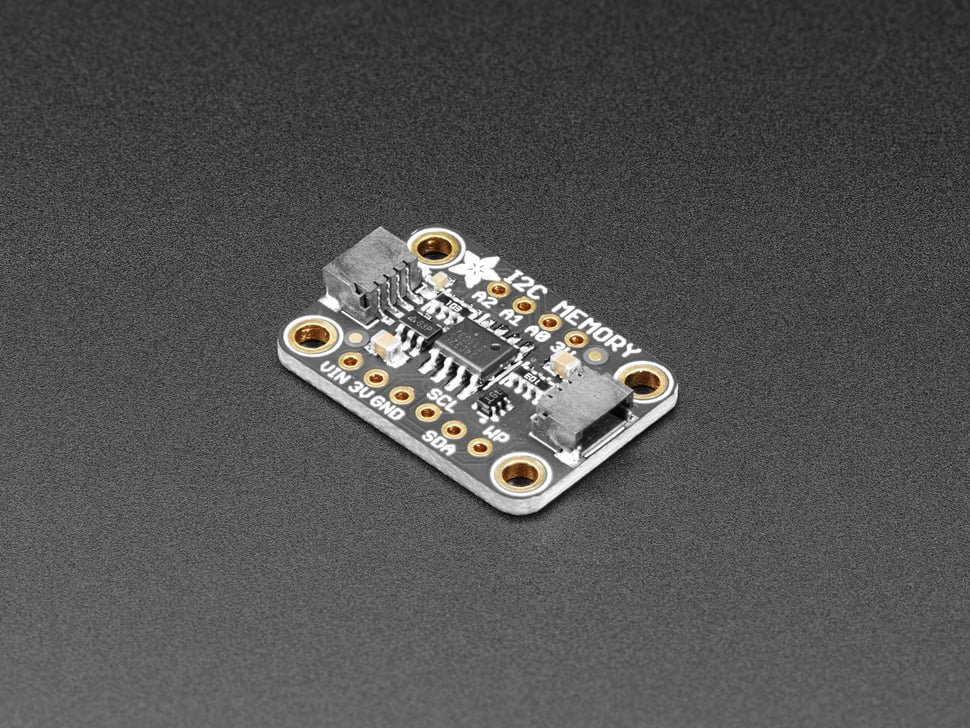
This volume assumes you know what UART, I²C, and SPI are at the bit-level. The job here is to teach you how the BP6 handles them — the setup wizard, the syntax-language patterns, the BP6-specific commands (scan, eeprom, flash, ddr5), and the workflows that distinguish “I can run a transaction” from “I can dump a chip without thinking about it.”
Cross-references back to Vol 4 for the syntax language and to Vol 5 for the mode-agnostic features (PSU, voltage read, pull-ups). Forward references to Vol 8 for the adapter ecosystem and to Vol 9 for end-to-end workflows that span multiple commands.
6.2 UART mode
6.2.1 Entering UART mode and the setup wizard
HiZ> m
1. HiZ
2. 1-WIRE
3. UART
4. HDUART
5. I2C
6. SPI
7. 2WIRE
8. 3WIRE
9. DIO
10. LED
11. INFRARED
12. JTAG

Mode> 3
The UART setup wizard then prompts for:
- Baud rate — pick from common values (300, 1200, 2400, 4800, 9600, 19200, 38400, 57600, 115200, 230400, 460800, 921600) or enter a custom value.
- Data bits / parity / stop bits — typically 8N1 (8 data, no parity, 1 stop). Other common forms: 7E1 (7 data, even parity, 1 stop) for old-school serial, 8N2 (8 data, no parity, 2 stops) for some industrial protocols.
- Pin polarity — Idle-high (the normal RS-232 / TTL UART) or idle-low (rare; inverted UART used by some embedded targets).
- Bit order — LSB-first is standard for UART (set automatically; advanced wizard exposes it).
After the wizard, the BP6 enters UART mode. The prompt changes to UART> to remind you what mode you’re in.
6.2.2 Pin assignment (TX, RX, optional CTS/RTS)
Default UART pin assignment:
Table 1 — Default UART pin assignment
| BP6 IO | UART signal |
|---|---|
| IO0 | TX (data BP→target) |
| IO1 | RX (data target→BP) |
| IO2 | RTS (optional flow control) |
| IO3 | CTS (optional flow control) |
The setup wizard lets you reassign if needed. For most targets, just IO0/TX and IO1/RX are needed; flow control is rare in embedded contexts.
Connect TX (IO0) to the target’s RX, and RX (IO1) to the target’s TX — the names cross over. This is the most common bring-up mistake on UART: connecting TX-to-TX (which does nothing — both sides are pushing high together with no one receiving).
GND is required. The level translator handles the voltage match — set the PSU to the target’s logic level before driving (Vol 5 § 2).
6.2.3 Baud rate and framing
The BP6 uses a PIO state machine for UART (Vol 3 § 6.1, hwuart.pio). The PIO clock divider sets the baud rate. Achievable baud range: roughly 300 baud to 4 Mbaud. The high end is limited by clock granularity (the PIO clock divider has finite resolution; very high baud rates may drift by 1-2%).
Framing modes supported:
- 5/6/7/8 data bits
- None / Even / Odd parity
- 1 / 1.5 / 2 stop bits
The most common combinations all work cleanly; weird combinations (5 data + space parity, etc.) may require a custom PIO program — not in stock firmware.
6.2.4 The baud-hunt procedure
When you don’t know the target’s baud rate (very common with unlabeled UART headers):
- Enter UART mode at 115200 8N1, idle-high (the most common defaults).
- Connect TX/RX cross-wired and GND.
- Wait for the target to print something — boot messages, prompts, anything.
- If you see gibberish (random non-printing bytes), the baud is wrong. Cycle through common values in descending likelihood: 115200, 9600, 57600, 38400, 19200, 230400, 460800.
- If you see plausible ASCII, you’ve got it.
Or, the automated baud-hunt approach (informal, since the BP6 firmware doesn’t yet have a baudhunt command — it’s in the queued-features list per the forum):
- Capture some target data at, say, 115200 baud (gibberish OK).
- Eyeball the timing of edges in the captured bytes (via the look-behind buffer + PulseView, Vol 9). Typical bit period = 1 / baud. Measure the shortest 0-to-1 or 1-to-0 transition that’s stable; that’s roughly one bit period.
- Compute the baud as 1 / measured-period.
The smaller and faster path: just try common baud rates manually. Most embedded targets use one of half a dozen standard values.
6.2.5 Listen / sniffer mode
UART mode supports a listen-only mode where the BP6 doesn’t drive TX, only watches RX. Useful for non-intrusive debug: tap the target’s UART without risking accidental writes.
Enter listen mode via the UART setup wizard (option appears after baud-rate selection) or via a command-line option. In listen mode:
- TX (IO0) goes high-impedance — the BP6 doesn’t drive it.
- RX (IO1) reads target traffic.
- Any byte received prints to the BP6 terminal automatically.
Combine with [/] to wrap a listen session: [ r:100 ] reads 100 bytes (or times out waiting). Or use the transparent UART bridge (§ 2.6) which is even more convenient for interactive use.
6.2.6 Transparent UART bridge
The most useful UART feature: transparent bridge mode, where the BP6 becomes a USB-to-UART converter and the host PC sees the target’s UART directly.
Procedure:
- Enter UART mode at the right baud.
- Type
bridge(or whatever the firmware’s current command name is — seecommands/uart/). - The BP6’s USB-CDC port now mirrors the target’s UART. Anything you type on the host goes to the target; anything the target sends comes to your terminal.
- Exit bridge mode with a special escape sequence (firmware-defined; usually
~.or Ctrl-`).
This makes the BP6 a strict competitor to dedicated USB-UART bridges (FTDI FT232 chips, etc.) — with the addition that the BP6 can also do other things, so you don’t need a separate USB-UART cable.
6.2.7 MIDI (the 31.25 kbaud preset)
MIDI is just UART at a specific baud rate: 31,250 baud, 8N1, idle-high. The BP6 firmware has no separate “MIDI mode” — you enter UART mode and select 31250 baud.
Use case: talk to a MIDI synth, controller, or sequencer. The BP6’s 5 V drive (via level translator if needed) is compatible with most MIDI hardware which uses TTL-level 5 V signaling on a 5-pin DIN or 3.5 mm TRS connector.
Pin mapping at the MIDI connector (5-pin DIN):
- Pin 2 — GND
- Pin 4 — VCC (5 V) — often through current-limiting resistor
- Pin 5 — MIDI data (one direction; the connector has separate IN and OUT)
Connect IO0/TX to MIDI Pin 5 (with appropriate level shifting if necessary), GND to MIDI Pin 2, and you can transmit MIDI messages from the syntax language: [ 0x90 0x3C 0x40 ] sends a “note-on for middle C at velocity 64” message.
6.3 HDUART mode (half-duplex single-wire)
6.3.1 What “half-duplex single-wire UART” actually means
HDUART is regular UART framing (start bit, data bits, parity, stop bits) but on one wire, half-duplex — both directions share the same physical line. Either the BP6 or the target can drive at any time, but not both simultaneously.
The wire is typically pulled high by an external pull-up (commonly 1 kΩ to a known rail), and either side pulls low to transmit. This is the same electrical idea as I²C (open-drain with shared pull-up), but the framing is UART’s start-bit / data / stop-bit pattern instead of I²C’s address / data / ACK.
Use cases:
- LIN bus (automotive networking; § 3.2)
- K-Line / KWP2000 / ISO 9141 (automotive diagnostics; § 3.3)
- Single-wire smart-card protocols (forward-ref to Vol 7 § 6)
- Some industrial sensors with a single-wire serial interface
6.3.2 LIN bus
LIN (Local Interconnect Network) is the cheap-cousin bus that complements CAN in modern cars — wherever a sub-system doesn’t need CAN’s bandwidth, LIN is used. Window switches, seat adjusters, mirror controls, low-cost sensors.
Electrical: 12 V single-wire, with a transceiver chip (typically a TJA1021 or similar) that interfaces between the 12 V LIN line and a 3.3 V or 5 V MCU’s UART. The BP6 cannot drive 12 V directly, so to interface with a real LIN bus you need a transceiver IC between the BP6 and the LIN line.
For workbench / development LIN work (talking to a sensor IC that has its own LIN transceiver), connect the BP6’s HDUART to the transceiver’s UART side and let the transceiver handle the 12 V translation.
Standard LIN baud rates: 9600, 19200 baud. The BP6’s HDUART wizard supports these as presets.
6.3.3 K-Line and KWP2000 / ISO 9141 (automotive diagnostics)
K-Line is the older single-wire automotive diagnostic protocol — pre-CAN, still found on pre-2008 European cars (and some later). Runs at 10,400 baud (the canonical K-Line speed) on a 12 V single-wire bus.
ISO 9141 / KWP2000 are the protocol layers on top of K-Line — request/response frames for reading engine fault codes, sensor data, etc. The OBD-II port on a 1996+ vehicle exposes K-Line on pin 7 (and a few related pins for ISO/9141 init handshake).
Same transceiver requirement as LIN — the BP6 needs an external 12 V K-Line transceiver to talk to a real car. For bench testing of K-Line ECUs in an off-vehicle setup, you can simulate the bus at TTL voltage levels with a single pull-up.
6.3.4 Listen mode (firmware Mar 2026 addition)
The HDUART listen mode added in March 2026 (Vol 3 § 10, PR #295) is the most consequential recent firmware addition for this volume. Before March 2026, HDUART always drove the line during reads — the BP6 would pull the line low briefly to assert the start condition, which would interfere with an active bus.
With listen mode, the BP6 goes truly high-impedance and just watches the line — no driving, no interference. This is what makes the BP6 a viable LIN sniffer or K-Line passive monitor for diagnostic work.
Enable listen mode via the HDUART setup wizard or with the listen command at the HDUART prompt. The BP6 watches the line, parses bytes per the configured framing, and prints them to the terminal.
If you’re tracking a 2026 build: make sure you have at least the March 2026 firmware before relying on HDUART for passive monitoring. Older builds will work for active read/write but not for true sniffing.
6.4 I²C mode
The most-used mode for non-flash work. I²C connects to sensors, EEPROMs, RTCs, power-management ICs, expanders, and most modern peripherals that talk in bytes.
6.4.1 Entering I²C mode and the setup wizard
HiZ> m
Mode> 5
Wizard prompts:
- Speed: 100 kHz (standard), 400 kHz (fast mode), 1 MHz (fast mode plus). Default 100 kHz.
- Pull-ups: typically yes (most embedded targets don’t include their own bus pull-ups; the BP6’s 10 kΩ pull-ups are the bus drivers).
- 7-bit vs 10-bit addressing: default 7-bit. 10-bit is rare; almost all I²C devices use 7-bit addressing.
6.4.2 Pin assignment (SDA, SCL) and pull-ups
Default pins:
Table 2 — Default pins
| BP6 IO | I²C signal |
|---|---|
| IO0 | SDA (data) |
| IO1 | SCL (clock) |
Pull-ups (Vol 5 § 3) are essential for I²C. The setup wizard enables them by default; if you’ve disabled with p for some reason, the bus won’t work — every transaction will get NACK or garbage.
The BP6’s 10 kΩ pull-ups handle bus capacitance up to roughly 100 pF without timing degradation. For long cable runs or unusually capacitive buses, add external 2.2-4.7 kΩ pull-ups on the bus and let the BP6’s internal pull-ups parallel them.
6.4.3 Speed: 100 kHz / 400 kHz / 1 MHz
I²C’s three standard speeds:
- 100 kHz (standard mode) — works on every I²C device ever made. Safe default for unknown targets.
- 400 kHz (fast mode) — works on almost every modern I²C device. Good for production work where you know the target supports it.
- 1 MHz (fast mode plus) — requires fast-mode-plus-compatible devices. Most modern parts support it; older parts may not.
The BP6 can technically run higher (the PIO state machine supports arbitrary clock divisors), but above 1 MHz the bus capacitance and pull-up strength become the limiting factor. If you need higher than 1 MHz you’re probably going to a dedicated I²C bus analyzer anyway.
Start at 100 kHz with an unknown device. If communication works, increase to 400 kHz and confirm. Don’t push to 1 MHz unless you have a reason — every Hz of speed is a Hz of timing margin you give up.
6.4.4 The scan command — finding devices on the bus
scan at the I²C prompt walks all 128 7-bit addresses (0x00 - 0x7F) and looks for ACKed responses. Each address gets a START + write-address-byte + check-ACK + STOP sequence; ACKed addresses are reported.
I2C> scan
Scanning I²C bus...
Found device at 0x48
Found device at 0x57
Found device at 0x68
Scan complete.
This is the first thing you do on an unknown I²C bus. Identify what’s there before trying to talk to it.
Common addresses (memorize a few):
- 0x48-0x4F — TMP102 temperature sensors, PCA9554 GPIO expanders, ADS1115 ADCs
- 0x50-0x57 — 24-series EEPROMs (24C32, 24LC256, etc.); also DDR5 SPD
- 0x68 — DS1307/3231 RTCs, MPU-6050/9250 IMUs
- 0x76-0x77 — BMP280/BME280 pressure sensors
The address space isn’t strictly partitioned by function, but if you see 0x48 and 0x68 on an unknown board, “temperature sensor + RTC” is a strong guess.
6.4.5 Writing to a 24-series EEPROM
The canonical I²C workflow. 24-series EEPROMs use a 2-byte sub-address (for 256-byte to 64 KB parts; 1-byte for smaller, 3-byte for very large) followed by data.
For a 24LC256 at I²C address 0x50, writing 4 bytes starting at address 0x0000:
I2C> [0xA0 0x00 0x00 0x11 0x22 0x33 0x44]
I²C START
WRITE: 0xA0 ACK
WRITE: 0x00 ACK
WRITE: 0x00 ACK
WRITE: 0x11 ACK
WRITE: 0x22 ACK
WRITE: 0x33 ACK
WRITE: 0x44 ACK
I²C STOP
I2C>
The address byte is 0xA0 = (0x50 << 1) | 0 — the 7-bit address shifted left, with the write bit (LSB = 0). For reads, the LSB is 1, giving 0xA1.
After the bracket sequence completes, the EEPROM internally writes the data — typical EEPROM write cycle time is 5 ms. Wait before issuing another command, or use the syntax language’s delay operator:
I2C> [0xA0 0x00 0x00 0x11 0x22 0x33 0x44] D:6The D:6 waits 6 ms before returning the prompt.
The eeprom command at the I²C prompt automates this with the right delays built in:
I2C> eeprom write 0x50 0x0000 4 0x11 0x22 0x33 0x44That’s “EEPROM at address 0x50, starting at sub-address 0x0000, write 4 bytes from the following hex values.” Easier than typing the bracket sequence by hand.
6.4.6 Reading from a 24-series EEPROM
The “set the read pointer, then read” pattern:
I2C> [0xA0 0x00 0x00] [0xA1 r:4]This is two transactions:
- First: START + write
0xA0(address+W) + write0x00 0x00(2-byte sub-address) + STOP. Sets the EEPROM’s internal read pointer to 0x0000. - Second: START + write
0xA1(address+R) + read 4 bytes + STOP. Reads from the pointer position.
Or use the eeprom read command:
I2C> eeprom read 0x50 0x0000 4The eeprom command auto-detects the sub-address width based on the EEPROM’s capacity (which you specify in the setup wizard or via a parameter).
For larger reads (16-page or full-chip dump), the eeprom dump workflow reads the entire chip and saves to a file on the NAND filesystem. Vol 9 § 4 walks this end-to-end.
6.4.7 DDR5 SPD-Hub via the ddr5 command
The DDR5 SPD (Serial Presence Detect) Hub is an I²C peripheral on every DDR5 DIMM module. It stores the JEDEC EE1004/5118 SPD payload — DIMM size, speed grade, CAS latency, manufacturer, serial number, XMP/EXPO profiles, all the metadata the BIOS needs to set up the memory controller.
The BP6 can read DDR5 SPDs offline — i.e., a DIMM sitting on the bench, not in a motherboard — by connecting through the DDR5 SPD adapter plank (Vol 8 § 10.2). The plank exposes the DIMM’s SPD-Hub I²C interface to the BP6 with proper level shifting and power conditioning.
Once connected, the ddr5 command at the I²C prompt drives the entire read:
I2C> ddr5
Scanning DDR5 SPD-Hub addresses...
Found SPD-Hub at 0x50
Reading 1 KB SPD payload...

DIMM info:
  Manufacturer: Micron Technology
  Part Number: MTC10F1084S1RC48BD1
  Serial: 0x12345678
  Capacity: 32 GB
  Speed: DDR5-4800
  CAS latency: 40
  XMP profile 1: DDR5-6400 CL36
  EXPO profile 1: DDR5-6000 CL32

Full hex dump:
[... 1 KB of bytes ...]

Write SPD to /captures/ddr5_micron_32gb.bin? [y/N]
Confirms “yes” and the full SPD goes to the NAND filesystem as a binary file for later analysis.
Use case: forensic DIMM identification (you have a stick, want to know what it is), recovery from a bricked vendor tool, custom-timing experimentation.
A sibling ddr4 command handles DDR4 SPDs (8-bit JEDEC standard, slightly different decoder).
6.4.8 SLE4442 smart cards via 2-Wire mode (forward-ref to Vol 7)
SLE4442 secure-memory cards (used in laundry / copier value cards, hotel keys, some loyalty cards) speak a protocol that looks like I²C but has different START/STOP timing. The BP6 firmware exposes this via the 2-Wire mode (not I²C mode) plus the sle4442 command. Full walk in Vol 7 § 5.
If you’re at the I²C prompt and want to read an SLE4442, you’d switch modes (m → 2-Wire). The I²C scan won’t find SLE4442 cards because the timing doesn’t match.
6.5 SPI mode
The other most-used mode. SPI talks to 25-series NOR flash (the BP6’s flagship workflow), FRAM, SPI displays, SPI ADCs, SPI SD cards, SPI-attached anything.
6.5.1 Entering SPI mode and the setup wizard
HiZ> m
Mode> 6
Wizard prompts:
- Speed (SCK frequency) — 30 kHz to several MHz; common values are 1 MHz, 4 MHz, 8 MHz, 16 MHz, 25 MHz. Default 1 MHz for safety on unknown chips.
- CPOL — clock polarity (0 = idle low, 1 = idle high).
- CPHA — clock phase (0 = sample on first edge, 1 = sample on second edge).
- CS polarity — active-low (the universal default) or active-high (rare).
- CS auto-toggle: whether the BP6 should auto-assert/deassert CS at
[/](yes by default) or whether you’ll drive CS manually via DIO.
6.5.2 Pin assignment (MOSI, MISO, CLK, CS)
Default pins:
Table 3 — Default pins
| BP6 IO | SPI signal |
|---|---|
| IO7 | MOSI (data BP→target) |
| IO4 | MISO (data target→BP) |
| IO6 | CLK (clock BP→target) |
| IO5 | CS (chip select, active-low BP→target) |
This is also the SPI-flash-adapter pinout (Vol 1 § 7 and Vol 8): the WSON8 / DIP8 / SOP8 adapters all wire to the BP6 with this exact assignment. If you’re using one of those adapters, you can ignore the wizard’s pin-assignment prompts — accept defaults.
If you’re connecting directly to a chip via probe wires (no adapter), check the chip’s datasheet for its pin labels and wire accordingly.
6.5.3 Mode 0 / 1 / 2 / 3 — CPOL and CPHA
The four SPI modes:
Table 4 — The four SPI modes
| Mode | CPOL | CPHA | Clock idle | Sample edge |
|---|---|---|---|---|
| 0 | 0 | 0 | low | rising |
| 1 | 0 | 1 | low | falling |
| 2 | 1 | 0 | high | falling |
| 3 | 1 | 1 | high | rising |
Mode 0 is by far the most common (every 25-series flash chip, almost every SPI peripheral). Set this as your default.
Modes 1, 2, 3 are encountered with some older or specialty chips. Datasheets always specify which mode the chip uses. If you see garbage on what should be a valid SPI response, the most common fix is trying a different mode (the others are 1, 2, 3 in decreasing order of likelihood).
The wizard exposes CPOL/CPHA separately rather than a “mode” number. Just remember: Mode 0 = (CPOL=0, CPHA=0).
6.5.4 Clock speed and the BP6’s SPI ceiling
PIO-driven SPI on the RP2350 can clock up to roughly 50 MHz in burst, sustained more like 25-30 MHz. The actual cap depends on:
- The probe cable length (longer cables = more capacitance = slower clean edges)
- The target’s input timing (datasheets specify max SCK frequency)
- The level translator’s slew rate (74LVC1T45 is fast enough — not the bottleneck)
For 25-series flash chips, the typical maximum is 80-100 MHz at the chip; the BP6 won’t reach that. Practical max is 20-30 MHz with short cables. Dump speeds at that rate are around 2-3 MB/s on a typical part.
Start at 1 MHz for unknown chips. Bump to 4 MHz, 8 MHz, 16 MHz as you verify it works. If you get errors at higher speeds, drop back to a safe value.
6.5.5 The flash command for 25-series NOR
The BP6’s flagship workflow. flash at the SPI prompt drives a full 25-series flash chip workflow:
SPI> flash
Reading manufacturer/device ID...
Manufacturer: 0xEF (Winbond)
Device: 0x4018 (W25Q128 - 16 MB)
Capacity: 16 MiB
Sector size: 4 KB
Page size: 256 B

Commands:
  flash dump <filename>     - dump entire chip to file
  flash dump <start> <count> <filename>  - partial dump
  flash verify <filename>   - verify chip matches file
  flash write <filename>    - erase + write
  flash erase               - chip erase
  flash sector_erase <addr> - erase one sector
  flash unprotect           - clear write-protect status bits

SPI>
The supported flash families: Winbond W25Q series, Macronix MX25 series, Cypress (now Infineon) S25, Adesto/Dialog, Microchip SST25/SST26, ISSI IS25, and a long list of clone/compatible parts. Anything that follows the standard “Read Manufacturer/Device ID” (0x9F or 0x90) command and the standard read/write/erase opcodes works.
6.5.6 End-to-end SPI flash dump → verify → write
The canonical workflow:
SPI> W 3.3                            # power target to 3.3 V
PSU: 3.3 V enabled

SPI> flash
[chip ID auto-detect, see above]

SPI> flash dump w25q128_backup.bin
Reading 16,777,216 bytes...
Progress: 100% [################]
Read complete: 16 MB to /captures/w25q128_backup.bin
SHA256: a3d9c8b1f6e2...

SPI> flash verify w25q128_backup.bin
Verifying...
100% [################]
Match confirmed.
A 16 MB dump at 16 MHz SPI clock takes roughly 30-40 seconds on a BP6. (At the same speed on a BP5, it’s slightly slower because the SPI driver shares pins with the shift-register-driven indicators — see Vol 1 § 3.2.)
To write a modified image back:
SPI> flash write modified_image.bin
Reading current chip contents...
Erasing affected sectors...
Writing...
Verifying...
Write complete and verified.
The flash write command does smart sector-erase: it only erases sectors that actually differ from the new image, then programs only the differing pages. This is much faster than the full-chip-erase-then-write approach and reduces wear on the chip.
6.5.7 Cross-flash-adapter pinout (forward-ref to Vol 8)
All three SPI flash adapters (WSON8, DIP8, SOP8) share the same pinout — see the table in Vol 1 § 7 (reproduced from Vol 2 § 11.1 mapping). The adapter sockets the chip; the cable from the adapter to the BP6 carries the standard SPI signals to the right IO pins automatically.
Full adapter walk in Vol 8.
6.5.8 flashrom integration via BBIO legacy mode
For workflows that need the open-source flashrom utility’s capabilities (broader chip database, advanced features like write-protect-register tweaking, integration with coreboot / libreboot), the BP6 can act as a flashrom programmer through the BBIO legacy binary mode (Vol 10 § 3).
Setup:
# On the host
flashrom --programmer buspirate_spi:dev=/dev/ttyUSB0,spispeed=4M -r dump.bin
flashrom finds the BP6 via the buspirate_spi programmer driver, negotiates BBIO mode, and drives the dump through. Output: identical to the BP6’s native flash dump command, but with flashrom’s broader chip-recognition database.
Use flashrom when:
- The BP6’s native
flashcommand doesn’t recognize the chip ID. - You want to use flashrom’s coreboot integration.
- You’re scripting from a flashrom-based build system.
Use the BP6’s native flash command when:
- You’re doing interactive work on the BP6 terminal.
- You want the dump saved to BP6’s NAND (rather than the host filesystem).
- You want the parallel-capture feature (§ 5.9).
6.5.9 The BP6 advantage: parallel logic-analyzer capture during a dump
The BP6’s defining feature (Vol 2 § 5): the 74LVC8T245 look-behind buffer lets a PIO state machine sample IO0-IO7 in parallel while the SPI driver is actively running.
Practical use case: capture every clock edge, every byte, every CS transition during a flash dump session, for forensic verification or for understanding a non-standard chip’s quirks.
The workflow uses the BPIO2 binary protocol (Vol 10 § 4) and integrates with PulseView (the sigrok GUI):
- Run
flash dumpon the BP6 as usual. - Connect PulseView to the BP6 via the BPIO2 protocol on a second USB-CDC port.
- PulseView captures the SPI bus traffic in real time.
- Decode in PulseView using the built-in SPI protocol decoder.
- The capture is byte-for-byte verifiable against the dumped file.
On the BP5, this isn’t possible — the BP5’s SPI driver bit-bangs the same pins it would need to sample. The BP6 is the only Bus Pirate that supports simultaneous active SPI + passive capture, by hardware.
Full PulseView workflow in Vol 9 § 3.
6.6 Cheatsheet updates for Vol 12
Items from this volume that belong on the laminate cheatsheet:
- UART defaults: 8N1, idle-high; IO0=TX, IO1=RX; cross-wire TX↔RX with target.
- MIDI = UART 31250 8N1.
- HDUART: single-wire half-duplex; needs external 12 V transceiver for LIN / K-Line on real automotive buses.
- HDUART listen mode (Mar 2026+ firmware): true passive sniff, no driving.
- I²C address space: 0x00-0x7F, 7-bit; common ranges: 0x48-0x4F sensors/expanders, 0x50-0x57 EEPROMs and DDR SPDs, 0x68 RTCs/IMUs, 0x76-0x77 pressure sensors.
- I²C address byte:
(addr << 1) | R/W— 0x50 with W=0 is 0xA0; with W=1 is 0xA1. scancommand in I²C mode — first thing on any unknown bus.eeprom read 0x50 0x0000 N— read N bytes from 24-series EEPROM at address 0x50.ddr5at I²C prompt — full DDR5 SPD readout (needs the DDR5 plank).- SPI Mode 0 (CPOL=0, CPHA=0) is the universal default. Try Modes 1/2/3 only if Mode 0 returns garbage.
- SPI flash-adapter pinout (WSON8/DIP8/SOP8 all identical):
- IO7=MOSI, IO6=CLK, IO5=CS, IO4=MISO, IO3=WP, IO2=HOLD, VOUT=VCC, GND=GND
flashcommand sequence: auto-detect →flash dump <file>→flash verify <file>→flash write <new_file>.- flashrom invocation:
flashrom --programmer buspirate_spi:dev=<port>,spispeed=4M -r dump.bin - Parallel SPI capture (BP6-only): BPIO2 → PulseView while
flash dumpruns.
End of Volume 6. Volume 7 picks up with the less-frequent protocol modes — JTAG/SWD (and blueTag, walked in Vol 5), 1-Wire, smart card (SLE4442 + ISO 7816 SIMs), I²S audio, IR (TX and RX with IR Toy compat), and the LED protocols.
Comments (0)