iCopy-X · Volume 10
iCopy-X — Firmware Update Workflow, the Per-Device .ipk Mechanism, and the Partial Open-Source Story
How updates are delivered, why each .ipk is bound to a single serial number, the iCopy-X-Community teardown and upstream repos, the Nikola-Lab GitHub organization, the Proxmark3-RRG mainline integration, and what all of this means for the operator who depends on the device
10.1 The firmware update workflow
The iCopy-X firmware update workflow is unusual in two respects. The first is that the package format is .ipk — the Itsy Package format used by OpenWrt, the same format that delivers any other OpenWrt package across the embedded-Linux ecosystem. That choice is structural: the application processor inside the iCopy-X is a NanoPi NEO running OpenWrt, so the update mechanism is exactly what OpenWrt itself uses, repurposed for a single-application appliance distribution. The second unusual aspect is that each .ipk is bound to a specific serial number. An update package generated for one operator’s iCopy-X cannot be installed on another operator’s iCopy-X. The mechanism is a form of license enforcement, and it sits underneath everything else in this volume.
10.1.1 The five-step procedure
The operator-facing workflow is documented at https://icopyx.com/pages/update-your-icopy-x and the same procedure is laid out in the firmware-update PDF shipped in this subproject’s 05-resources/Update your iCopy-X _ ICopyX.pdf. The five steps are:
-
Read the serial number from the device. On the iCopy-X, this lives in the About menu (Settings → About on the 2.0 firmware family, or directly under the main menu’s last item on older firmware). The serial number is a fixed-length numeric string — the example in the firmware-update guide is twelve digits — and it is the silicon-bound identity of the unit. There is no way to change it from user-space.
-
Enter that serial number into the web form at https://icopyx.com/pages/update-your-icopy-x. The form is a single text field plus a “Generate” button. The icopyx.com backend takes the serial number, looks up the current firmware revision, and generates an
.ipkpackage against that specific serial. The generated filename is of the formNNNNNNNN_V.V.VV.ipkwhere the leading numeric prefix is the serial number (or a derived per-device identifier) and the trailingV.V.VVis the firmware version. The local snapshot of one such package in this subproject’s resources directory —05-resources/Firmware/10800012_1.0.82.ipk— illustrates the naming convention; it is a 2021-era 1.0.82 package, retained as an artifact of file format rather than as a usable update for any other device. -
Connect the iCopy-X via the USB-C port to a host computer. The device exposes its internal microSD as a USB Mass Storage volume by default, so the host sees a removable drive. No driver installation is required on Windows, macOS, or Linux — the standard USB Mass Storage class handles the mount.
-
Delete any existing
.ipkfile from the device’s root directory, then copy the newly downloaded.ipkto the same root. The device only looks for one.ipkat the top level of the storage volume; having two there confuses the update sequence and is the most common cause of the device hanging during an upgrade attempt. -
Eject the USB Mass Storage volume cleanly (the host’s normal “Safely Remove” /
umountsequence), then disconnect USB-C. On the device, navigate back to the About menu and press OK. The device detects the new.ipkat the storage-volume root, validates it against the silicon serial number, and runs the upgrade automatically. The screen shows an upgrade progress indicator; the upgrade typically takes one to three minutes; the device reboots into the new firmware version and the About menu now reports the new version string.
This is the canonical sequence. Variations exist for older firmware revisions — the iCopy-X 1.x family used a slightly different menu path and a more manual confirmation step — but the iCopy-X 2.x family standardized on the About-menu-driven sequence above.
10.1.2 Why per-device packaging exists
The per-device packaging is copy protection. It prevents one operator from buying an iCopy-X, downloading an update for their unit, and redistributing that .ipk to other operators who would otherwise be paying for the firmware-update entitlement bundled with the device’s purchase price. The cryptographic binding is to the silicon serial number, which itself is fixed at the factory and accessible to the firmware update validator on the device side.
The mechanism implies a few things worth being explicit about:
- The firmware revision is identical across all operator devices in a given release wave. The variation between two operators’
.ipkfiles is only the serial-number binding and the cryptographic envelope; the actual code payload — the user-space application, the OpenWrt packages it depends on, the SAM7S firmware blob — is bit-for-bit identical between any two iCopy-X devices on the same release. - The vendor (Nikola Lab and Lab401) holds the per-device generation key on the icopyx.com backend. Without that backend, no new updates can be generated. If icopyx.com disappears or refuses to serve a particular serial number, that device is frozen at its current firmware revision with no community mechanism to issue a new update.
- The mechanism is one-way for the operator. There is no “self-build” capability — the operator cannot generate their own
.ipkagainst their own serial number from source. The Linux application layer that is the bulk of the update is closed-source and is shipped as compiled binaries inside the.ipk. Even an operator with full knowledge of the open low-level firmware (FPGA Verilog, SAM7S Proxmark3 firmware fork) cannot reproduce the application layer that delivers the seven operating modes (Vol 7, Vol 8).
The trade is the standard one for vendor-licensed firmware: the operator gets a polished UI and a single web form for updates, in exchange for the vendor relationship being structural rather than optional. §8 below returns to the operational implications.
10.1.3 Failure modes and recovery
The five-step sequence is reliable in practice — operators report success rates in the high 90s with no incident — but a handful of failure modes recur and are worth cataloguing.
Wrong serial number entered into the web form. The generated .ipk will refuse to install on a different device. The device shows an error on the About-menu confirmation step and reverts to the existing firmware unchanged. Recovery is to re-generate the .ipk with the correct serial number and repeat the procedure.
Partial download / corrupted .ipk. Web downloads occasionally truncate, particularly over flaky network connections. A truncated .ipk will be detected by the device’s pre-upgrade integrity check; some firmware versions are less strict than others and may hang in the upgrade screen instead of cleanly failing. The recovery is to power-cycle the device (long-press the power button, the standard hardware-level reset), reconnect USB-C, delete the corrupted .ipk from the storage volume, re-download the .ipk from the icopyx.com link (which the form will re-issue against the original session), and repeat.
Battery dies during the upgrade. This is the worst failure mode and the one that justifies the documented “connect to a charger or fully charge the battery before upgrading” advice. If the battery dies mid-upgrade, the device may be left in an inconsistent state — the OpenWrt root filesystem partially updated, the application bundle in an indeterminate state — and may refuse to boot to a usable state. Recovery in this case typically requires a factory reflash via the microSD card. The microSD inside the iCopy-X is a standard 16 GB card, removable (with some disassembly), and Lab401 / Nikola Lab will supply a factory-image file to operators whose devices are bricked through battery loss. The factory reflash is a manual procedure that involves taking the microSD out, writing the factory image to it from a host computer using dd (Linux/macOS) or Etcher (Windows), reinstalling the card, and booting; documented in the vendor’s customer-support workflow rather than in the public product documentation.
Existing .ipk not deleted before copy. As noted above, the device only expects one .ipk at the storage-volume root. Leaving an old .ipk in place alongside the new one produces unpredictable behaviour — usually the device picks one at random and either rejects it (if it’s the old one and version is older than current) or attempts to install it (causing an upgrade-from-old-to-new sequence that may skip intermediate revisions and break). Always delete first.
Storage-volume corruption. The microSD inside the iCopy-X uses a standard filesystem (vfat on the boot partition that the host sees, ext4 on the OpenWrt root partition that the host does not see). Storage corruption — from an unclean USB disconnect, from a power loss during a write, or from a bad sector — can leave the vfat partition unmountable. The recovery here is again a microSD reflash from a factory image.
The factory-reflash path is the universal recovery option for all of these. As long as the silicon is intact (the SAM7S, the FPGA, the STM32, the LCD, the keypad, the antennas), a clean microSD with the correct factory image will restore the device. The silicon serial number, which is the binding identity, is not on the microSD — it is on the silicon itself — so reflashing does not change the device’s identity from Lab401’s perspective and update entitlement carries over.
10.1.4 The boot sequence after an update
The boot sequence that runs after a successful update completes — and on every subsequent power-on — is documented in the iCopy-X-Community/icopyx-teardown repo’s operations/ directory and is summarised here. Vol 2 §3.4 covers the same material from a hardware perspective; this section is the firmware-level view.
Power-on triggers the Allwinner H3 boot ROM, which loads U-Boot from the microSD’s BOOT0 partition. U-Boot loads the OpenWrt kernel and root filesystem. OpenWrt starts up and runs the application-bundle init script, which (a) initializes the SAM7S over the inter-MCU serial bridge, (b) initializes the STM32 over its dedicated UART (the STM32 manages keypad scanning, LCD backlight, audio buzzer, and battery monitoring), (c) loads the Lab401 application from /opt/lab401/ or equivalent, and (d) presents the user-facing UI on the LCD via the H3’s framebuffer driver. The whole sequence takes roughly fifteen to twenty seconds from cold power-on to ready-for-input.
When the operator sees the splash screen on the LCD, the SAM7S has already initialized and is waiting for commands from the H3 over the serial bridge. When the operator selects an operating mode and presents a card, the H3 sends a command sequence to the SAM7S, which configures the FPGA bitstream variant appropriate to the technology (LF carrier modulation patterns for 125 kHz, HF carrier for 13.56 MHz, FeliCa variant for ISO 18092 work), and the SAM7S then handles the protocol exchange with the card. The H3 receives the decoded card data and renders the result on the LCD.
This same architecture lets the Expert / Proxmark Mode (Vol 8 §5) work: the H3 can hand the serial bridge over to a host computer connected via USB-C, at which point the host runs the Proxmark3-RRG client and talks directly to the SAM7S as if the iCopy-X were a standard Proxmark3 attached to a laptop. The iCopy-X’s LCD and keypad are out of the loop during this mode — the device is functioning as a USB-tethered Proxmark3 with a battery and a coil pair.
10.2 Firmware version history
The publicly visible firmware version history for the iCopy-X spans roughly five years as of mid-2026. Nikola Lab and Lab401 do not publish a formal changelog — version notes appear sporadically in icopyx.com news posts, on the Lab401 product page, and on the iCopy-X Twitter/X account — but the major waves are identifiable from operator reports and from the community archives in iCopy-X-Community/icopyx-teardown/operations/.
10.2.1 iCopy-X 1.x — the Kickstarter launch series
The iCopy-X originally shipped to Kickstarter backers in mid-2020 with a 1.x firmware. The 1.x series supported the core LF families (Vol 4: EM4XX, T5577 as a write target, HID Prox, Indala, AWID, ioProx, Viking), the MIFARE Classic family (Vol 5), and a subset of the iCLASS family (Vol 6: iCLASS Legacy fully, iCLASS Elite with key-recovery support). The Auto Clone, Scan, Read, and Emulation modes (Vol 7, Vol 8) were all present from 1.0; the Sniff mode for MIFARE Classic key recovery via the darkside attack was added by 1.0.5 or thereabouts.
The 1.x release wave continued through mid-2021. Version numbers visible in operator screenshots from this period include 1.0.32, 1.0.40, 1.0.55, 1.0.68, 1.0.75, 1.0.82, 1.0.95. The local artifact in 05-resources/Firmware/10800012_1.0.82.ipk is a serial-number-bound 1.0.82 package from this period; the leading 10800012 is the serial-number prefix and 1.0.82 is the firmware revision. It is preserved as an artifact of the file format and cannot be installed on any other device.
The 1.x series did not include iCLASS SE or SEOS support. Those technologies are post-2010 designs from HID that use AES-128 mutual authentication, and they require both an additional hardware accessory (the iCS Decoder, Vol 6 §5) and the firmware support that arrived in 2.0.
10.2.2 iCopy-X 2.0 — the iCS Decoder firmware
The 2.0 firmware family launched in late 2021 / early 2022 as the major revision that introduced iCS Decoder support. The 2.0 release was tied to the availability of the iCS Decoder accessory, which Lab401 began selling at the same time, and was the inflection point at which the iCopy-X became a credible tool for modern enterprise-access work where iCLASS SE and SEOS are the deployed technologies.
Material changes in the 2.0 release wave:
-
iCLASS SE and SEOS decoder support (Vol 6 §5) — the headline feature. The base iCopy-X firmware adds support for the iCS Decoder accessory, the accessory antenna assembly that the iCopy-X attaches to via the USB-C port (which becomes a hybrid data + accessory-power connector when the iCS is in use). With the iCS in place, the iCopy-X can read and clone iCLASS SE and SEOS cards within the limits documented in the iCS Decoder product PDF in
05-resources/iCS Decoder for iCLASS® SE _ SEOS Decoder — Lab401.pdf. -
Expanded LF tag-family support (Vol 4). The 2.0 series added support for several less-common LF technologies that the 1.x series did not handle directly — Pyramid format on HID Prox, certain Nedap/Farpointe variants, additional flavours of ioProx and Viking, and improved decoding for cards that combine multiple LF encodings on a single chip.
-
Improved MIFARE attack throughput (Vol 5). The hardnested attack algorithm in particular was tuned in 2.0 to take better advantage of the Allwinner H3’s four Cortex-A7 cores for the key-search phase; operator reports indicate roughly a 2× to 3× speedup on hardnested attacks against MIFARE Classic EV1 and Plus-SL1 cards compared to the 1.x baseline.
-
UI refinements (Vol 7 §2). The menu structure was reorganized in 2.0 to flatten the navigation depth — operating modes that were previously two or three button-presses deep are now reachable from the main menu in one or two presses. The About menu, which is the launch point for firmware updates, gained the prominent placement it retains as of mid-2026.
The 2.0 series continued through 2022 and into 2023, with point releases in the 2.0.x range. By mid-2023, the firmware had reached the 2.1.x range; by mid-2026 it is in the 2.x range with the precise current version depending on when the operator last ran an update.
10.2.3 iCopy-X 2.x ongoing
The 2.x series since mid-2022 has been incremental refinement rather than structural change. Tag-family additions, attack-algorithm tuning, occasional UI tweaks, and bugfixes have arrived at a rate of roughly one or two minor releases per year. The “Update package version” string visible in the About menu tracks the actual installed revision; the icopyx.com web form serves the most recent revision available to the operator’s specific serial number, which is not always the most recent revision in general (entitlement is tied to the purchase contract and the support period; older devices may be eligible only for the 2.0.x range, newer devices for the full current series).
There is no published changelog in the formal sense. Operators looking to confirm whether a specific feature was added in their installed revision typically need to either (a) try the operation and observe success or failure, (b) ask in the Lab401 support channel, or (c) check the community forensics notes in iCopy-X-Community/icopyx-teardown/operations/ where some operators have catalogued behaviour by firmware version. The lack of a formal changelog is a deficiency the community has flagged repeatedly without it being resolved by the vendor.
A future iCopy-X 3.0 firmware family would presumably arrive with the next major hardware platform refresh (the rumoured iCopy-XS Pro, or whatever the eventual successor is called). At that point, expect the operating-mode reference in Vol 7 and Vol 8 to require substantive revision. This series will be updated as the platform evolves; the dated note at the top of each volume tracks the most recent revision known at the time of authoring.
10.3 The iCopy-X-Community/icopyx-teardown repo
The first of the two community repositories that anchor the open-source story is iCopy-X-Community/icopyx-teardown — the community teardown effort that began in mid-2021 when the first iCopy-X units arrived in operators’ hands. As of mid-2026 the repo carries 82 stars, 13 forks, last meaningful push 2021-10-15. The author and maintainer is @doegox (Philippe Teuwen — the same Iceman / RfidResearchGroup developer whose name appears prominently in the Proxmark3-RRG history), with contributions from @gator96100 and a handful of other community members.
The repository is organized as a folder per investigated subsystem, each folder containing a README.md with the findings and supporting binary artifacts (boot logs, thermal images, photos, register dumps).
Table 1 — 3. The iCopy-X-Community/icopyx-teardown repo
| Path | Subject |
|---|---|
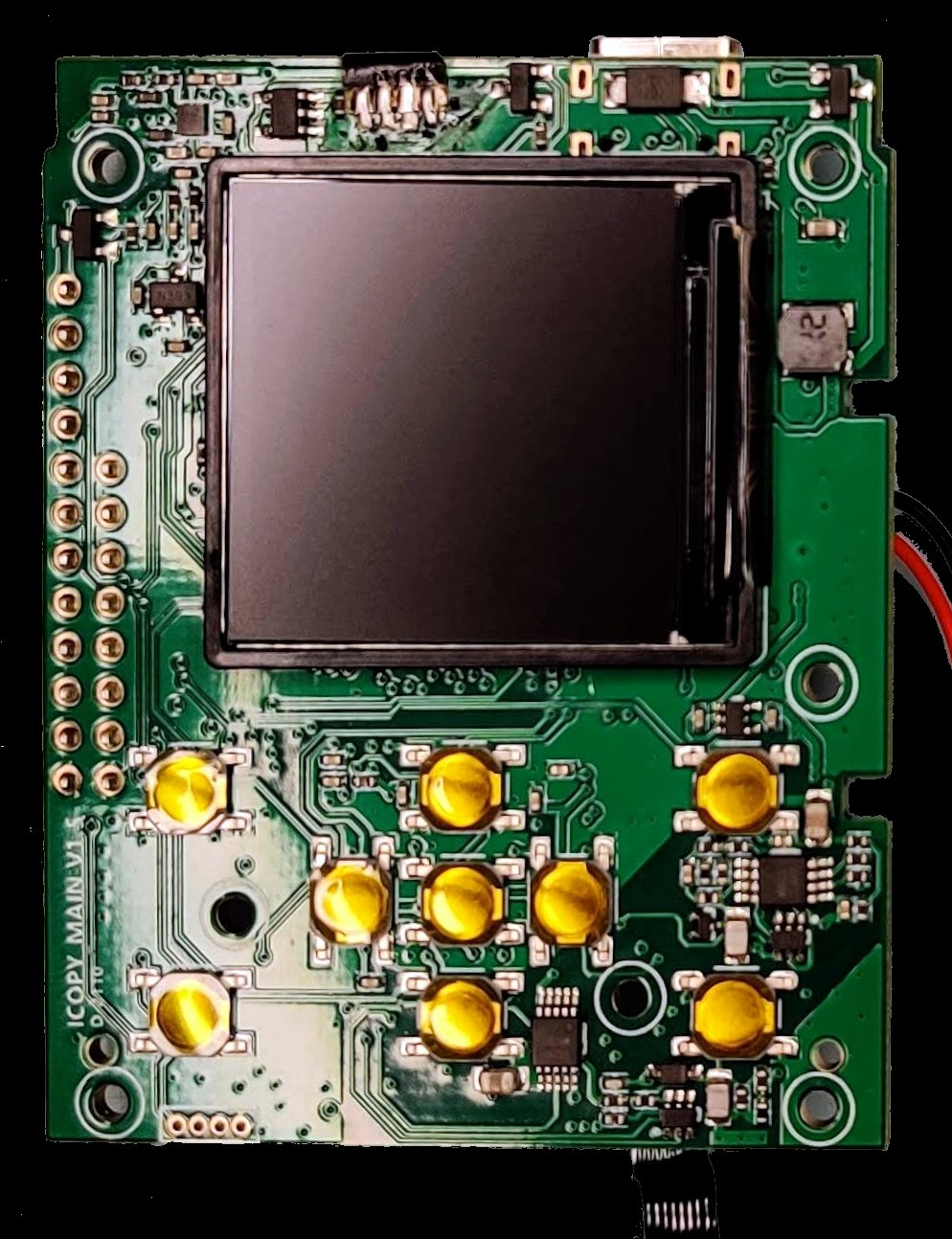
hardware/ | The “green PCB” main board — silicon census, schematic-derived signal tracing, photographs of the un-encased PCB. This is where the operator goes to confirm what’s actually inside the device. |
hardware/imgs/ | High-resolution photographs of the disassembled iCopy-X, including the Website-Photo / wild-test comparison shots that show the production device next to an early-stage open-cased unit. |
proxmark3/ | The Proxmark3 firmware lineage notes — which RRG/Iceman commit Nikola Lab forked from (29c8b3aa4ee8cb3d66a1542d95740d996abe201f, circa September 2020), what was modified, and how it differs from upstream PM3 firmware. |
stm32/ | The STM32F103 housekeeping MCU — the HMI controller in vendor terminology. What it does (keypad scanning, LCD backlight PWM, audio buzzer, battery monitoring), how it talks to the H3 over its UART, what its firmware looks like. |
stm32_commands/ | The documented command set the H3 sends to the STM32 over the inter-MCU UART. This is operator-relevant material — if Expert Mode is ever going to be extended to direct STM32 control, this command catalog is the starting point. |
w25q80/ | The Winbond W25Q80 external SPI flash chip — what it stores (mainly the SAM7S firmware image plus some calibration data), how it’s accessed from the SAM7S during boot. |
nanopi-neo/ | The NanoPi NEO SBC platform — FriendlyARM’s documentation, the Allwinner H3 reference materials, the OpenWrt configuration the iCopy-X uses. |
software/ | The application layer notes — what’s known about the Python/Node.js stack, the file-system layout on the OpenWrt root, where the seven operating modes’ code lives. |
networking/ | The USB OTG networking setup — the procedure for SSH’ing into the device’s Linux side, which is the underpinning of Expert Mode (Vol 8). |
operations/ | Boot logs, thermal images during sustained MIFARE attacks, operational notes about power consumption, battery life observations. |
forensics/ | Community forensic notes — what the device leaves on its microSD between operations, what’s in the syslog, what an operator should be aware of about the device’s own data persistence. |
tags/ | Per-card-technology notes from the community — observations from real-world cloning attempts, edge cases the vendor documentation does not cover, blank-card behaviour (Vol 9). |
10.3.1 What this repo gives the operator
For an operator working through this series, the teardown repo’s value is concrete:
- The boot sequence is documented (§1.4 above is partially derived from the operations/ notes). Knowing how the device boots is useful for diagnosing power-on failures and for confirming Expert Mode handoff is happening correctly.
- The networking setup is documented (
networking/). For an operator who wants to drop into the Linux side to investigate something the UI does not expose, the SSH-via-USB-OTG procedure is here. - The PCB silicon census is documented (
hardware/). For an operator who wants to understand what RF performance to expect, the antenna PCB schematic notes (combined with the open schematics inNikola-Lab/icopy_hw_ant_pcb) provide enough detail to predict read range and to troubleshoot a particular card-and-coil combination that is not reading. - The Proxmark3 firmware lineage is documented (
proxmark3/). For an operator considering the Iceman fork on a Proxmark3 RDV4 (Vol 11), the cleaned diff between the iCopy-X PM3 firmware fork and the RRG mainline is the canonical reference for what behaviour is iCopy-X-specific.
10.3.2 What this repo does not give the operator
The teardown repo is essentially a research artifact from 2021 with sporadic updates through 2026. It does not provide:
- Source code for the closed Linux application layer. That is what gives the iCopy-X its UI personality, its Auto Clone mode logic, its multi-mode menu structure. No community group has reverse-engineered this layer to a degree that would allow building a community alternative.
- A self-build path for firmware updates. The teardown documents how to read and analyse the existing firmware; it does not provide a way to generate per-device
.ipkpackages. - A maintained product — the repo has not seen substantive activity since late 2021. It is a snapshot of what was investigated then, useful as reference but not as a moving target.
The pattern is that the teardown repo answers “what is in this device, structurally?” and the question “how do I build my own firmware for this device?” is answered (incompletely) elsewhere, primarily in the upstream repo that the next section covers.
10.4 The iCopy-X-Community/icopyx-upstream repo
The second community repository is iCopy-X-Community/icopyx-upstream — a catalog of the official open-source releases that Nikola Lab pushed in August 2021 to honour the Proxmark3 GPL-derivation obligation. As of mid-2026 the repo carries 25 stars, 8 forks, last meaningful push 2021-08-25. The author and maintainer is again @doegox. The repo’s tagline is “Collecting elements provided by the manufacturer.”
The repository is organized as a folder per upstream component, each folder mirroring or documenting what Nikola Lab released to its own GitHub organization (covered in §5 below).
Table 2 — 4. The iCopy-X-Community/icopyx-upstream repo
| Path | Contents |
|---|---|
README.md | The index — links to every Nikola-Lab repo, with a brief description of each and the GPL/MIT/LGPL license status. |
fpga/ | The FPGA Verilog notes. Includes icopyx-fpga.diff (the cleaned diff between the iCopy-X FPGA Verilog and the stock Proxmark3 FPGA Verilog) and FPGA Porting changes (ARM)(FPGA)V1.0_20210702.txt (the vendor’s own Chinese-language porting notes plus a Google-translated English version). The community fork that built on this work was eventually merged into the Proxmark3-RRG mainline (§6 below). |
hw/ | Hardware notes. Includes bomtxt2csv.py — a Python script that extracts the bill-of-materials from JavaScript pop-ups embedded inside the original PDF schematic, a delivery format that is only useful via Acrobat. The script’s existence is itself a small forensic detail about how the vendor delivered the schematics initially. |
proxmark3/ | The Proxmark3 firmware archive. Includes 2021-07-02-09-41-01-766.zip (the vendor’s own snapshot of their PM3 fork at the moment they released it), 2021-07-02-09-41-01-766.diff (the full diff against the stock RRG mainline at the forking point), and 2021-07-02-09-41-01-766-cleaned.diff (the less-noisy diff with comment-only and whitespace changes removed). |
lib/ | Fragments of the closed Python application that Nikola Lab disclosed in passing — not enough to rebuild the application, but enough to confirm the high-level structure. |
The upstream repo’s role is to be the community index over the vendor’s open-source releases. It is maintained by the community, not by Nikola Lab, and its existence reflects the community’s effort to make the vendor’s GPL compliance discoverable. Without it, an operator searching for “iCopy-X source code” would land on the vendor’s GitHub organization with no narrative for what is there, why it is there, and how the pieces connect.
10.4.1 The community fork bridge
A detail worth being explicit about: there are intermediate community fork repositories that sit between the vendor’s drops and the Proxmark3-RRG mainline. They are:
iCopy-X-Community/icopyx-community-fpga— the cleaned-up FPGA Verilog, with the Linux build script the vendor’s release did not include. This is what was eventually merged into the Proxmark3-RRG mainline.iCopy-X-Community/icopyx-community-pm3— the cleaned-up Proxmark3 firmware fork, presented as commits on top of the RRG mainline from the explicit forking point (taggedicopyx-fork). This is what was eventually merged into the Proxmark3-RRG mainline as a set of commits.iCopy-X-Community/icopyx-community-tests— a handful of community tests based on the fragments in the upstreamlib/directory; not a runnable application, but a demonstration that the closed Linux layer can be partially exercised from outside.
The community-fork repositories were the working surface during the August-to-October 2021 push to land the iCopy-X-derived improvements into the Proxmark3 mainline. After the mainline merge (§6 below), they continue to exist as historical artifacts but the working surface has moved to the Proxmark3-RRG mainline itself.
10.5 The Nikola-Lab GitHub organization
The official upstream where Nikola Lab pushes their open-source releases is Nikola-Lab on GitHub. The organization holds seven repositories of relevance, all published in the August-to-September 2021 window when the vendor honoured the GPL obligation, all unchanged since.
Table 3 — 5. The Nikola-Lab GitHub organization
| Repository | Subject | License | Last push |
|---|---|---|---|
icopy_hw_main_pcb | Schematics and Gerbers of the main “green PCB” — the integration board carrying the FPGA, SAM7S, STM32, LCD interface, keypad scanner, power supply, battery management, USB-C bridge | GPL-2.0 | 2021-08-24 |
icopy_hw_ant_pcb | Schematics and Gerbers of the antenna PCB — the LF and HF coils, their resonant capacitors, the analog front end into the FPGA | GPL-2.0 | 2021-08-24 |
icopy_hw_usb_fpc | Schematics and Gerbers of the flexible printed circuit linking the main PCB to the NanoPi NEO | MIT | 2021-08-24 |
icopy_fpga_3s_0921 | FPGA Verilog source for the Xilinx Spartan-3 XC3S100E. This is what the community fork (§4.1) was built from and what eventually landed in the Proxmark3-RRG mainline (§6) | GPL-3.0 | 2021-08-24 |
icopy_stm32 | STM32F103 firmware — the housekeeping MCU (keypad, LCD backlight, audio, battery monitoring). Crucially: this is NOT the RFID brain; the RFID brain is the SAM7S running the Proxmark3 firmware fork, not the STM32 | MIT | 2021-09-23 |
icopy_time_synchronizer | Host-side utility for setting the STM32 RTC over USB serial. Untested per the upstream repo’s own notes | MIT | 2021-08-24 |
CSerialPort | Fork of an open-source C++ cross-platform serial port library, used by icopy_time_synchronizer. Not iCopy-X-specific; this is just a vendored dependency that the vendor pushed into their own org for completeness | LGPL | 2021-08-24 |
10.5.1 What is NOT in the Nikola-Lab organization
What the vendor did not open-source — and has not opened in the five years since the initial release — is the Linux application layer: the Python and Node.js code running on the NanoPi NEO that delivers the user-facing UI, the seven operating modes, the menu structure, the workflow logic that ties the SAM7S protocol commands to the operator’s button presses. This is the part of the firmware that is the iCopy-X product, in the sense of what differentiates it from a Proxmark3 RDV4 plus a NanoPi NEO plus some carrier board.
The vendor’s position, implicitly, is that the GPL obligation extends to the hardware schematics (which were derived from the Proxmark3 hardware), the FPGA Verilog (derived from the Proxmark3 FPGA), and the SAM7S firmware (derived from the Proxmark3 firmware) — and not to the application layer they wrote themselves on top, which is original work that does not derive from any GPL’d code base. That argument is legally defensible and the community has not pursued it further.
The result is the partial open-source story this volume is built around: the device’s low-level firmware is community-auditable, the hardware is community-buildable in principle, but the user-facing application is a closed product, and the firmware-update mechanism is bound to the vendor’s per-device generation pipeline.
10.6 The Proxmark3-RRG mainline integration
The endpoint of the community fork work — and the most operationally important fact about the iCopy-X’s open-source story — is that the iCopy-X-derived FPGA bitstreams and the iCopy-X-specific PM3 firmware modifications have been merged into the Proxmark3-RRG mainline at https://github.com/RfidResearchGroup/proxmark3.
The merge happened in two parts in late 2021:
-
The FPGA Verilog and bitstream variants were merged into the Proxmark3-RRG
fpga/directory. The current layout at the master branch keeps all FPGA variants in a singlefpga/directory and distinguishes them by filename prefix. Inspecting the directory as of mid-2026 shows the iCopy-X variant files (fpga_icopyx_lf.bit,fpga_icopyx_hf.bit,fpga_icopyx_hf_15.bit,fpga_icopyx_felica.bit, plus the Verilog sourcesfpga_icopyx_lf.v,fpga_icopyx_hf.v,fpga_icopyx_top.v) sitting alongside the standard Proxmark3 (fpga_pm3_*) and Proxmark3 Ultimate (fpga_pm3_ult_*) variants. The original 2021 merge landed under a separatefpga-xc3s100e/subdirectory; that has since been refactored into the unifiedfpga/directory with filename-based variant naming. The merge consolidates what is, at the FPGA level, the same underlying RF state machines targeted at slightly different Spartan silicon — the iCopy-X uses the XC3S100E and the standard Proxmark3 uses the smaller XC2S30, with the iCopy-X variant taking advantage of the larger device by merging the previously separate LF, HF, and FeliCa bitstream images into a smaller number of integrated variants. -
The PM3 firmware modifications were merged as a series of commits, summarised in https://github.com/RfidResearchGroup/proxmark3/commit/ca2fcecfb94ad8b9cc049a30df9b59ce2a8a409f and its predecessors. The changes touch the ARM-side firmware (to accommodate the new FPGA bitstream variant and to remove version-string emission that the vendor’s closed Linux layer was depending on being absent), the
fpga_compresshost-side tool (to allow larger compressed images, specifically#define FPGA_CONFIG_SIZE 72864Lversus the stock smaller value), and the NanoPi-targeted client variant.
10.6.1 Practical implications
The mainline merge means that anyone running an Iceman fork on a Proxmark3 RDV4 — the standard recommended Proxmark3 software stack as of mid-2026 — has the iCopy-X-derived improvements available as a build-time choice. The build system targets the XC2S30 by default (for actual RDV4 hardware), but the XC3S100E target is available for anyone wanting to experiment with the consolidated bitstream on different silicon.
For an operator with both an iCopy-X and a Proxmark3 RDV4, this opens an interesting cross-platform path: the same FPGA bitstream lineage runs on both devices. Behaviour that is observable in Expert Mode on the iCopy-X (Vol 8) should be reproducible on a Proxmark3 RDV4 with the corresponding firmware build. The differences from there are physical: the RDV4 has a smaller antenna at higher SWR, slightly different RF front-end characteristics, no integrated battery, no LCD, requires the laptop client. But the RF protocol behaviour and the cryptographic primitives are identical at the silicon level.
This is the foundation of the “buy both” argument that Vol 11 develops at length: the iCopy-X is the field-portable expression of a firmware-and-FPGA-bitstream pair that is fully open-source and runs on a separate device for laboratory work. The two devices are complementary expressions of the same architecture, not competing alternatives.
10.6.2 The SAM7S firmware lineage in detail
For the operator who wants to understand precisely how the iCopy-X’s RFID-brain firmware relates to the Proxmark3-RRG mainline, the lineage is:
- The fork point was Proxmark3-RRG commit
29c8b3aa4ee8cb3d66a1542d95740d996abe201f, circa September 2020. This is what Nikola Lab forked from in their internal development. - The vendor’s snapshot of their fork at the moment of release is in
iCopy-X-Community/icopyx-upstream/proxmark3/2021-07-02-09-41-01-766.zip(and the cleaned diff against the fork point is in the same directory). - The community fork at
iCopy-X-Community/icopyx-community-pm3reformulates the vendor’s snapshot as commits on top of the RRG mainline from the explicit forking point (theicopyx-forktag). - The mainline integration is the merge commit
ca2fcecfb94ad8b9cc049a30df9b59ce2a8a409fand its predecessors, which landed the iCopy-X-specific changes back into Proxmark3-RRG.
The modifications themselves are catalogued in the icopyx-teardown/proxmark3/README.md. At a high level, they are: (a) adaptation of the ARM SAM7S firmware to the new merged FPGA bitstream variant, (b) removal of version-string emission that the closed Linux application layer depended on being silent, (c) the NanoPi-targeted client variant that talks to the SAM7S over the internal serial bridge rather than over USB, and (d) various smaller adaptations for the iCopy-X’s specific GPIO and pinout assignments. None of the modifications introduce new attack capabilities — they are integration work, not algorithmic advances — and the attack repertoire visible in the iCopy-X UI is the same attack repertoire that has been in the Proxmark3-RRG mainline for years.
What this implies, importantly: the iCopy-X’s RFID security capabilities are not vendor-secret. Every attack the device performs — darkside, nested, hardnested, iCLASS Legacy key recovery, iCLASS Elite Maxximum / Maxiprox dictionary attack — exists in the Proxmark3-RRG mainline and is community-auditable. The iCopy-X’s value is packaging, portability, and UX, not novel cryptanalysis.
10.7 Why a community alternative firmware is hard
A natural question for the open-source-minded operator is: given that the FPGA bitstream is open, the SAM7S firmware is open (via the mainline merge), the STM32 firmware is open, and the hardware schematics are open — could the community build an alternative firmware that replaces the closed Lab401 Linux application layer? In principle, yes. In practice, the cost-benefit makes it very unlikely.
10.7.1 What the alternative would require
To build a community alternative iCopy-X firmware, someone would need to:
-
Reimplement the seven operating modes (Vol 7, Vol 8) — Auto Clone, Scan, Read LF, Read HF, Sniff for MIFARE keys, Emulation LF, Emulation HF, and the Expert / Proxmark Mode escape hatch. Each of these is a workflow built on top of the underlying Proxmark3 command set, with the workflow logic — the decision tree for picking the right SAM7S command sequence based on the card detected — being the closed application’s value-add. Reimplementing them is a project of comparable scale to writing the Proxmark3-RRG client from scratch.
-
Build a UI framework that fits the LCD and keypad — a 240×240 colour LCD with a 4-button keypad is a constrained UI surface. The closed Lab401 application uses (per the community’s investigation) a Python framework rendering through the H3’s framebuffer driver. A community alternative would need to either build on the same framework or port to a different one (Qt-Embedded, LVGL, raw framebuffer rendering). The work is significant and the UI design itself — what an operator-friendly menu structure looks like on this constrained surface — is a substantial part of the closed application’s product value.
-
Replace the
.ipkupdate mechanism — either build a new self-build update mechanism that the community can host, or operate without an update mechanism at all (which is workable for an open-source project where the operator can re-flash the microSD whenever needed but is less polished than the vendor experience). -
Replicate the per-device entitlement-tracking — or replace it with no-entitlement-tracking, which is the open-source norm but which would mean the device could no longer install vendor-supplied updates and would need to be permanently re-flashed off the community alternative.
-
Maintain the project against firmware revisions of the underlying Proxmark3-RRG mainline — the SAM7S firmware lineage continues to evolve; a community alternative would need to track those revisions and integrate them.
10.7.2 What has been tried
The community work documented in iCopy-X-Community/icopyx-community-tests represents the most substantial publicly visible attempt at building an alternative application layer. It is, by its own description, a handful of test scripts based on the fragments in the upstream lib/ directory — not a runnable replacement for the closed application. As of mid-2026 no community group has built a full alternative.
The reason is straightforward: the practical open-source alternative already exists, and it is the Proxmark3 RDV4 running the Iceman fork. An operator who wants full open-source RFID/NFC capability with no vendor relationship buys the RDV4, runs it from a laptop, accepts the loss of portability. The work to replicate the iCopy-X’s portable form factor with open firmware is not justified when the lab-based alternative is already there. The community’s effort has, accordingly, focused on improving the Proxmark3-RRG mainline with the iCopy-X-derived contributions, rather than building a competing portable device.
10.7.3 The hypothetical hardware-clone path
A separate hypothetical that occasionally comes up: someone could build their own iCopy-X-equivalent hardware from the open schematics (Nikola-Lab/icopy_hw_main_pcb, Nikola-Lab/icopy_hw_ant_pcb, Nikola-Lab/icopy_hw_usb_fpc), load the FPGA bitstream from the Proxmark3-RRG mainline, load the SAM7S firmware from the same source, write a custom Linux application layer, and produce a portable RFID cloner not bound to any vendor relationship.
This is feasible in principle. The hardware is documented in enough detail that a competent EE could fabricate the PCBs, source the components, and assemble the device. The skill stack required is substantial (FPGA bring-up, ARM firmware development, embedded Linux integration, RF antenna tuning) and the per-device cost — given low-volume PCB fabrication, the cost of the FPGA and SBC, and the labour — would not be lower than buying an iCopy-X from Lab401. Nobody has done this publicly. It remains in the category of “an exercise the community could undertake but has not had reason to.”
The practical implication for the operator is that the iCopy-X is, for the foreseeable future, the only commercially available portable RFID cloner of its capability class. The lab-grade alternative is the Proxmark3 RDV4 on a laptop. There is no middle option that is both portable and fully open-source.
10.8 What this means for the operator
This volume’s material adds up to a specific operational posture the iCopy-X operator should hold consciously.
The device works without vendor support, but it cannot be updated without vendor support. If Lab401 / Nikola Lab disappears tomorrow, every existing iCopy-X continues to function at its current firmware revision indefinitely. The hardware is durable; the closed Linux application layer continues to execute; the SAM7S firmware continues to handle the RFID protocols. What is lost is the ability to install a new firmware revision against the device’s serial number. For most authorized physical-pentest work, this loss is acceptable — the operator is not depending on update cadence for security-critical features.
The hardware is verifiable. An operator who is asked, in a security-conscious environment, “how do you know what this device does?” has answers. The schematics are open. The FPGA bitstream is open. The SAM7S firmware is open. The Proxmark3-RRG mainline is the canonical reference for both. The only black box is the Linux application layer, which is the UI shell rather than the security-critical RFID logic — the application calls into the SAM7S, and the SAM7S code is what actually talks to cards. This is a different posture from a device where the radio firmware itself is closed; on the iCopy-X, the radio firmware is community-auditable and the application layer is more akin to a wrapper.
The Lab401 / Nikola Lab vendor relationship is structural. The operator buys the device, pays the price the vendor sets, accepts that updates come from the vendor’s per-device pipeline, and accepts that the iCS Decoder add-on (Vol 6 §5) is also sold through the same vendor channel and is bound to the same entitlement model. For an operator running a commercial pentest practice, this is the same vendor relationship they have with any other tool vendor. For an operator with a strong preference for fully open-source tooling, the Proxmark3 RDV4 on a laptop is the alternative.
The portable + open-source ideal does not currently exist. No community alternative firmware has been built. No hardware-clone of the iCopy-X exists. The Proxmark3 RDV4 is the lab-grade open-source alternative, and it requires a laptop. An operator who wants both portability and full open-source is, as of mid-2026, choosing between two halves of an ideal they cannot have together.
For long-haul work where vendor disappearance is a risk, hedge with a Proxmark3 RDV4. The hedge is straightforward. The RDV4 is roughly €380 (Lab401-priced as of mid-2026), runs the same FPGA bitstream lineage at the silicon level, and has no vendor dependency for updates (the Iceman fork is community-maintained). An operator with both an iCopy-X and an RDV4 has both portability for routine work and a vendor-independent fallback for the case where the iCopy-X update pipeline stops being available. Vol 11 develops the dual-device argument in detail.
For authorized physical-pentest work, the vendor relationship is fine. The vast majority of operators using the iCopy-X in commercial pentest practice are not encountering the long-haul-vendor-disappearance scenario. Lab401 and Nikola Lab have been operating since 2020 with no indication of imminent change, the device is being actively sold and updated, and the firmware-update cadence (point releases every six to twelve months) is adequate for the use case. The structural vendor dependency is a real consideration but is not a current risk.
10.9 Cross-references
- Vol 2 — Hardware tour. The silicon stack the firmware runs on: the NanoPi NEO + Allwinner H3, the AT91SAM7S512 Proxmark3 MCU, the Xilinx Spartan-3 XC3S100E FPGA, the STM32F103 housekeeping MCU. §3.4 covers the boot sequence in hardware detail; this volume covers it from the firmware-runtime perspective.
- Vol 7 — Operating modes Part 1. The Auto Clone, Scan, Read LF / Read HF, and Sniff modes that the closed Linux application layer delivers on top of the SAM7S firmware.
- Vol 8 — Operating modes Part 2. Emulation modes and the Expert / Proxmark Mode escape hatch. §5 is the entry point to the open-source layer that this volume catalogues from the outside.
- Vol 11 — Side-by-side comparisons. The Proxmark3 RDV4 comparison, the cross-platform FPGA bitstream story, the “can I run iCopy-X firmware on a Proxmark3 RDV4?” question (yes, the merged mainline supports the iCopy-X bitstream variant as a build-time choice).
- Vol 12 — Legal, ethics, posture. The per-device-licensed firmware has specific implications under reverse-engineering and DMCA-equivalent statutes in some jurisdictions; the legal envelope is covered there.
- Back to Vol 1 — Overview and the partial-open-source-story framing at the series level.
10.10 Resources
Vendor and product pages:
- iCopy-X firmware-update page: https://icopyx.com/pages/update-your-icopy-x — the canonical web form for generating per-device
.ipkupdates. - Nikola Lab GitHub organization: https://github.com/Nikola-Lab — the official upstream of the open-sourced hardware schematics, FPGA Verilog, and STM32 firmware.
- Lab401 product page: https://lab401.com/products/icopy-x — the EU/global distribution channel.
Community repositories:
iCopy-X-Community/icopyx-teardown— the canonical community teardown (82 stars, last push 2021-10-15).iCopy-X-Community/icopyx-upstream— the index over the vendor’s open-source releases (25 stars, last push 2021-08-25).iCopy-X-Community/icopyx-community-fpga— the cleaned-up FPGA fork, since merged into Proxmark3-RRG.iCopy-X-Community/icopyx-community-pm3— the cleaned-up Proxmark3 firmware fork, since merged into Proxmark3-RRG.iCopy-X-Community/icopyx-community-tests— early community test scripts against the closed application layer.
Proxmark3-RRG mainline integration:
- https://github.com/RfidResearchGroup/proxmark3 — the Proxmark3-RRG mainline (the Iceman fork). The current
fpga/directory contains the iCopy-X-derived bitstream variants alongside the standard Proxmark3 and Proxmark3 Ultimate variants. - The merge commit anchoring the iCopy-X firmware integration: https://github.com/RfidResearchGroup/proxmark3/commit/ca2fcecfb94ad8b9cc049a30df9b59ce2a8a409f.
This subproject’s local resources:
05-resources/Update your iCopy-X _ ICopyX.pdf— the vendor’s own firmware-update guide.05-resources/Firmware/10800012_1.0.82.ipk— a 2021-era 1.0.82 per-device firmware artifact, preserved for file-format reference (not usable on any other device).05-resources/iCS Decoder for iCLASS® SE _ SEOS Decoder — Lab401.pdf— the iCS Decoder product PDF (the 2.0 firmware family’s headline accessory).05-resources/iCopy GitHub.url— the cached pointer to the community GitHub presence.
Comments (0)