Parrot OS · Volume 12
Parrot OS Volume 12 — Operational Posture, Legal, and the Field Cheatsheet
Lab discipline, scope of engagement, evidence handling, comparison vs neighbors, the laminate-ready field card
12.1 Operational posture — the discipline that makes Parrot safe to use
Parrot is a capable operating system. Its capability cuts both ways — the same packet-injection that lets you audit your own Wi-Fi network is the packet-injection that, used against someone else’s, is computer-crime in every jurisdiction. The capability is the same; what makes it lawful or unlawful is the posture of the operator.
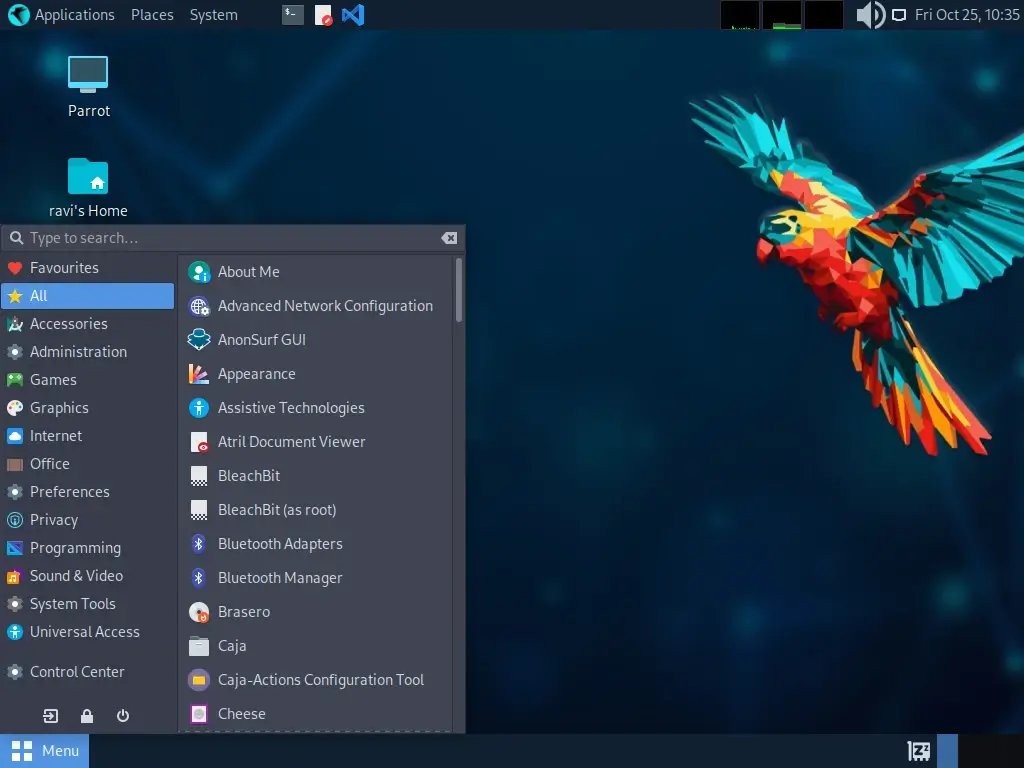
Five posture rules that should be load-bearing for everything done on the Parrot side of the T480:
- Own hardware or written authorization. Always. No exceptions. The rest of this section is detail; this is the rule.
- Default to read-only / passive. Active scanning, exploitation, and injection are operations that should require deliberate intent — a moment of “I am about to do this on purpose, on this target, with this authorization.” Passive captures, OSINT, reading vendor docs — these are the cruise-altitude default.
- Snapshot before destructive operations. Vol 5 § 8 covered timeshift. Use it. Before any “rm -rf this is fine” moment, before any kernel upgrade during an engagement, before any “let me try a more aggressive flag” moment.
- Evidence chain integrity. Every captured artifact (pcap, dump, screenshot) gets a hash recorded at capture time. The chain matters whether or not the engagement is forensically motivated; the discipline pays back the first time a customer asks “was this file modified between then and now?”
- Compartmentalize. One engagement per folder, one passwords vault per engagement, one VM per “victim” simulation. The friction of this discipline is small; the failure mode of mixing engagements is huge.
These rules are not about caution-for-its-own-sake. They are about preserving the legal, contractual, and reputational basis on which this work can continue.
12.2 Scope of engagement and authorization
Every pentest engagement starts with a Statement of Work (SoW) or Rules of Engagement (RoE) document that specifies:
- Who is authorized to perform the testing (you, by name; sometimes “any technical staff of your firm”).
- What is in scope (specific IP ranges, domains, applications, physical locations, social-engineering channels).
- What is explicitly out of scope (dev/staging environments, certain subdomains, certain employee email accounts, third-party services even if associated with the client).
- When (start date, end date, allowable hours-of-day if the client is sensitive to business-hours impact).
- How (what techniques are allowed — pure web, all network, social-engineering, physical, DoS).
- Notification chain (who to contact if you find something exploitable; who to contact if a system crashes).
- Authorization signature (from someone with the legal authority to authorize testing — typically a C-level or the CISO).
Save the signed SoW / RoE / LoA (Letter of Authorization) in the engagement folder. Vol 7 § 8.2’s README template includes a slot for this. If law enforcement, an aggrieved third party, or your own legal counsel asks “what gave you the right to scan that server,” the answer is “here is the signed document.”
12.2.1 Bug bounty programs
A subset of engagements is bug bounty — public or private programs where a company posts a scope and offers rewards for vulnerabilities reported via a coordinated disclosure process. These are also authorized engagements, but the authorization is the published program terms, not a signed contract. Stay rigorously within the program’s stated scope — bug bounty programs frequently revoke payouts and have prosecuted out-of-scope testers under the CFAA and similar statutes worldwide. Bugcrowd, HackerOne, Intigriti are the major platforms.
12.2.2 CTFs and labs
HTB, TryHackMe, VulnHub, OWASP Juice Shop, GOAD, your own home lab — these are always authorized because they are designed to be attacked. Use them freely. They are also the only environment where it’s appropriate to “try a new technique” without first thinking carefully — that’s the whole point.
12.2.3 “Own hardware” definitions
The fuzziness here is real. “Own hardware” means you bought it or it was given to you, you are the sole authorized user, and no other party has rights you’d be violating. Edge cases:
- Employer-issued laptop: not your hardware — you have a license to use it. Pentest tooling on it may violate the AUP (Acceptable Use Policy). Confirm before installing Parrot side-by-side with the employer’s Windows.
- Rented apartment Wi-Fi: not yours. The landlord owns the network. Even though you pay for it.
- Open Wi-Fi at a café: definitely not yours.
- Your home Wi-Fi router: yours.
- Your own Flipper Zero / HackRF / Hackheld: yours.
- A friend’s network “I have permission to test”: get the permission in writing (text message suffices). Document scope.
12.3 Regional and legal landscape (US-centric, with neighbors)
Disclaimer: I am not a lawyer. The below is general orientation; for any actual gray-area question, consult a lawyer in your jurisdiction.
12.3.1 United States
The primary federal statute is the Computer Fraud and Abuse Act (CFAA), 18 U.S.C. § 1030. CFAA criminalizes unauthorized access to “protected computers” — which courts have interpreted broadly. Key 2026 status:
- Van Buren v. United States (2021) narrowed CFAA’s “exceeds authorized access” language — accessing data you’re entitled to see but for unauthorized purposes is no longer per-se federal felony. Still, the “unauthorized access” prong is wide open.
- State computer-crime statutes mirror CFAA in most states; California, Florida, New York, and Texas have their own teeth.
- Wiretap Act (18 U.S.C. § 2511) criminalizes interception of electronic communications without consent. Wi-Fi monitor-mode captures of unencrypted traffic are a Wiretap gray area; courts have generally held that intentionally capturing open Wi-Fi (which the user “knowingly broadcasts”) is not a Wiretap violation. Encrypted Wi-Fi captures, even passive, may cross into Wiretap territory. Don’t passive-capture other people’s encrypted traffic.
- Pen Register / Trap and Trace statutes regulate collection of metadata (who-talked-to-whom) — analogous concerns.
- Stored Communications Act (SCA) regulates access to stored communications — relevant when “I rooted the server, what about the emails on it?“
12.3.2 The EU
The Cybercrime Convention (Budapest Convention, 2001) is the framework; individual EU member states have transposed it into national law. Notable:
- Germany’s §202c StGB (“Hacker Paragraph”) criminalizes possession of “hacking tools” with intent to commit crimes. The word “intent” is doing a lot of work; defensive-research possession has been carved out by courts but the statute remains a chilling factor for German security researchers.
- UK’s Computer Misuse Act 1990 (recently updated) — broadly parallels CFAA.
- GDPR introduces a wholly separate concern: any pentest that incidentally collects personal data of EU residents triggers data-protection obligations on the tester.
12.3.3 Other jurisdictions
- Canada: Criminal Code §342.1 (unauthorized use of computer); similar in scope to CFAA.
- Australia: Cybercrime Act 2001, mirrors Budapest.
- Japan: Act on Prohibition of Unauthorized Computer Access (1999).
- China: Cybersecurity Law (2017), Data Security Law (2021) — broad and aggressive.
- Russia: Article 272-274 of Criminal Code; enforcement varies.
12.3.4 Wireless and RF law
Separate from computer-crime law:
- US FCC Part 15 regulates unlicensed RF devices. Most Hack Tools-lineup transmitters (HackRF, Flipper SubGHz) are not certified for transmission in the US — they’re “amateur experimentation” or “test equipment.” Transmitting on regulated frequencies (FM broadcast, public-safety, aircraft) without license is a federal violation.
- Amateur radio (US): licensed transmission allowed in amateur bands; Tech Class license covers 2 m, 70 cm, sub-GHz portions. The Quansheng UV-K5 deep dive covers this.
- ISM bands (2.4 GHz, 5 GHz, 900 MHz) — unlicensed transmission allowed within power/duty-cycle limits. Wi-Fi, Bluetooth, NRF24 traffic operates here.
- Wi-Fi deauth and beacon spam — the spectrum-emission part is in ISM band so technically permitted, but the purpose (disrupting service) likely violates 47 U.S.C. § 333 (willful interference) and state computer-crime statutes.
12.3.5 The practical posture
For this setup in 2026:
- Capture only your own networks unless authorized otherwise.
- Transmit only on amateur bands (with license) or licensed-exempt ISM bands without disrupting others.
- Sniffing open Wi-Fi for educational purposes (your home AP, the home AP next door that you’re aware your neighbor consents to): legal in most US jurisdictions but socially edge-case; treat as you’d treat reading mail you can see through someone’s window.
- Sniffing encrypted Wi-Fi without authorization: don’t.
- Active scanning of internet-facing services you don’t own: don’t. The “I’ll just run nmap against shodan.io” temptation is real and is a violation.
12.4 Evidence handling and hash chains
For forensics / incident response work, evidence integrity is the whole game.
12.4.1 Hashing artifacts at capture time
Every pcap, every disk image, every memory dump gets hashed:
sha256sum capture.pcap > capture.pcap.sha256
# Capture timestamp written into a separate log
date -Iseconds >> capture.log
echo "sha256: $(cat capture.pcap.sha256)" >> capture.log
Better, a wrapper:
#!/usr/bin/env bash
# capture-and-hash.sh — wrap any capture, hash and log

ARTIFACT="$1"
LOG="${ARTIFACT}.log"
echo "captured-at: $(date -Iseconds)" > "$LOG"
echo "sha256: $(sha256sum "$ARTIFACT" | cut -d' ' -f1)" >> "$LOG"
echo "size: $(stat -c%s "$ARTIFACT") bytes" >> "$LOG"
echo "hostname: $(hostname)" >> "$LOG"
echo "user: $USER" >> "$LOG"
12.4.2 Write-blockers
For hard-drive forensics, a hardware write-blocker prevents the host OS from writing to the evidence drive even if mistyped commands try. Tableau / WiebeTech are the standard brands. Plug-in only-for-forensics — not for daily operation.
Software write-blocking on Linux:
# Mount read-only
sudo mount -o ro,noatime,noexec /dev/sdX /mnt/evidence

# Read-only loop device from an image
sudo losetup --read-only /dev/loop0 evidence.dd
12.4.3 Imaging a drive
# dd (slow but universal)
sudo dd if=/dev/sdX of=evidence.dd bs=4M status=progress conv=fsync

# dc3dd (forensic-flavored dd with built-in hashing)
sudo dc3dd if=/dev/sdX hash=sha256 hashlog=evidence.hashlog of=evidence.dd

# ddrescue (best for failing drives)
sudo ddrescue -f -n /dev/sdX evidence.dd evidence.map
sudo ddrescue -d -f -r3 /dev/sdX evidence.dd evidence.map
12.4.4 Custody log
Per evidence item, a written custody log:
Table 1 — Per evidence item, a written custody log
| Time | Action | Operator | Notes |
|---|---|---|---|
| 2026-05-15 14:30 | Imaged drive sda from XYZ-laptop with dc3dd to /mnt/evidence/xyz-laptop.dd | analyst | dc3dd hash log: sha256 abc123… |
| 2026-05-15 14:45 | Computed sha256 of image | analyst | Hash matches dc3dd log |
| 2026-05-15 15:00 | Copied image to encrypted external drive | analyst | Drive: WD-Encrypt-01, slot A |
| 2026-05-22 09:00 | Returned drive to client (envelope sealed, witnessed by Jane) | analyst + Jane | Custody receipt #2026-001 |
12.5 Comparison vs Kali, BlackArch, Tails, Whonix, Qubes — when each wins
Vol 1 § 8 introduced the broader space. Here’s the decision-tree version: when does Parrot NOT win?
12.5.1 Use Kali Linux instead when
- You are preparing for OSCP / OSEP / OSCE3 / OSED / OffSec certifications. Course materials assume Kali; muscle-memory transferable but instructions read awkwardly.
- You need a polished WSL2 distro on a Windows host (e.g., work-laptop’s primary OS is Windows). Kali’s WSL story is well-maintained; Parrot’s WSL package is less polished.
- You’re spinning up a quick disposable cloud VM for a pentest. Kali’s AWS / Azure / DigitalOcean marketplace images are first-class.
- You want the GUI Bluetooth pentest tools (Kali ships
kali-tools-bluetoothmetapackage with several Bluetooth pentest utilities; Parrot is less curated here). - The post-exploitation tooling (BloodHound, NetExec, Sliver, Empire/Starkiller) needs to be readily-installable rather than manual.
12.5.2 Use BlackArch Linux instead when
- You’re an Arch user. Pacman muscle memory transfers; BlackArch is Arch with ~2700 pentest tools.
- You want the broadest possible tool catalog out of the box.
- You want to choose your own desktop / WM freely (BlackArch doesn’t enforce one).
12.5.3 Use Tails instead when
- The threat model demands anonymity and amnesia — leave no trace on the host. Tails runs from a USB stick, mounts no internal disks, routes all traffic through Tor by default, and amnesically wipes everything in RAM at shutdown.
- You’re a journalist, activist, or researcher in a hostile jurisdiction.
- You need to handle a single sensitive task without permanent record on the device.
Tails is not a daily-driver OS. It is a tool for specific situations. Boot it from USB when needed; don’t try to install it.
12.5.4 Use Whonix instead when
- You want enforced Tor isolation at the VM-network layer — the Whonix Gateway VM forces all traffic through Tor; the Workstation VM cannot leak even if compromised because it has no other network path.
- The threat model is “long-running journalism / source-protection / strong anonymity” but you still want a persistent install with normal applications.
Whonix runs as KVM / VirtualBox VMs on a Parrot (or any) host.
12.5.5 Use Qubes OS instead when
- The threat model is strict per-task compartmentalization — every app or activity is its own VM, all under a Xen hypervisor with carefully-managed inter-VM communication.
- Hardware compatibility allows (Qubes has a strict HCL; some laptops don’t make the cut).
- You can accept the daily-driver friction of inter-VM file shuttling.
Qubes is the strongest desktop-security architecture in the open-source world. It’s also the steepest learning curve.
12.5.6 Use Caine / SIFT / REMnux instead when
- The job is forensics / IR / malware reverse specifically. These are forensics specialist distros.
- Pair them with Parrot — Parrot for general pentest, dedicated VM with Caine/SIFT for evidence-side work.
12.5.7 Use the host Windows 11 (no Linux) when
- You’re doing Windows-AD pentest where SharpHound / BloodHound / Cobalt Strike / Mimikatz / Rubeus all want to run native. CommandoVM is a “pentest distro” on Windows base; consider it as the Windows side’s pentest profile.
- Some commercial tools are Windows-only (Burp Suite Enterprise scanner, some Microsoft-only enumerators).
12.6 Threat models and the right tool for the threat
Table 2 — 6. Threat models and the right tool for the threat {#threat-models}
| Threat | Right tool |
|---|---|
| ”My laptop might be stolen at a coffee shop.” | LUKS full-disk encryption (Vol 3 § 7). Strong passphrase. Auto-lock screen on idle. |
| ”Three-letter agency might subpoena my ISP for logs.” | VPN to a known-trusted endpoint for routine; Tor Browser for sensitive sessions. |
| ”An adversary might compromise my browser and pivot to local network.” | Firejail-wrapped browser; separate user account for browsing if paranoid; Qubes if very paranoid. |
| ”I want to test a sketchy binary without infecting my system.” | KVM VM with snapshot; firejail wrapper for command-line tools. |
| ”A target site might fingerprint my browser.” | Tor Browser (uniform fingerprint); LibreWolf. |
| ”I’m worried about evil-maid attacks.” | TPM 2.0 + Secure Boot + LUKS with strong passphrase; physical destruction of the laptop on travel; consider Coreboot/Heads on a compatible older ThinkPad. |
| ”I’m visiting a hostile country.” | Don’t bring the daily-driver. Bring a cheap loaner laptop with no engagement data. Tails on USB. Burner phone. |
| ”I want to make sure my pentest tools can’t get out and attack someone unintended.” | KVM with restricted networking (host-only); double-check scope; explicit allow-listing in pentest tool configs (nmap --exclude). |
| ”I want to be sure my Wi-Fi monitor-mode capture isn’t picking up sensitive data from neighbors.” | Limit channel + duration; immediately discard frames that aren’t from your own SSID; document the operation. |
| ”I want to keep client data segregated.” | Per-engagement folder + per-engagement KeePassXC vault + per-engagement VM. |
12.7 The field cheatsheet — laminate-ready
The page that gets printed, laminated, and lives in the laptop bag.
12.7.1 Boot, BIOS, recovery
Table 3 — 7.1 Boot, BIOS, recovery
| Action | Key / Command |
|---|---|
| BIOS Setup | F1 at power-on |
| Boot menu | F12 at power-on |
| GRUB rescue minimum | ls, set root=, set prefix=, insmod normal, normal |
| Re-install GRUB from live | chroot + grub-install --target=x86_64-efi --efi-directory=/boot/efi --bootloader-id=parrot + update-grub |
| LUKS unlock | cryptsetup luksOpen /dev/nvme0n1p5 parrot-crypt |
| LUKS dump | cryptsetup luksDump /dev/nvme0n1p5 |
| BitLocker status (Windows) | manage-bde -status (elevated) |
| BitLocker recovery key | manage-bde -protectors -get C: |
| BitLocker suspend | manage-bde -protectors -disable C: |
| BitLocker re-enable | manage-bde -protectors -enable C: |
12.7.2 System updates
Table 4 — 7.2 System updates
| Action | Command |
|---|---|
| Parrot full update | sudo parrot-upgrade |
| Firmware update | sudo fwupdmgr refresh && fwupdmgr get-updates && sudo fwupdmgr update |
| Snapshot before risky | sudo timeshift --create --comments "<reason>" |
| Restore snapshot (from live) | sudo timeshift --restore --snapshot <name> |
12.7.3 Sandboxing / privacy
Table 5 — 7.3 Sandboxing / privacy
| Action | Command |
|---|---|
| AnonSurf start / stop / change | `sudo anonsurf start |
| AnonSurf check IP | curl -s https://check.torproject.org/api/ip |
| AppArmor status | sudo aa-status |
| Firejail any app | firejail --private <app> |
| UFW baseline | sudo ufw default deny incoming && sudo ufw default allow outgoing && sudo ufw enable |
| Webcam off | sudo modprobe -r uvcvideo |
12.7.4 Tool launchers
Table 6 — 7.4 Tool launchers
| Tool | Launch |
|---|---|
| Wireshark | wireshark & (or MATE menu) |
| Burp Suite | burpsuite & |
| Metasploit | msfconsole |
| Wireshark capture (CLI) | dumpcap -i eth0 -w cap.pcap |
| tshark filter + fields | tshark -r cap.pcap -Y "filter" -T fields -e <field> |
| Hashcat WPA crack | hashcat -m 22000 handshake.hc22000 wordlist.txt |
| KVM virt-manager | MATE → System Tools → Virtual Machine Manager |
| Docker quick juice-shop | docker run --rm -p 3000:3000 bkimminich/juice-shop |
12.7.5 Wireshark capture filters (BPF)
Table 7 — 7.5 Wireshark capture filters (BPF)
| Filter | Matches |
|---|---|
host 10.0.0.5 | Either direction |
tcp port 80 | TCP/80 |
not arp and not icmp and not udp port 5353 | Quiet noise filter |
tcp[tcpflags] & tcp-syn != 0 and tcp[tcpflags] & tcp-ack = 0 | SYN-without-ACK (new connection attempts) |
type mgt subtype beacon | 802.11 beacons (monitor mode) |
wlan addr2 00:11:22:33:44:55 | Frames from this MAC (monitor mode) |
12.7.6 Wireshark display filters
Table 8 — 7.6 Wireshark display filters
| Filter | Matches |
|---|---|
ip.addr == 10.0.0.5 | Host either direction |
tcp.port == 443 | Either side |
tcp.analysis.retransmission | TCP retransmissions |
tcp.flags.reset == 1 | RST packets |
http.request.method == "POST" | HTTP POST only |
dns.qry.name contains "example" | DNS queries containing string |
tls.handshake.type == 1 | TLS Client Hello |
tls.handshake.extensions_server_name == "example.com" | TLS SNI value |
eapol | WPA EAPOL handshake frames |
wlan.fc.type_subtype == 0x0c | 802.11 deauth |
12.7.7 Hardware-tool serials
Table 9 — 7.7 Hardware-tool serials
| Tool | Default serial port |
|---|---|
| Flipper Zero | /dev/ttyACM0 (or ACM1) |
| Bus Pirate 6 | /dev/ttyACM0 |
| Proxmark3 | /dev/ttyACM0 |
| Cardputer / Stick / ESP32-S3 | /dev/ttyACM0 |
| DSTIKE Hackheld | /dev/ttyUSB0 (CH340) |
| UV-K5 prog cable | /dev/ttyUSB0 |
| RTL-SDR | (no tty; libusb) |
| HackRF One | (no tty; libusb) |
12.7.8 KVM USB passthrough
virt-manager → VM Details → Add Hardware → USB Host Device → select device.
12.7.9 LUKS recovery
Table 10 — 7.9 LUKS recovery
| Action | Command |
|---|---|
| Add a key slot | sudo cryptsetup luksAddKey /dev/nvme0n1p5 |
| Remove a key slot | sudo cryptsetup luksKillSlot /dev/nvme0n1p5 <N> |
| Change a passphrase | sudo cryptsetup luksChangeKey /dev/nvme0n1p5 |
| Header backup | sudo cryptsetup luksHeaderBackup /dev/nvme0n1p5 --header-backup-file header.bin |
12.8 Quick-recovery one-liners
When something is broken and you have 60 seconds to fix it.
# GRUB ate itself — boot live USB, chroot in:
sudo cryptsetup luksOpen /dev/nvme0n1p5 parrot-crypt
sudo mount /dev/mapper/parrot-root /mnt
sudo mount /dev/nvme0n1p1 /mnt/boot/efi
for d in dev proc sys run; do sudo mount --bind /$d /mnt/$d; done
sudo chroot /mnt
grub-install --target=x86_64-efi --efi-directory=/boot/efi --bootloader-id=parrot
update-grub
exit
sudo reboot

# udev rule isn't taking effect
sudo udevadm control --reload-rules && sudo udevadm trigger

# A locale / language thing is broken
sudo dpkg-reconfigure locales

# Wi-Fi NetworkManager confused
sudo systemctl restart NetworkManager

# tmux session died but its windows are still listed
tmux kill-server

# Disk filling up — what's the biggest stuff?
sudo ncdu / --exclude=/proc --exclude=/sys

# Wireshark says "no interfaces"
groups | grep wireshark      # if missing: sudo usermod -aG wireshark $USER; relogin
getcap /usr/bin/dumpcap      # if empty: sudo dpkg-reconfigure wireshark-common

# Forgot the LUKS passphrase but have a recovery key in slot 2
# (boot, enter slot-2 key at the prompt; works the same as the primary)

# Snapshot revert without booting
sudo timeshift --list
sudo timeshift --restore --snapshot '2026-05-15_12-00-00'
Glossary
- AnonSurf — Parrot-native tool for system-wide Tor routing.
- BitLocker — Windows full-disk encryption.
- BPF — Berkeley Packet Filter; the capture-filter language.
- CFAA — US Computer Fraud and Abuse Act, 18 U.S.C. § 1030.
- CSM — Compatibility Support Module; UEFI’s legacy-BIOS-emulation. Disable for modern installs.
- dm-crypt — Linux kernel device-mapper crypto target; the LUKS execution engine.
- dumpcap — Wireshark’s privileged capture binary.
- ESP — EFI System Partition; FAT32 partition holding UEFI boot binaries.
- fwupd / LVFS — Linux Vendor Firmware Service; updates firmware on Linux.
- GPT — GUID Partition Table; modern partition scheme replacing MBR.
- GRUB — GNU GRand Unified Bootloader.
- iwlwifi — Linux kernel driver for Intel Wi-Fi cards.
- KDF — Key Derivation Function; converts passphrase to key (Argon2id, PBKDF2, scrypt).
- LUKS — Linux Unified Key Setup; full-disk-encryption standard.
- LVM — Logical Volume Manager.
- MBR — Master Boot Record; legacy partition scheme.
- MOK — Machine Owner Key; user-enrolled Secure Boot key.
- Npcap — Windows packet-capture driver, successor to WinPcap.
- OffSec — Offensive Security, the company behind Kali and OSCP.
- pcap / pcapng — packet-capture file formats.
- PSK — Pre-Shared Key (Wi-Fi WPA2 passphrase).
- SAE — Simultaneous Authentication of Equals; WPA3 handshake.
- Secure Boot — UEFI feature requiring cryptographically-signed boot binaries.
- SNI — Server Name Indication; TLS extension carrying target hostname (clear-text by default).
- SSLKEYLOGFILE — env var causing browsers to log TLS key material; enables Wireshark to decrypt TLS.
- shim — Microsoft-signed Linux UEFI bootloader stub.
- TPM — Trusted Platform Module; hardware crypto + key storage.
- TLP — Linux laptop power-management daemon.
- UEFI — Unified Extensible Firmware Interface.
- udev — Linux device-event handler; manages /dev/ entries.
- VT-x / VT-d — Intel virtualization extensions (VT-x: CPU; VT-d: IOMMU).
- WPA2 / WPA3 — Wi-Fi Protected Access; WPA2 uses PSK + 4-way handshake, WPA3 uses SAE.
12.9 Closing — read this before reaching for the laptop
The hardware is good. The software is good. The tooling is rich enough to do real harm.
The thing that makes a daily-driver pentest workstation yours-and-not-a-prosecution-exhibit is the daily discipline of authorization, scope, evidence, and intent.
Open the laptop. Verify the engagement folder you’re about to work in has its README, its signed RoE, its scope list. Open the right vault. Set up the right tmux session. Then reach for the tools.
The cheatsheet is for when memory fails. The discipline is for when memory is too eager.
Comments (0)