PWNagotchi · Volume 5
PWNagotchi Volume 5 — The Software Stack: bettercap, pwngrid, and the daemon
What runs when you boot a Pwnagotchi, how the parts talk to each other, and where the file layout lives
A booted Pwnagotchi is a small collection of cooperating Linux processes:
                          ┌───────────────────────────────┐
                          │  systemd                      │
                          └───────────────────────────────┘
                                     │
        ┌────────────────────────────┼────────────────────────────┐
        ▼                            ▼                            ▼
   ┌──────────────┐         ┌──────────────┐           ┌────────────────┐
   │  bettercap   │ ◄────►  │  pwnagotchi  │ ◄──────►  │     pwngrid    │
   │  (Go)        │  RPC    │  (Python 3)  │  REST     │  (Go)          │
   │  Wi-Fi engine│ :8081   │  daemon      │  :8666    │  P2P beacons   │
   └──────────────┘         └──────┬───────┘           └────────────────┘
                                   │
                       ┌───────────┼───────────┐
                       ▼           ▼           ▼
                  ┌────────┐  ┌────────┐  ┌────────┐
                  │  e-ink │  │  AI    │  │ Plugins│
                  │  HAT   │  │  agent │  │  (Py)  │
                  │ (SPI)  │  │  (Keras)│ │        │
                  └────────┘  └────────┘  └────────┘
                                   │
                                   ▼
                  ┌─────────────────────────────────┐
                  │ Web UI (Flask, port 8080)       │
                  │ — only when ui.web is enabled   │
                  └─────────────────────────────────┘
The three “tier-one” services:
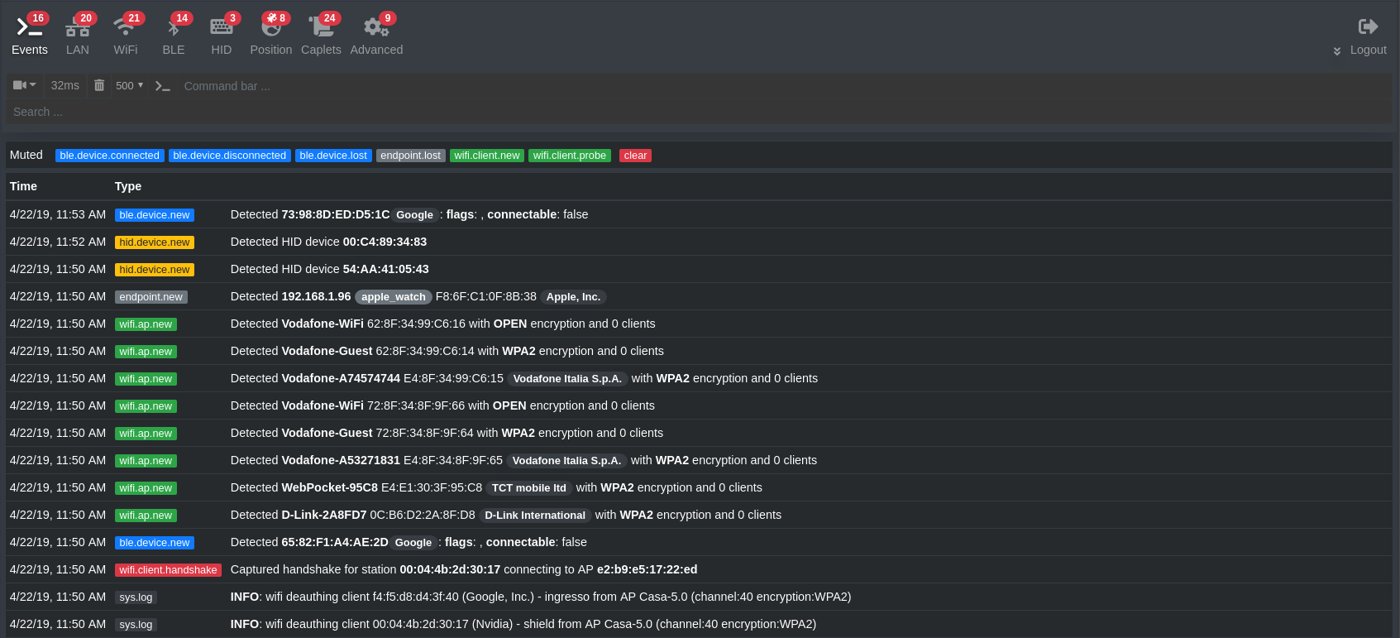
- bettercap (the engine) — the Go-language Wi-Fi reconnaissance and attack framework. Does the actual monitor-mode work, channel hopping, deauth/beacon/probe injection, PMKID solicitation, and handshake capture. Exposes an HTTP REST API for control.
- pwnagotchi (the daemon) — the Python program that drives bettercap over its REST API, runs the AI agent that tunes bettercap’s parameters, manages the e-ink UI, runs plugins, and talks to pwngrid.
- pwngrid (the social layer) — the Go program that handles peer discovery (broadcasting + listening for special beacon frames), encryption (Curve25519 / X25519 key exchange + ChaCha20 frame encryption), and the local peers database.
5.1 The bettercap engine
bettercap is the general-purpose MITM / network attack framework that evilsocket wrote in Go (replacing his earlier Ruby ettercap-style tool). It has subsystems for ARP/DHCPv6/NDP spoofing, HTTP/HTTPS proxy interception, BLE recon, and so on; the Pwnagotchi uses only the Wi-Fi (wifi.*) module.
The relevant bettercap commands the Pwnagotchi daemon issues over RPC:
Table 1 — The relevant bettercap commands the Pwnagotchi daemon issues over RPC
| Command | What it does | Pwnagotchi calls it… |
|---|---|---|
wifi.recon on | Enter monitor mode on the configured iface | Once at startup |
wifi.recon.channel <ch> | Lock to a channel (else hop all) | When the AI agent chooses a channel |
wifi.recon.channel clear | Unlock and hop | When the AI agent chooses to roam |
wifi.deauth <bssid> | Send deauth frames to clients of <bssid> | When a candidate AP is selected |
wifi.assoc <bssid> | Send a forged association request — triggers PMKID response if AP is vulnerable | Periodically for every AP seen |
wifi.show | Returns JSON of all known APs, clients, signal strengths | The Pwnagotchi polls this every few seconds for UI updates |
wifi.handshake.save <bssid> | Trigger the handshake save handler | When a handshake is captured |
The bettercap caplet /usr/local/etc/bettercap/caplets/pwnagotchi.cap (shipped with the jayofelony image) is a small script that initializes bettercap into the Pwnagotchi’s desired starting state — Wi-Fi recon on, monitor mode set, handshake capture pipe configured to write into /root/handshakes/.
5.1.1 The RPC interface
bettercap exposes its REST API on 127.0.0.1:8081 by default. Authentication is basic — username user, password pass (set in the caplet — jayofelony rotates these, check /etc/pwnagotchi/config.toml). The Pwnagotchi daemon uses requests to issue authenticated POSTs:
# From pwnagotchi/agent.py (paraphrased):
def run_command(cmd):
    return requests.post(
        f"http://127.0.0.1:8081/api/session",
        auth=("user", "pass"),
        json={"cmd": cmd},
        timeout=5
    ).json()
This RPC pattern is the only way the Pwnagotchi daemon talks to bettercap. If bettercap’s process dies, the Pwnagotchi daemon hangs at the next RPC; systemd’s restart policy brings both back up.
5.1.2 The handshake-capture path
When bettercap sees a valid EAPOL 4-way handshake on the air, it does the following:
- Writes the raw frames to
/root/handshakes/<essid>_<bssid>.pcap(creating the file if new). - If
pwnagotchi.capconfigured a handshake hook, runs the configured shell command (/usr/local/share/pwnagotchi/handshake.sh <pcap_file>in stock setup) which can post-process the file (rename, copy to a backup, upload to wpa-sec, etc.). - Emits a
wifi.client.handshakeevent over the RPC event stream that the Pwnagotchi daemon subscribes to.
The Pwnagotchi daemon, on receiving the event:
- Increments the captured-handshakes counter (shown on the e-ink face status row).
- Adds a “captured handshake aa:bb:cc:dd:ee:ff” line to the event log.
- Updates the AI agent’s reward (this was a captured handshake — that’s positive feedback).
- Triggers an e-ink face change to the “happy / eating” expression.
- Records the timestamp + RSSI + ESSID in the agent’s state tracking for the long-term policy update.
5.2 The pwnagotchi daemon
The Python daemon (pwnagotchi/) is the orchestration layer. Its responsibilities, in rough call order from boot:
- Initialize the e-ink driver based on
config.toml’sui.display.type. Render the boot face. - Connect to bettercap over RPC. Send the
pwnagotchi.capcaplet. Verify monitor mode is up. - Initialize pwngrid if
personality.advertise = true. Start broadcasting + listening for peer beacons. - Initialize the A2C agent if
personality.mode = "ai". Load saved model weights from/root/brain.nnif present; else start fresh. - Start the main loop: every N seconds, poll bettercap for current Wi-Fi state, update agent state, get next action from agent (channel + deauth params), issue bettercap RPC commands to enact, redraw face if state changed, handle plugin callbacks.
- Handle handshake-capture events from bettercap’s event stream — see §2.2.
- Handle pwngrid peer events from pwngrid’s API — update peer count, change face if new peer discovered, log the event.
- Save agent state periodically (every ~10 min by default) to
/root/brain.nn.
The daemon is single-threaded (with some async I/O for HTTP). The main loop is roughly 1 Hz. AI-mode agent inference is fast (the network is small — ~3 dense layers of ~50 units); the bottleneck is bettercap I/O latency and e-ink refresh time.
5.3 The pwngrid peer-to-peer protocol
pwngrid is the social layer. It’s a separate Go program (not a library) running as its own systemd unit, in two modes:
- Local-only — broadcasts and listens for pwngrid beacons on the air. Maintains the local peers DB. Default.
- With cloud opt-in — additionally talks to
pwnagotchi.ai/gridto upload peer encounters. This was the long-term project graveyard — the cloud side was effectively unmaintained after evilsocket archived in 2020. jayofelony’s fork disables the cloud bridge by default; local pwngrid still works.
5.3.1 The on-air protocol
pwngrid encodes peer announcements as specially-formed 802.11 beacon frames with a recognizable vendor-specific Information Element (IE) tag in the beacon body. The IE carries:
- A 4-byte magic to identify the frame as pwngrid traffic
- The peer’s 32-byte Curve25519 public key
- A 4-byte rolling counter (for replay prevention)
- A short payload (peer’s name, encryption-state, AI mode, etc.) encrypted with the shared key derived from X25519 between the broadcaster’s private key and the listener’s public key
- A signature
The broadcasting peer sends the beacon at the normal beacon interval (~10 Hz) on a rotating channel selected by the agent. Listening peers see the beacon, recognize the IE, decrypt the payload if they have the broadcaster’s key (else just count the unknown peer), and update their peers/ database.
5.3.2 The peers database
/root/peers/<peer_id>.json — one file per discovered peer. Contains:
- Peer’s pseudonym (e.g., “JimsGotchi”)
- Public key
- First-seen timestamp + last-seen timestamp
- Total encounter count
- Last-seen location (if GPS plugin enabled)
- AI mode of the peer (so two AI gotchis recognize each other vs two MANU gotchis)
This database persists across reboots. A Pwnagotchi carried to a con returns home with dozens of peer entries. From a privacy-research perspective, the database is a long-lived fingerprinting trace. See Vol 10 §6 for the operational implications.
5.3.3 Encryption posture
The on-air protocol uses real Curve25519 + ChaCha20. The peer ID and pseudonym are not encrypted — they’re broadcast in the clear so other peers can identify whom they’re seeing — but the payload (which can include arbitrary plugin data) is. The pwngrid frames are recognizable as pwngrid by anyone with a monitor-mode receiver; you cannot run pwngrid covertly.
5.4 The on-disk file layout
/etc/pwnagotchi/
├── config.toml              # main config — the most important file on the device
├── personality.toml         # gotchi name + personality params (legacy, often merged into config.toml)
├── hostapd.conf             # if the gotchi runs an AP for itself
└── fancygotchi/             # if Fancygotchi is installed
    └── themes/

/usr/local/share/pwnagotchi/
├── default-plugins/         # the bundled plugins shipped with jayofelony
├── custom-plugins/          # YOUR plugins go here
├── ui/                      # face sprites, fonts
└── voice/                   # the canned status messages the gotchi "thinks"

/root/
├── brain.nn                 # the A2C agent's saved model weights
├── handshakes/              # captured .pcap files (one per BSSID)
│   ├── MyNetwork_aa:bb:cc:dd:ee:ff.pcap
│   └── ...
├── peers/                   # pwngrid peer database (one JSON per peer)
└── .pwnagotchi-launcher.log # launcher log (separate from systemd journal)

/var/log/
├── pwnagotchi.log           # daemon's own log (separate from journal)
└── bettercap.log

/usr/local/etc/bettercap/
└── caplets/
    └── pwnagotchi.cap       # bettercap caplet the Pwnagotchi loads
The two files that matter for daily use are:
/etc/pwnagotchi/config.toml— the entire configurable surface of the Pwnagotchi. Plugin enables/disables, AI mode params, display type, web UI creds, channels to skip, networks to whitelist. ~150-300 lines on a typical install. Edit,systemctl restart pwnagotchi./root/handshakes/— your loot.scporrsyncthis directory to your workstation periodically; the SD card is not a permanent home.
5.5 The systemd units
jayofelony images install three systemd units that constitute the Pwnagotchi stack:
Table 2 — jayofelony images install three systemd units that constitute the Pwnagotchi stack
| Unit | What it runs | Restart policy |
|---|---|---|
pwnagotchi.service | The Python daemon | Restart=on-failure, RestartSec=5 |
bettercap.service | The bettercap engine | Same |
pwngrid-peer.service | The pwngrid peer-discovery daemon | Same |
Plus a few support units:
pwnagotchi-launcher.service— runs at boot, decides whether to start the AI/AUTO/MANU mode based onconfig.toml, then exits.pwnagotchi-web.service— the Flask web UI (port 8080) — only ifui.web.enabled = true.
The standard diagnostic commands:
sudo systemctl status pwnagotchi
sudo systemctl status bettercap
sudo systemctl status pwngrid-peer

sudo journalctl -u pwnagotchi -f          # tail the daemon log
sudo journalctl -u bettercap -f           # tail the bettercap log

sudo systemctl restart pwnagotchi         # after editing config.toml
5.6 config.toml — a guided tour
A representative /etc/pwnagotchi/config.toml, abridged with explanations:
main.name = "RawGotchi"                          # what shows up on the e-ink + in pwngrid
main.lang = "en"
main.confd = "/etc/pwnagotchi/conf.d"            # additional conf files (per-plugin etc.)
main.custom_plugins = "/usr/local/share/pwnagotchi/custom-plugins"
main.whitelist = [                                # don't deauth or harvest these — your own networks
    "MyHomeNetwork",
    "aa:bb:cc:dd:ee:ff",
]

[main.plugins.auto-update]
enabled = false                                   # off in production for reproducibility

[main.plugins.grid]                               # pwngrid plugin
enabled = true
report = false                                    # whether to upload to pwnagotchi.ai/grid

[main.plugins.bt-tether]                          # BT-tether for off-device web UI
enabled = false                                   # off unless you've configured your phone

[main.plugins.pisugar]                            # PiSugar 3 plugin
enabled = true
default_display = "voltage"

[ui]
fps = 0.5                                         # face redraws per second; e-ink can't handle higher
display.enabled = true
display.type = "waveshare_4"
display.color = "black"
display.rotation = 0

[ui.web]
enabled = true
address = "0.0.0.0"
port = 8080
username = "changeme"
password = "changeme"                             # CHANGE THIS

[personality]
advertise = true                                  # broadcast on pwngrid
mode = "ai"                                       # ai / auto / manu
hop_recon_time = 10                               # seconds per channel during initial recon
min_recon_time = 5                                # min seconds before re-evaluating
max_inactive_scale = 2                            # how to scale dwell when bored
recon_inactive_multiplier = 2
sad_num_epochs = 25
bored_num_epochs = 15
excited_num_epochs = 10

# A2C hyperparameters — see Vol 6
[personality.ai]
enabled = true
path = "/root/brain.nn"
params.workers = 2
params.policy = "MlpPolicy"
params.learning_rate = 0.0001
params.batch_size = 50
The fields you’ll actually change on first install:
main.name(set your gotchi’s name)main.whitelist(add your own SSIDs / BSSIDs)ui.display.type(match your panel)ui.web.username+ui.web.password(mandatory; never leave defaults)personality.mode(aiif you want the RL agent;autofor fixed-tuning autonomous;manufor manual / static config)- Per-plugin enables under
[main.plugins.*]
5.7 The web UI
When ui.web.enabled = true, the Pwnagotchi daemon spawns a small Flask server on the configured port (8080 by default). The page (http://<gotchi-ip>:8080/) shows:
- A live rendering of the e-ink face (refresh every ~1 s — works because it’s just sending the rasterized panel image as a base64 PNG)
- The current event log
- Captured-handshake count + a list of captured BSSIDs + a download button per
.pcap - The pwngrid peers list
- A small admin panel for plugin enable/disable, reboot, shutdown
Authentication is HTTP Basic with the credentials in [ui.web]. Treat it as worth-as-much-as-SSH — the Pwnagotchi gives you a shutdown button and full handshake-file download. If you expose the web UI on a public network, set strong credentials and (ideally) put it behind an SSH tunnel.
5.8 Logging and diagnostics
The Pwnagotchi log streams go to:
- systemd journal —
sudo journalctl -u pwnagotchi -fis the canonical “what’s happening right now” view. /var/log/pwnagotchi.log— a duplicate log file written by the daemon (legacy; the journal is the source of truth in jayofelony).- The web UI’s “log” tab — same content as the journal, web-rendered.
A health check sequence when something seems off:
# 1. Daemon up?
systemctl is-active pwnagotchi

# 2. bettercap up?
systemctl is-active bettercap

# 3. Monitor mode actually active?
sudo iw dev
# look for an interface in type "monitor" — likely "mon0"

# 4. RPC reachable?
curl -u user:pass http://127.0.0.1:8081/api/session/wifi | head

# 5. Handshake directory growing?
ls -la /root/handshakes/

# 6. Disk full?
df -h /
Typical failure modes:
brcmfmacfirmware re-overwritten by anaptupgrade → monitor mode dead → bettercap reportswifi.reconfailures → no captures. Fix: re-apply the patched firmware (see Vol 9fix_brcmfplugin) and avoid casualapt upgrade.- SD card full (often from accumulated handshakes +
auto-backupplugin writing copies) → daemon hangs at next disk write. Fix: clean/root/handshakes/, larger SD. - e-ink driver crash → daemon dies in
ui.update→ systemd restarts → loops. Fix: check display config (waveshare_4vswaveshare_3).
5.9 Cheatsheet updates from this volume
Items to roll into Vol 12 (laminate-ready cheatsheet):
- “bettercap on 8081, pwnagotchi web UI on 8080, both behind HTTP Basic.” (§2.1, §8)
- “Handshakes are in /root/handshakes/ — scp them off regularly.” (§5)
- “
systemctl restart pwnagotchiafter editing /etc/pwnagotchi/config.toml.” (§7)- “Tail the daemon:
journalctl -u pwnagotchi -f.” (§9)- “If captures stop happening, first check
iw devfor monitor mode.” (§9)
Comments (0)