Wi-Fi Pineapple · Volume 12
Hak5 WiFi Pineapple Volume 12 — Pager: Hardware & Electronics
The pocketable Pineapple — on-device display, buttons, Bluetooth, battery, tri-band radios, and the integrated ethernet adapter
12.1 About this volume
The Pager is the WiFi Pineapple reimagined as a pocketable, self-contained, glanceable device — the one you run from your hand while walking, not from a laptop on a desk. This volume is the hardware treatment; Vol 13 covers on-device operation, firmware, mods, and use cases.
The Pager is the biggest form-factor departure in the line. Vol 6 §7 flagged the on-device screen as “the Pager exception” — and the screen is only the start of it. The Pager also brings Bluetooth as a first-class radio, tri-band Wi-Fi (2.4/5/6 GHz), an integrated battery, and a whole physical-feedback subsystem (buzzer, vibration, multiple RGB LEDs, an RTC) that no other Pineapple has. It is the same PineAP platform underneath — but in a fundamentally different body.
Research-baseline applies; a doc-audit against an acquired unit re-pins the specifics.
12.2 The Pager at a glance
┌─ WiFi Pineapple Pager ─────────────────────────────────────┐
│ Radios     Dual-radio array · tri-band 2.4 / 5 / 6 GHz     │
│            Bluetooth + BTLE                                │
│ Memory     256 MB RAM · 4 GB eMMC                          │
│ Display    Vivid color display (~2.4", 480×222)            │
│ Controls   physical buttons                                │
│ Battery    2000 mAh · USB-C charging · ~4 h runtime        │
│ Net        USB 2.0 · integrated ethernet adapter           │
│ Feedback   4× RGB LED · buzzer · vibration motor · RTC     │
│ PineAP     "PineAP engine 100x faster" (Hak5)              │
│ Form       Pocketable handheld                             │
└────────────────────────────────────────────────────────────┘
The Pager’s identity: everything the Mark VII needs a laptop and a power bank for, the Pager has on board. A screen instead of a browser-on-a-laptop. A battery instead of a power bank. Feedback hardware so it can get your attention from a pocket. And it adds capabilities the Mark VII does not have at all — 6 GHz, Bluetooth. It is not “a smaller Mark VII”; it is the Pineapple re-conceived for the walk-around engagement.
12.3 The on-device display and buttons
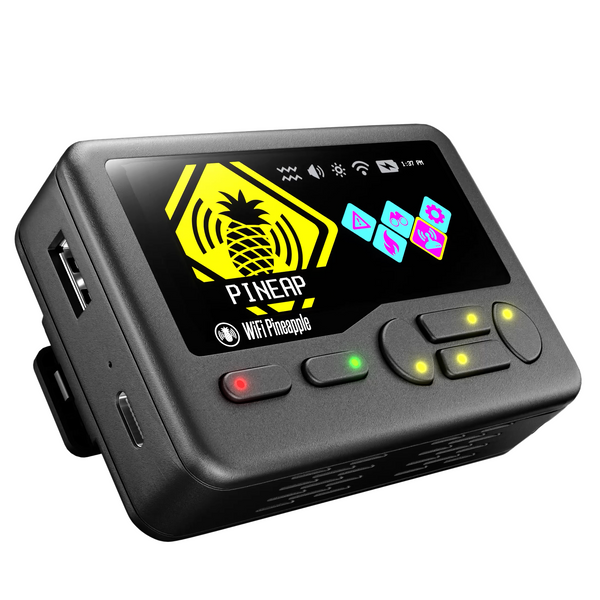
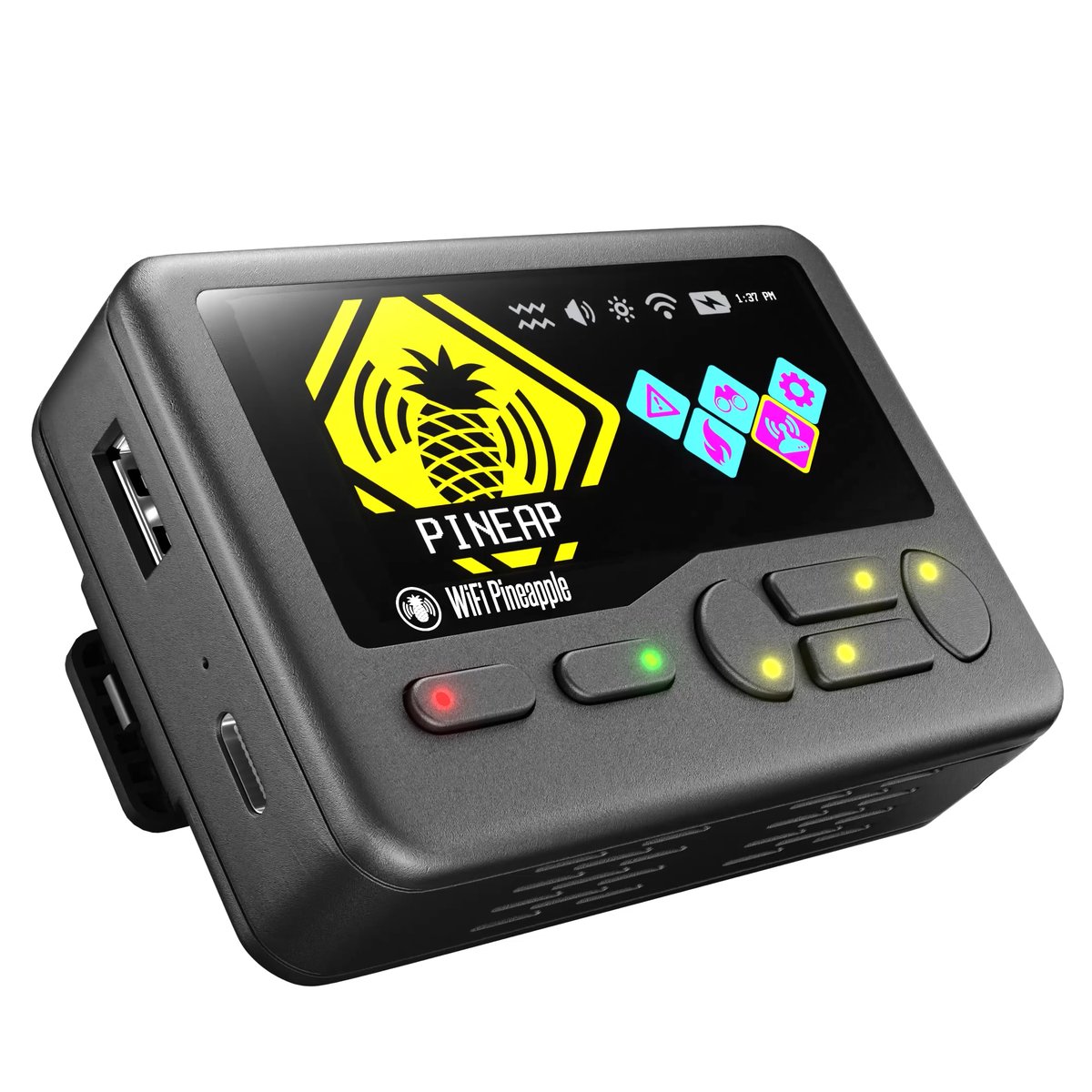
The Pager’s defining feature: a vivid color display — research-baseline ~2.4”, 480×222 — plus physical buttons. This is what Vol 6 §7 called “the Pager exception”: every other Pineapple is browser-operated; the Pager can be operated on the device itself.
   The two operating surfaces
   ════════════════════════════════════════════════════════

   EVERY Pineapple:  the web UI (browser, over the management
                     interface) — full-featured, the whole
                     control panel (Vol 6)

   The PAGER ALSO:   an ON-DEVICE UI — the color screen +
                     physical buttons — a STREAMLINED view
                     you drive in your hand, no second machine

   The on-device UI is ADDITIVE. The Pager still HAS the web
   UI (and an integrated ethernet adapter to reach it — §6).
   The screen is a second surface, not a replacement.
What the on-device UI is for: the walk-around engagement. You cannot carry a laptop, navigate to a web UI, and read a recon graph while walking through a building — but you can glance at a 2.4” screen in your hand. The on-device UI is necessarily a streamlined view (a 2.4” screen cannot show the full web-UI Recon graph), surfacing the operationally-essential subset — recon at a glance, PineAP control, status, alerts. Vol 13 §3 is the full treatment of what the on-device UI drives.
The display is specified as crisp from any angle, indoors and out — which is a field spec: a walk-around device’s screen has to be readable in daylight, not just at a desk.
12.4 The radios — tri-band plus Bluetooth
The Pager’s radio set is a dual-radio array that is tri-band — 2.4 GHz, 5 GHz, and 6 GHz — plus Bluetooth and BTLE.
   The Pager's radio coverage vs the Mark VII's
   ════════════════════════════════════════════════════════

   Mark VII (bare)     2.4 GHz                    (3 radios)
   Mark VII + MK7AC    2.4 + 5 GHz                (4 radios)
   PAGER               2.4 + 5 + 6 GHz + BT/BTLE  (dual array)

   The Pager is the ONLY current model with:
     • 6 GHz natively (Wi-Fi 6E airspace)
     • Bluetooth / BTLE as a first-class radio

   It does this with a DUAL-radio array rather than the
   Mark VII's three — fewer radios, but broader BAND
   coverage per radio, and the BT addition.
Two firsts in the line:
- 6 GHz. The Pager natively covers the 6 GHz band — the Wi-Fi 6E airspace. Neither the bare Mark VII nor the Mark VII + MK7AC reaches 6 GHz; the Pager does. As 6 GHz adoption grows, this is a forward-looking capability.
- Bluetooth / BTLE as a first-class radio. The Pager can do Bluetooth and BTLE work — BT/BLE recon, device discovery — that no other current Pineapple can do natively. This widens the Pager from “a Wi-Fi tool” to “a Wi-Fi and Bluetooth tool” (Vol 13 §6 covers BT operation; the legal/posture framing of Vol 4/Vol 8 applies to BT exactly as it does to Wi-Fi).
The role-based radio model (Vol 7 §3) still applies — the firmware assigns roles across the dual array — but the array is band-broader and BT-inclusive rather than radio-count-deeper. The exact per-radio band/role mapping is a doc-audit item; the operational fact is the coverage: 2.4/5/6 GHz Wi-Fi + BT/BTLE, in your pocket.
12.5 Battery and power
The Pager has an integrated 2000 mAh battery, charged over USB-C, with an estimated ~4-hour runtime per charge.
This is a real departure from the Mark VII model:
   Powering a Mark VII vs powering a Pager
   ════════════════════════════════════════════════════════

   Mark VII:  USB-C powered. Untethered = "Mark VII + a
              power bank in the bag" (Vol 9 §6). The battery
              is an EXTERNAL accessory you carry.

   Pager:     INTEGRATED 2000 mAh battery. Untethered IS the
              default. ~4 h runtime. Charge over USB-C; can
              charge while operating.

   The Pager is the first Pineapple DESIGNED around being
   battery-powered and self-contained. The walk-around use
   case (Vol 13 §5) is built on this — and the ~4 h runtime
   is the OPERATING CONSTRAINT that defines that use case.
The ~4-hour runtime is the number that shapes the Pager’s whole operational profile (Vol 13 §5, §8): the Pager is a short-window, opportunistic device. It is not a permanent-deployment device (that is the Enterprise) and it is not an indefinite-runtime device (that is anything on USB power). It is a “walk in, do the thing, walk out, within a battery charge” device — and the battery is why. Charge it before the engagement; plan the engagement to the battery; carry a USB-C power source if the window might run long.
12.6 The integrated ethernet adapter
The Pager still has the web UI (Vol 6 §7 — the on-device screen is additive, not a replacement), and the integrated ethernet adapter is how you reach it.
On a Mark VII, you reach the web UI over the USB-C ethernet (Vol 9 §6) — but that needs a host. The Pager’s integrated ethernet adapter means you can connect it to a network or a host and reach the full web UI without a separate USB ethernet dongle — the adapter is built in.
So the Pager has, deliberately, two operating surfaces and the means to use both:
- The on-device UI (§3) — for the walk-around, in-your-hand, no-second-machine case.
- The web UI — for the full control panel, reached via the integrated ethernet adapter, when you do have a machine and want the depth the 2.4” screen cannot show.
This is the right design for a device that has to work both as a glanceable handheld and as a real Pineapple — you are not locked into the small screen; the full web UI is always one ethernet connection away.
12.7 Feedback hardware — buzzer, vibration, RGB LEDs, RTC
The Pager has a physical-feedback subsystem no other Pineapple has: 4× RGB LEDs, a buzzer, a vibration motor, and a real-time clock (RTC).
   The Pager's feedback subsystem — and why it exists
   ════════════════════════════════════════════════════════

   4x RGB LED ────── rich visual status (vs the Mark VII's
                     single LED) — multi-channel at-a-glance
   buzzer ────────── audible alerts / ringtones — an internal
                     speaker for alerts and alarms
   vibration motor ─ DISCREET notification — get the
                     operator's attention silently, in a pocket
   RTC ───────────── a real-time clock — timestamping,
                     scheduling, time-aware operation

   WHY: the Pager is operated FROM A POCKET, WHILE MOVING.
   It cannot rely on you watching a screen. So it has to be
   able to GET YOUR ATTENTION — by light, by sound, or
   (the clever one) by VIBRATION, so a real-time WiFi alert
   reaches you discreetly without a glance or a sound.
Hak5’s framing makes the intent explicit: the Pager gives “real-time WiFi alerts with ringtones and vibrations.” The feedback subsystem is the walk-around device’s I/O — the Mark VII can rely on the operator watching a laptop screen; the Pager, in a pocket, has to signal. The vibration motor in particular is the standout: it is how the Pager tells you something happened without a sound that a bystander would hear or a glance that breaks your cover.
The RTC is the quiet one — a real-time clock matters for timestamping captures, for time-scheduled operation, and for any workflow where “when did this happen” needs to be accurate independent of a network time source.
12.8 The board and enclosure
The Pager is a pocketable handheld — an enclosure sized and shaped to be carried in a hand or a pocket and operated by thumb on the physical buttons while watching the color screen. Inside, it packs more into less space than any other model: the dual-radio tri-band array plus a BT radio, the SoC, RAM and 4 GB eMMC, the color display and its driver, the 2000 mAh battery, the integrated ethernet adapter, and the entire feedback subsystem (§7).
That density is the Pager’s engineering story — fitting a full PineAP platform, a screen, a battery, BT, and a feedback subsystem into a pocket device. Thermals in a sealed pocket enclosure running multiple radios are a real consideration (a doc-audit item against the actual unit); the ~4-hour runtime (§5) is partly a battery-capacity number and partly a sustained-power-draw number.
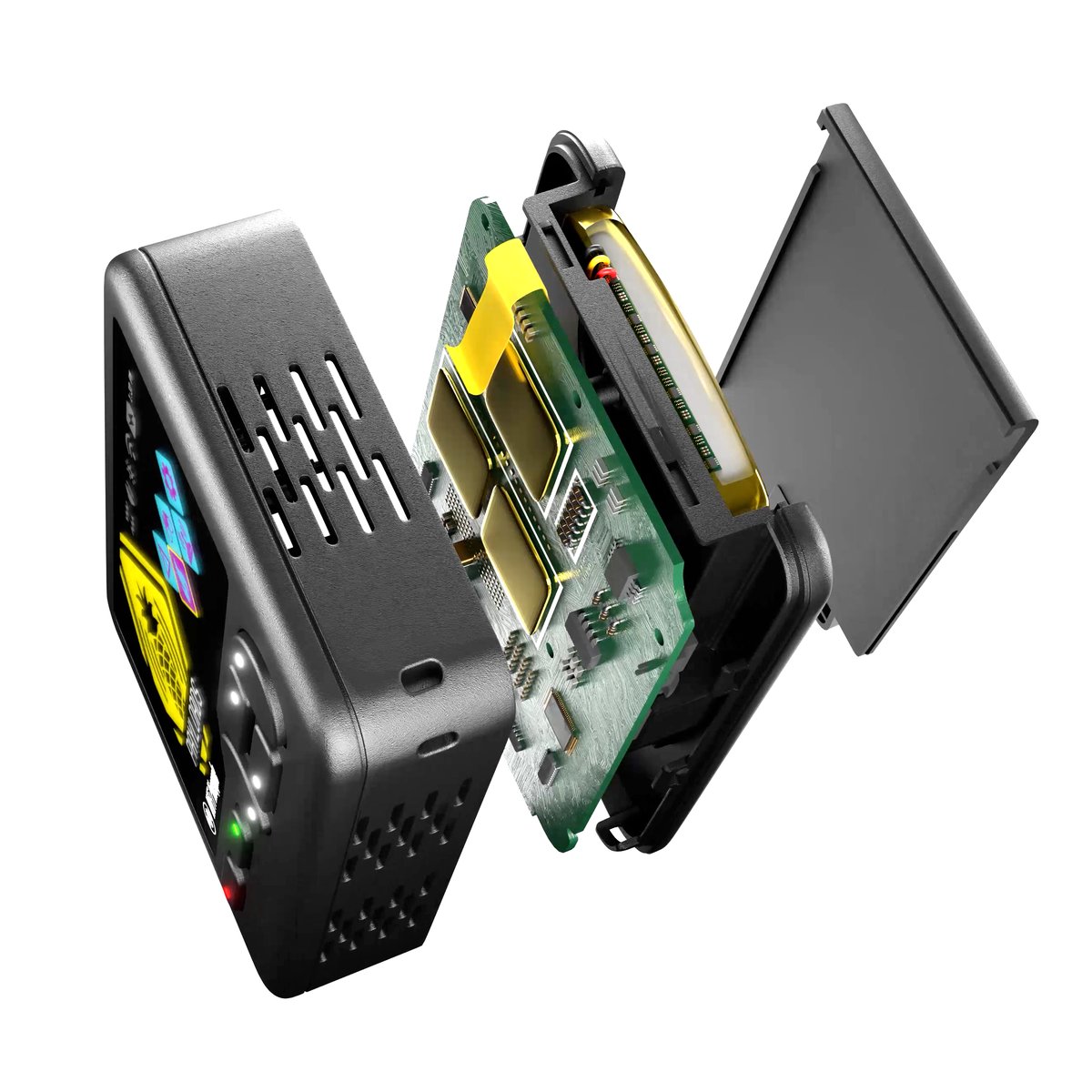
The form-factor trade against the Mark VII’s puck (Vol 9 §7): the Pager gives up the Mark VII’s third radio and some simplicity to gain the screen, the battery, BT, 6 GHz, and the feedback subsystem. It is the right trade for the walk-around use case and the wrong trade for a bench/Campaigns workflow — which is exactly why the line has both, and why Vol 16 frames the models as a matrix, not a ladder.
12.9 Resources
- WiFi Pineapple Pager docs: https://docs.hak5.org/wifi-pineapple-pager/
- WiFi Pineapple Pager product page: https://shop.hak5.org/products/pager
- Connecting the WiFi Pineapple Pager: https://docs.hak5.org/wifi-pineapple-pager/connecting/connecting-the-wifi-pineapple-pager/
- Vol 7 — the generic hardware architecture
- Vol 6 §7 — the on-device-screen “Pager exception” introduced
- Vol 13 — Pager firmware, on-device operation, mods, use cases
- Vol 16 — model comparison
This is Volume 12 of a 21-volume series. Next: Vol 13 covers the Pager in operation — first boot, the on-device UI, the firmware build and the “PineAP 100x faster” claim, the walk-around operating workflows, Bluetooth operation, mods, and the use cases where the Pager wins.
Comments (0)