Wi-Fi Pineapple · Volume 13
Hak5 WiFi Pineapple Volume 13 — Pager: Firmware, On-Device Operation, Mods & Use Cases
Running the Pineapple from your hand — the on-device UI, the firmware, the walk-around workflows, mods, and where the Pager wins
13.1 About this volume
Vol 13 is the operating treatment of the Pager — the device Vol 12 describes as hardware. The Pager’s distinguishing operational fact is that it is the only Pineapple you run without a second machine (Vol 6 §7, Vol 12 §3): a color screen, physical buttons, and a feedback subsystem (Vol 12 §7) that can reach you from a pocket. It also brings Bluetooth as a working radio (Vol 12 §4) and is marketed with a “PineAP engine 100× faster” claim worth examining (§4).
Foundation cross-refs: Vol 5 (firmware foundation), Vol 6 §7 (the on-device-screen exception), Vol 3 (the technique catalog this operates), Vols 4 + 8 (the legal line and posture every active step is bound by). Research-baseline applies.
13.2 First boot and setup
The Pager’s setup differs from the Mark VII’s in one structural way — it has two operating surfaces (Vol 12 §3, §6), and you can set it up from either:
   Pager first-boot sequence
   ════════════════════════════════════════════════════════

   1. POWER     it has an integrated 2000 mAh battery — charge
                it over USB-C first. Power on. The 4x RGB LEDs
                and the color screen come up.

   2. CHOOSE A  the ON-DEVICE UI — set up from the screen +
      SURFACE   buttons in your hand; OR the WEB UI — connect
                via the integrated ethernet adapter (Vol 12 §6)
                and set up in a browser, the full control panel.

   3. FIRST-RUN root password, management interface, the
                Management UI Firewall (Vol 6 §8) — same
                hardening discipline as the Mark VII (Vol 10 §2).

   4. FIRMWARE  update to the current Pager firmware (§4).

   5. RADIOS    confirm role assignment across the dual-radio
                array; the Pager's array spans 2.4/5/6 GHz +
                BT/BTLE (Vol 12 §4).

   6. C2 (opt)  Cloud C2 enrollment if remote/fleet operation
                is wanted (Vol 5 §5, Vol 19).
The dual-surface choice at step 2 is the Pager’s character from first boot: you can do the whole thing in your hand, and you can do it in the full web UI — and most operators will do initial setup in the web UI (it is the full control panel) and then operate in the field from the on-device UI. The exact steps are firmware-version-specific (doc-audit item); docs.hak5.org/wifi-pineapple-pager has the authoritative current flow.
13.3 The on-device UI
The Pager’s signature: a streamlined operating UI on the device itself — the ~2.4” color screen plus the physical buttons (Vol 12 §3). What it drives:
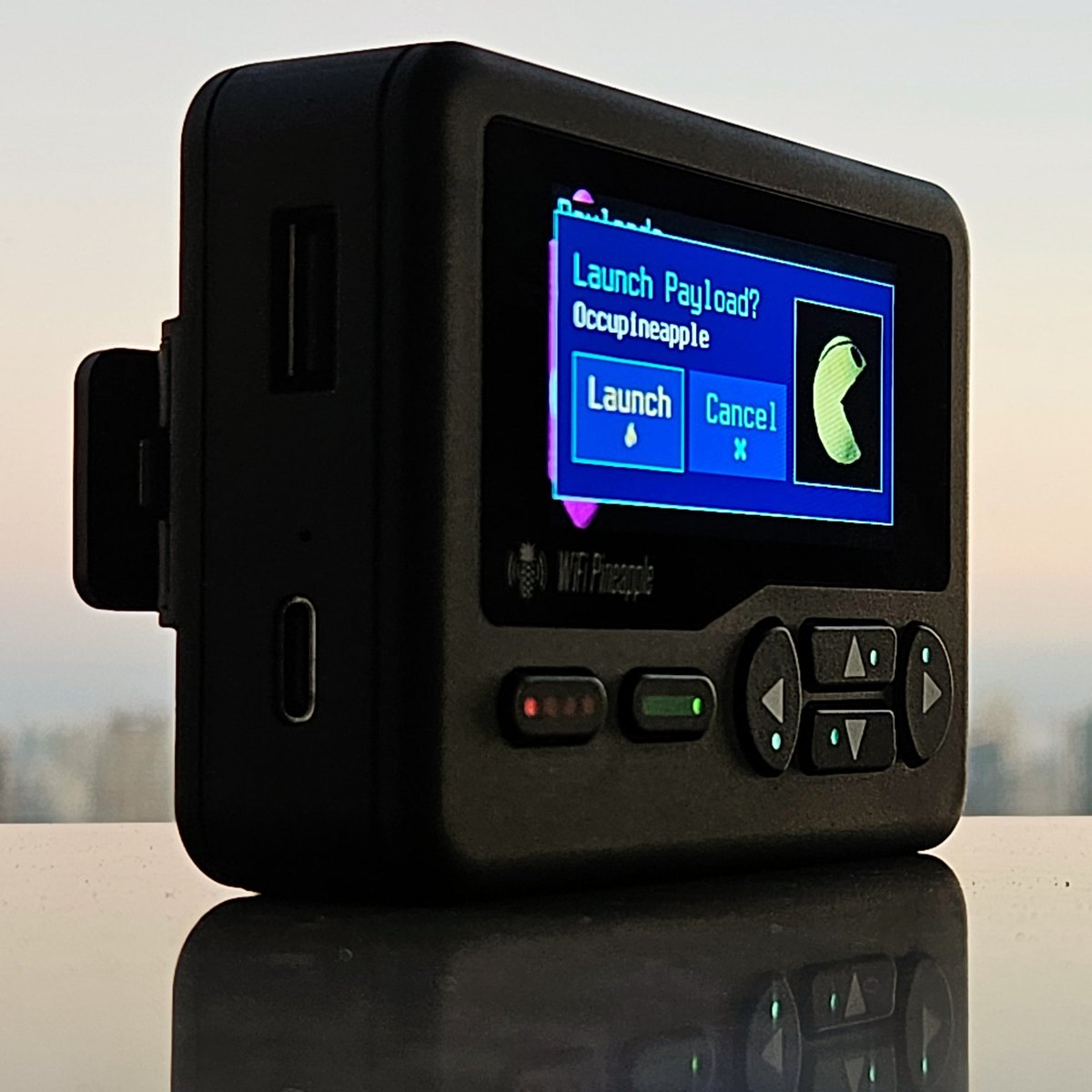
Table 1 — 3. The on-device UI
| On-device UI area | What you do with it in your hand |
|---|---|
| Recon | a streamlined airspace view — APs, clients, signal, at a glance, while walking |
| PineAP control | start/stop/configure the PineAP engine on-device — the active workflows (Vol 3 §6-8), authorization-gated as always |
| Status | device state, battery, radios, what is running |
| Alerts | the real-time WiFi alerts the feedback subsystem (Vol 12 §7) raises — see, hear, or feel them |
   What the on-device UI is — and is not
   ════════════════════════════════════════════════════════

   IS:     the OPERATIONALLY-ESSENTIAL SUBSET, designed to be
           read and driven in a hand, while moving, with thumbs
           on physical buttons. Glanceable. Field-usable.

   IS NOT: the full web UI. A 2.4" screen cannot show the
           full Recon graph, the full Campaigns editor, the
           module manager. For that depth you use the web UI
           via the integrated ethernet adapter (Vol 12 §6).

   The design split: ON-DEVICE for FIELD OPERATION,
   WEB UI for DEPTH. The Pager gives you both and the means
   to switch (Vol 12 §6).
The feedback subsystem (Vol 12 §7) is part of the on-device UI in practice: the screen shows you the airspace, but the buzzer / vibration / RGB LEDs are how the Pager gets your attention when you are not looking at the screen — a recon alert reaches you as a vibration in your pocket, not as a line of text you have to be watching for. That is the on-device UI working with the feedback hardware to make a glanceable, pocket-operable Pineapple.
13.4 The Pager firmware build
The Pager runs the Pager firmware — the same OpenWrt + PineAP core that Vol 5 describes, plus two device-specific layers: the on-device-UI layer (driving the screen, the buttons, the feedback subsystem) and the Bluetooth stack (Vol 12 §4, §6 below).
The “PineAP engine 100× faster” claim. Hak5 markets the Pager with the line that its PineAP engine is “100× faster than any other.” An honest reading for an engineer:
- It refers to the PineAP engine’s processing performance — research-baseline, most plausibly the speed of the recon / probe-processing / association-handling pipeline (Vol 3 §4-6), i.e. how fast the engine ingests and acts on the airspace it sees.
- It is a marketing figure and should be treated as one — “100×” is a headline, not a benchmarked spec, and “than any other” implies a comparison baseline that is not stated. A
doc-auditpass against the actual device, and against the other models, is the only way to put a real number on it. - The operational takeaway, stripped of the marketing: the Pager’s PineAP engine is fast — fast enough that the walk-around use case (you are moving, the airspace is changing rapidly as you go) is viable. Whether it is literally 100× anything, the engineering point is that the Pager’s engine is tuned for the high-churn, on-the-move recon scenario the device exists for.
“Which firmware is best” — the Vol 5 §6 answer holds: the current stable Hak5 Pager release. No alternative firmware ecosystem (Vol 5 §7). Update at setup, update on release, doc-audit re-pins the version.
13.5 Walk-around operating workflows
The Pager’s reason to exist: recon and PineAP while moving, no laptop. The workflows:
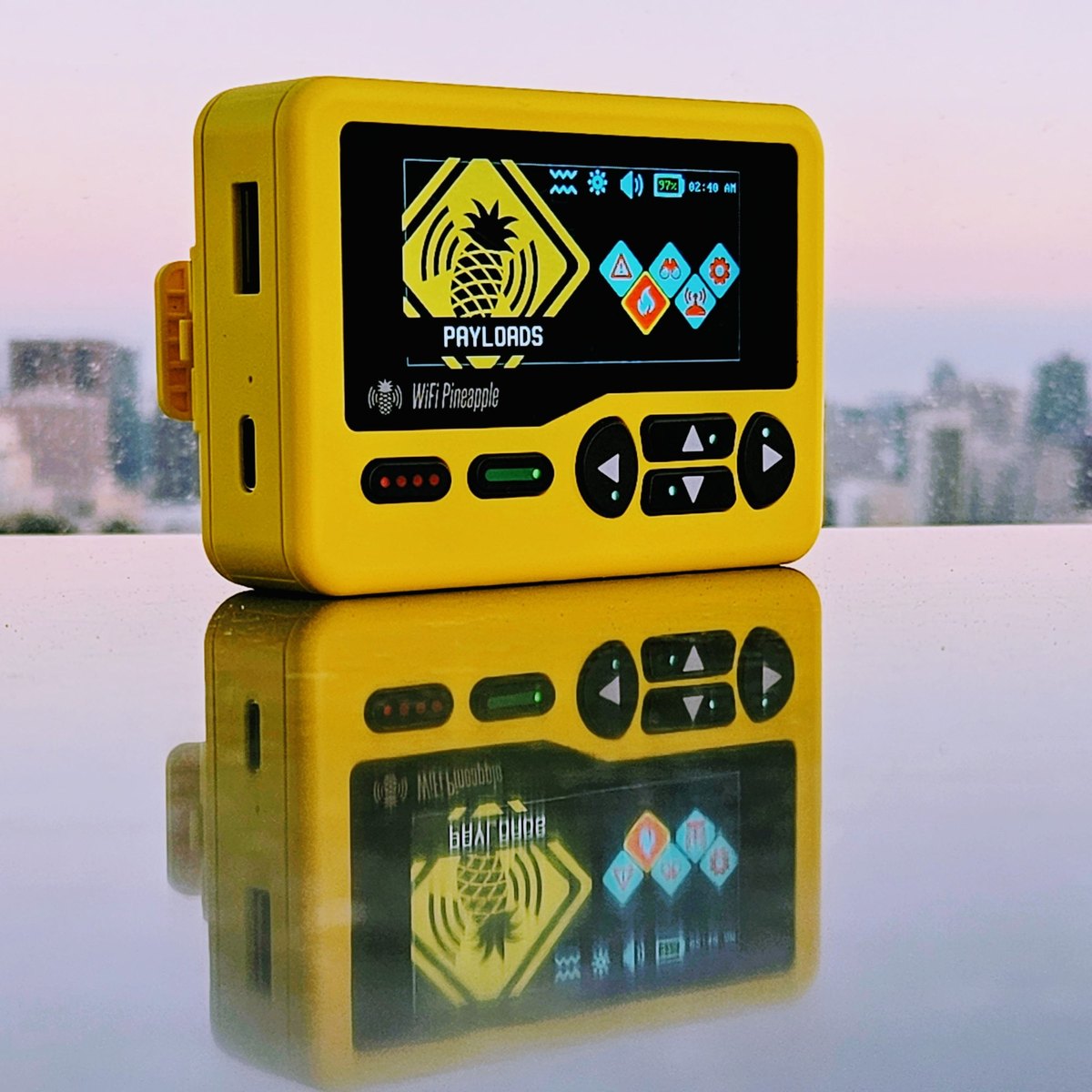
The walk-around recon sweep:
1. Charge the Pager. Confirm radios assigned (§2).
2. On-device UI: open Recon. Start the sweep.
3. WALK. Through the building, the floor, the area. The
   streamlined Recon view updates as the airspace changes
   around you; the feedback subsystem raises alerts you
   feel (vibration) without having to watch the screen.
4. Note targets; the captures are on the device.
   — Passive recon. Generally lawful (Vol 4).
A quick scoped PineAP check:
0. AUTHORIZATION ARTIFACT in hand (Vol 8 §2).
1. On-device UI: PineAP control. Configure the engine,
   scoped to the authorized target (Vol 3 §8 MAC targeting).
2. Run it. Watch the on-device status / alerts.
3. Stop it. — Active TX, authorization-required (Vol 4).
Glance-and-go monitoring:
1. PineAP / recon running; Pager in a pocket or bag.
2. The feedback subsystem signals events — a vibration,
   an LED, a buzzer alert (Vol 12 §7) — so you do NOT have
   to watch the screen. Glance only when it signals.
3. The ~4 h battery (Vol 12 §5) is the time budget.
The operating constraint, stated plainly: the ~4-hour battery (Vol 12 §5) is the clock on every Pager engagement. The Pager is a short-window device. You charge it fully before, you plan the engagement to fit inside the charge, and you carry a USB-C power source if the window might run long. A walk-around workflow that needs eight hours is not a Pager workflow — it is a Mark VII (on a big power bank) or an Enterprise (on mains) workflow. Plan to the battery.
13.6 Bluetooth operation
The Pager is the only current Pineapple with Bluetooth / BTLE as a first-class radio (Vol 12 §4). What that enables:
- BT / BLE recon — discovering and surveying Bluetooth and Bluetooth Low Energy devices in the airspace, alongside the Wi-Fi recon. A walk-around sweep on a Pager is a Wi-Fi and Bluetooth sweep.
- Device discovery — BT/BLE devices broadcast; the Pager can see them, which widens the picture of “what is in this environment” beyond just the Wi-Fi.
The posture point — stated because it must be: Bluetooth operation is bound by exactly the same legal line and operational posture as Wi-Fi operation (Vol 4, Vol 8, Vol 20). Passive BT/BLE recon is observation; active BT operations cross the line into authorization-required territory just as active Wi-Fi operations do. The Pager’s BT radio does not come with a different rulebook — Vol 4’s legal-line diagram and Vol 8’s posture apply to the BT capability identically. The fact that BT is “newer” to the Pineapple line does not make it lower-stakes.
The exact BT/BLE capabilities (what recon, what active operations) are firmware-version-specific and a doc-audit item; docs.hak5.org/wifi-pineapple-pager is authoritative for the current build.
13.7 Mods — Hak5 and community
Hak5 mods for the Pager:
- Carry / belt-clip accessories — the Pager is a carried device; carry accessories suit it (research the current shop.hak5.org accessory list).
- Antenna upgrades — for the dual-radio array.
- Power — USB-C power sources to extend past the ~4 h battery for a long engagement.
Community mods — same model as the rest of the line (Vol 5 §7, Vol 6 §4-5): the community builds at the module layer. Community modules for the Pager — recon visualisations, attack workflows, evil-portal page sets, reporting — installed from the web UI’s Modules area. The Pager’s on-device form factor means modules that suit glanceable, walk-around operation are the ones that matter most for it. The staleness caveat (Vol 6 §5) and the vetting discipline (Vol 6 §8, Vol 18 §8) apply: a community module runs with device privileges; vet it. Vol 18 carries the full per-model module catalog and the vetting discipline.
13.8 Use cases — where the Pager wins
The Pager wins wherever the engagement is mobile, opportunistic, short-window, or BT-inclusive — and a laptop-plus-puck is impractical or conspicuous:
Table 2 — The Pager wins wherever the engagement is mobile, opportunistic, short-window, or BT-inclusive — and a laptop-plus-puck is impractical or conspicuous
| Use case | Why the Pager wins it |
|---|---|
| Opportunistic recon / walk-throughs | the whole point — recon in your hand, while moving, no laptop, glanceable |
| Short-window engagements | the ~4 h battery fits a short, defined window perfectly (and constrains it — §5) |
| Conspicuous-laptop scenarios | walking a building with a laptop open draws attention; a pocket device with a 2.4” screen does not |
| BT-inclusive recon | the only model that recons Bluetooth/BTLE alongside Wi-Fi natively (§6) |
| 6 GHz airspace | the only model that natively reaches 6 GHz (Vol 12 §4) |
| Glance-and-go monitoring | the feedback subsystem (Vol 12 §7) means it can alert you from a pocket |
Where the Pager is the wrong tool:
- Sustained operation — the ~4 h battery rules out long engagements. Mark VII (big power bank) or Enterprise (mains).
- Deep analysis — a 2.4” screen is not where you analyse a capture or build a complex Campaign. Use the web UI (Vol 12 §6), or do the depth on the Mark VII / a laptop.
- Scale — many concurrent clients, large-venue work: the Enterprise (Vols 14-15).
- Learning the platform — the Pager is a specialised device; learn the baseline on a Mark VII first (Vol 11 §7).
The Pager is a complement to the baseline, not a replacement for it — which is exactly why Vol 16’s acquisition order puts it second, after a Mark VII + AC has made the platform familiar. Vol 16 is the full comparison; Vol 17 §2-3 are the wardriving and field-pentest playbooks the Pager features in.
13.9 Resources
- WiFi Pineapple Pager docs: https://docs.hak5.org/wifi-pineapple-pager/
- Pager — Pineapple functions / introduction: https://docs.hak5.org/wifi-pineapple-pager/pineapple-functions/introduction/
- Pager — Recon: https://docs.hak5.org/wifi-pineapple-pager/device/recon/
- Vol 12 — Pager hardware
- Vol 5 — the firmware foundation · Vol 6 §7 — the on-device-screen exception
- Vol 3 — the technique catalog · Vols 4 + 8 — the legal line and posture
- Vol 16 — model comparison · Vol 17 — setup playbooks · Vol 18 — the mods catalog
This is Volume 13 of a 21-volume series. Next: Vol 14 covers the WiFi Pineapple Enterprise hardware — the rack-mount platform: a quad-core ARM compute platform driving a five-radio dual-band MIMO array, dual gigabit ethernet, and the scale-up design.
Comments (0)