M5Stack Cardputer Zero · Volume 11
M5Stack Cardputer Zero Volume 11 — Operational Posture
Regional rules for the on-module 2.4 GHz (+ optional sub-GHz) radios, LiPo small-cell safety, education posture, fleet-ops chain of custody, the Linux-computer security posture, and legal/ethics
11.1 About this volume
Vol 11 covers operational posture for the Cardputer Zero. Most of this material is platform-agnostic — regional RF rules, LiPo cell safety, classroom discipline, chain of custody, and the legal/ethics line apply to almost any field-deployed wireless tool, and they carry over intact. What this volume corrects is the device descriptors underneath that posture, and it adds one posture dimension the earlier framing never had: the Zero is a full Linux computer, not a microcontroller, so it has a real host-OS attack surface (§6).
The Zero-distinctive considerations are:
- Education / classroom: how to deploy responsibly to students (§4)
- Fleet operations: chain of custody, data handling, recovery (§5)
- It’s a Linux box: SSH/credential exposure, a trivially-removable+readable microSD, no secure boot by default, supply-chain hygiene, safe shutdown (§6)
- The radios and the cell: a single on-module 2.4 GHz Wi-Fi/BLE radio (plus optional sub-GHz expansion modules), and a 1500 mAh LiPo (§2, §3)
Why earlier drafts of this series said “ESP32.” The Cardputer Zero was written up before it shipped, and the rest of the Cardputer family (original, ADV, M5StickS3) is ESP32-S3, so the research baseline assumed a 2.4-GHz-only ESP32-S3 microcontroller with a small (~700 mAh) cell, ESP-NOW peer comms, and firmware flashed over esptool. That was a plausible-but-wrong textbook extrapolation. The shipping product (Kickstarter, 2026-05-26) is a Raspberry Pi Compute Module 0 (CM0) — the same RP3A0 SiP as a Pi Zero 2 W: quad Cortex-A53 @ 1.0 GHz, 512 MB LPDDR2, booting Raspberry Pi OS / Debian (aarch64) off a microSD. There is no firmware to flash and no ESP-NOW. This volume uses the confirmed CM0/Linux facts; see Vol 1 and Vol 2 for the full hardware correction.
Cross-reference: the Cardputer ADV operational-posture volume shares the regulatory + legal + chain-of-custody framework — but note the ADV is an ESP32 device, so treat that cross-reference as posture-framework only, not as a hardware/OS analog. The Zero’s true Linux-handheld siblings live in the Cyberdecks project (../../../Cyberdecks/ — Clockwork uConsole, PicoCalc); their operational-posture material is the closer analog for the §6 Linux-computer dimension.
11.2 Regional regulatory framework
11.2.1 On-module 2.4 GHz Wi-Fi (802.11 b/g/n)
The CM0 carries an on-module 2.4 GHz 802.11 b/g/n radio (no 5 GHz on-module) fed by an IPEX antenna. That radio transmits in the 2.4 GHz ISM band (2400–2483.5 MHz), so the same ISM-band regulatory framework that applied to the old ESP32 framing still applies here — the band rules are properties of the band, not the silicon.
Table 1 — 2.1 On-module 2.4 GHz Wi-Fi (802.11 b/g/n)
| Region | Band | Max TX power (band limit) | Duty cycle |
|---|---|---|---|
| US (FCC §15.247) | 2400–2483.5 MHz | +30 dBm conducted (spread-spectrum/DSSS req’d) | None |
| EU (ETSI EN 300 328) | 2400–2483.5 MHz | +20 dBm EIRP | Adaptivity / strict |
| JP (ARIB STD-T66) | 2400–2483.5 MHz | +20 dBm (approx.) | Various |
| Most regions | 2.4 GHz ISM | various | various |
Verify on receipt — actual TX power. The figures above are band regulatory ceilings, not the Zero’s measured output. The CM0 module’s actual conducted/radiated TX power is not published in the sources at hand — do not assume “+20 dBm typical.” Confirm against the module’s FCC/CE grant or a power meter before relying on a specific number for link-budget or compliance work.
11.2.2 On-module Bluetooth (BT 4.2 + BLE)
The CM0 module also provides Bluetooth 4.2 + BLE on the same 2.4 GHz front end, under the same regulatory framework as §2.1. BLE TX power is likewise unverified — don’t state a dBm figure (the old “+10 dBm BLE” claim was an ESP32 assumption); mark it verify-on-receipt.
11.2.3 Pentest-attack regulatory considerations
Wi-Fi/BLE workflows that transmit (deauth, rogue-AP / evil-twin via hostapd, beacon spam, BLE advertising) operate at the TX layer and are subject to regional rules even when the target is your own equipment. Under Linux these are ordinary processes (aircrack-ng, mdk4, bettercap, hostapd), not firmware modes — but the regulatory exposure is identical:
- Wi-Fi deauth (
aireplay-ng/mdk4): legal on your own network; gray area elsewhere; illegal in many jurisdictions. - Beacon spam / rogue beacons: same considerations.
- Evil-twin / captive portal (
hostapd+dnsmasqSoftAP): subject to “you can’t broadcast on a band/SSID you don’t own” rules. - BLE advertising/spam (BlueZ): typically less regulated but still subject to the authorized-use principle.
Honest hardware caveat. Reliable monitor-mode + injection on the on-module 2.4 GHz radio is driver-limited. For serious Wi-Fi attack work, attach a known monitor-mode USB Wi-Fi adapter via the USB-A host port — see Vol 8 for the supported-chipset list. This doesn’t change the regulatory analysis, only the capability.
Cross-ref ../../../_shared/legal_ethics.md for the project-wide posture.
11.2.4 Optional sub-GHz expansion radios (Cap LoRa / Cap CC1101)
The Zero has no ESP-NOW — that was an Espressif-proprietary peer-to-peer protocol available only on ESP32 silicon. On the CM0/Linux device the short-range coordination story is ordinary Wi-Fi / BLE under Linux (ad-hoc/AP mode, BLE GATT, or a small MQTT/nc mesh over Wi-Fi).
What the Zero does add — and what the ESP32 framing never had — is a Cap EXT 14-pin bus that can host optional sub-GHz radios, each of which brings its own regional regulatory considerations:
Table 2 — What the Zero does add — and what the ESP32 framing never had — is a Cap EXT 14-pin bus that can host optional sub-GHz radios, each of which brings its own regional regulatory considerations
| Module | Spectrum | Regulatory considerations |
|---|---|---|
| Cap LoRa | Sub-GHz ISM (region band-plan dependent) | LoRa/LoRaWAN regional plans: EU868 (863–870 MHz, ~1 % duty-cycle cap per sub-band), US915 (902–928 MHz, no duty cycle but dwell-time / frequency-hopping rules), AU915, AS923, etc. Pick the band plan that matches the country of operation; running EU868 hardware in the US (or vice-versa) is both non-compliant and non-functional. |
| Cap CC1101 | Sub-GHz (typ. 300–348 / 387–464 / 779–928 MHz, part-dependent) | Transmit only in the ISM sub-bands legal for the region (e.g. 433.05–434.79 MHz EU, 902–928 MHz US). Sub-GHz TX (replay, jamming, OOK/FSK injection) is more regulated and more likely to interfere with licensed services than 2.4 GHz — verify band + duty cycle before any TX. |
Under Linux these drive through the EXT bus (SPI/UART) — e.g. meshtasticd for LoRa mesh, or direct SPI to the CC1101. Treat every sub-GHz TX as authorization-gated; see Vol 9 for the RF surface and §7 below for the “don’t deploy” cases.
11.3 LiPo small-cell handling
11.3.1 Standard discipline (universal LiPo rules)
- Never charge a swollen cell
- Operate at 0–40 °C
- Store at ~50 % charge
- Don’t operate when wet
- Replace at first sign of capacity drop
11.3.2 The Zero’s cell — what’s actually in it
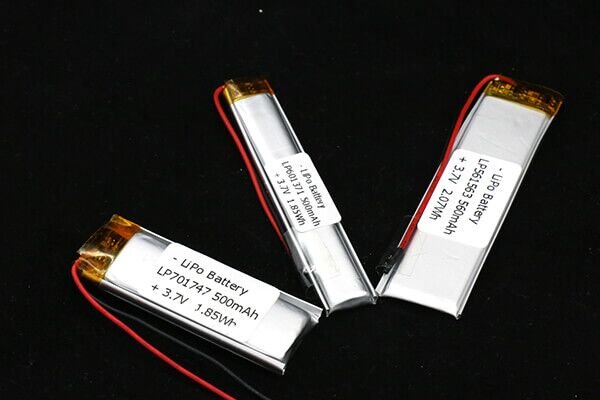
The Zero ships a 3.7 V / 1500 mAh LiPo (single cell) with a BQ27220 fuel gauge and USB-C charging. It is not a sub-1000 mAh micro-cell (the earlier 500–700 mAh framing was an ESP32 assumption). Practical implications:
- It powers a Linux SoC, not an MCU: idle draw is ~2.5 W, with no microcontroller-style µA deep-sleep. Runtime is therefore hours, not days — budget accordingly and carry a USB-C power bank for any sustained engagement. See Vol 5 for the runtime-per-mode table.
- Recommend a 5 V / 2 A supply for charge-while-running; a weak charger can fail to keep up under load.
- A 1500 mAh cell still has modest thermal mass — it warms under sustained high current (Wi-Fi TX + USB-A peripherals + display). Don’t stack it on insulation; give it air.
- Safe shutdown matters for the microSD (see §6), not just the cell — yank power mid-write and you can corrupt the rootfs.
11.3.3 Classroom / education considerations
Students may abuse LiPo cells. Education-tier safety:
- Brief students on LiPo basics — swelling = stop using, hand it in
- Provide replacement service — broken cells replaced cheaply
- Restrict TX-heavy + USB-A-peripheral workflows in classroom to instructor-supervised time (they’re the heaviest-current modes)
- Recycle bin for retired cells — proper disposal at end of life
11.3.4 Fleet-ops + storage
For units stored long-term between engagements:
- Charge to ~50 % before storage
- Don’t store in hot warehouses (>30 °C accelerates degradation)
- Check periodically (~monthly) for swelling
- Replace cells at ~80 % of nameplate (1500 mAh) capacity
- Power units down cleanly before shelving (
sudo poweroff) so the SD isn’t left mid-write
11.4 Education / classroom posture
11.4.1 Wi-Fi pentest in classroom
Teaching Wi-Fi pentest workflows on classroom Zeros:
DO:
  ─ Use a dedicated classroom Wi-Fi for pentest exercises
  ─ Instructor authorizes specific attacks against the lab network
  ─ Document what each student does (attribution)
  ─ Test on lab equipment only — NEVER the school's production Wi-Fi
  ─ Cover Wi-Fi rules + ethics first before TX experiments

DON'T:
  ─ Let students freely run deauth on production school Wi-Fi
  ─ Allow Wi-Fi pentest in residences (e.g., dorms)
  ─ Skip the ethics curriculum
  ─ Permit unauthorized TX in any classroom-adjacent area
11.4.2 Privacy in classroom
For deployed BLE / probe scanning:
- Inform students that the device captures wireless data
- Don’t capture personal devices during exercises unless directly authorized
- Anonymize captured data before storage / analysis
- Delete captures after the exercise concludes
11.4.3 Hardware accountability
- Each Zero assigned to a specific student (or station)
- Serial number logged at issue
- Returned at end of course
- Damage / loss covered by lab fee or department budget
It’s a Linux box, so accountability includes accounts. Unlike an MCU handheld, each Zero has user accounts, an SSH server, and a writable filesystem. For classroom fleets, reset credentials between students and re-image the microSD between courses (§6) — otherwise one student’s shell history, keys, and saved Wi-Fi PSKs ride along to the next.
11.5 Fleet-ops chain of custody
11.5.1 Pre-deployment
- Each unit has a serial number + custody tag
- Pre-deployment baseline: fresh microSD image (known-good OS), no engagement payload, default creds changed
- Photograph each unit before deployment
- Document deployment plan (location, time, expected duration)
11.5.2 During deployment
- Track each unit’s location (if mobile)
- Status updates if remote-accessible (SSH/
tailscale/reverse tunnel — secure the channel) - Watch for OS crashes / SD corruption / brown-outs (a
systemdwatchdog or cron health-check beats hoping it stays up)
11.5.3 Post-deployment
- Retrieve each unit (or confirm loss)
- Extract data (encrypted bundle for transfer)
- Sanitize the microSD before next deployment (re-image, don’t just delete — see §6)
- Re-image to the known-good baseline
- Document the engagement
11.5.4 Data handling
Captured data (probes, BLE scans, pcaps, etc.):
- Encrypt at rest during transfer (and ideally on-device — see §6 / LUKS)
- Limit retention per engagement contract (typically 30–90 days)
- Out-of-band hash verification for evidence-grade captures
- Bystander filtering — purge non-target data
Cross-ref the Cardputer ADV operational-posture volume for the canonical chain-of-custody checklist (posture-framework only; the ADV is ESP32 hardware).
11.6 It’s a full computer — treat it like one
This is the posture dimension the ESP32 framing never had, and for drop-box / fleet use it is the most important one in this volume. The Zero is not a microcontroller that boots into one fixed firmware — it is a Raspberry Pi-class Linux computer that boots a general-purpose OS (Raspberry Pi OS / Debian, aarch64) off a microSD, runs an SSH daemon, has user accounts, a package manager, and a writable filesystem. Everything that’s true of securing a Linux laptop or a Pi drop-box is true here.
11.6.1 The Linux attack surface (and how to close it)
Table 3 — 6.1 The Linux attack surface (and how to close it)
| Surface | The risk | Mitigation |
|---|---|---|
| Default credentials | Stock Pi-style images ship with a well-known default user/password; an open SSH on a default cred is game-over the moment the unit is on a network. | Change the password / disable password auth on first boot; bake it into the image. Use SSH keys only. |
| SSH exposure | sshd listening on all interfaces = remote foothold, especially on a deployed drop-box reachable from the target LAN. | Key-only auth, bind to a management interface/VPN, fail2ban, or disable sshd entirely on collection-only units. |
| No secure boot by default | The CM0 has no secure-boot / verified-boot chain enabled by default. Anyone with the device can modify the boot files. | Treat physical possession as full compromise; don’t rely on the boot chain for integrity. Tamper-evident seals for fleet units. |
| microSD is trivially removable + readable | The OS and all data live on a microSD you can pull with a fingernail and read in any laptop. No secret on that card is safe at rest. | Keep no secrets in plaintext at rest: put captures/keys/creds on a LUKS-encrypted partition (unlocked at runtime), not the rootfs. Accept that the rootfs itself is readable. |
| Package / supply-chain hygiene | apt install from random PPAs, curl | sh, or unpinned third-party .debs pull untrusted code onto a device you’ll carry into a client’s network. | Pin trusted repos, verify signatures, minimize installed packages, build the image from a known recipe (pi-gen fork), audit what’s on it. |
| Unsafe shutdown → SD corruption | Yanking power (dead battery, pulled USB-C) mid-write corrupts the filesystem — a classic Pi failure mode, now in your pocket. | sudo poweroff / sudo halt before depowering; consider a read-only rootfs (overlayroot) for deployed collectors so power loss is non-destructive. |
11.6.2 Drop-box implications
A $59–89 pocket Linux box with Ethernet, Wi-Fi/BLE, USB-A host, and a battery is an excellent drop-box — and a drop-box is, by definition, hardware you leave behind in someone else’s space. That means:
- Assume recovery by the adversary. If the target finds it, they get the microSD. Everything on it (rootfs included) is readable. Only an encrypted partition protects captured data; nothing protects the rootfs.
- Phone-home channels are attack surface too. A reverse SSH tunnel or
tailscale/wireguardcallback is great for you and great for anyone who pulls the device’s keys. Use per-device keys you can revoke, and revoke on loss. - Minimize the blast radius. Strip the image to what the job needs; don’t leave your full toolkit, client lists, or other engagement data on a unit you’re abandoning in the field.
11.6.3 Quick hardening checklist (bake into the fleet image)
[ ] Default password changed / password auth disabled
[ ] SSH: key-only, fail2ban, bound to mgmt/VPN iface (or sshd off)
[ ] Captures/keys/creds on a LUKS partition — NOT the rootfs
[ ] Unattended-upgrades or a controlled patch cadence
[ ] Minimal package set; trusted repos only; signatures verified
[ ] Read-only rootfs (overlayroot) for leave-behind collectors
[ ] Per-device phone-home keys, revocable on loss
[ ] Clean-shutdown habit (sudo poweroff) to protect the SD
[ ] Tamper-evident seal on fleet units (no secure boot to rely on)
11.7 Legal / ethics for pentest use
11.7.1 The core principle
Authorization in writing for every TX-related activity. Don’t deauth, jam, beacon spam, run an evil-twin/captive portal, or transmit on a sub-GHz module without explicit scope.
11.7.2 Zero-specific considerations
For the Cardputer Zero in particular:
- Lower cost = lower “stake” but same legal exposure — a $59 device used illegally exposes you to the same criminal/civil penalties as a $600 one.
- It’s a full computer, so the evidence picture is bigger — a deployed Linux unit holds shell history, logs, SSH keys, pcaps, and a writable filesystem. Each unit is potentially evidence; encrypt sensitive data and sanitize (re-image) systematically.
- Multiple units increase exposure — fleet ops means more devices, more keys, more places data lands. Track and account for every one.
- Education context doesn’t lower the bar — students under your supervision making illegal TX (or running tools on networks they don’t own) puts liability on you.
11.7.3 What’s typically OK
- RX-only Wi-Fi/BLE scanning in public spaces (with reasonable awareness)
- TX on your own networks
- TX in licensed bands (only if you hold the license; e.g., amateur radio)
- Sub-GHz TX within the legal ISM sub-band + duty cycle for your region
- TX with explicit written authorization
11.7.4 What’s typically not OK
- Deauth on a network you don’t own
- Beacon spam in public spaces
- Captive portal targeting random users
- Sub-GHz replay/jamming outside legal ISM bands or against systems you don’t own
- Running host-side tooling (nmap, responder,
hostapd) against networks without authorization - TX without authorization, period
Cross-ref ../../../_shared/legal_ethics.md for the project-wide posture.
11.8 When NOT to deploy Zero
Beyond the Vol 9 § 7 “wrong tool” list, Zero-specific operational deployment risks — updated for the Linux reality:
Table 4 — Beyond the [Vol 9 § 7](/m5stack-cardputer-zero/vol-9/#97-scenarios-where-zero-is-the-wrong-tool) "wrong tool" list, Zero-specific operational deployment risks — updated for the Linux reality
| Scenario | Risk | Mitigation |
|---|---|---|
| Public hackathon with unsupervised teens | Misuse of a full Linux box (real tooling, real network access) | Minimal image, supervisor present, no default creds |
| Long-duration unsupervised collection | Battery (~2.5 W idle = hours, not days), theft, weather, SD corruption on power loss | Fixed 5 V/2 A power, sheltered enclosure, read-only rootfs, regular check |
| Cross-border travel with a pre-built pentest microSD | Customs inspection — a Linux box full of pentest tools/data reads very differently than a “toy keyboard” | Travel with a clean OS image; provision the engagement image on arrival; encrypt anything sensitive |
| Leaving a unit behind as a drop-box | Adversary recovers it → reads the microSD (rootfs + any plaintext data) | LUKS for data, minimal image, per-device revocable keys, assume recovery |
| Locations with sensitive RF infrastructure | Interference (esp. sub-GHz Cap modules) | Verify regional rules; avoid TX; don’t fit a sub-GHz Cap you don’t need |
| Educational deployment without consent | Privacy / liability | Inform participants; opt-in scanning only; reset creds + re-image between students |
11.9 Pre-engagement checklist
For any deliberate Zero deployment:
AUTHORIZATION
[ ] Written authorization (if TX-heavy / host-tooling against a network)
[ ] Verbal authorization (if classroom / known venue)
[ ] Out-of-band contact ready

PREPARATION
[ ] Unit charged ≥80% + USB-C 5V/2A power/bank ready (Linux SoC ~2.5W idle)
[ ] microSD imaged from known-good baseline; engagement data on a LUKS partition
[ ] Default creds changed; SSH key-only (or sshd off); minimal package set
[ ] Region band-plan set for any sub-GHz Cap module (EU868/US915/...)
[ ] Engagement scope clear

OPERATIONAL
[ ] TX rules understood for this band/region (2.4 GHz + any sub-GHz Cap)
[ ] Monitor-mode USB Wi-Fi adapter on hand if injection is needed
[ ] Sanitization plan post-engagement (re-image, not just delete)
[ ] Discovery response plan (assume SD is readable on recovery)
[ ] Clean-shutdown habit to protect the SD

LEGAL / ETHICAL
[ ] Authorized to TX in band X for duration Y?
[ ] Authorized to run host tooling against the target network?
[ ] Bystander data handling clear?
[ ] Documentation policy clear?

FINAL
[ ] All above checked — proceed
If any item isn’t checked: abort.
11.10 Resources
- Cardputer ADV operational-posture volume — shared posture framework only (the ADV is an ESP32 device, not a hardware/OS analog).
- Cyberdecks project (
../../../Cyberdecks/) — the Zero’s true Linux-handheld siblings (Clockwork uConsole = Pi CM4 Linux handheld, PicoCalc); closest analog for the §6 Linux-computer security posture. - ESP32 Marauder Firmware deep dive — Wi-Fi pentest posture, as lineage (the Zero runs Linux-native equivalents — aircrack-ng, Kismet, bettercap,
hostapd— not Marauder). - Hack Tools shared legal/ethics:
../../../_shared/legal_ethics.md - FCC Part 15: https://www.law.cornell.edu/cfr/text/47/part-15
- EU ETSI EN 300 328: https://www.etsi.org/
- Raspberry Pi security guidance (applies directly — CM0 is Pi silicon): https://www.raspberrypi.com/documentation/computers/configuration.html#securing-your-raspberry-pi
- LoRaWAN regional parameters (sub-GHz band plans): https://lora-alliance.org/resource_hub/rp2-1-0-3-lorawan-regional-parameters/
End of Vol 11. Next: Vol 12 is the laminate-ready cheatsheet — with explicit “what to verify on receipt” content reflecting the Zero’s confirmed CM0/Linux platform.
Comments (0)