PWNagotchi · Volume 1
PWNagotchi Volume 1 — Overview, Decision Tree, and the AI Controversy
What it is, what it isn't, why it exists, who built it, and which build path to pick
A Pwnagotchi is a battery-powered, e-ink-display Raspberry Pi Zero W appliance that walks (or, more accurately, sits) through a Wi-Fi environment and harvests WPA/WPA2 handshake material — both PMKID (the optimization in 802.11i that lets an attacker skip the 4-way handshake when the AP is willing) and full EAPOL 4-way handshakes (captured by deauthenticating a client and letting it re-associate). The handshakes are saved to the SD card as .pcap files for offline cracking with hashcat or john later.
Three things make the Pwnagotchi unusual relative to the wider category of “Wi-Fi capture appliances”:
- It is autonomous. No operator UI required — once configured, you set it on a shelf, hang it on a backpack, or drop it on the passenger seat of the car and it just runs. The face on the e-ink tells you what state it’s in.
- It tunes itself. The capture parameters (channel hop schedule, deauth burst sizes, listen dwells, ratio of “be polite” vs “be aggressive”) are not fixed — they are tuned by an Advantage Actor-Critic (A2C) reinforcement-learning agent. Over time, in the environments it’s deployed to, it converges on parameter values that maximize handshake yield.
- It is social. Two Pwnagotchis within hearing distance discover each other over pwngrid — a peer-to-peer protocol that piggybacks on rogue 802.11 beacon frames — and exchange identifying tokens. The community calls this “befriending”; whatever you call it, it means Pwnagotchis at a con will leave a long-lived breadcrumb trail in each other’s
peers/databases.
The aesthetic is Tamagotchi-cute. The e-ink shows an animated face that “eats” each captured handshake. The community wraps this in narrative — the gotchi is “sad” when there are no networks, “excited” when it sees a new AP, “sleepy” when the battery is low — which is intentional whimsy on top of an otherwise grimly functional attack tool. The whimsy is the marketing.
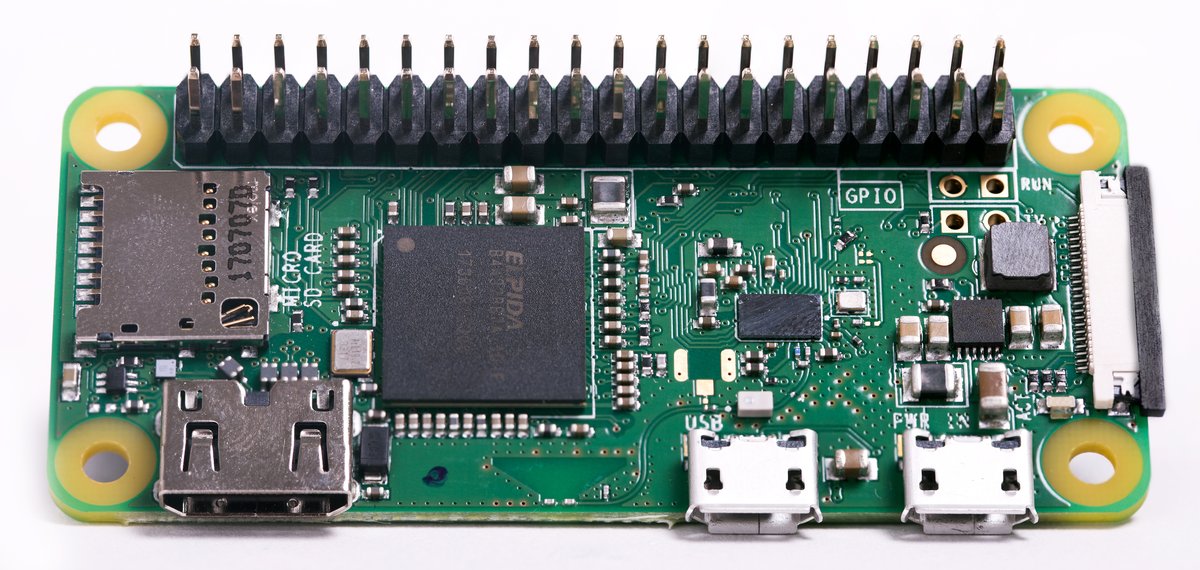
Figure 1.1 — File:Raspberry Pi Zero WH.jpg by the Raspberry Pi Foundation. License: CC BY-SA 4.0. Via Wikimedia Commons.
1.1 What the Pwnagotchi isn’t
Three things people frequently think a Pwnagotchi does but it does not:
Table 1 — Three things people frequently think a Pwnagotchi does but it does not
| Common assumption | Reality |
|---|---|
| ”It cracks Wi-Fi passwords.” | No — it captures handshake material. Cracking requires hashcat/john + GPU + a dictionary, and is done offline on a workstation later. |
| ”It’s an AI that learns to break into networks.” | The A2C agent tunes a small set of bettercap scan/attack parameters. It does not invent attack techniques. The set of attacks is fixed (deauth + PMKID solicitation); the agent only chooses when and how often to issue them. |
| ”It can attack WPA3.” | WPA3 personal uses SAE (Simultaneous Authentication of Equals), which does not expose offline-crackable material the way WPA2 does. WPA3 is, for practical purposes, immune to the Pwnagotchi’s pipeline. The device is a 2008-2025-era WPA2 capture tool. |
| ”It’s covert.” | The Pwnagotchi broadcasts on its own. Both pwngrid beacons and the deauth frames it transmits are easy to detect with any monitor-mode receiver. A Pwnagotchi at a corporate venue is a loud guest. |
| ”It works against any network with clients.” | Hidden ESSIDs reduce yield (the gotchi must see a probe response or association request to learn the BSSID/ESSID pair). PMK-caching APs and 802.11w (Protected Management Frames) reduce deauth effectiveness. WPA-Enterprise (EAP-PEAP, EAP-TLS) is a different beast and is essentially out of scope. |
1.2 Who built it, when, and why
Simone Margaritelli — handle evilsocket, an Italian security researcher most widely known as the author of bettercap (a Go-based, modular, scriptable network attack and monitoring framework that replaced the older ettercap) — released the first version of Pwnagotchi in October 2019. The project leaned on bettercap as the underlying Wi-Fi engine and added (a) the e-ink display + Tamagotchi face, (b) the A2C reinforcement-learning loop in Python/Keras, and (c) the pwngrid peer-to-peer protocol.
A few months of intense community traction followed — Pwnagotchi was the badge-of-honor build at hacker conferences in late 2019 and early 2020, and the Reddit r/pwnagotchi subreddit ballooned. In mid-2020 evilsocket archived the repository, citing the time burden and saying the project had reached its design goals. The fork ecosystem took over: jayofelony (Andrew Schwartz) became the de facto maintainer, with a fork that ships modern Pi Zero 2 W support, 64-bit Bookworm-based images, and integration of dozens of community plugins. jayofelony’s fork is what 95% of present-day Pwnagotchi installs run.
Fancygotchi, by fmatray, is a parallel community project that re-implements the Pwnagotchi display pipeline to support color displays — Pimoroni Inky Impression, Waveshare color e-paper — and adds a configurable theme/face system. The mainline display pipeline was hard-coded to specific monochrome HATs; Fancygotchi turns the display layer into a themable engine, which both (a) opens up the gorgeous Inky Impression family of HATs and (b) lets the community publish swappable “skins” (a sad gotchi, an angry gotchi, a pirate gotchi, a corporate-pet gotchi, etc.). Fancygotchi can be installed on top of jayofelony Pwnagotchi.
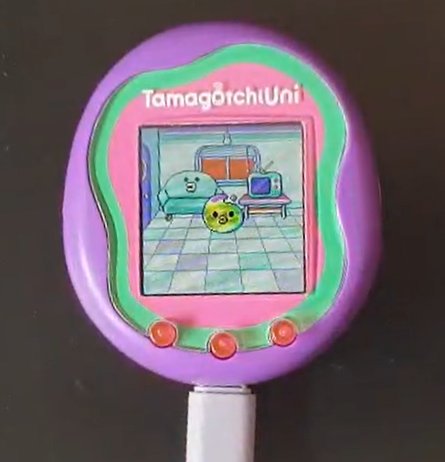
Figure 3.1 — Original Tamagotchi (1996, Bandai). Photo via Wikimedia Commons.
1.3 The decision tree — should you build one?
Use the tree below before sourcing parts. The Pwnagotchi is one of the most rewarding small-electronics projects in this hub — and also one of the most underutilized once built. The cute factor disguises an attack appliance with a narrow real-world workflow.
                   ┌──────────────────────────────────────────┐
                   │  Do you want a Wi-Fi appliance that...   │
                   └──────────────────────────────────────────┘
                                       │
            ┌──────────────────────────┼──────────────────────────┐
            │                          │                          │
            ▼                          ▼                          ▼
   ...you carry to a target,   ...you set down for     ...you actively drive
   point-and-shoot,            hours/days and let      from a UI, watching scans
   under operator control?     it work on its own?     and pivoting in real time?
            │                          │                          │
            ▼                          ▼                          ▼
     Flipper WiFi DevBoard      ┌──────────────┐       WiFi Pineapple
     AWOK Dual Touch V3         │  PWNAGOTCHI  │       AWOK on Flipper
     Ruckus Game Over           │  is the      │       ESP32 Marauder
     ESP32 Marauder             │  right tool. │       Kali on a laptop
                                └──────────────┘
                                       │
                                       ▼
                  ┌────────────────────────────────────────┐
                  │ ... AND you're OK with:                │
                  │ • Capture only (no cracking on-device) │
                  │ • 2.4 GHz only (no 5 GHz)              │
                  │ • A device that broadcasts beacons     │
                  │   identifying itself                   │
                  │ • A device that is illegal to point at │
                  │   third-party networks                 │
                  │ • Spending an evening on the build     │
                  └────────────────────────────────────────┘
                                       │
                                       ▼
                       ┌────────────────────────────┐
                       │  Yes → go. Vol 2 onward.   │
                       │  No  → use something else. │
                       └────────────────────────────┘
If the answer is “go,” the next decision is the build path. Three paths exist, summarized at the top of CLAUDE.md and revisited (with parts links + BOM) in Vol 2 §6 and Vol 4 §6 (for the Motorola Advisor variant).
1.4 The build paths (one-paragraph each)
Path A — DIY from parts. A Pi Zero 2 W ($15), a Waveshare 2.13” v4 e-paper HAT ($22), a 1200 mAh LiPo + PiSugar 3 or PowerBoost ($5-25 depending on choice), a microSD card ($8), and a 3D-printed case ($5 in PETG if you print yourself, ~$15 if you order from a service). Total $60-80. Setup time 2-4 hours including image flash, first boot, e-ink calibration, and case mount. Recommended starting point.
Path B — Buy a pre-built. Several Tindie, Etsy, and Lab401 sellers offer pre-built Pwnagotchis with case + display + battery + a flashed SD card. Quality and pricing vary wildly. Expect to pay $150-250. Setup time ~30 minutes (charge, boot, change the default password). Common downsides: the seller’s chosen distribution may be stale, the case may not be the one you want, and the markup is high. Defensible buy only if you’re impatient or buying a gift.
Path C — Mike J. Kelly Motorola Advisor case-mod. Build a Path A Pwnagotchi, then source a Motorola Advisor pager (eBay, $5-25; the alphanumeric variant — the squarish clamshell, not the smaller “numeric” Advisor Elite). Print Kelly’s STL inserts. Tear down the pager, mount the Pi Zero W + e-ink + LiPo into the original shell, wire the original rocker buttons to GPIO. Total $80-120 + a weekend. The build is mechanical, not electrical (the Pi Zero W is unmodified); the value is cultural and aesthetic. The single most photogenic device in this hub. Vol 4 §6 covers it in chapter-length detail.
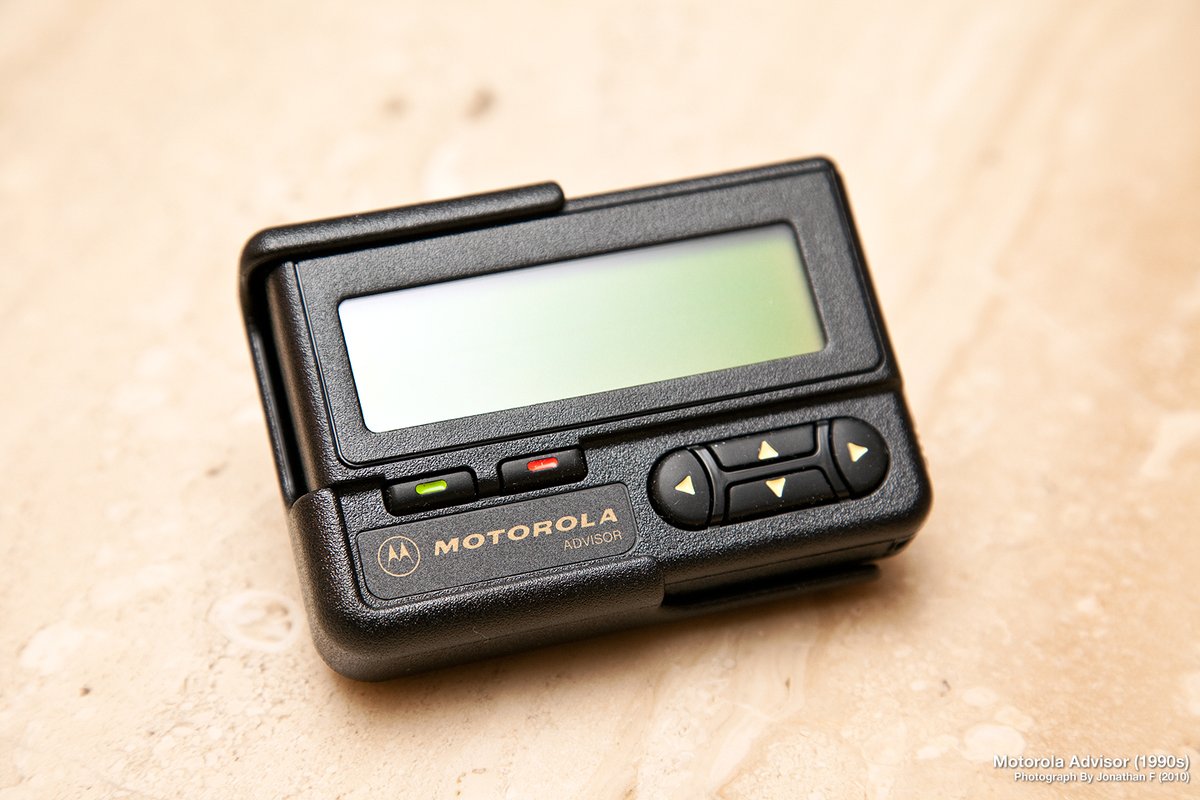
Figure 5.1 — File:Motorola Advisor Pager (5005137730).jpg by rfdigitalwpg. License: CC BY 2.0. Via Wikimedia Commons.
1.5 The AI controversy — is the Pwnagotchi “really” AI?
Yes and no. The Pwnagotchi uses a real, recognizable reinforcement-learning algorithm (Advantage Actor-Critic; see Vol 6) implemented in Keras, with a real state-space (the current Wi-Fi environment summarized as features: number of APs, number of unique clients seen, rolling handshake yield, channel-by-channel activity heatmap) and a real action-space (the bettercap parameter tuples to apply). The agent collects rewards (handshakes captured), updates the actor and critic networks via gradient descent on the temporal-difference error, and over time produces a policy that — for the environments it’s been deployed in — measurably outperforms a random walk over the parameter space.
That makes it legitimately RL, and “AI” in the broad sense the term has carried since the 1956 Dartmouth workshop.
What it is not:
- It is not learning Wi-Fi attacks. The set of attacks (PMKID solicitation; targeted deauth → re-association handshake capture) is fixed in code. The agent learns the parameters of the attack, not the attack itself.
- It is not transferable. A Pwnagotchi trained in your house for a year does not produce a better Pwnagotchi when given to your friend — the friend’s Wi-Fi environment is different. The community has historically shared trained models; in practice they help marginally on first deployment and converge to similar end-states regardless.
- It is not necessary. A well-tuned static bettercap configuration (the MANU mode) typically lands within a small percentage of the AI mode’s yield once both have run long enough to be measured. The MANU/AUTO/AI distinction is in Vol 10 §1.
The honest framing is: the A2C agent is a clever, somewhat-baroque way to make a Wi-Fi capture appliance self-configuring across heterogeneous environments without requiring the operator to tune it. That is a real capability and a real software-engineering achievement. The “pet” framing makes the story land harder than a less-cute UI ever would.
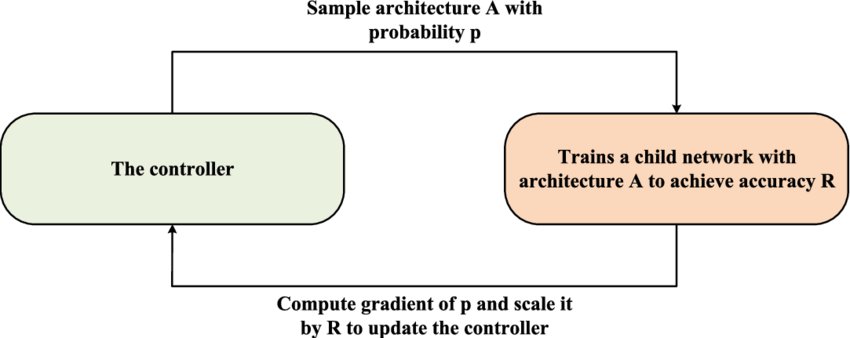
Figure 6.1 — Reinforcement learning loop, generic actor-critic. Via Wikimedia Commons.
1.6 Where Pwnagotchi sits in this hub
The capability matrix in _shared/comparison.md and the sortable capability matrix both list Pwnagotchi alongside the dozen-plus other Wi-Fi-capable tools. Five tools in particular overlap with Pwnagotchi’s territory, and the differences matter:
Table 2 — The capability matrix in [shared/comparison.md](../../shared/comparison.md) and the sortable [capability matrix](/compare/) both list Pwnagotchi alongside the dozen-plus other Wi-Fi-capable tools. Five tools in particular overlap with Pwnagotchi's territory, and the differences matter
| Tool | Overlap | What’s different |
|---|---|---|
Flipper WiFi Devboard (Flipper Zero/00-inventory/wifi-devboard.md) | Both capture handshakes on 2.4 GHz | Flipper devboard is operator-driven through the Flipper UI; no autonomous mode. |
AWOK Dual Touch V3 (AWOK Dual Touch V3/) | Both run Wi-Fi attacks on a small portable form factor | AWOK has GPS + dual ESP32 + touch screen; runs as a Flipper guest module. No RL. |
Ruckus Game Over (Ruckus Game Over/) | Multi-radio Wi-Fi capture | Standalone OLED + joystick; multi-band CC1101 + NRF24 alongside Wi-Fi. No RL. |
ESP32 Marauder Firmware (ESP32 Marauder Firmware/) | Wi-Fi scan + attack on a portable | Firmware, not hardware. Runs on many ESP32 reference boards. Operator-driven. |
WiFi Pineapple (WiFi Pineapple/) | Wi-Fi attacks at a venue | Purpose-built rogue-AP / KARMA platform; lab-grade; networked C2; not battery-portable. |
Pwnagotchi is the only tool in the lineup that learns from its own deployment. That is its single distinguishing feature. Every other “shall I press buttons?” question has a similar-or-better non-Pwnagotchi answer.
1.7 Reading order for the rest of this deep dive
The volumes are a graph, not a sequence. Below is the recommended path for three reader profiles.
Profile A — “I want to build one this weekend.” Vol 2 (hardware) → Vol 3 (which display) → Vol 4 (which case) → Vol 8 (install) → Vol 10 (operate). Optional: Vol 9 (plugins) once it’s running. Skip the AI math (Vol 6) until you’re curious.
Profile B — “I want to understand the AI claim.” Vol 5 (software stack) → Vol 6 (the A2C agent) → Vol 10 §1 (AUTO/MANU/AI mode comparison). Then Vol 11 (programming) if you want to read or modify the agent code.
Profile C — “I’m here for the Motorola Advisor.” Vol 1 (you are here) → Vol 2 (the hardware that goes inside) → Vol 3 (the display that mounts behind the original LCD aperture) → Vol 4 §6 (the whole chapter). Optionally Vol 8 for the post-build first-run.
1.8 Cheatsheet updates from this volume
Items to roll into Vol 12 (laminate-ready cheatsheet):
- “Pwnagotchi captures, it does not crack.” (Section 2)
- “WPA3 / SAE is mostly immune.” (Section 2)
- “AI mode tunes bettercap parameters, not attacks.” (Section 6)
- “The Pwnagotchi broadcasts pwngrid beacons identifying itself — turn off at public venues.” (Section 1)
- “Default build: Pi Zero 2 W + Waveshare 2.13” v4 + 1200 mAh LiPo + brick case. $60-80, ~2-4 hr.” (Section 5)
Comments (0)